Algorithmic Thinking
Read at your own pace. Code execution, quizzes, progress tracking, and the AI tutor are available in the interactive view with JavaScript enabled.
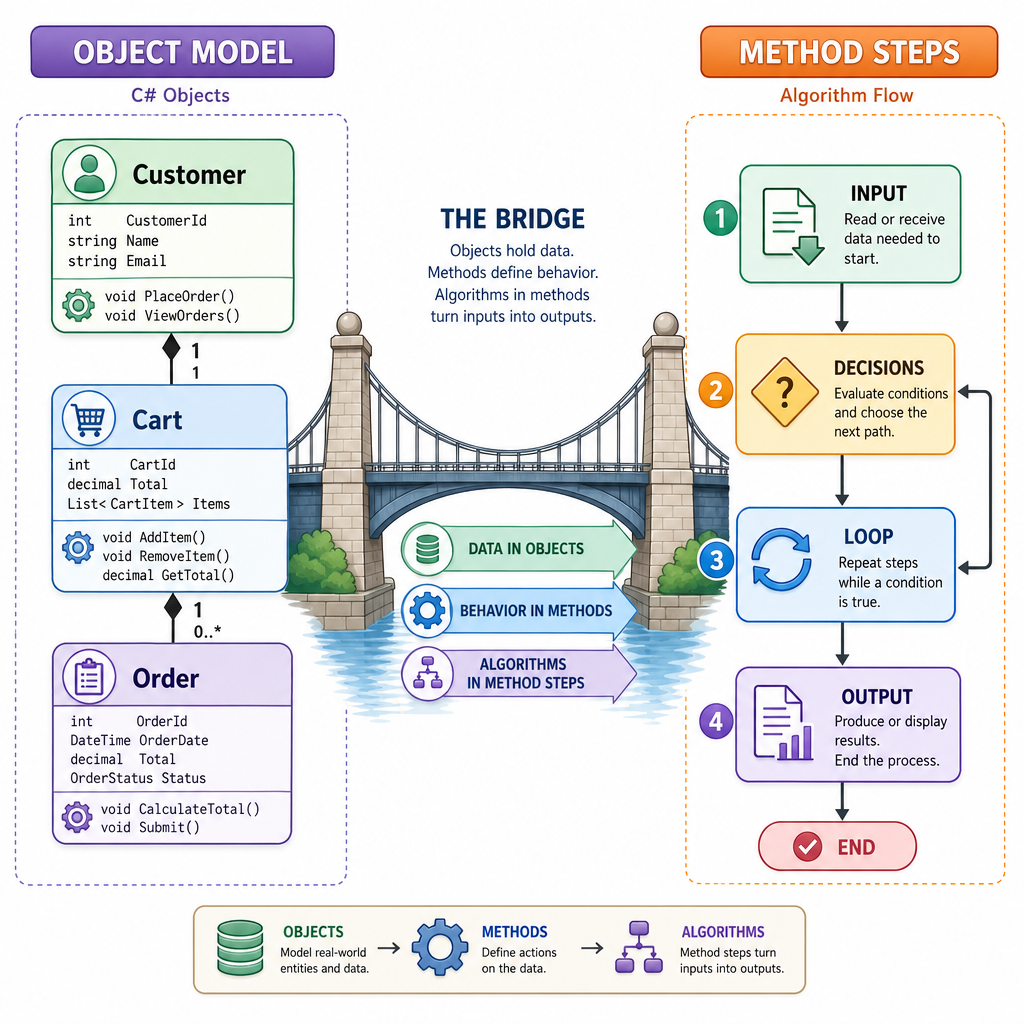
From Models To Methods
Why this lesson matters
In Introduction to OODSA, you started thinking in terms of objects, responsibilities, and encapsulated behavior.
Now we zoom into the behavior itself: how do we design the steps inside a method so they reliably solve a problem?
That is algorithmic thinking.
By the end of this lesson, you should be able to look at a programming task and ask:
- What exactly is the input?
- What output must be produced?
- What smaller decisions are needed?
- What must remain true while the algorithm runs?
- How can I compare two possible approaches?
We will stay focused on the thinking process. Later lessons will apply this thinking to data structures, sorting, dynamic programming, graphs, and more.
The Thinking Loop
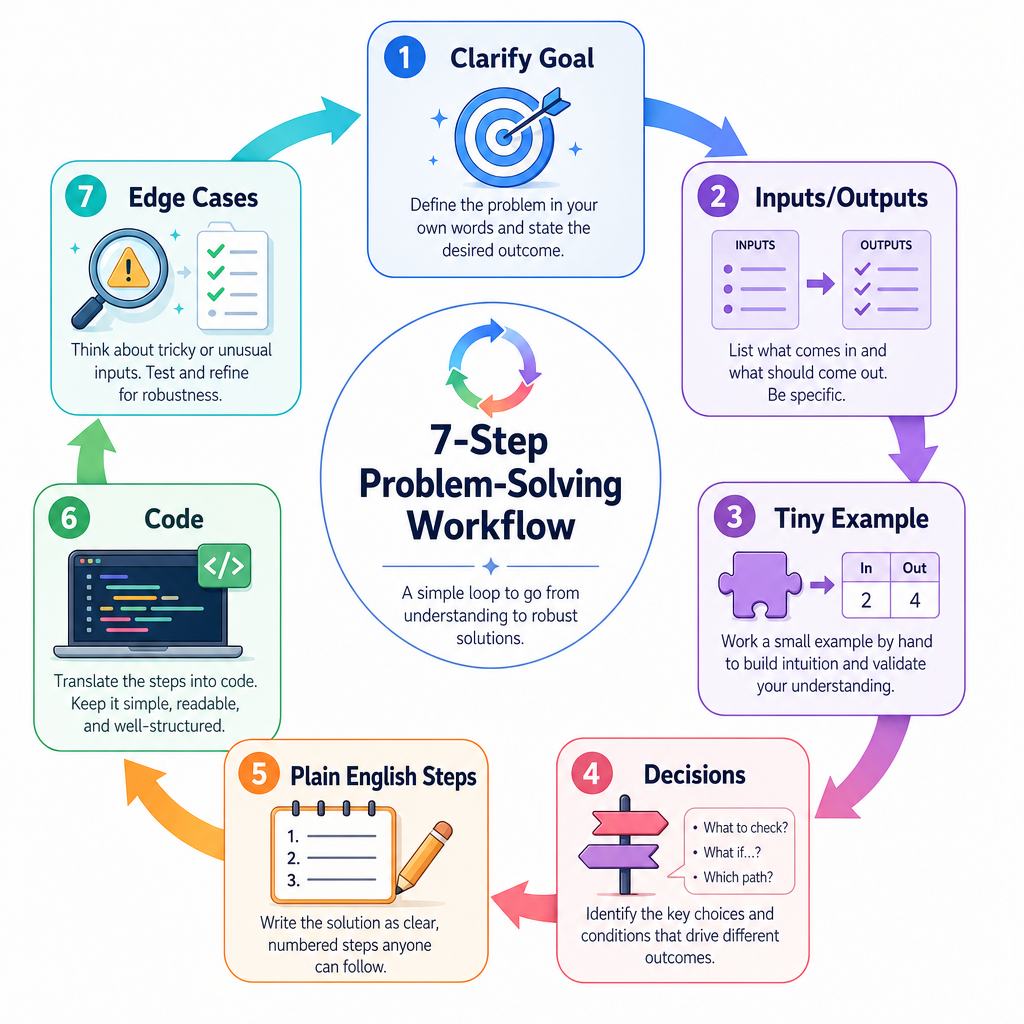
A practical algorithmic thinking loop
When you face a coding problem, resist the urge to immediately type code. First, run this loop:
1. Clarify the goal
2. Name the inputs and outputs
3. Work through a tiny example
4. Break the task into decisions
5. Write steps in plain English
6. Convert steps into code
7. Test with edge cases
This is not just interview advice. It is how you avoid building a method that works once but fails when the input changes.
A good algorithm is not only a block of code. It is a clear plan that can be reasoned about.
Choose First Move
You are asked to write a method that decides whether a customer qualifies for free shipping.
What is the best first step?
Decompose A Task
Break behavior into smaller decisions
Suppose we need a small method for a store app: given item prices and a budget, find the first item the customer can afford.
Before coding, describe the algorithm:
Input: prices, budget
Output: first affordable price, or -1 if none exists

For each price:
  If price is less than or equal to budget:
    Return that price
If no price worked:
  Return -1
Notice how the plan talks about behavior, not syntax. Once the steps are clear, C# becomes the translation layer.
```csharp
using System;

public class Program
{
    static int FindFirstAffordable(int[] prices, int budget)
    {
        foreach (int price in prices)
        {
            if (price <= budget)
            {
                return price;
            }
        }

        return -1;
    }

    public static void Main()
    {
        int[] prices = { 120, 75, 40, 200 };
        int budget = 80;

        int result = FindFirstAffordable(prices, budget);
        Console.WriteLine($"First affordable price: {result}");
    }
}
```
Plain English First
True or false:
Writing the algorithm in plain English before C# can help reveal missing cases and unclear assumptions.
Trace Before Trust
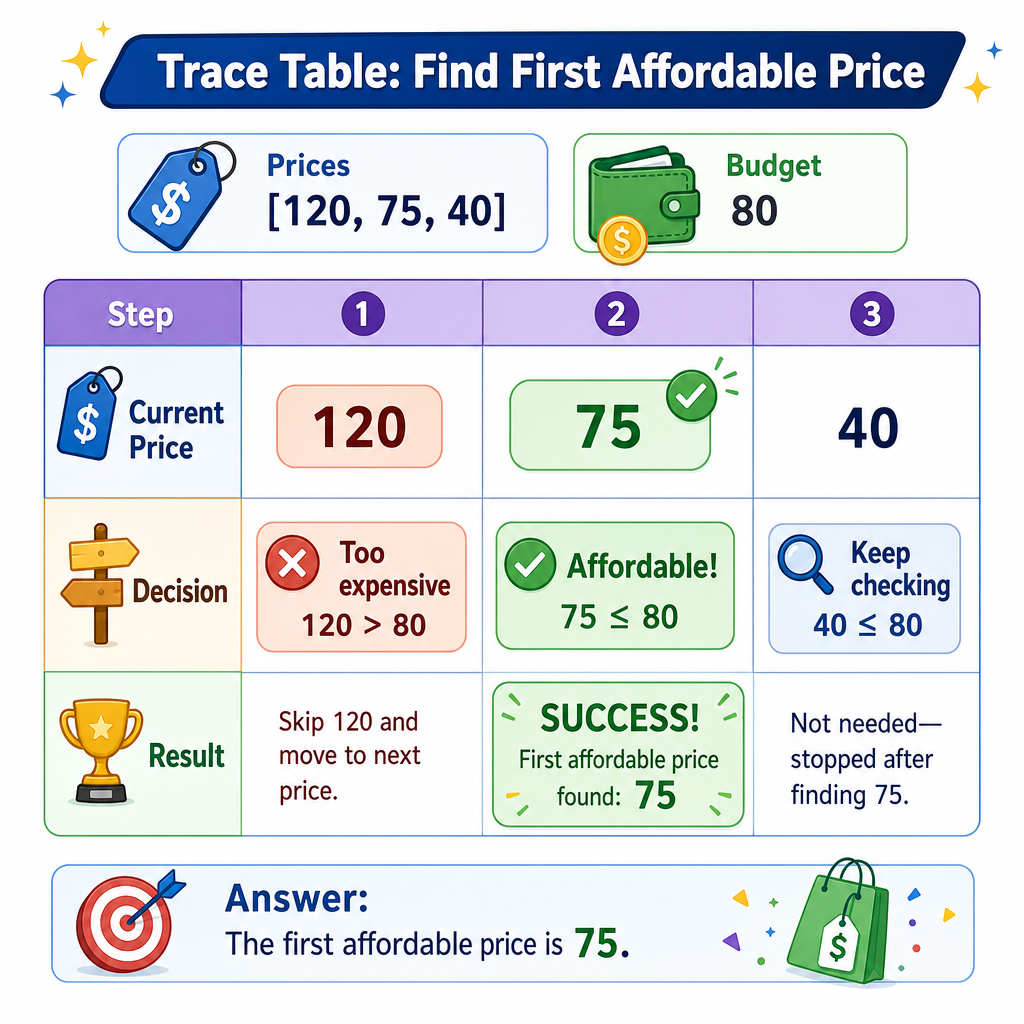
Trace a tiny example
A trace means walking through the algorithm step by step with a small input.
For the affordable-price example:
prices = [120, 75, 40]
budget = 80

Check 120 -> too expensive
Check 75  -> affordable, return 75
Stop
Tracing is powerful because it catches two common mistakes:
- Returning too late when you already found the answer
- Returning too early before all needed checks are complete
Do this before relying on a debugger. A debugger shows what happened; a trace teaches you what should happen.
Compare Approaches
Same goal, different amount of work
Algorithmic thinking includes asking: how much work does this plan do as input grows?
Here are two methods that answer the same question: does an array contain a target number?
- One keeps checking even after it finds the target.
- One stops as soon as the answer is known.
This is not a full searching-algorithms lesson yet. The important idea is simpler: avoid unnecessary work when the result is already determined.
```csharp
using System;

public class Program
{
    static bool ContainsSlow(int[] numbers, int target)
    {
        bool found = false;
        int checks = 0;

        foreach (int number in numbers)
        {
            checks++;
            if (number == target)
            {
                found = true;
            }
        }

        Console.WriteLine($"Slow checks: {checks}");
        return found;
    }

    static bool ContainsEarlyExit(int[] numbers, int target)
    {
        int checks = 0;

        foreach (int number in numbers)
        {
            checks++;
            if (number == target)
            {
                Console.WriteLine($"Early-exit checks: {checks}");
                return true;
            }
        }

        Console.WriteLine($"Early-exit checks: {checks}");
        return false;
    }

    public static void Main()
    {
        int[] numbers = { 3, 9, 12, 20, 30 };
        int target = 9;

        Console.WriteLine($"Slow result: {ContainsSlow(numbers, target)}");
        Console.WriteLine($"Early-exit result: {ContainsEarlyExit(numbers, target)}");
    }
}
```
Know The Invariant
What must stay true?
An invariant is a condition that remains true as an algorithm runs.
In loops, invariants are especially useful. They help you reason about correctness instead of just hoping the loop works.
Example goal: sum all numbers in an array.
Useful invariant:
After processing index i, total equals the sum of all numbers already processed.
If that is true before the loop, stays true during each iteration, and gives the desired answer when the loop ends, the algorithm is much easier to trust.
```csharp
using System;

public class Program
{
    static int Sum(int[] numbers)
    {
        int total = 0;

        for (int i = 0; i < numbers.Length; i++)
        {
            total += numbers[i];
            Console.WriteLine($"After index {i}, total is {total}");
        }

        return total;
    }

    public static void Main()
    {
        int[] values = { 4, 6, 10 };
        int answer = Sum(values);
        Console.WriteLine($"Final sum: {answer}");
    }
}
```
Name The Concept
Fill in the blank:
A condition that stays true before and after each loop iteration is called an ____.
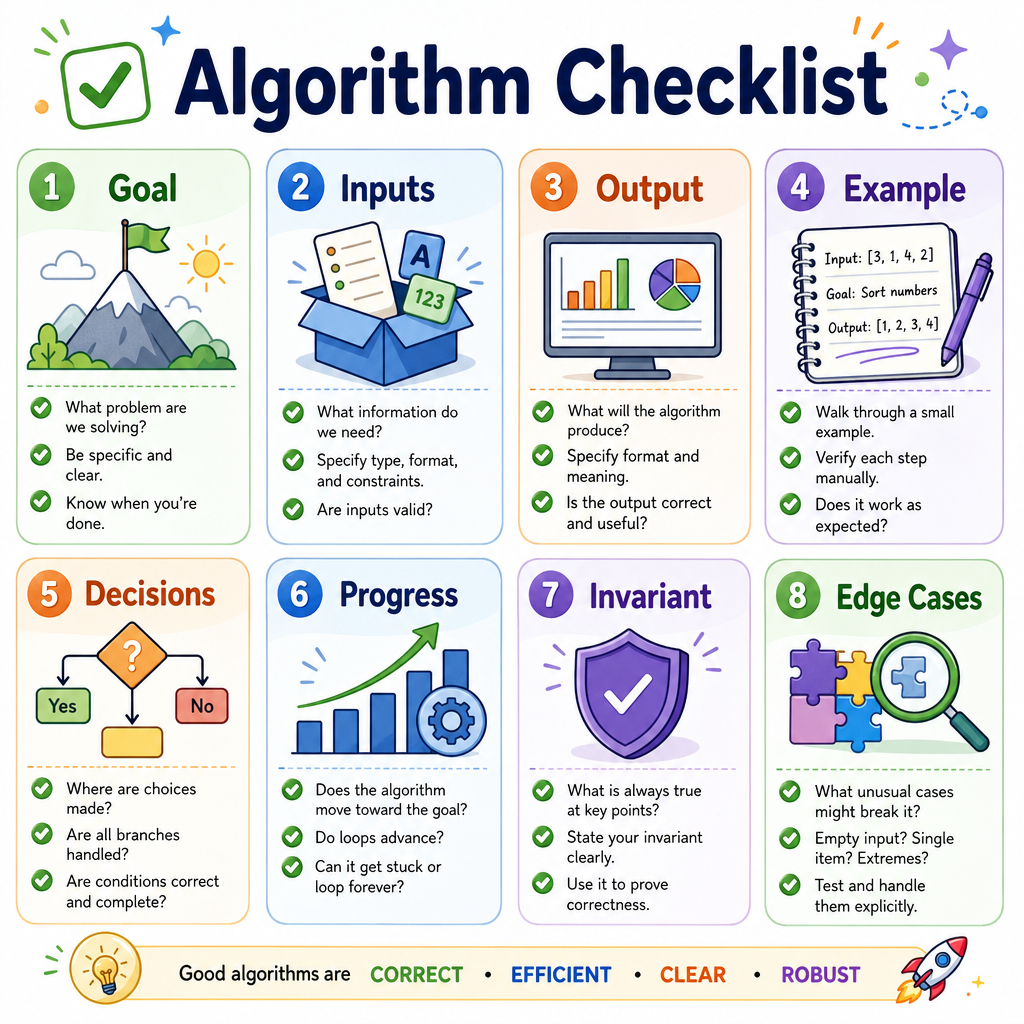
Your Algorithm Checklist
Before you code, check the plan
Use this checklist for the rest of the course:
- Goal: What problem is this method solving?
- Inputs: What values does it receive?
- Output: What should it return or change?
- Example: Can I trace a tiny case by hand?
- Decisions: Where does the algorithm branch?
- Progress: Does each step move closer to finishing?
- Invariant: What stays true while it runs?
- Edge cases: What about empty, tiny, repeated, or extreme inputs?
This lesson gives you the mental framework. Next, we will connect these plans to the containers that hold data: Data Structures.