Arrays and Strings
Read at your own pace. Code execution, quizzes, progress tracking, and the AI tutor are available in the interactive view with JavaScript enabled.
Your First Workhorse
From concepts to interview tools
Now that we've covered Introduction to Data Structures and Time and Space Complexity Analysis, you're ready to use the first structure that appears everywhere in interviews: arrays and strings.
In Python, your everyday “array” is usually a list. A string is also ordered and indexable, but it behaves differently in one important way: strings are immutable.
In finance-style interview problems, arrays and strings show up as:
- price ticks over time
- trade symbols like
"AAPL"or"MSFT" - rows of numbers
- encoded messages
- sequences where order matters
Today’s goal: learn how to move through ordered data confidently without getting lost in indexes.

Ordered Slots
The mental model
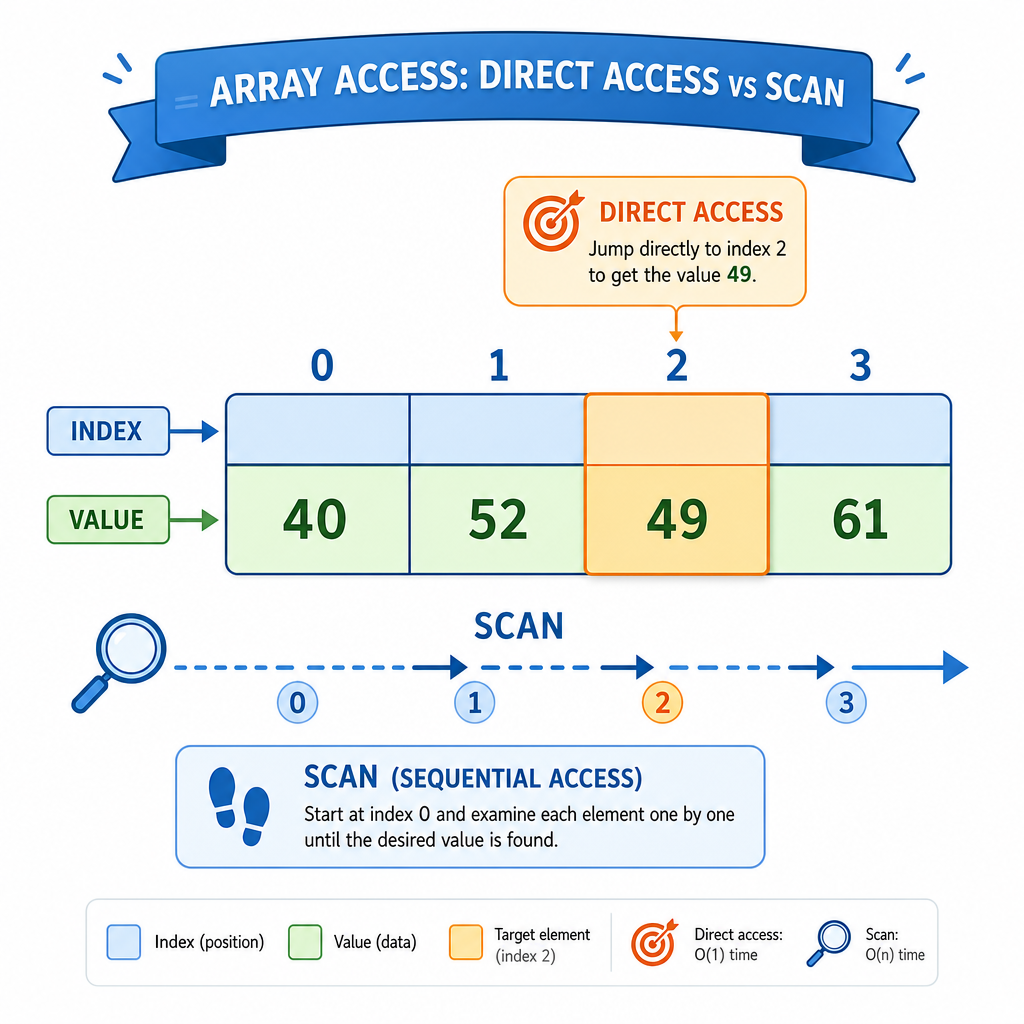
Think of a list or string as a row of numbered slots:
values = [40, 52, 49, 61]
          0   1   2   3
The index tells Python which slot you want.
Key interview idea:
- If you know the exact index, access is fast.
- If you need to find something, you usually scan from left to right.
- If you need relationships between positions, you often track more than one index.
This connects directly to the complexity lesson: using values[i] is different from looping over every value.
Lists Versus Strings
Same shape, different rules
Lists and strings are both ordered sequences, so you can index and loop through them.
But lists are mutable: you can change a slot.
Strings are immutable: once created, a character cannot be changed in place.
That difference matters in interviews. If you try to “edit” a string character-by-character, Python will stop you. Usually, you build a new string instead.
```python
prices = [101, 103, 99]
symbol = "JANE"

print("First price:", prices[0])
print("First letter:", symbol[0])

prices[1] = 104
print("Updated prices:", prices)

try:
    symbol[0] = "B"
except TypeError as error:
    print("String update failed:", error)
```
Index Access
You have this Python list:
prices = [101, 103, 99, 105]
Which expression directly accesses the value 99?
Slices Make Copies
Slicing is convenient, but not free
A slice takes part of a sequence:
values[start:end]
It includes start and stops before end.
That “stop before end” rule is useful because the slice length is usually:
end - start
Important interview habit: slicing a list creates a new list. That means it uses extra space proportional to the slice size. This is exactly the kind of detail you learned to notice in Time and Space Complexity Analysis.
```python
prices = [101, 103, 99, 105, 110]
window = prices[1:4]

print("Original:", prices)
print("Slice:", window)

window[0] = 999
print("Changed slice:", window)
print("Original still:", prices)

symbol = "JANE"
print("Middle letters:", symbol[1:3])
```
Slice Space
True or false:
In Python, arr[2:6] creates a new list containing the selected elements.
Interview Moves
Four moves you will reuse constantly
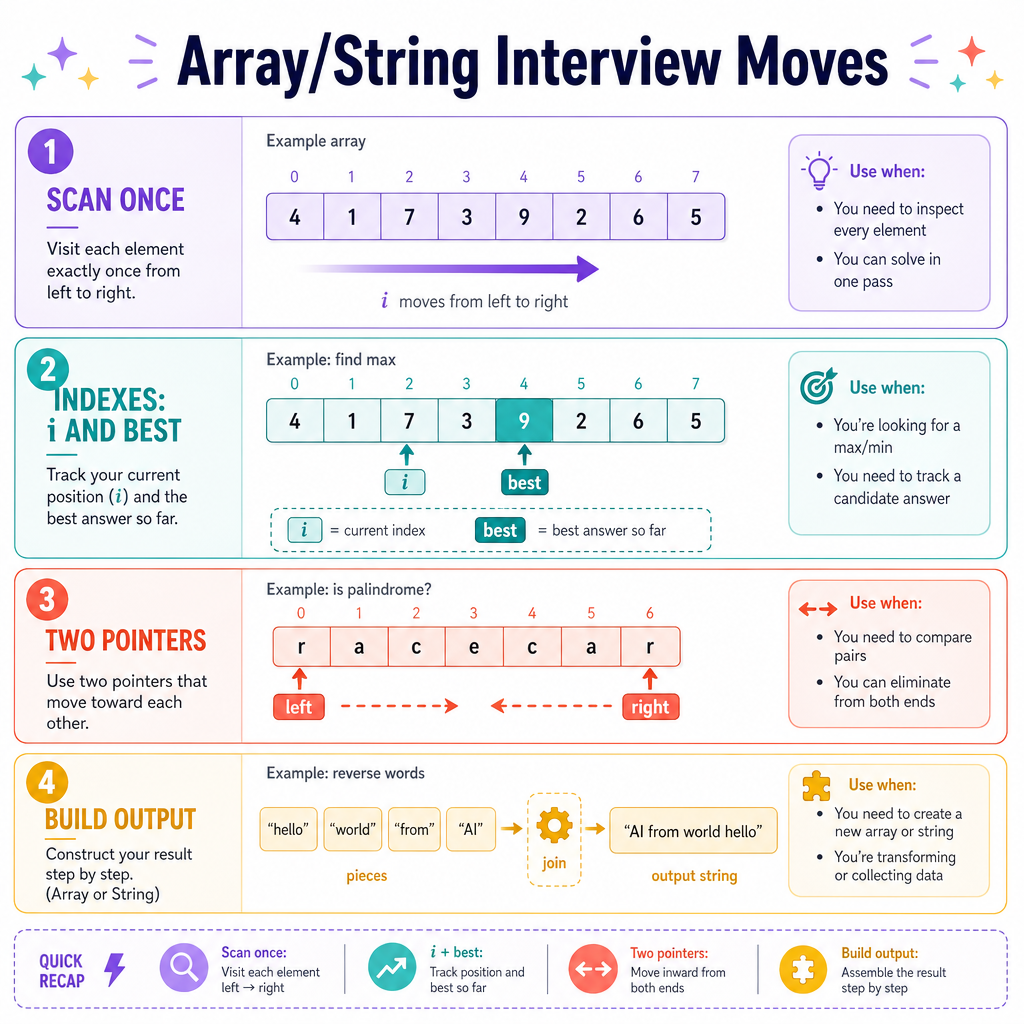
When an interview problem gives you an array or string, pause and ask: what movement pattern fits?
Common moves:
Scan once
Walk left to right and track useful information.Use indexes intentionally
Keepi,left,right, orbestwhen position matters.Use two pointers
Move from both ends or maintain two positions in the same sequence.Build output carefully
For strings, collect pieces in a list, then combine them at the end.
You do not need fancy structures yet. The key is to make your loop match the shape of the data.
Two Pointers
Example: check a palindrome
A palindrome reads the same forward and backward, like "level".
Instead of reversing the whole string, use two pointers:
-
leftstarts at the beginning -
rightstarts at the end - compare characters
- move inward
If any pair differs, it is not a palindrome.
This is a classic array/string pattern because it uses the order of the sequence directly.
```python
def is_palindrome(text):
    left = 0
    right = len(text) - 1

    while left < right:
        if text[left] != text[right]:
            return False
        left += 1
        right -= 1

    return True

print("level:", is_palindrome("level"))
print("trade:", is_palindrome("trade"))
print("radar:", is_palindrome("radar"))
```
Build Strings
In Python, a common efficient pattern is to collect string pieces in a list and then combine them with:
""._____(pieces)
Fill in the blank with the method name only.
What To Practice
Your array/string checklist
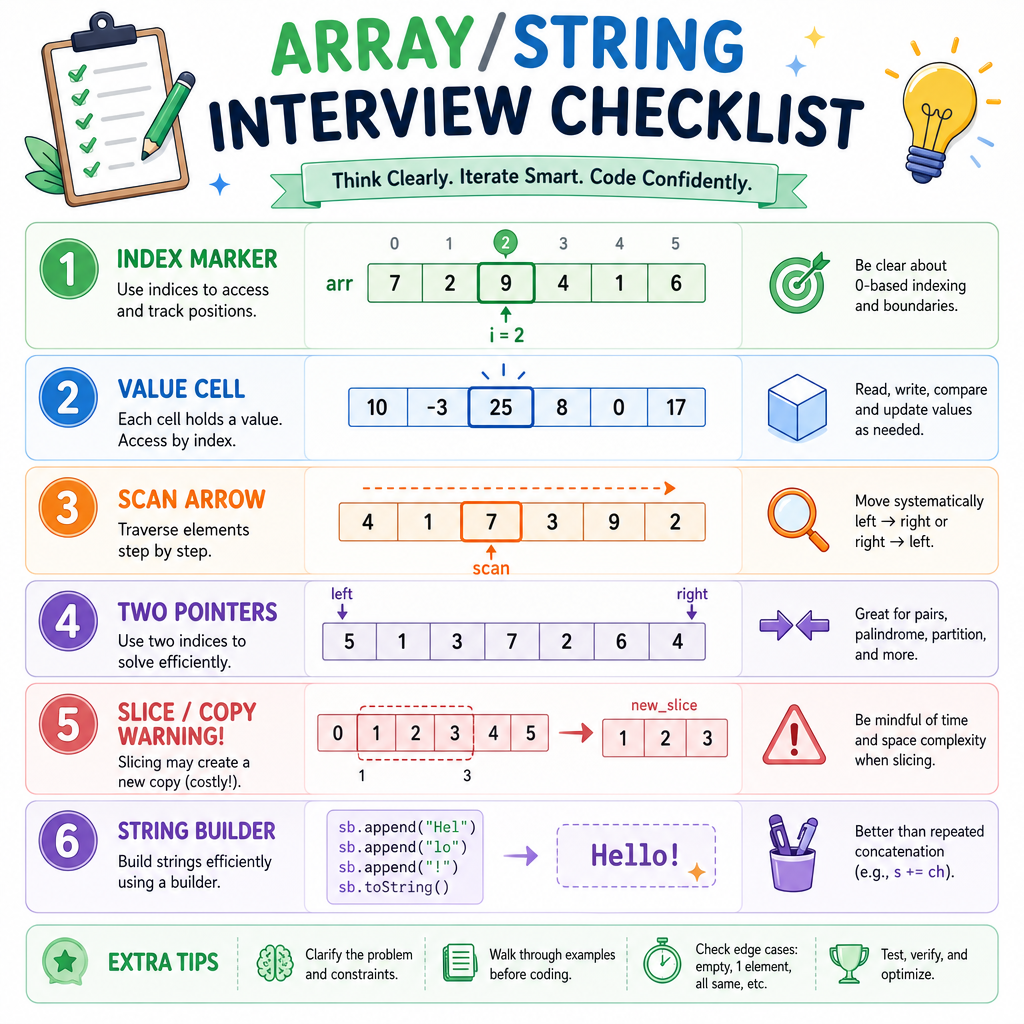
When you see an ordered sequence in an interview, use this checklist:
- What does each index represent?
- Do I need the value, the position, or both?
- Can I solve it with one left-to-right scan?
- Would two pointers simplify the logic?
- Am I accidentally creating copies with slicing?
- If building a string, am I building it safely?
Arrays and strings are the foundation for many later lessons. Next, Sorting and Searching will build on this same ordered-data mindset, but with new ways to arrange and locate values.