Banking System
Read at your own pace. Code execution, quizzes, progress tracking, and the AI tutor are available in the interactive view with JavaScript enabled.
From Utility To System
Why this project matters
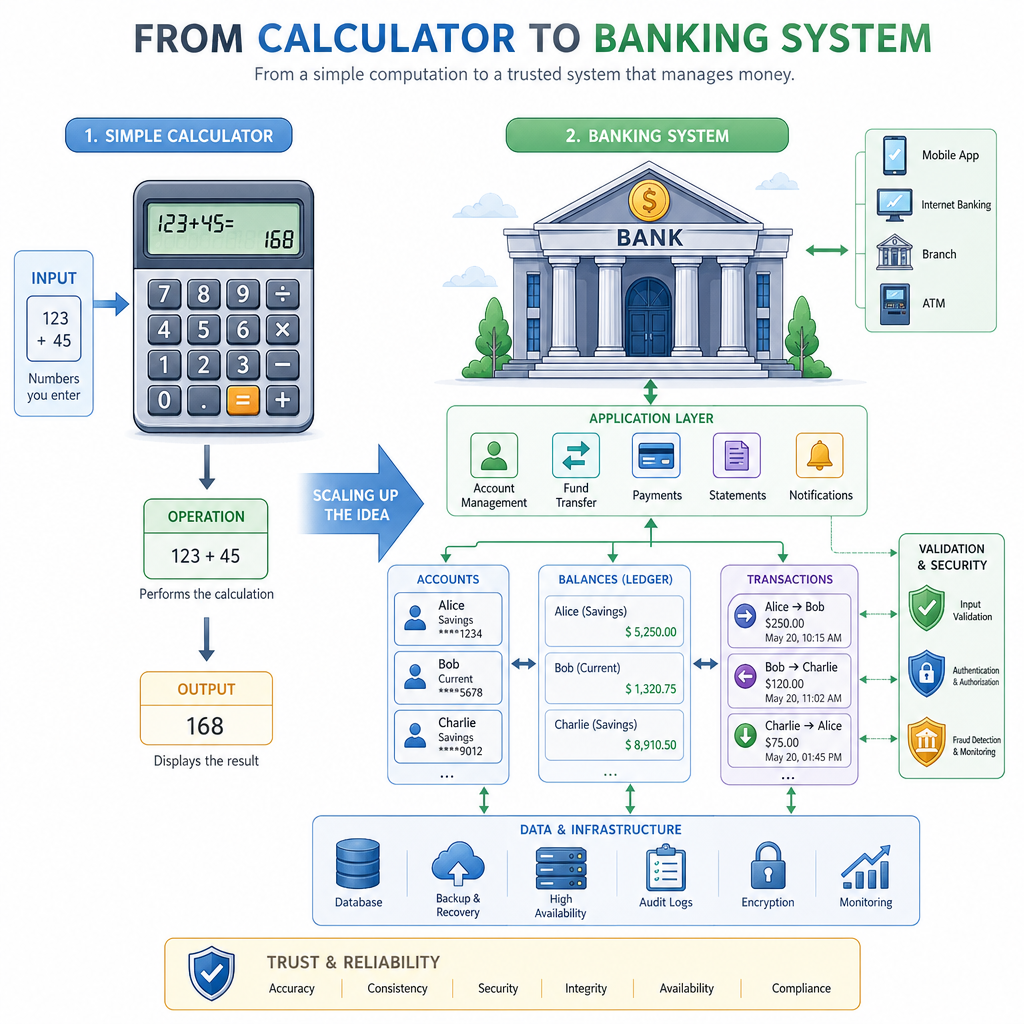
In Console-based Calculator, you shipped a small utility: read input, perform an operation, print a result, repeat.
A Banking System is the next portfolio step because it introduces something more realistic: state that must stay correct over time.
Instead of calculating one answer and moving on, your program will manage:
- Accounts
- Balances
- Deposits and withdrawals
- Transfers
- Simple transaction rules
- A menu-driven console workflow
This is still a console project, but it starts to feel like backend thinking: entities, operations, validation, and persistence boundaries.
Model The Domain
Start with nouns and rules
A banking system should not begin with a giant menu. Begin with the domain model.
For this lesson, keep the model intentionally small:
Bank
 ├── Account #1001
 │    ├── owner: "Ava"
 │    └── balance: 500
 └── Account #1002
      ├── owner: "Noah"
      └── balance: 150
Then define the rules:
- Deposits must be positive.
- Withdrawals must be positive.
- You cannot withdraw more than the current balance.
- Transfers are a withdrawal from one account and a deposit into another.
- Balance should not be edited directly from random parts of the program.
That last rule is where C++ classes become useful: they let you protect important state behind methods.

Protecting Balances
In a banking project, why should balance usually be kept private inside an Account class?
Account Class Core
Encapsulate the account
Here is a small but useful Account class. Notice that outside code can read the balance, but cannot directly assign to it.
The methods return true or false so the menu layer can decide what message to show to the user.
```cpp
#include <iostream>
#include <string>
using namespace std;

class Account {
private:
    int accountNumber;
    string owner;
    double balance;

public:
    Account(int number, string ownerName, double startingBalance)
        : accountNumber(number), owner(ownerName), balance(startingBalance) {}

    int getAccountNumber() const {
        return accountNumber;
    }

    string getOwner() const {
        return owner;
    }

    double getBalance() const {
        return balance;
    }

    bool deposit(double amount) {
        if (amount <= 0) return false;
        balance += amount;
        return true;
    }

    bool withdraw(double amount) {
        if (amount <= 0 || amount > balance) return false;
        balance -= amount;
        return true;
    }
};

int main() {
    Account account(1001, "Ava", 500.0);

    cout << "Owner: " << account.getOwner() << "\n";
    cout << "Starting balance: $" << account.getBalance() << "\n";

    account.deposit(125.0);
    bool withdrew = account.withdraw(80.0);

    cout << "Withdrawal worked? " << boolalpha << withdrew << "\n";
    cout << "Final balance: $" << account.getBalance() << "\n";

    return 0;
}
```
Validation Gate
True or false: If withdraw() checks for positive amounts and sufficient funds, the menu code can safely call it and react to a true or false result.
Bank Owns Accounts
Add a manager layer
A real project usually needs more than one account. Instead of letting main() juggle everything, create a Bank class that owns a collection of accounts.
This gives your project a clean shape:
main()
  └── menu loop
       └── Bank methods
            └── Account methods
The Bank class can handle account lookup and transfers. The Account class still protects the balance.
```cpp
#include <iostream>
#include <string>
#include <vector>
using namespace std;

class Account {
private:
    int number;
    string owner;
    double balance;

public:
    Account(int n, string o, double b) : number(n), owner(o), balance(b) {}

    int getNumber() const { return number; }
    string getOwner() const { return owner; }
    double getBalance() const { return balance; }

    bool deposit(double amount) {
        if (amount <= 0) return false;
        balance += amount;
        return true;
    }

    bool withdraw(double amount) {
        if (amount <= 0 || amount > balance) return false;
        balance -= amount;
        return true;
    }
};

class Bank {
private:
    vector<Account> accounts;

    Account* findAccount(int number) {
        for (auto& account : accounts) {
            if (account.getNumber() == number) return &account;
        }
        return nullptr;
    }

public:
    void addAccount(int number, string owner, double balance) {
        accounts.emplace_back(number, owner, balance);
    }

    bool transfer(int fromNumber, int toNumber, double amount) {
        Account* from = findAccount(fromNumber);
        Account* to = findAccount(toNumber);

        if (from == nullptr || to == nullptr) return false;
        if (!from->withdraw(amount)) return false;

        to->deposit(amount);
        return true;
    }

    void printAccounts() const {
        for (const auto& account : accounts) {
            cout << account.getNumber() << " - "
                 << account.getOwner() << ": $"
                 << account.getBalance() << "\n";
        }
    }
};

int main() {
    Bank bank;
    bank.addAccount(1001, "Ava", 500.0);
    bank.addAccount(1002, "Noah", 150.0);

    cout << "Before transfer:\n";
    bank.printAccounts();

    cout << "\nTransfer $75 from Ava to Noah...\n";
    cout << "Success? " << boolalpha << bank.transfer(1001, 1002, 75.0) << "\n\n";

    cout << "After transfer:\n";
    bank.printAccounts();

    return 0;
}
```
Layer Check
Which responsibility best belongs inside the Bank class rather than inside main()?
Menu Workflow
Keep the menu thin
You already practiced the input loop in Console-based Calculator. Reuse that habit here, but keep the menu as a coordinator—not the place where banking rules live.
A simple menu can offer:
- Create account
- Deposit
- Withdraw
- Transfer
- Show accounts
- Exit
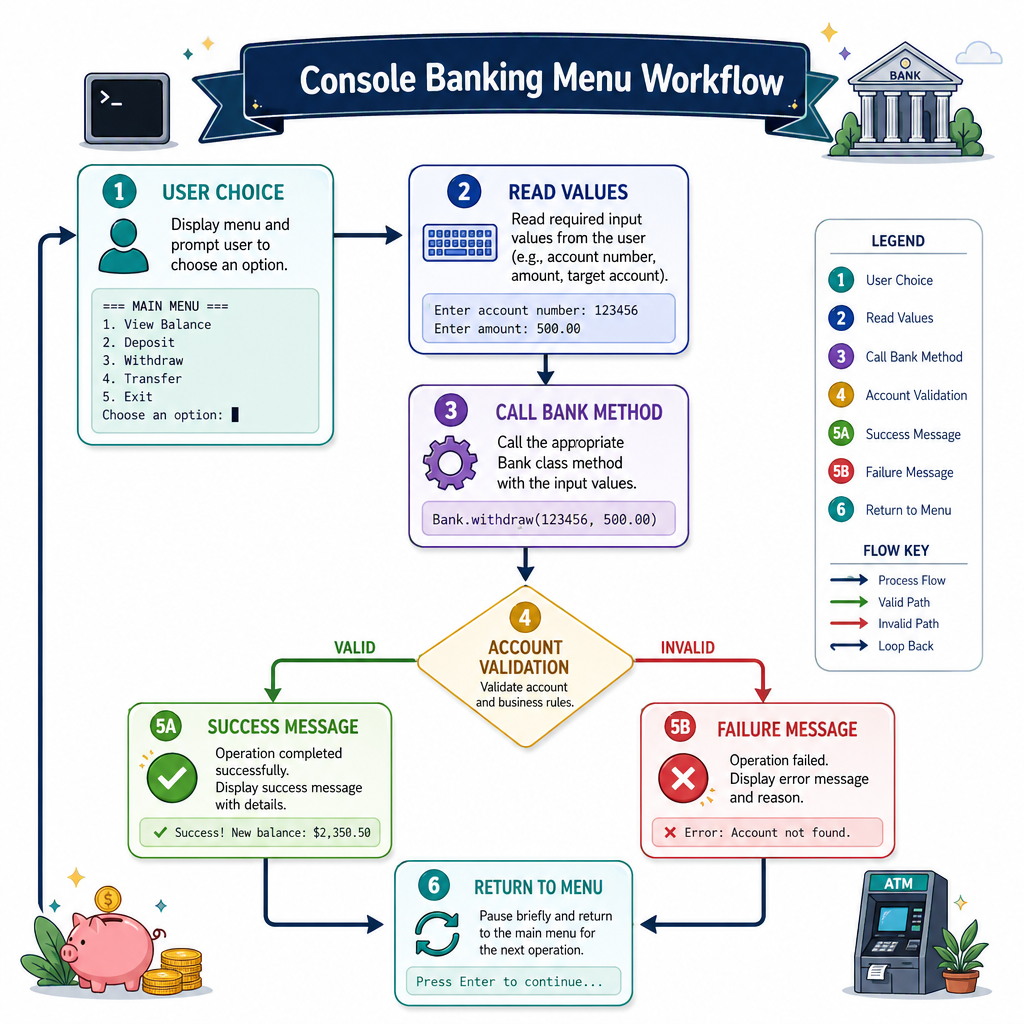
The flow should look like this:
User choice
   ↓
Read needed values
   ↓
Call Bank method
   ↓
Print success/failure message
   ↓
Return to menu
This separation makes the project easier to debug and easier to explain in a portfolio README.
Fill The Modifier
Complete the sentence:
To prevent random code from directly changing an account's balance, the balance field should usually be marked as _____.
Simple Persistence
Save and load later
A stronger portfolio version should not lose all accounts when the program exits.
For a beginner-friendly C++ project, you can store accounts in a simple delimited text format:
1001,Ava,500
1002,Noah,150
In a full app, this could become a database or API. For this course project, a file is enough to demonstrate persistence clearly.
```cpp
#include <iostream>
#include <sstream>
#include <string>
#include <vector>
using namespace std;

struct AccountRecord {
    int number;
    string owner;
    double balance;
};

string saveAccounts(const vector<AccountRecord>& accounts) {
    ostringstream out;
    for (const auto& account : accounts) {
        out << account.number << "," << account.owner << "," << account.balance << "\n";
    }
    return out.str();
}

vector<AccountRecord> loadAccounts(const string& data) {
    vector<AccountRecord> accounts;
    istringstream input(data);
    string line;

    while (getline(input, line)) {
        if (line.empty()) continue;

        istringstream row(line);
        string numberText, owner, balanceText;

        getline(row, numberText, ',');
        getline(row, owner, ',');
        getline(row, balanceText, ',');

        accounts.push_back({stoi(numberText), owner, stod(balanceText)});
    }

    return accounts;
}

int main() {
    vector<AccountRecord> original = {
        {1001, "Ava", 500.0},
        {1002, "Noah", 150.0}
    };

    string saved = saveAccounts(original);
    cout << "Saved data:\n" << saved << "\n";

    vector<AccountRecord> loaded = loadAccounts(saved);
    cout << "Loaded accounts:\n";
    for (const auto& account : loaded) {
        cout << account.number << " - " << account.owner
             << ": $" << account.balance << "\n";
    }

    return 0;
}
```
Ship The Bank
Portfolio checklist
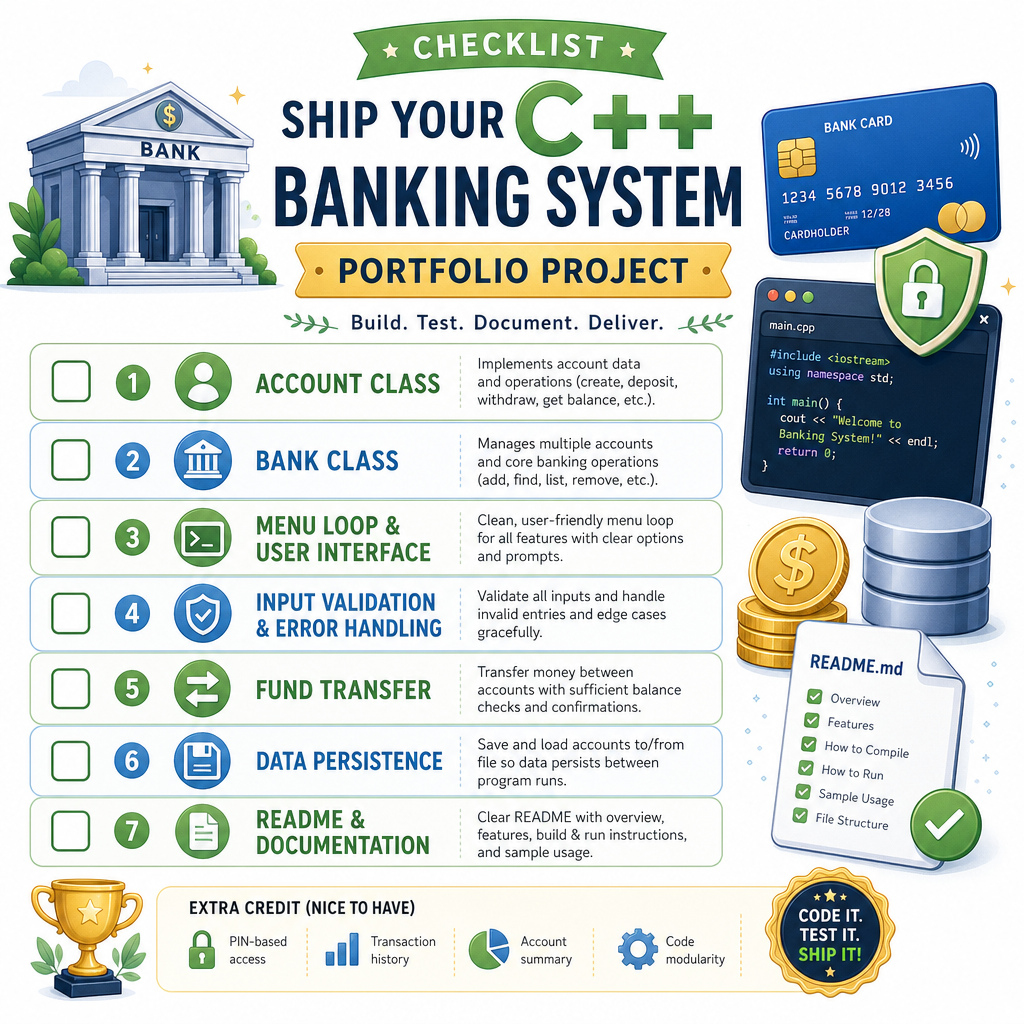
To make your Banking System feel complete, aim for this version before moving on:
-
Accountclass with private balance -
Bankclass that owns accounts - Menu loop with create, deposit, withdraw, transfer, list, exit
- Input validation for bad numbers and invalid choices
- Clear success and failure messages
- Optional text-file save/load
- README with features, build command, sample run, and future improvements
A good README note might say:
Built a console banking system in C++ using object-oriented design, input validation, transaction rules, and simple persistence.
Next, we’ll shift from business state to spatial state in the Maze Game, where your program tracks a player moving through a grid.