Course Introduction and Setting Up Development Environment
Read at your own pace. Code execution, quizzes, progress tracking, and the AI tutor are available in the interactive view with JavaScript enabled.
Welcome To Build Mode
Why this lesson matters
This is the starting line for your algo trading application in C++.
Because trading systems care about speed, correctness, and repeatability, we do not begin by writing a strategy. We begin by setting up a development environment where every future lesson can run safely and consistently.
In this lesson, you will:
- Choose a practical C++ toolchain
- Verify your compiler setup
- Create a clean project workspace
- Practice measuring execution time
- Add safe run-mode habits before touching market APIs
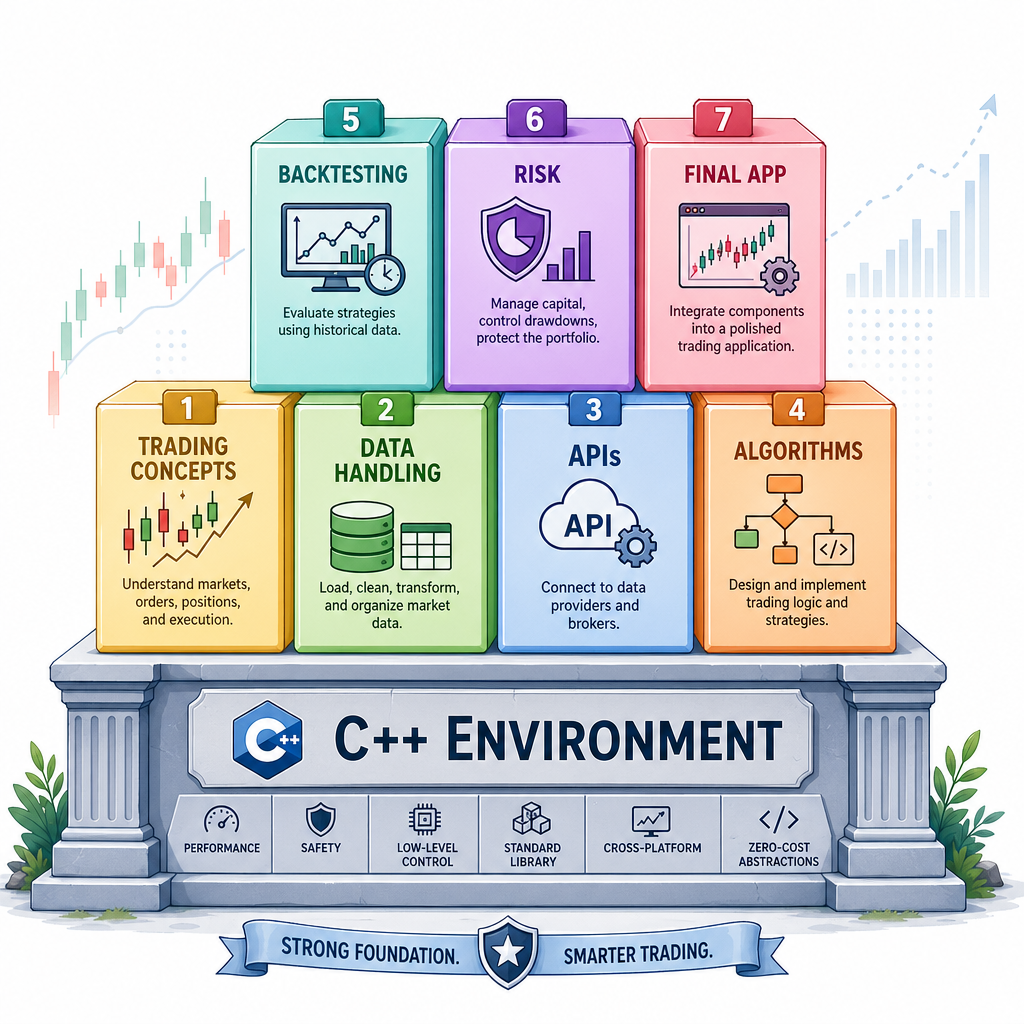
Later lessons will cover trading concepts, market data, APIs, algorithms, backtesting, and risk controls. Today is about preparing the workshop.

Your C++ Toolchain
The core tools
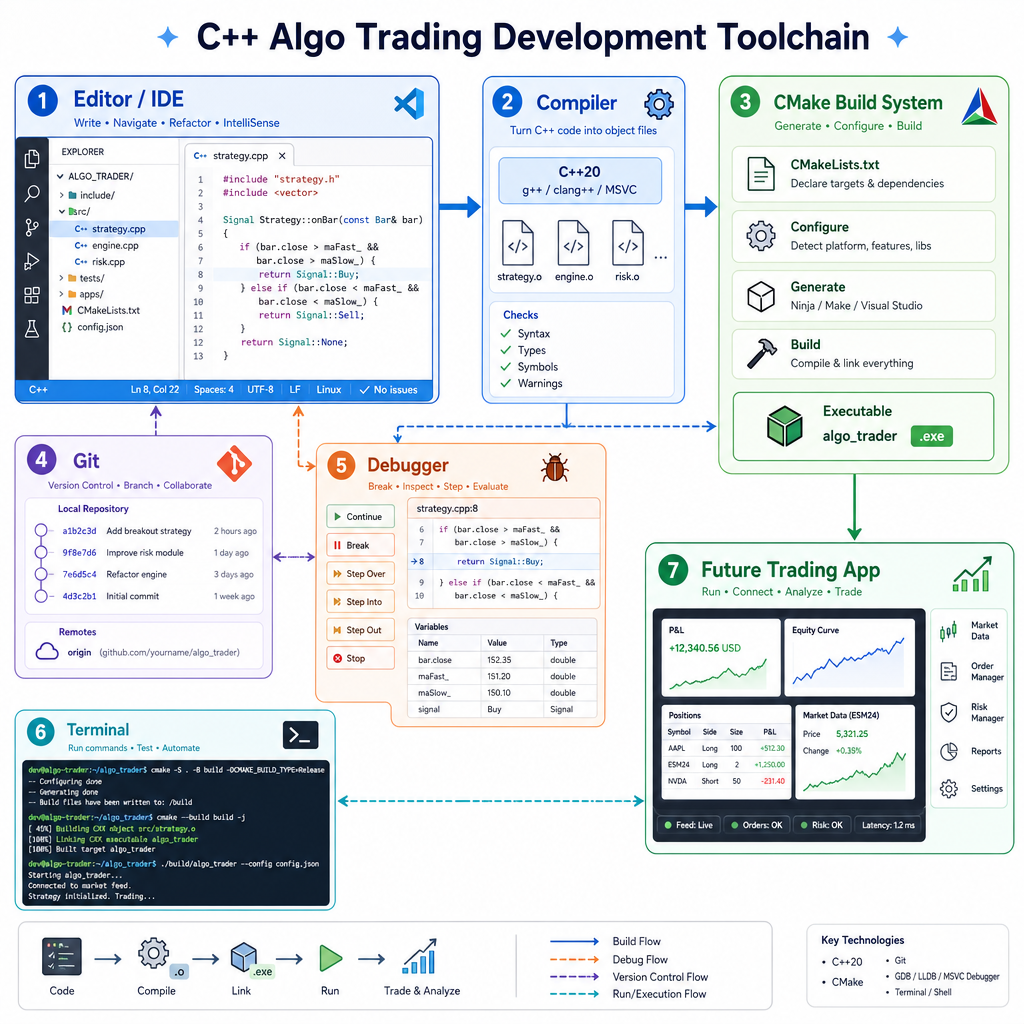
For this course, your environment should have these pieces:
- C++ compiler: GCC, Clang, or MSVC
- Build system: CMake is recommended
- Editor or IDE: VS Code, CLion, Visual Studio, or your preferred editor
-
Debugger:
gdb,lldb, or Visual Studio debugger - Version control: Git
- Terminal access: important for reproducible builds
Recommended baseline
Use at least C++17. C++20 is also fine if your compiler supports it well.
For Windows learners, Visual Studio Community or VS Code with MSVC/MinGW are common options. For Linux/macOS, GCC or Clang are usually straightforward.
The goal is not to chase the newest tool. The goal is to create a setup you can run, debug, and measure repeatedly.
Compiler Sanity Check
First executable check
Before building anything trading-related, confirm that your compiler can build and run a simple C++ program.
This program checks the active C++ standard and performs a tiny timed loop. The timing number is not important yet; the important part is that your environment can compile, run, and print output.
Save it as main.cpp, compile it, and run it from your terminal or IDE.
```cpp
#include <chrono>
#include <iostream>

int main() {
#if __cplusplus >= 202002L
    std::cout << "C++ standard: C++20 or newer\n";
#elif __cplusplus >= 201703L
    std::cout << "C++ standard: C++17\n";
#else
    std::cout << "C++ standard: older than C++17\n";
#endif

    auto start = std::chrono::steady_clock::now();

    volatile long long sink = 0;
    for (int i = 0; i < 1'000'000; ++i) {
        sink += i;
    }

    auto end = std::chrono::steady_clock::now();
    auto elapsed = std::chrono::duration_cast<std::chrono::microseconds>(end - start);

    std::cout << "Sanity loop result: " << sink << "\n";
    std::cout << "Elapsed microseconds: " << elapsed.count() << "\n";

    return 0;
}
```
Environment Purpose
Why do we care about setting up a reproducible development environment before writing trading logic?
Project Workspace
Start with a clean structure
A simple project layout prevents confusion as the application grows.
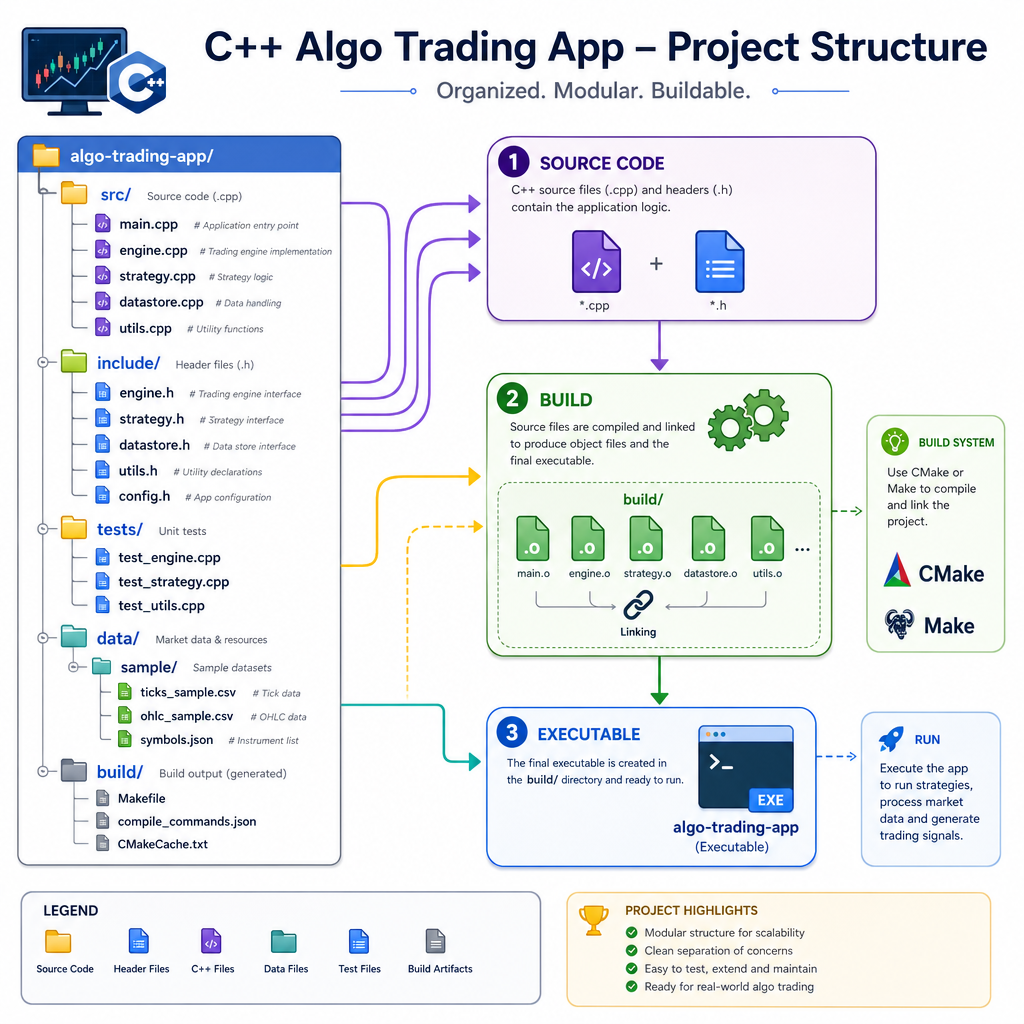
Example workspace:
algo-trading-cpp/
  CMakeLists.txt
  README.md
  .gitignore
  src/
    main.cpp
  include/
  tests/
  data/
    sample/
  build/
Why this matters
-
src/keeps implementation files together -
include/can later hold reusable headers -
tests/prepares you for safe changes -
data/sample/can store small local examples -
build/keeps generated files away from source code
Do not put API keys, broker credentials, or real trading secrets in the project folder. We will keep the early course local and safe.
Measure Early
Speed needs measurement
C++ is fast, but speed claims are only useful when measured.
In trading software, you will often care about questions like:
- How long did parsing take?
- How long did a decision step take?
- Did a small code change make latency worse?
For now, we are not optimizing. We are only forming the habit of measuring small sections of code with std::chrono.
```cpp
#include <chrono>
#include <iostream>
#include <string>
#include <vector>

struct Tick {
    std::string symbol;
    double price;
    int quantity;
};

int main() {
    std::vector<Tick> ticks = {
        {"ABC", 101.25, 100},
        {"ABC", 101.30, 150},
        {"ABC", 101.20, 80},
        {"ABC", 101.35, 120}
    };

    auto start = std::chrono::steady_clock::now();

    double tradedValue = 0.0;
    int totalQuantity = 0;

    for (const auto& tick : ticks) {
        tradedValue += tick.price * tick.quantity;
        totalQuantity += tick.quantity;
    }

    double averagePrice = tradedValue / totalQuantity;

    auto end = std::chrono::steady_clock::now();
    auto elapsed = std::chrono::duration_cast<std::chrono::nanoseconds>(end - start);

    std::cout << "Symbol: ABC\n";
    std::cout << "Total quantity: " << totalQuantity << "\n";
    std::cout << "Average price: " << averagePrice << "\n";
    std::cout << "Measured section: " << elapsed.count() << " ns\n";

    return 0;
}
```
IDE Is Enough
True or false: If a program runs inside your IDE, you do not need to know how to build or run it from a terminal.
Safe Run Modes
Add safety from day one
Even though we are not connecting to a broker in this lesson, it is smart to separate paper/simulation mode from anything that could become live trading later.
A professional habit is to default to the safest mode unless the user explicitly configures otherwise.
The example below reads an environment variable but refuses to enable live behavior. This keeps the first project safe while still teaching configuration discipline.
```cpp
#include <cstdlib>
#include <iostream>
#include <string>

int main() {
    const char* modeFromEnv = std::getenv("TRADING_MODE");
    std::string requestedMode = modeFromEnv ? modeFromEnv : "paper";

    std::cout << "Requested mode: " << requestedMode << "\n";

    if (requestedMode == "live") {
        std::cout << "WARNING: live mode is blocked in this starter environment.\n";
        std::cout << "Running in paper mode instead.\n";
    } else {
        std::cout << "Running in paper mode.\n";
    }

    std::cout << "Environment check complete. No real orders can be sent.\n";

    return 0;
}
```
Timing Library
Fill in the blank: In modern C++, the standard library namespace commonly used for measuring elapsed time is ____.
Ready For Concepts
What you have now
You now have the foundation for the rest of the course:
- A C++ compiler target
- A practical project layout
- A way to run small programs
- A habit of measuring execution time
- A safe default mindset for future trading-related code
Coming next
In the next lesson, Understanding the Basics of Algorithmic Trading, we will define the trading-system concepts your C++ application will eventually represent.
Keep this environment working. Every later lesson will build on it.