Functions
Read at your own pace. Code execution, quizzes, progress tracking, and the AI tutor are available in the interactive view with JavaScript enabled.
Why Functions Matter
From steps to reusable tools
In Control Flow, you learned how programs choose paths with if/else and repeat work with loops. That lets your program do more than run top-to-bottom.
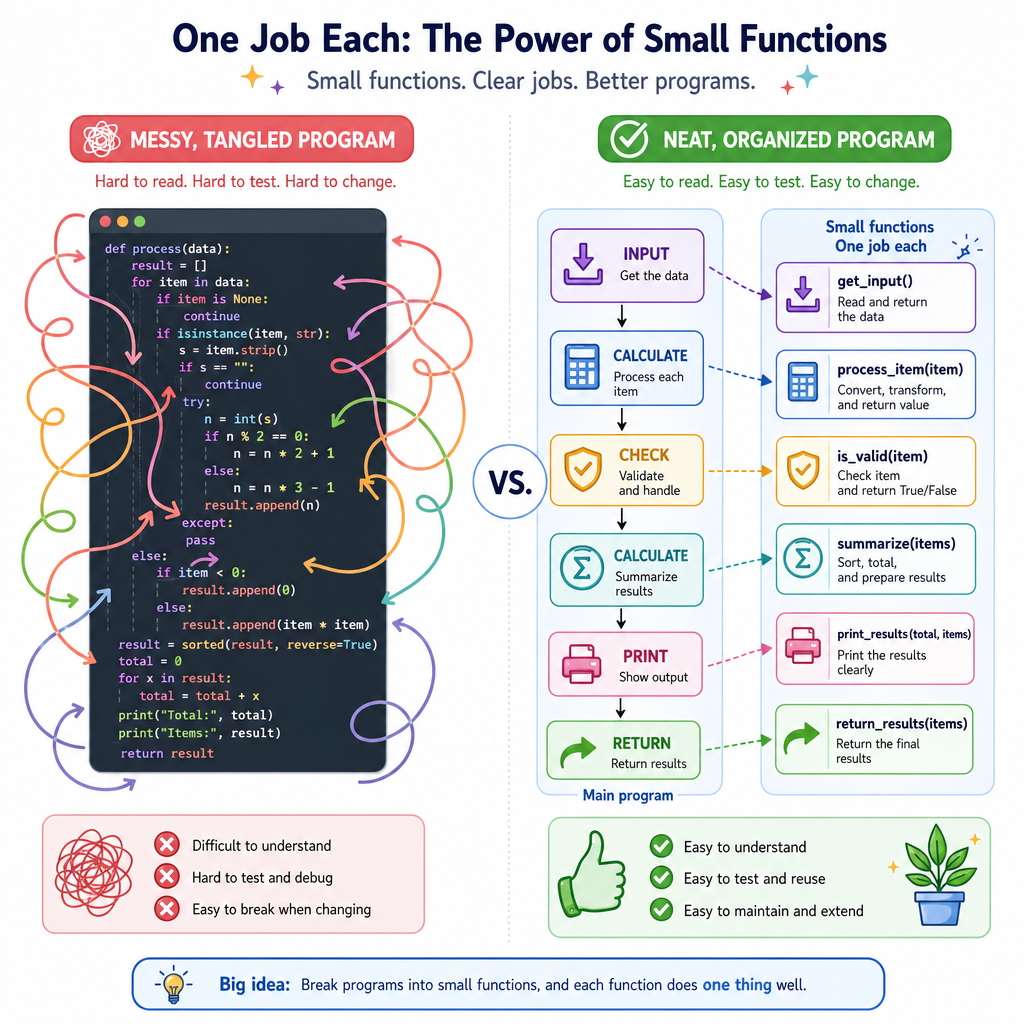
Now we need a way to package a group of steps and reuse them whenever we need them. That package is called a function.
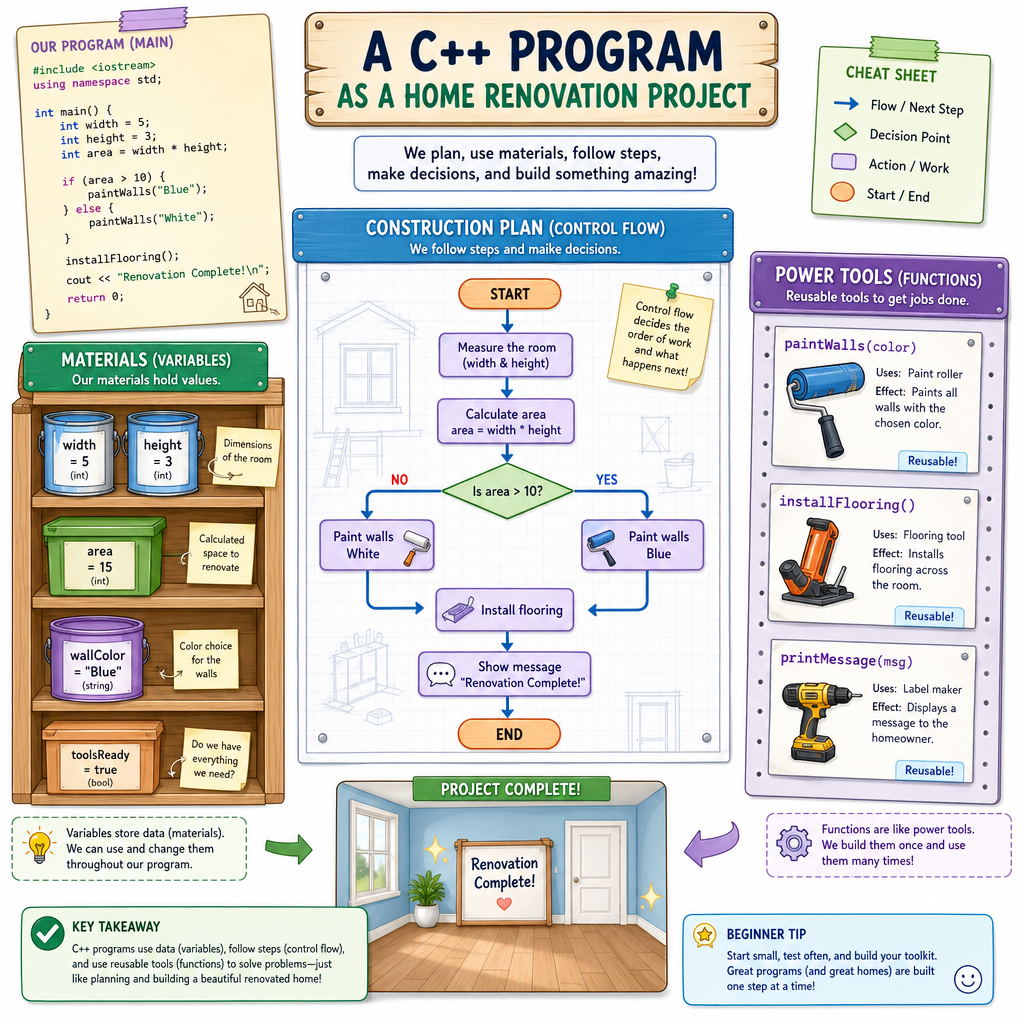
Think of a function like a power tool in a home renovation project:
- You learn what it does.
- You give it the right materials.
- It performs a specific job.
- You use it again instead of rebuilding it from scratch.
In C++, functions help you write programs that are easier to read, test, fix, and grow.
Function Mental Model
A function is a named mini-program
A function is a block of code with a name. When you use the name, C++ runs the block.
General idea:
call function ---> run its steps ---> maybe send back a result
You have already seen one function many times:
main
main is special because it is where a C++ program starts running.
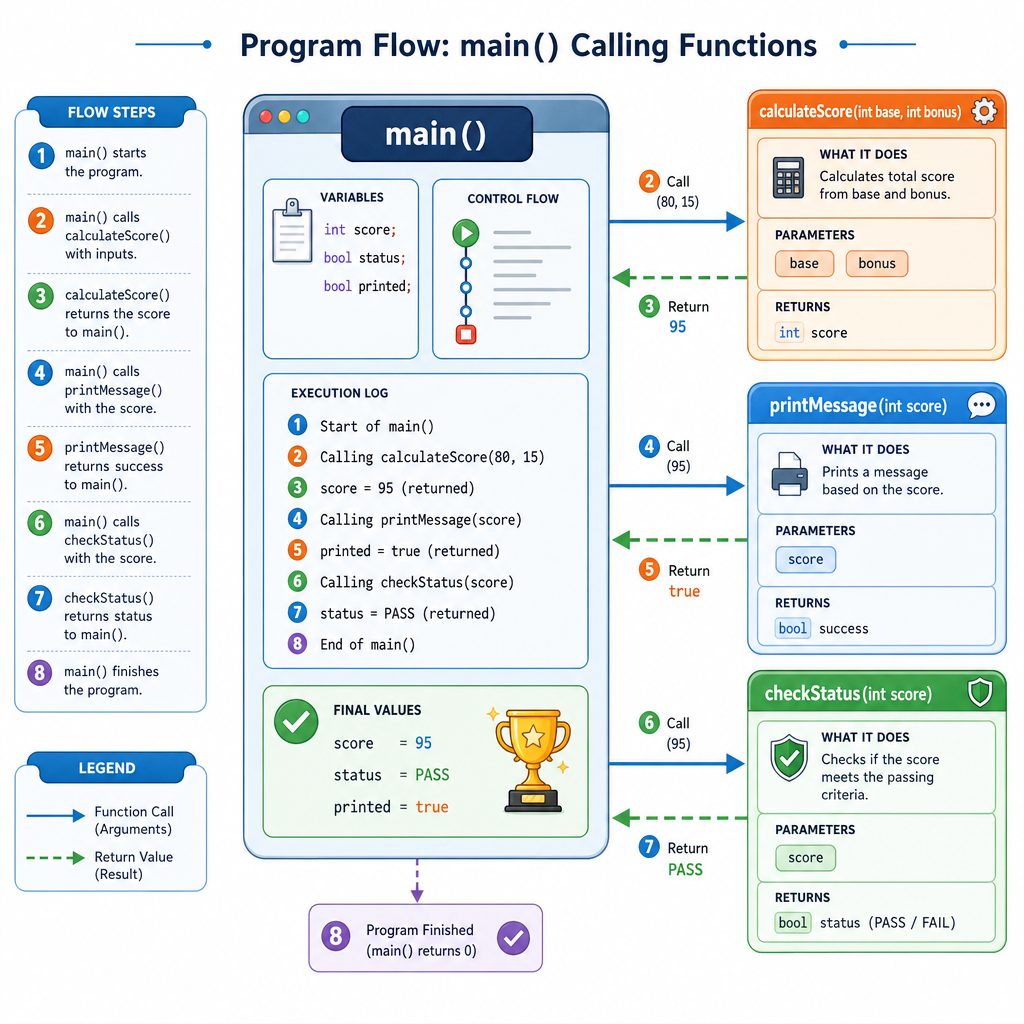
Most functions you write are helpers that main can call. For example, a basketball app might have one function to calculate shooting percentage and another function to print a scoreboard message.
Define And Call
Your first custom function
A function has two important moments:
- Definition: you describe what the function does.
- Call: you ask the function to run.
Here is a simple function that prints a message. Notice that main calls it by using its name followed by parentheses.
```cpp
#include <iostream>
using namespace std;

void playWarmupSong() {
    cout << "Playing the warmup song..." << endl;
    cout << "Team is ready!" << endl;
}

int main() {
    cout << "Before the game" << endl;

    playWarmupSong();

    cout << "Tip-off time" << endl;
    return 0;
}
```
Call Or Define
In the previous idea, what does it mean to call a function?
Inputs And Outputs
Parameters and return values
Many functions need information to do their job.
A parameter is a variable listed in the function definition. It receives information from the caller.
An argument is the actual value you pass into the function when you call it.
A function can also return a result back to the place where it was called.
In this example, the function receives made shots and attempts, then returns a shooting percentage.
```cpp
#include <iostream>
using namespace std;

double shootingPercentage(int made, int attempts) {
    double percent = (made * 100.0) / attempts;
    return percent;
}

int main() {
    double result = shootingPercentage(9, 12);

    cout << "Shooting percentage: " << result << "%" << endl;
    return 0;
}
```
Return Keyword
Fill in the blank: In C++, the keyword used to send a value back from a function is _____.
Reading The Signature
The function signature tells a story
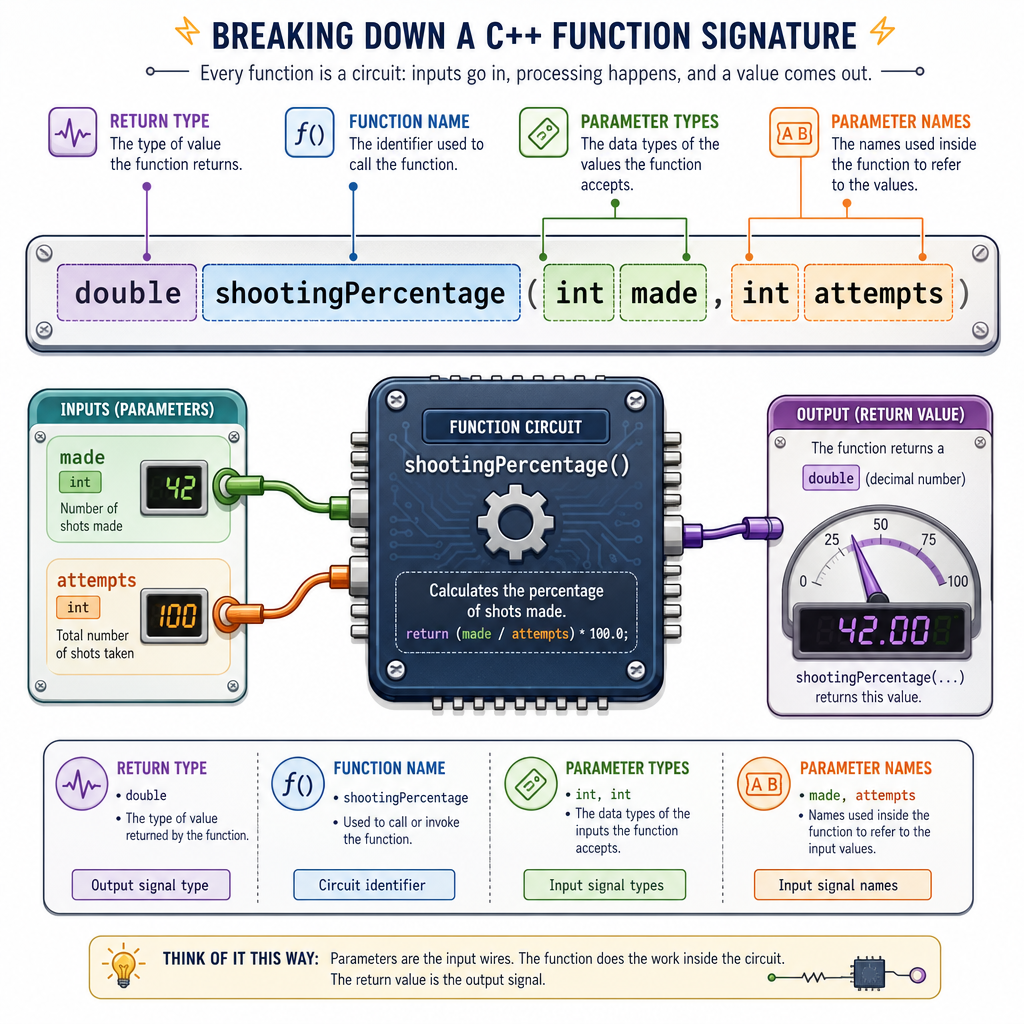
Look at this function header:
double shootingPercentage(int made, int attempts)
Read it like a sentence:
-
double: this function sends back a decimal number. -
shootingPercentage: this is the function's name. -
int made, int attempts: this function needs two whole-number inputs.
A function's header is like the label on an electronics component. Before wiring it into your circuit, you want to know what it accepts and what it produces.
Helpful habit: choose names that explain the function's job clearly, such as calculatePaintCost, printMenu, or isBatteryLow.
Local Variables
Functions have their own workspace
A variable created inside a function is usually local to that function. That means it belongs to that function's workspace.
This is useful because it prevents different parts of your program from accidentally stepping on each other's names.
In the code below, each function has its own message variable. They do not collide because they live in different function workspaces.
```cpp
#include <iostream>
using namespace std;

void printGarageMessage() {
    string message = "Measure twice, cut once.";
    cout << message << endl;
}

void printMusicMessage() {
    string message = "Practice slowly, then speed up.";
    cout << message << endl;
}

int main() {
    printGarageMessage();
    printMusicMessage();

    cout << "Both functions used their own message variable." << endl;
    return 0;
}
```
Scope Check
True or false: If a variable is created inside a function, main can always use that variable directly by name.
Function Habits
Write functions with one clear job
Good functions make programs easier to understand.
A helpful beginner rule:
One function should do one clear task.
For example:
-
calculateAreashould calculate an area, not also print a menu. -
printScoreboardshould print the scoreboard, not also ask for user input. -
isBatteryLowshould answer a yes/no question, not change unrelated values.
This keeps your code organized as programs become larger. In the next lesson, Arrays and Strings, you will learn ways to work with groups of values and text; functions will help keep that new code manageable.