Introduction to C++
Read at your own pace. Code execution, quizzes, progress tracking, and the AI tutor are available in the interactive view with JavaScript enabled.
Welcome To C++
Why this lesson matters
As a web developer, you already know the core rhythm of programming: store values, make decisions, repeat work, and organize logic.
C++ uses those same ideas, but with a different mindset:
- You compile before running instead of shipping source directly to a runtime.
- Types matter up front instead of being mostly inferred at runtime like JavaScript.
- The machine feels closer: later, this will help us understand memory, files, and error handling more deeply.
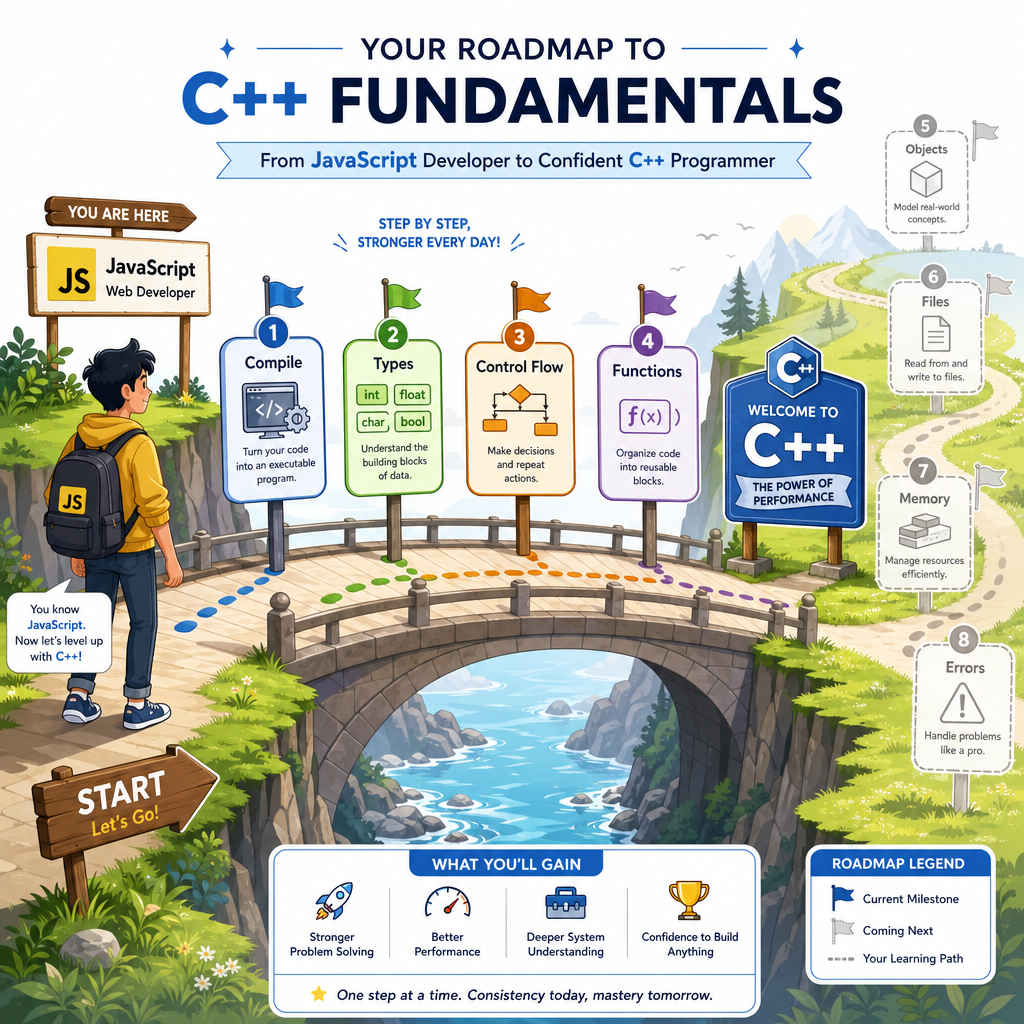
In this first lesson, we'll build your C++ foundation: variables, data types, control flow, and functions. Later lessons will layer on objects, files, memory, and errors.
Your First Program
C++ starts at main
A C++ program begins execution inside a function named main.
This is different from many JavaScript environments, where top-level code often starts running immediately.
Key pieces:
-
#include <iostream>brings in console input/output tools. -
int main()declares the program's entry point. -
std::coutprints to the console. -
return 0;means the program finished successfully.
Think of compiling like renovating a room from a blueprint: the source code is the plan, and the compiler turns it into something the machine can actually use.
```cpp
#include <iostream>

int main() {
    std::cout << "Hello from C++!" << std::endl;
    std::cout << "This program starts in main." << std::endl;
    return 0;
}
```
Compile Then Run
Source code is not the final product
In JavaScript, you often write code and run it directly in a browser or Node.js.
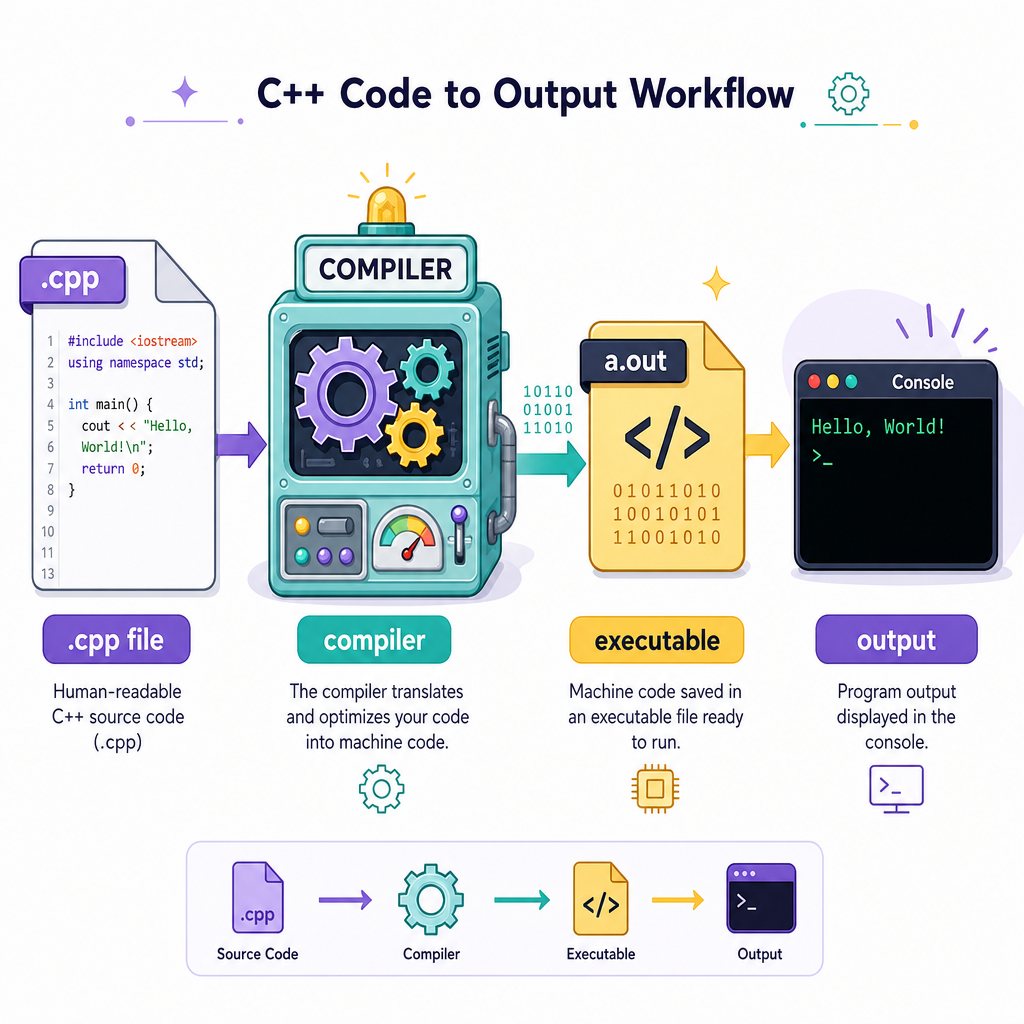
In C++, the usual flow is:
source code  ->  compiler  ->  executable  ->  output
   .cpp           g++/clang++      app          console
That compile step catches many mistakes early, especially type mistakes. It also creates a machine-specific program that can run without the compiler being involved again.
You don't need to master build tools yet. For now, keep the mental model: write C++, compile it, then run the executable.
Variables And Types
C++ wants to know the type
In JavaScript, you might write:
let score = 21;
In C++, you usually state the type explicitly:
-
intfor whole numbers -
doublefor decimals -
boolfortrueorfalse -
charfor a single character -
std::stringfor text
This makes your intent clear to the compiler. If you're tracking basketball stats, points might be an int, while shootingPercentage should be a double.
```cpp
#include <iostream>
#include <string>

int main() {
    int points = 27;
    double shootingPercentage = 0.486;
    bool wonGame = true;
    char grade = 'A';
    std::string player = "Maya";

    std::cout << player << " scored " << points << " points." << std::endl;
    std::cout << "Shooting percentage: " << shootingPercentage << std::endl;
    std::cout << "Won game? " << wonGame << std::endl;
    std::cout << "Performance grade: " << grade << std::endl;

    return 0;
}
```
Pick The Type
You are storing the price of a home renovation supply item, such as 19.99.
Which C++ type is the best fit?
Control Flow
Decisions and repetition
C++ uses familiar control-flow structures:
-
if,else if,elsefor decisions -
forloops when you know the number of repetitions -
whileloops when you repeat until a condition changes
The syntax is close to JavaScript, but the variables inside conditions still have explicit C++ types.
Below, imagine calibrating a small electronics project: we check whether a sensor value is safe, then print repeated test readings.
```cpp
#include <iostream>

int main() {
    int voltage = 5;

    if (voltage < 3) {
        std::cout << "Voltage too low" << std::endl;
    } else if (voltage <= 5) {
        std::cout << "Voltage is in range" << std::endl;
    } else {
        std::cout << "Voltage too high" << std::endl;
    }

    for (int reading = 1; reading <= 3; reading++) {
        std::cout << "Reading #" << reading << " complete" << std::endl;
    }

    return 0;
}
```
Loops Feel Familiar
True or false:
A C++ for loop can use the familiar pattern of initialization, condition, and update, similar to many JavaScript for loops.
Functions Organize Logic
Functions need return types
Functions let you name a reusable piece of logic.
In C++, a function declaration includes:
return_type function_name(parameter_type parameter_name)
So instead of letting a function's return value stay flexible, C++ asks you to be specific.
This is one of the biggest early mindset shifts from JavaScript: the compiler wants to know what comes in and what comes out.
```cpp
#include <iostream>

int calculatePaintCans(int walls, int cansPerWall) {
    return walls * cansPerWall;
}

int main() {
    int totalCans = calculatePaintCans(4, 2);
    std::cout << "Paint cans needed: " << totalCans << std::endl;
    return 0;
}
```
Function Anatomy
Reading a C++ function
Take this function shape:
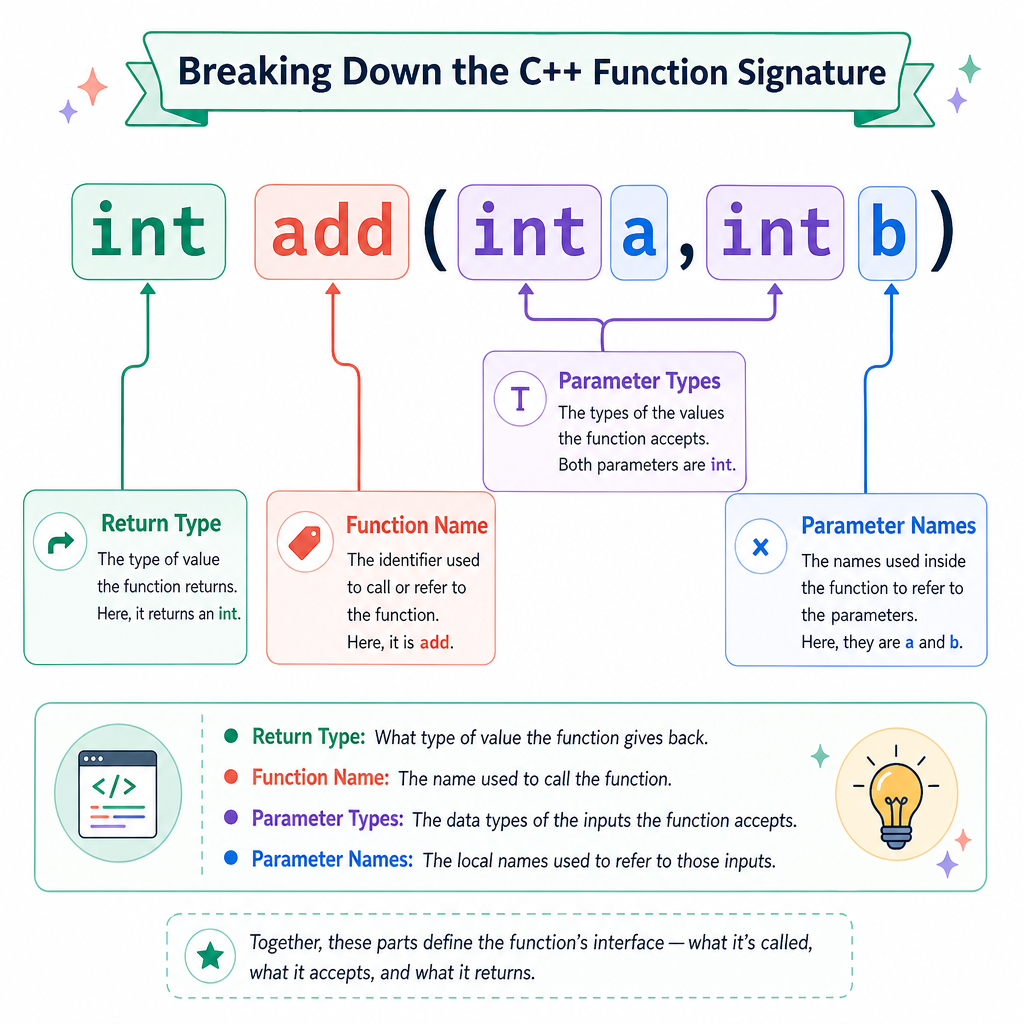
int add(int a, int b)
Read it left to right:
-
intbefore the name means the function returns an integer. -
addis the function name. -
int aandint bare integer parameters.
A useful habit: whenever you see a C++ function, ask two questions:
- What types does it accept?
- What type does it return?
That habit will make the next lesson on C++ objects much easier.
Fill The Return
Complete the function signature so it returns a whole number:
_____ countBeats(int measures)