Introduction to C++
Read at your own pace. Code execution, quizzes, progress tracking, and the AI tutor are available in the interactive view with JavaScript enabled.
Welcome to C++
Why this lesson matters
C++ is often chosen when speed, control, and reliability matter: game engines, trading systems, databases, robotics, embedded devices, and parts of AI infrastructure.
If you come from JavaScript or TypeScript, C++ may feel more explicit. You will tell the computer more about your program up front: what types values have, where execution begins, and how code is compiled.
That extra explicitness is the tradeoff: C++ asks for precision, but rewards you with performance and low-level control.
In this first lesson, we will build your starting mental model:
- What C++ is used for
- How C++ code becomes a program
- The shape of a small C++ file
- Basic syntax: output, variables, types, and simple control flow
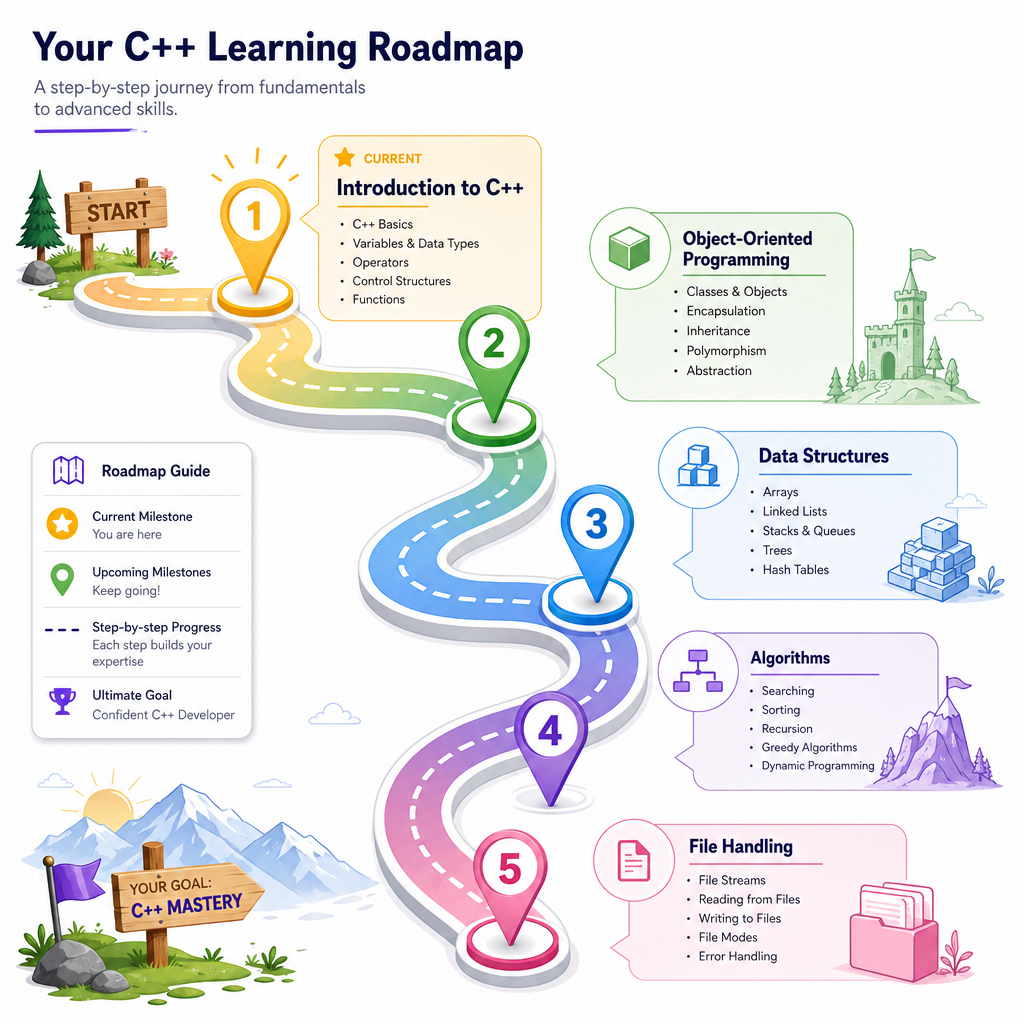
Later lessons will build on this foundation with object-oriented programming, data structures, algorithms, and file handling.

Compiled, Not Interpreted
The big workflow difference
In many web development workflows, you write JavaScript and run it directly in a browser or Node.js runtime.
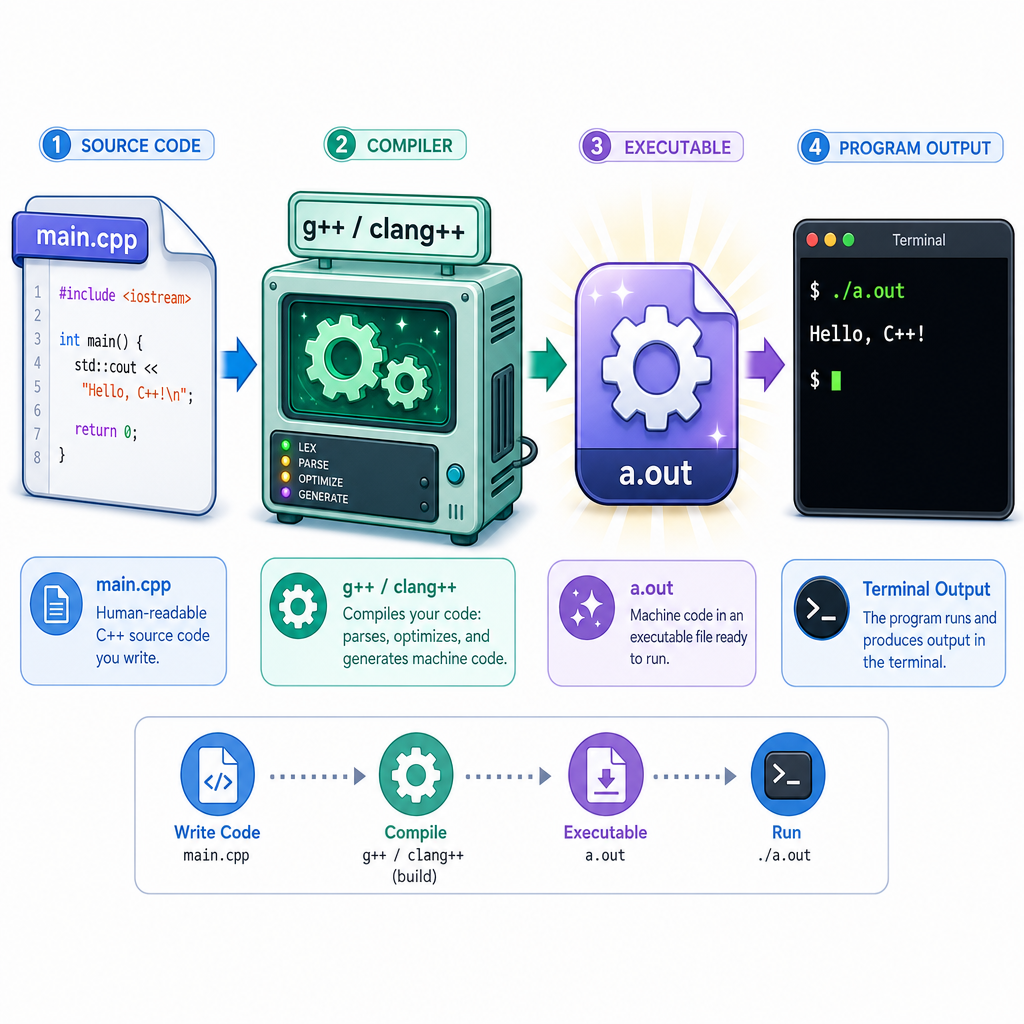
C++ usually has an extra step: compilation.
A compiler translates your human-readable .cpp file into a machine-runnable program.
source code        compiler           executable
main.cpp    ->     g++/clang++   ->    program you run
That means C++ catches many errors before the program runs. It also means the final program can be highly optimized for the machine running it.
A typical command-line flow looks like:
g++ main.cpp -o app
./app
You do not need to memorize build tools today. Just remember: C++ source code is compiled before it runs.
Hello C++
Your first complete program
Every C++ program needs a place to begin. For a normal console program, that place is the main function.
This example prints two lines and exits successfully.
```cpp
#include <iostream>

int main() {
    std::cout << "Hello, C++!" << std::endl;
    std::cout << "We are learning a fast compiled language." << std::endl;

    return 0;
}
```
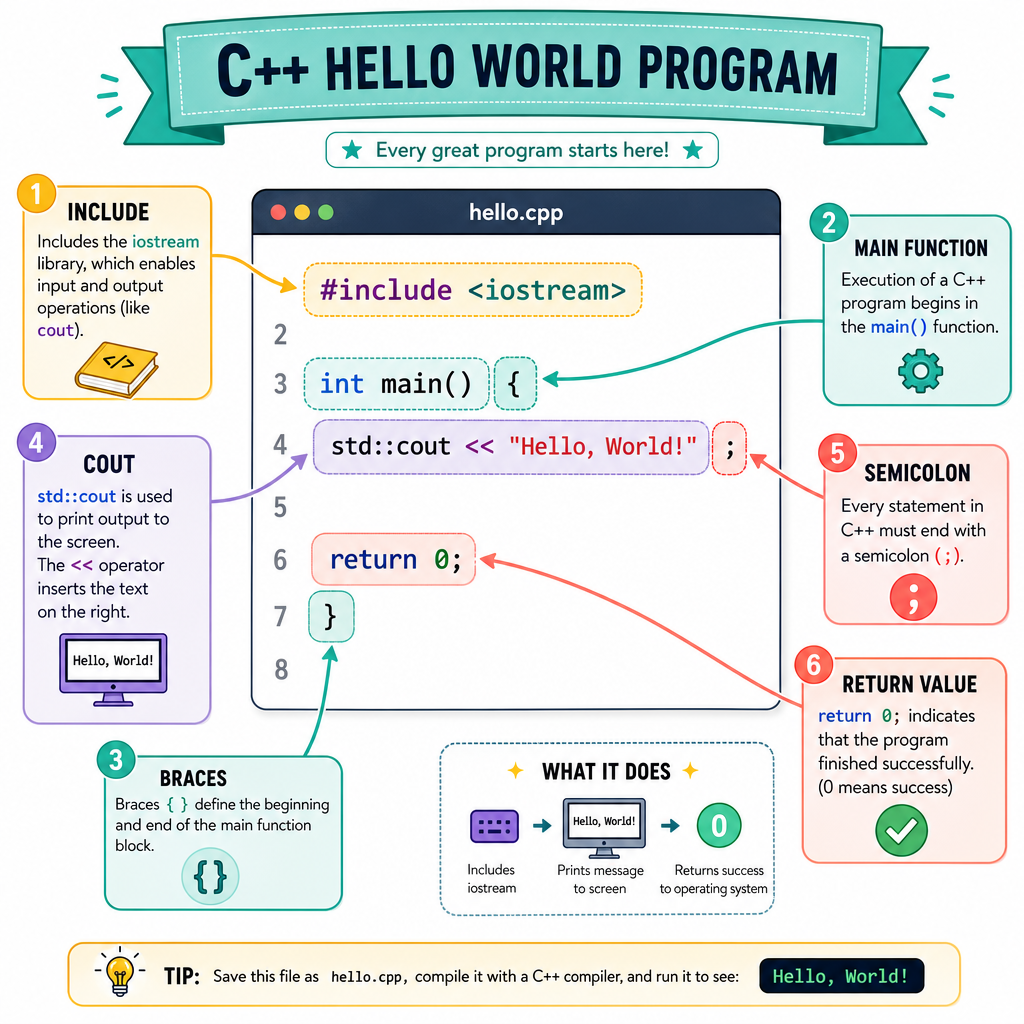
Program Anatomy
What did we just write?
Let's unpack the first C++ program without going too far too fast.
-
#include <iostream>gives us access to input/output tools, includingstd::cout. -
int main()declares the program's starting function. -
{ ... }braces group the body of the function. -
std::coutprints text to the console. -
<<sends data into the output stream. -
std::endlends the line and flushes output. -
return 0;means the program finished successfully.
Two syntax habits matter immediately:
- C++ is generally case-sensitive:
mainandMainare different. - Most statements end with a semicolon:
;
Compared with JavaScript, C++ syntax may look stricter. That strictness helps the compiler understand exactly what you mean.
Compilation Check
Which statement best describes how a typical C++ program runs?
Types and Values
C++ wants to know what kind of value you mean
In JavaScript, you might write let price = 42.50 and the runtime tracks the type dynamically.
In C++, variables usually declare their type up front:
-
intfor whole numbers -
doublefor decimal numbers -
charfor a single character -
boolfortrueorfalse -
std::stringfor text, with the right include
Here is a tiny finance-flavored example: calculating the value of a stock position.
```cpp
#include <iostream>
#include <string>

int main() {
    std::string symbol = "ALGO";
    int shares = 25;
    double price = 18.40;
    double positionValue = shares * price;

    std::cout << "Symbol: " << symbol << std::endl;
    std::cout << "Shares: " << shares << std::endl;
    std::cout << "Position value: $" << positionValue << std::endl;

    return 0;
}
```
Entry Point
Fill in the blank: in a standard C++ console program, execution begins in the _____ function.
Decisions and Repetition
Programs need control flow
Most useful programs do not just run one straight line of code. They make decisions and repeat work.
At an introductory level, two core tools are:
-
if/elsefor decisions -
forloops for repetition
Below, we simulate checking latency readings from a trading or AI service. We print whether each reading is acceptable.
```cpp
#include <iostream>

int main() {
    int latenciesMs[] = {12, 48, 95, 31};
    int count = 4;

    for (int i = 0; i < count; i++) {
        std::cout << "Reading " << i << ": " << latenciesMs[i] << " ms - ";

        if (latenciesMs[i] <= 50) {
            std::cout << "OK" << std::endl;
        } else {
            std::cout << "Too slow" << std::endl;
        }
    }

    return 0;
}
```
Semicolon Habit
True or false: in C++, most simple statements, such as variable declarations and return statements, end with a semicolon.
What Comes Next
You now have the starting map
You have seen the basic shape of C++:
- C++ source code is usually compiled.
- A program commonly starts at
main. - Output can be printed with
std::cout. - Variables usually declare a type.
-
ifstatements and loops let programs make decisions and repeat work.
This is enough to begin reading small C++ programs and experimenting with your own.
Next, we will move from simple functions into Object-Oriented Programming in C++, where you will learn how C++ organizes related data and behavior into reusable program designs.