Introduction to C++ Projects
Read at your own pace. Code execution, quizzes, progress tracking, and the AI tutor are available in the interactive view with JavaScript enabled.
Why Projects Matter
Welcome to C++ Projects
This course is about turning your intermediate C++ knowledge into portfolio-ready applications.
You already know syntax and core programming ideas. Projects are where those pieces become practical:
- Choosing a clear problem
- Designing program behavior
- Organizing code into maintainable parts
- Handling input, output, and edge cases
- Explaining your work like a backend engineer
This first lesson sets the project mindset. In later lessons, you'll build console applications and games that demonstrate different C++ strengths.
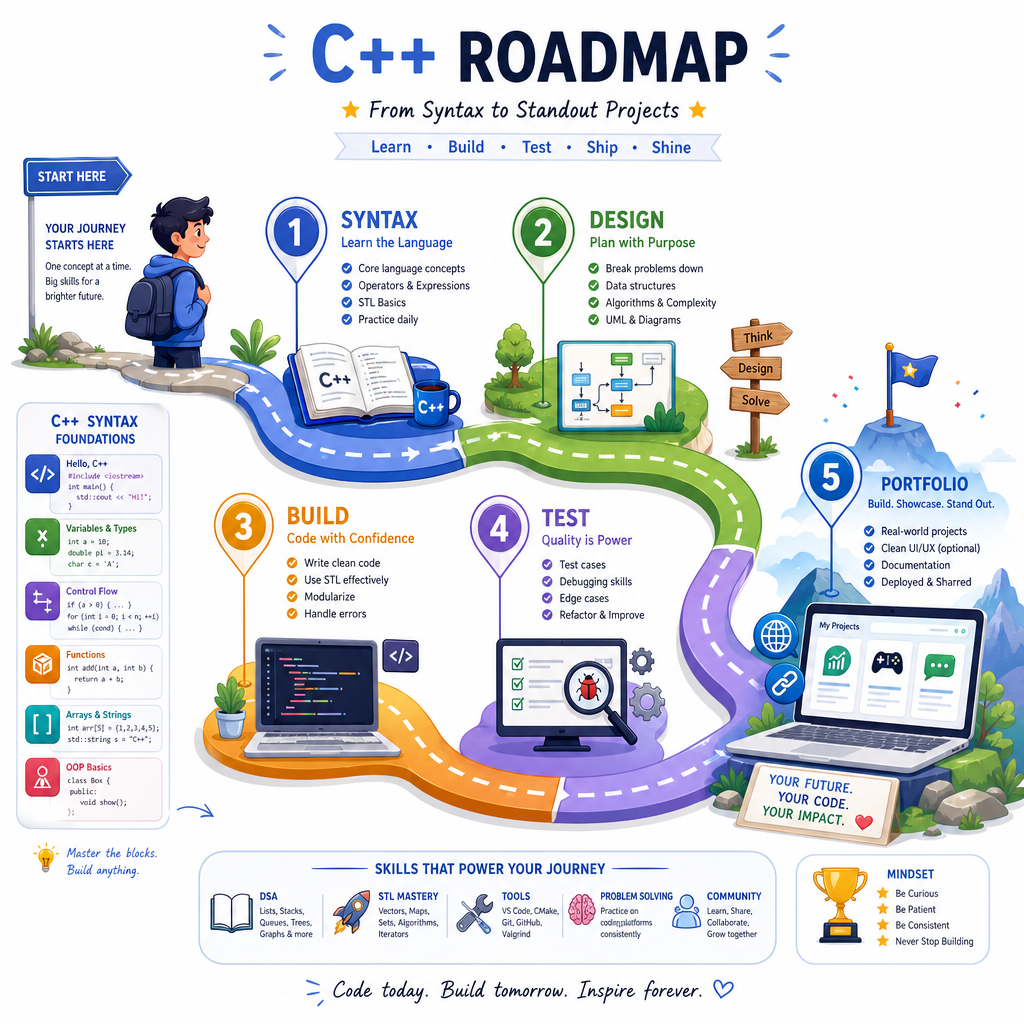
Project Mindset
A project is more than code
A good C++ project is a small system with a purpose.
Instead of asking, “What feature of C++ can I use?”, ask:
- Who is the user? Even if the user is just you in a terminal.
- What problem does it solve? Keep the first version focused.
- What are the inputs and outputs? Console text still counts.
- What can go wrong? Invalid input, missing data, impossible choices.
- How would someone run it? A portfolio project needs a clear path from clone to execution.
For a backend-minded learner, this is similar to designing a small service: define behavior first, then implement it cleanly.
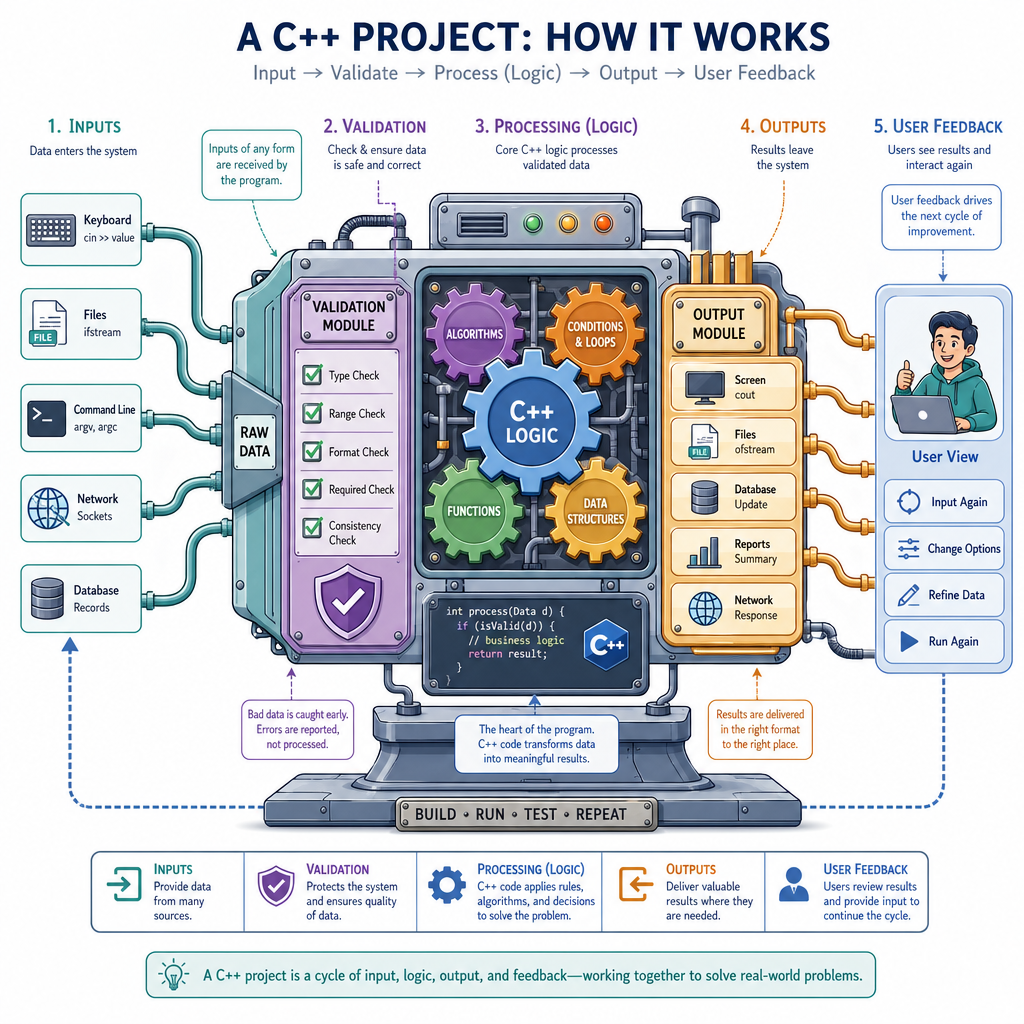
Tiny Project Slice
Start with a thin slice
A strong project does not begin as a giant feature list. It begins as a tiny complete version that runs.
This small program models a project checklist. It has:
- A clear purpose
- Data stored in a standard container
- Output that proves the program ran
- A structure we can later grow
The goal is not complexity. The goal is completion plus clarity.
```cpp
#include <iostream>
#include <string>
#include <vector>

int main() {
    std::vector<std::string> projectChecklist = {
        "Define the project goal",
        "Build the smallest working version",
        "Handle obvious edge cases",
        "Write clear run instructions",
        "Add it to a portfolio"
    };

    std::cout << "C++ Project Starter Checklist\n";
    std::cout << "-----------------------------\n";

    for (std::size_t i = 0; i < projectChecklist.size(); ++i) {
        std::cout << i + 1 << ". " << projectChecklist[i] << '\n';
    }

    std::cout << "\nNext step: choose one small behavior and make it work.\n";
    return 0;
}
```
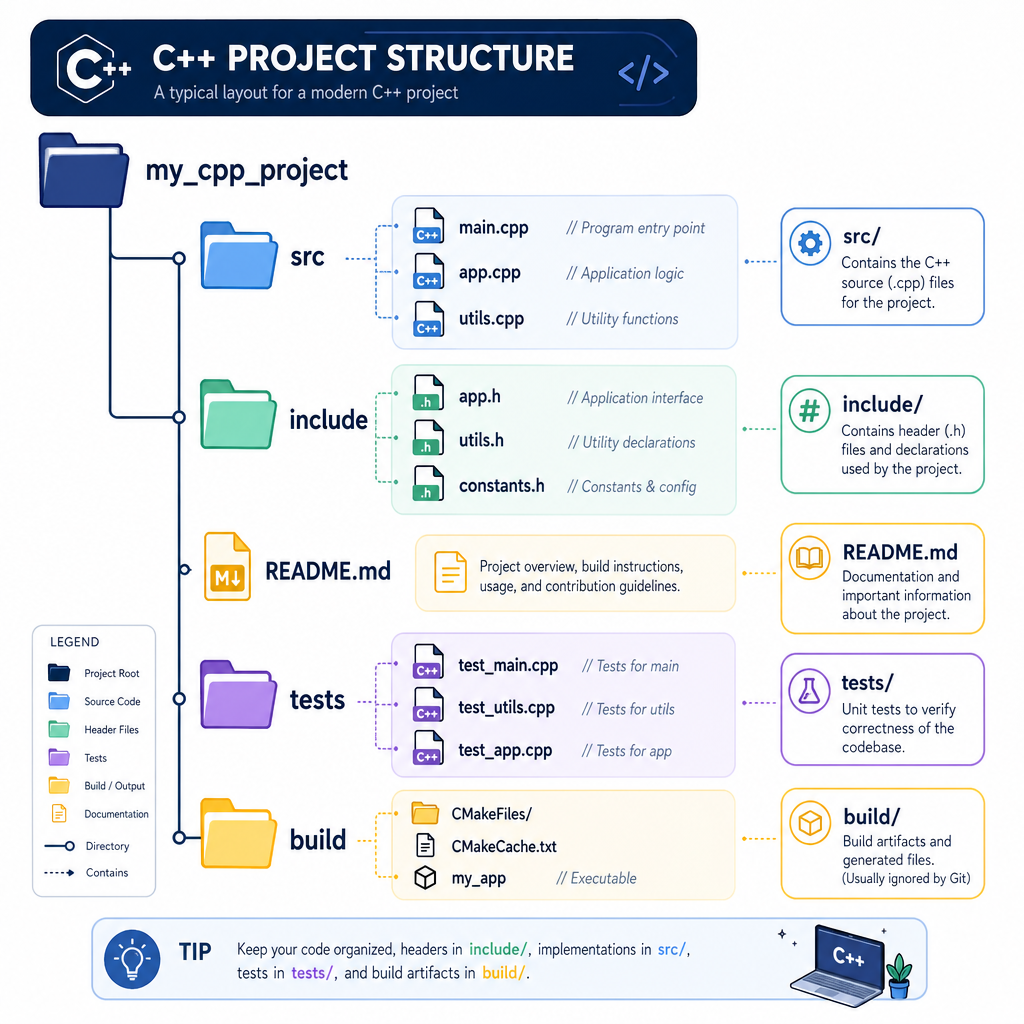
Project Anatomy
What belongs in a C++ project?
Even a console project benefits from a simple structure.
project-name/
├── src/            implementation files
├── include/        reusable declarations, when needed
├── README.md       what it does and how to run it
├── tests/          optional checks or sample cases
└── build/          generated files, usually not committed
At the beginning, you might only have main.cpp and a README.md. That's fine.
The important idea is that a project has both:
- Program artifacts: source code, headers, build files
- Communication artifacts: README, examples, screenshots, notes
Portfolio reviewers need both. They want to see what you built and how clearly you can explain it.
Best Project Goal
Which project goal is strongest for a first portfolio-focused C++ console project?
Readable Structure
Organize behavior early
As projects grow, main() should not become a dumping ground.
A simple habit is to separate your program into small functions that each do one job:
- Print a title
- Run the core behavior
- Print a summary
This is not about over-engineering. It is about making your next change easier.
```cpp
#include <iostream>
#include <string>

void printHeader(const std::string& projectName) {
    std::cout << "=== " << projectName << " ===\n";
}

void runDemo() {
    std::cout << "Running the smallest complete version...\n";
    std::cout << "Feature: display a project status message\n";
}

void printSummary() {
    std::cout << "Status: working prototype complete\n";
}

int main() {
    printHeader("Portfolio Project Demo");
    runDemo();
    printSummary();
    return 0;
}
```
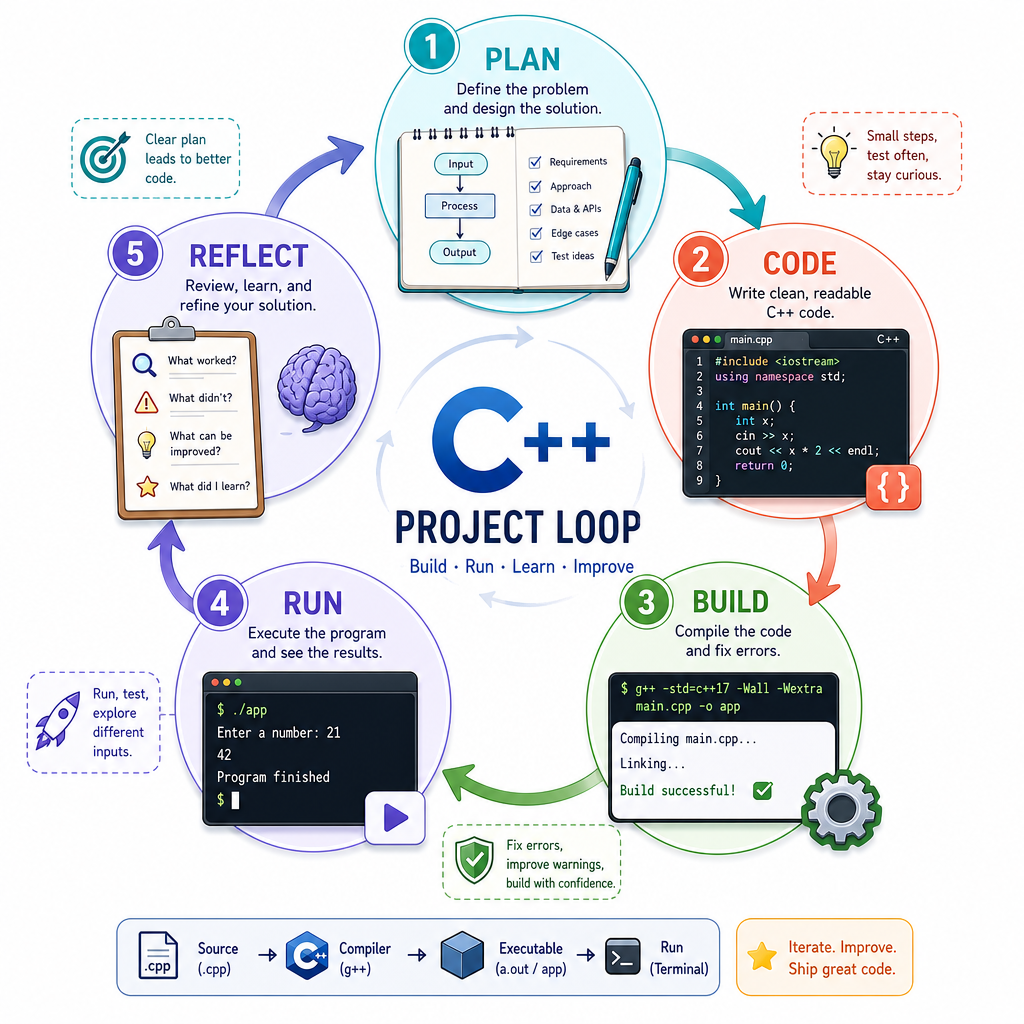
Build Run Loop
The project feedback loop
Every C++ project improves through a repeated loop:
- Plan one small change
- Code the change
- Build the program
- Run it with realistic input
- Reflect on what broke or felt unclear
For a simple single-file project, the build step might be:
g++ main.cpp -o app
And the run step might be:
./app
As projects grow, you may introduce tools like CMake, but the core loop stays the same: make a small change, verify it, then continue.
Project Value
True or false: A portfolio project is strongest when it is unfinished but uses many advanced C++ features.
Quality Habits
Habits that make projects stand out
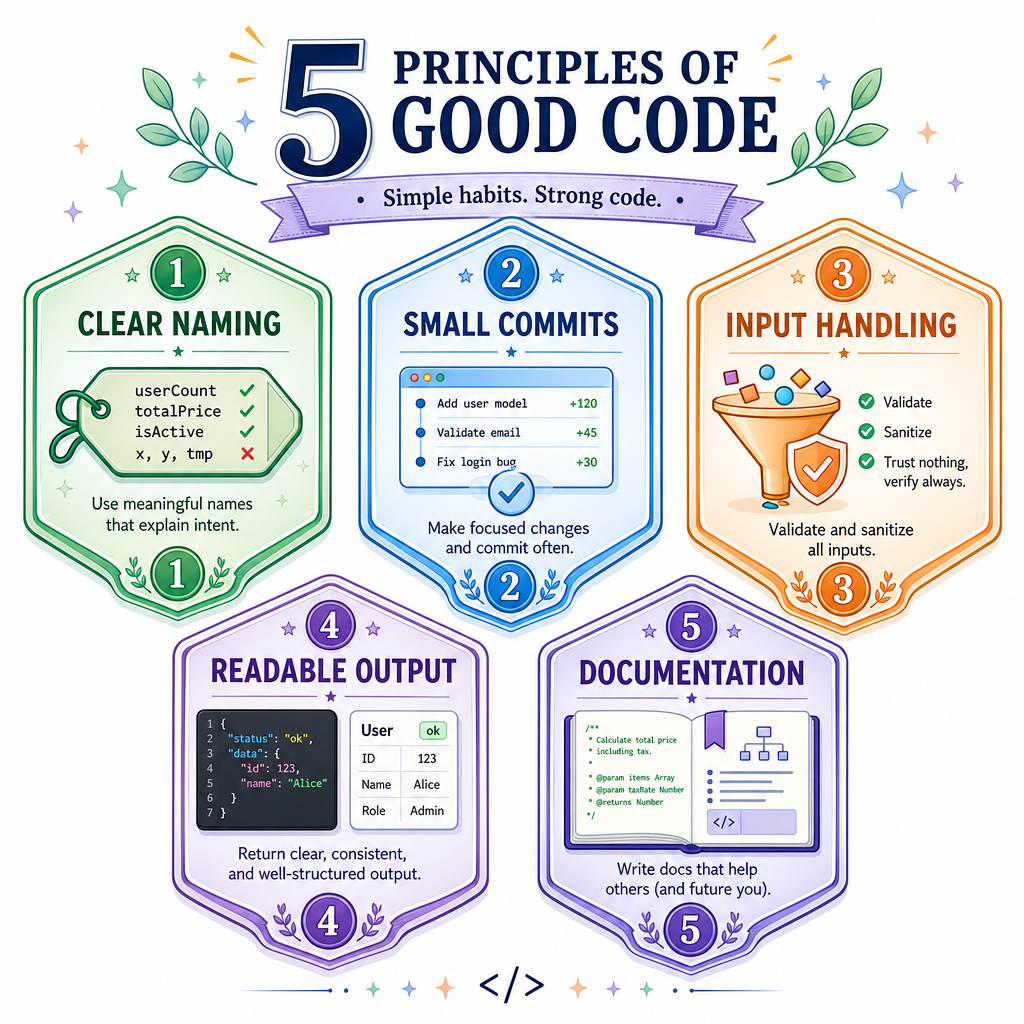
Your code matters, but your engineering habits also show through.
For each project in this course, aim to practice:
- Clear naming: variables and functions should communicate intent
- Small commits: each commit should represent a meaningful step
- Defensive input handling: assume users may type unexpected values
- Readable output: console programs should guide the user
- Simple documentation: explain what the project does and how to run it
These habits transfer directly to backend work, where maintainability and clarity are as important as raw implementation skill.
Name The Entry
In most C++ console programs, execution begins in the ____ function.
Course Roadmap
What comes next
Now that we have the project mindset, the rest of this section will turn it into practice.
You'll build a sequence of C++ console projects that each emphasize a different skill:
- A focused command-line utility
- A stateful system with user actions
- A grid-based interactive program
- A story-driven text application
In the next lesson, we'll begin with a compact console project so you can practice the full build loop from idea to runnable program.