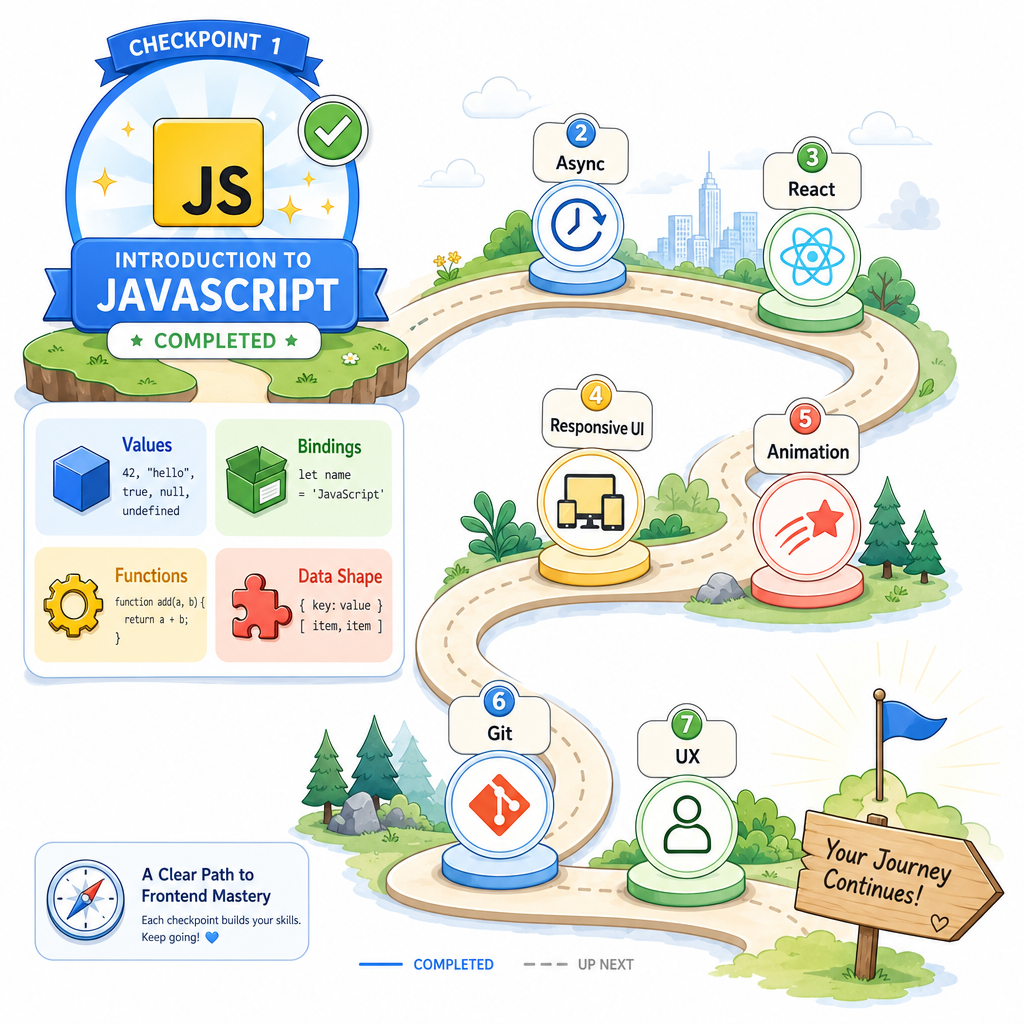
Introduction to JavaScript
Read at your own pace. Code execution, quizzes, progress tracking, and the AI tutor are available in the interactive view with JavaScript enabled.
Welcome Aboard
Why start with JavaScript?
Welcome to Frontend Mastery. Even with years of frontend experience, JavaScript is worth revisiting because it is the substrate under everything coming next:
- React components are JavaScript functions and objects.
- Responsive interactions are JavaScript responding to state and events.
- Animation logic often depends on timing, values, and DOM updates.
- Staff-level interviews expect you to explain tradeoffs, not just ship UI.
This first lesson sets the shared language for the course: values, bindings, functions, objects, and how to reason about code without guessing.
Think of it like replaying the tutorial level of a game you already know: not because you forgot how to move, but because the advanced boss fights require clean fundamentals.

JavaScript Mental Model
The core loop
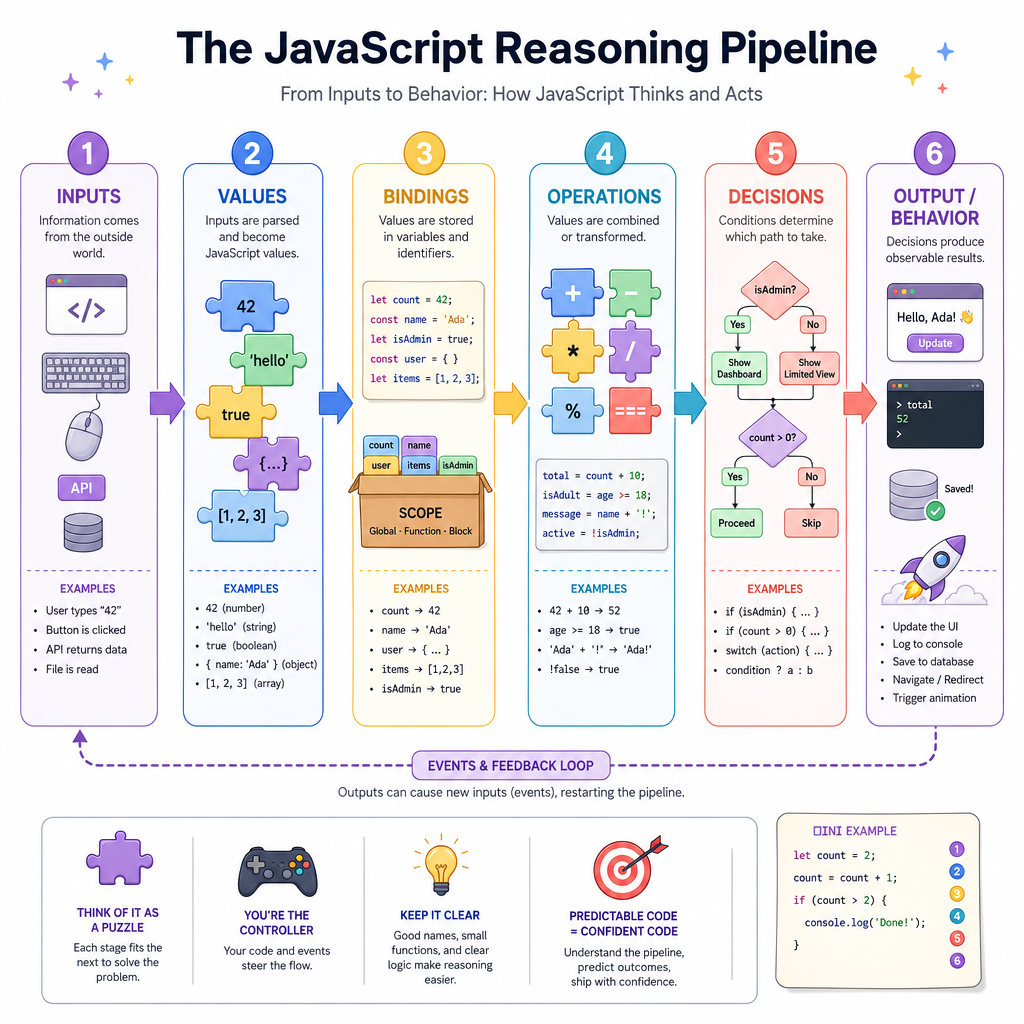
At a useful level, JavaScript is a language for turning inputs into outputs through a sequence of evaluated instructions.
A practical mental model:
values + operations + names + decisions = behavior
When reading code, ask four questions:
- What values exist? Strings, numbers, booleans, objects, arrays, functions.
- What names point to them? Variables and parameters.
- What operations happen? Math, comparison, property access, function calls.
- What changes over time? Reassignment, mutation, return values, side effects.
Staff-level frontend work often means debugging across layers. A UI bug may look like CSS, React, or browser weirdness — but often starts with a mistaken assumption about a JavaScript value.
Values And Bindings
Values are the things; variables are names for things
JavaScript programs manipulate values. Variables are bindings: names that point at values.
Use const by default when the binding should not be reassigned. Use let when the binding must change. Avoid var in modern frontend code unless you are reading legacy code.
Important distinction:
- Primitive values like numbers and strings are copied by value.
- Objects and arrays are reference values; multiple names can point to the same underlying object.
That reference behavior is one reason UI state bugs can feel like a reality TV reunion: everyone is reacting to the same changed object, and nobody admits who changed it.
```js
const playerName = "Jules";
let score = 10;

score = score + 5;
console.log(`${playerName} scored ${score}`);

const originalStats = { health: 100 };
const visibleStats = originalStats;

visibleStats.health = 80;
console.log(originalStats.health); // 80
```
Const Means What
You see this code:
const settings = { theme: "dark" };
settings.theme = "light";
What is the best explanation?
Expressions Become Behavior
Expressions produce values
An expression is code that evaluates to a value:
2 + 3user.nameisMember ? 10 : 20calculateTotal(cart)
A statement performs an action or controls flow:
if (...) { ... }for (...) { ... }return value;
Good JavaScript reading starts by spotting which pieces produce values and which pieces decide what happens next.
In interviews, this helps you talk through code instead of narrating vibes: “This expression evaluates to false, so this branch is skipped.”
```js
const hasCoupon = true;
const basePrice = 40;

const finalPrice = hasCoupon ? basePrice * 0.75 : basePrice;

if (finalPrice < 35) {
  console.log("Budget movie night");
} else {
  console.log(`Action movie ticket bundle: $${finalPrice}`);
}
```
Expression Check
True or false: every JavaScript expression evaluates to a value.
Functions Package Decisions
Functions are reusable reasoning units
A function gives a name to a chunk of behavior. It can accept inputs, perform work, and produce an output.
For frontend engineering, functions are everywhere:
- formatting data for display
- validating forms
- transforming API responses
- computing derived UI state
- handling user actions
A helpful distinction:
- Pure-ish function: same inputs, same output, no outside change.
- Side-effecting function: changes or depends on something outside itself, like logging, DOM updates, network calls, or global state.
You do not need every function to be pure. But you should know which kind you are writing.
```js
function getReadingStatus(pagesRead, totalPages) {
  const percent = pagesRead / totalPages;

  if (percent >= 1) return "finished";
  if (percent >= 0.5) return "halfway there";
  return "just started";
}

console.log(getReadingStatus(180, 300));
console.log(getReadingStatus(300, 300));
```
Return Keyword
Complete the sentence with the JavaScript keyword:
A function sends a value back to its caller using _____.
Objects And Arrays
Most frontend data has shape
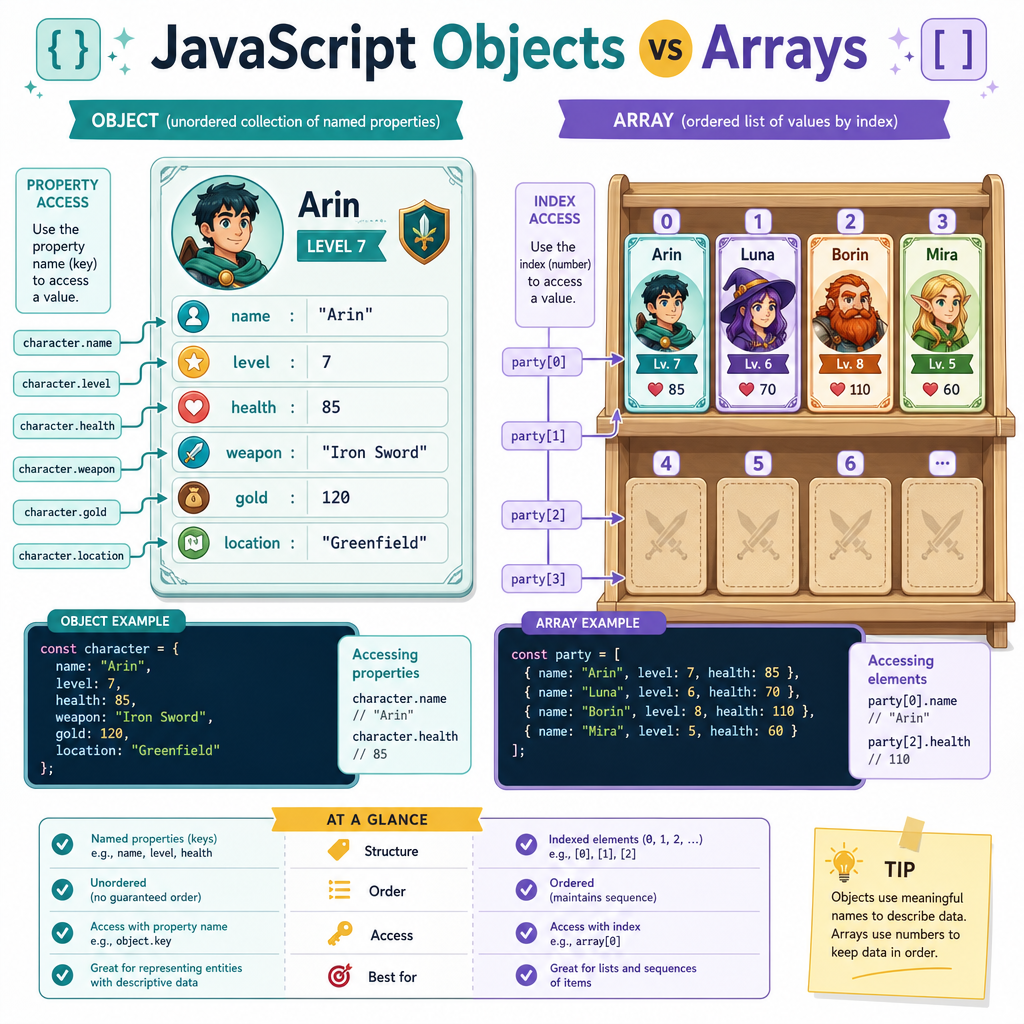
Objects and arrays are how JavaScript represents structured data.
Use an object when you care about named properties:
user.name
movie.rating
button.disabled
Use an array when you care about an ordered list:
comments[0]
episodes.map(...)
inventory.length
The key staff-level habit is to notice data shape early. Before debugging rendering logic, ask:
- Is this value an object, array, string, number, boolean,
null, orundefined? - What properties do I expect?
- Can the shape vary?
- Who owns changes to this data?
Many UI bugs are not “React bugs” or “CSS bugs.” They are shape mismatches wearing a costume.
Data Shape Quiz
You receive data for a list of game levels, where each level has a title, difficulty, and unlocked status.
Which structure best represents that data?
Your Foundation
What you should carry forward
From this lesson, keep these ideas close:
- JavaScript code manipulates values.
- Variables are bindings to values.
-
constprotects the binding, not necessarily the underlying object. - Expressions evaluate to values; statements control behavior.
- Functions package reusable reasoning.
- Objects and arrays describe the shape of frontend data.
This is the base layer for the rest of Frontend Mastery. Next, we will look at how JavaScript handles work that does not finish immediately — a crucial skill for real frontend apps.