Introduction to STL
Read at your own pace. Code execution, quizzes, progress tracking, and the AI tutor are available in the interactive view with JavaScript enabled.
Your C++ Toolbox
Why STL matters now
So far, you've built the core C++ foundation: variables, control flow, functions, objects, files, and error paths. After Exception Handling, you're ready for one of the biggest productivity jumps in C++: the Standard Template Library, usually called the STL.
The STL gives you well-tested building blocks for common programming tasks:
- Store many values without manually managing raw arrays
- Search, sort, count, and transform data
- Work with reusable patterns instead of rewriting loops every time
- Write code that is both expressive and efficient
If you've used arrays, objects, or utility libraries in web development, the STL plays a similar role: it is the standard toolkit you reach for before writing custom infrastructure.
STL Big Picture
The main STL components
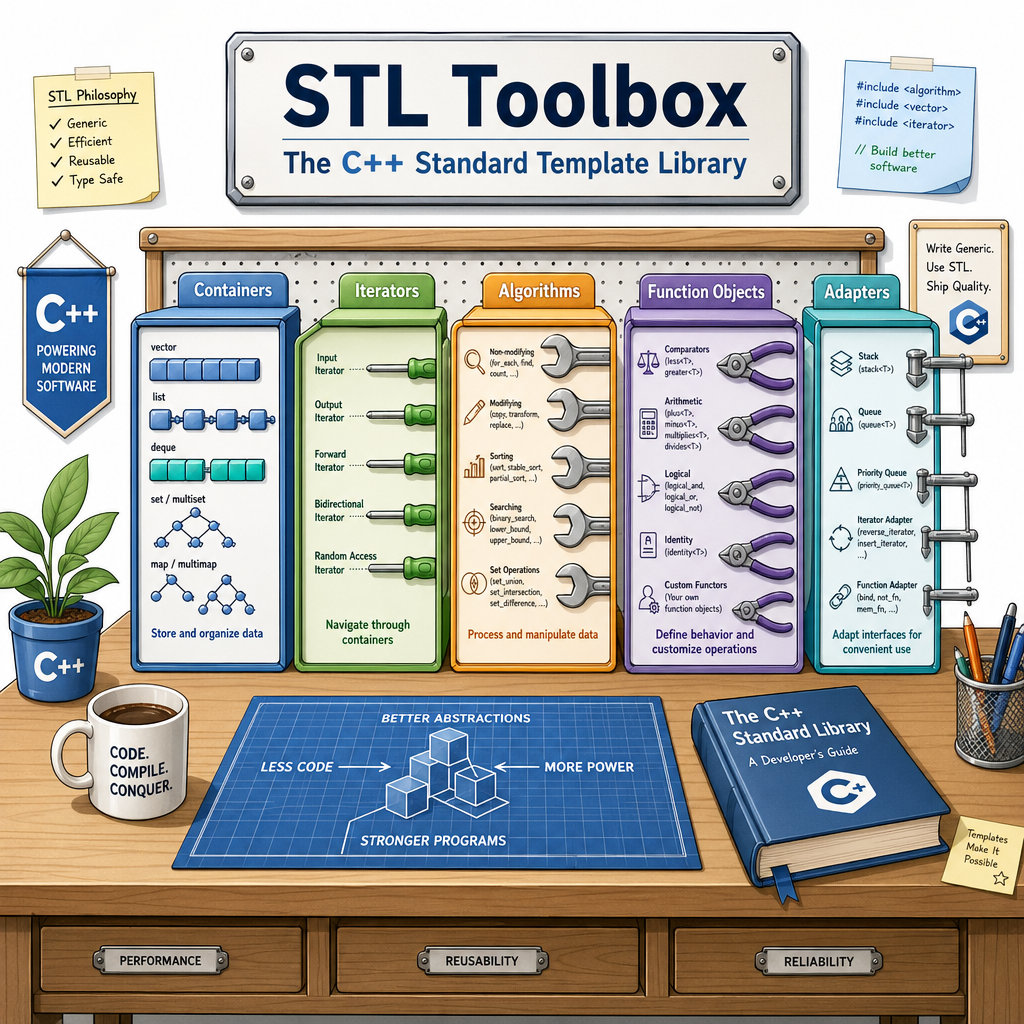
The STL is not one thing. It is a coordinated set of pieces designed to work together.
Data lives in containers
        ↓
Iterators point through that data
        ↓
Algorithms operate on iterator ranges
        ↓
Function objects customize behavior
The most important components are:
-
Containers: data structures like
vector,map,set, andqueue - Iterators: objects that act like positions inside containers
-
Algorithms: reusable operations like
sort,find,count, andreverse - Function objects: callable objects used to customize algorithm behavior
-
Adapters: specialized wrappers like
stack,queue, andpriority_queue
There are also lower-level pieces like allocators, but you usually do not need them when first learning STL.
Component Check
Which STL component primarily connects containers to algorithms by representing positions or ranges inside stored data?
Algorithms In Action
Algorithms save you from rewriting loops
In earlier lessons, you used loops directly. With STL algorithms, you can express common operations more clearly.
Here, the container is std::vector<int>, and the algorithms are std::sort and std::count_if.
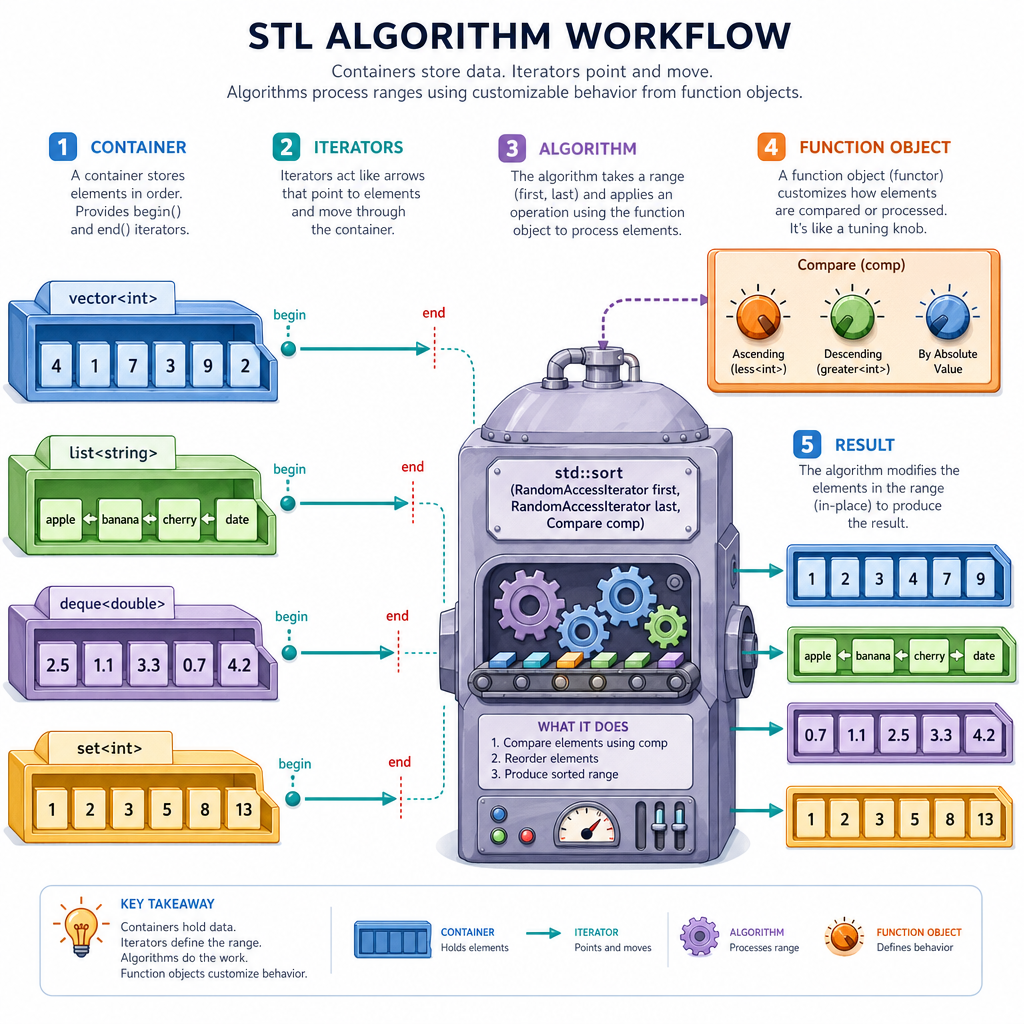
Notice the pattern:
algorithm(container.begin(), container.end(), optional_rule)
That begin() to end() pair describes the range the algorithm should process.
```cpp
#include <algorithm>
#include <iostream>
#include <vector>

bool isSlow(int milliseconds) {
    return milliseconds > 40;
}

int main() {
    std::vector<int> latencies = {42, 17, 98, 23, 17};

    std::sort(latencies.begin(), latencies.end());

    std::cout << "Sorted latencies: ";
    for (int value : latencies) {
        std::cout << value << " ";
    }
    std::cout << "\n";

    int slowCount = std::count_if(latencies.begin(), latencies.end(), isSlow);
    std::cout << "Slow requests: " << slowCount << "\n";

    return 0;
}
```
Containers Have Jobs
Choosing the right container
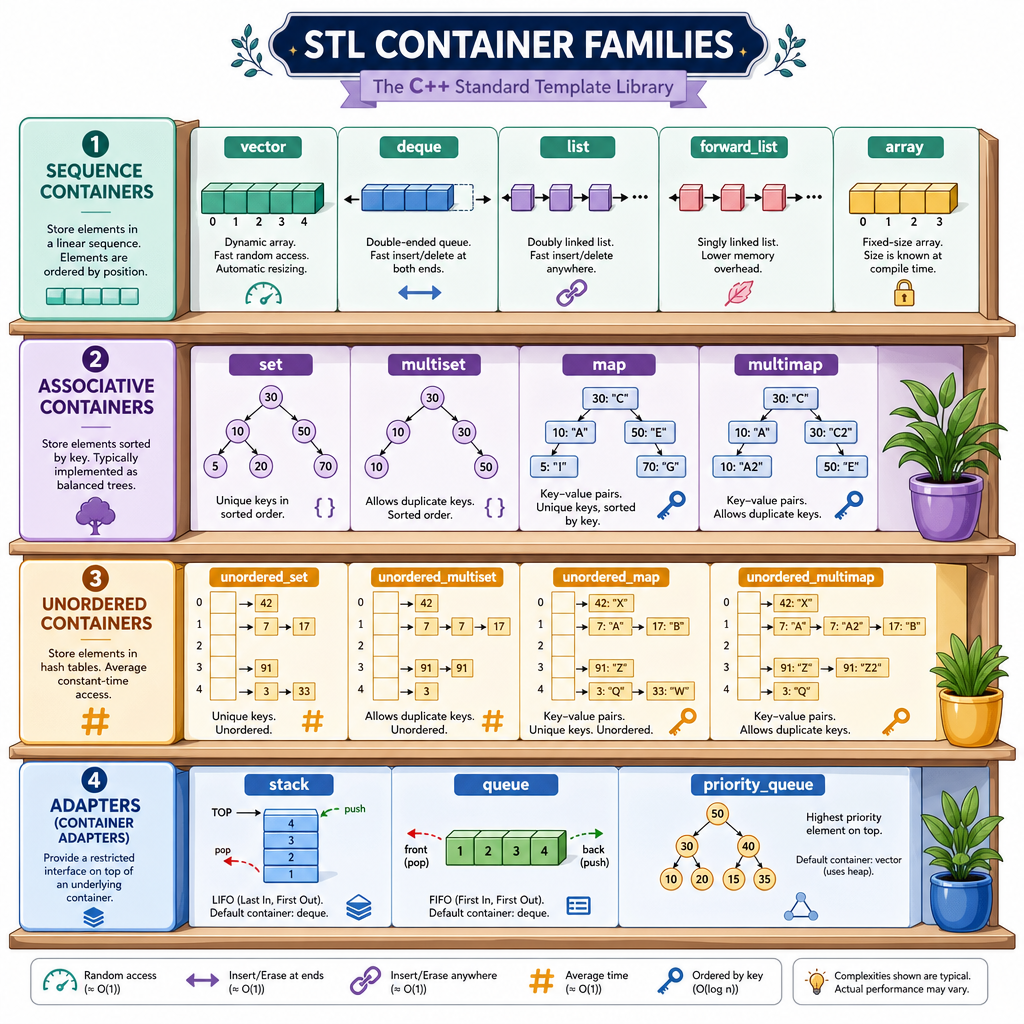
A container is a data structure with a specific performance personality. You do not need to memorize every detail yet, but you should know the main families.
Sequence containers
Keep values in a linear order.
-
vector: dynamic array; great default choice -
deque: efficient at both front and back -
list: linked list; useful for frequent middle insertions
Associative containers
Keep values organized by keys.
-
map: key-value pairs sorted by key -
set: unique values sorted by value
Unordered containers
Hash-table style lookup.
-
unordered_map: key-value pairs with fast average lookup -
unordered_set: unique values with fast average lookup
Container adapters
Restrict access to match a specific behavior.
-
stack: last in, first out -
queue: first in, first out -
priority_queue: highest-priority item first
In finance or AI code, this choice matters: a pricing engine, feature store, or ranking system can become much faster just by using the right container.
Algorithm Separation
True or false: STL algorithms are generally written separately from specific containers and usually operate over iterator ranges.
Iterators As Positions
Iterators are generalized positions
An iterator is like a pointer into a container, but safer and more general. It lets STL algorithms talk about where to start and where to stop without needing to know every detail of the container.
Common iterator expressions:
-
container.begin()means the first position -
container.end()means one position past the last element -
*iteratoraccesses the value at that position
The end() iterator is not the last value. It is the stopping boundary.
```cpp
#include <algorithm>
#include <iostream>
#include <string>
#include <vector>

int main() {
    std::vector<std::string> symbols = {"AAPL", "MSFT", "NVDA"};

    std::vector<std::string>::iterator it =
        std::find(symbols.begin(), symbols.end(), "NVDA");

    if (it != symbols.end()) {
        std::cout << "Found symbol: " << *it << "\n";
        std::cout << "Position: " << (it - symbols.begin()) << "\n";
    } else {
        std::cout << "Symbol not found\n";
    }

    return 0;
}
```
Header Fill
To use std::vector, include the standard library header named _____ without angle brackets.
Custom Algorithm Rules
Function objects customize algorithms
Many STL algorithms can accept a rule: a function, function pointer, or callable object that answers a question.
For example:
- Should this item be counted?
- Which item should come first?
- Does this value match the condition?
A function object is an object that can be called like a function. Since you already learned classes and objects, you can read this as: "a small object whose job is to provide behavior."
Here, IsLargeOrder customizes std::count_if.
```cpp
#include <algorithm>
#include <iostream>
#include <vector>

class IsLargeOrder {
public:
    bool operator()(int dollars) const {
        return dollars >= 1000;
    }
};

int main() {
    std::vector<int> orders = {250, 1200, 75, 3100, 980};

    int largeOrders = std::count_if(
        orders.begin(),
        orders.end(),
        IsLargeOrder()
    );

    std::cout << "Large orders: " << largeOrders << "\n";

    return 0;
}
```
STL Mindset
The STL changes how you write C++
Before STL, it is tempting to write every loop and data structure by hand. After STL, your first question should become:
Is there already a standard container or algorithm for this?
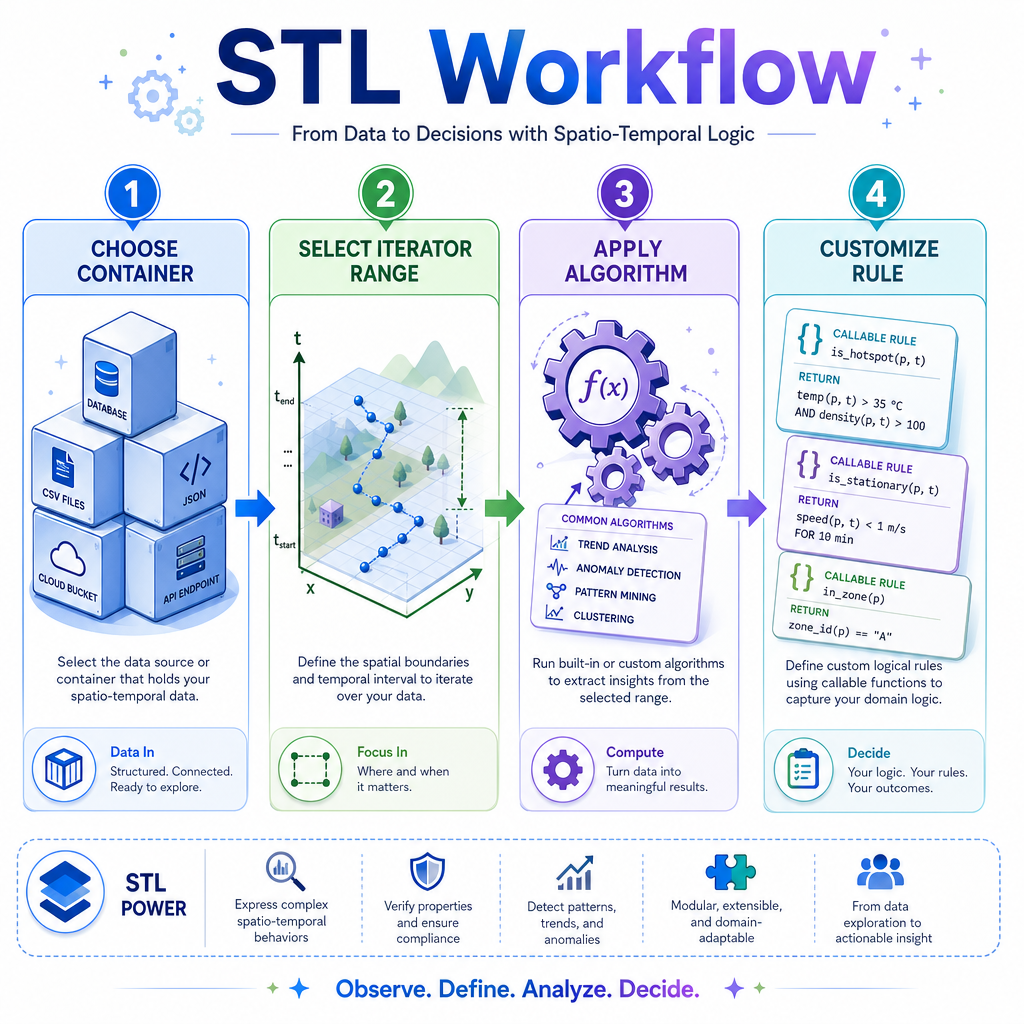
A practical STL workflow looks like this:
- Choose the container that matches your data access pattern.
- Use iterators to describe the range of data.
- Apply an algorithm when the operation is common.
- Customize behavior with functions or function objects when needed.
This is a major step toward idiomatic C++: code that is faster to write, easier to review, and often more efficient than custom beginner implementations.
Next, Modern C++ will make this style even cleaner, but the foundation is the STL model you learned here.