Maze Game
Read at your own pace. Code execution, quizzes, progress tracking, and the AI tutor are available in the interactive view with JavaScript enabled.
Enter The Maze
From systems to interaction
You’ve already built:
- Console-based Calculator — a tight input loop around operations
- Banking System — a small domain model with state and workflows
Now we’ll combine those muscles into a Maze Game: a console project with a grid world, player movement, collision rules, and a win condition.
This is a strong portfolio project because it shows you can build more than menus—you can model a changing environment and control a game loop.

Maze Project Shape
What we are building
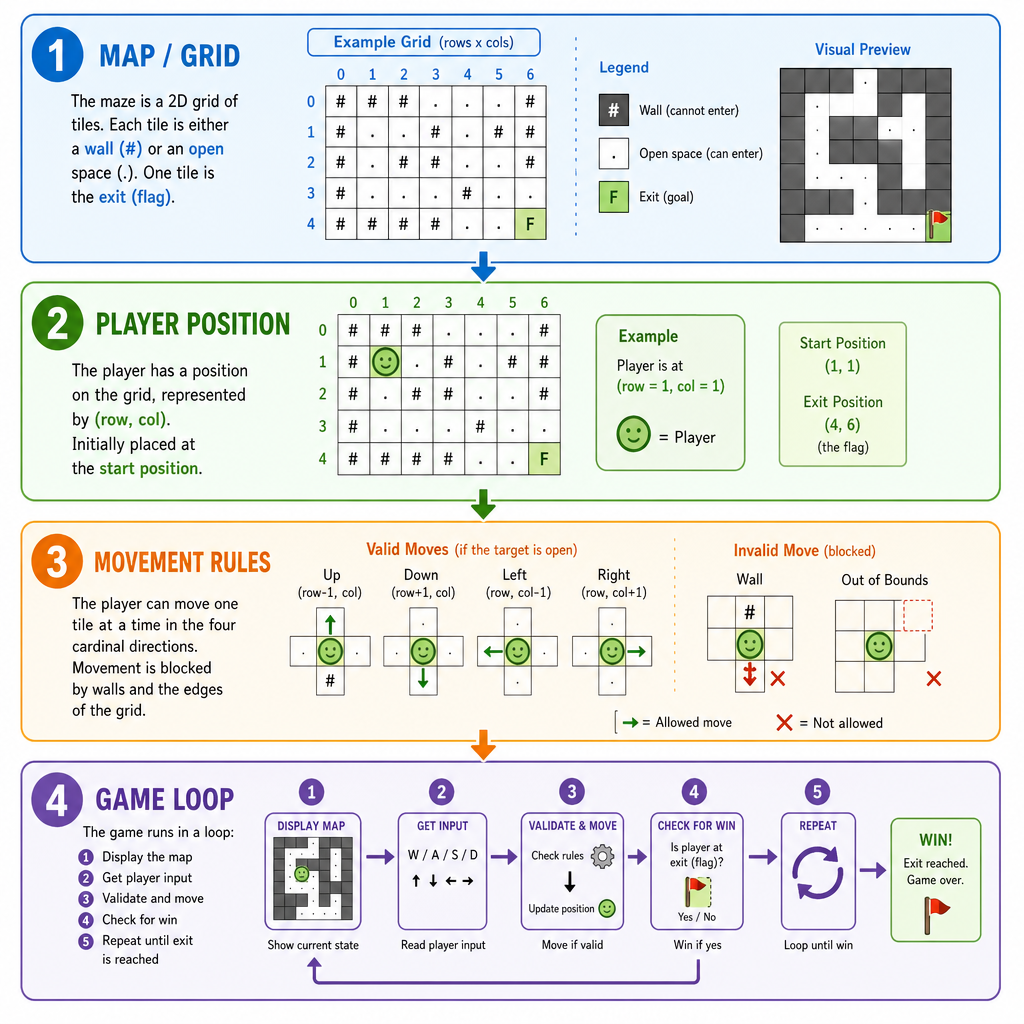
A console maze game usually has four core pieces:
+-------------------+
| Map / Grid        |  walls, empty spaces, exit
+-------------------+
          |
          v
+-------------------+
| Player Position   |  row + column
+-------------------+
          |
          v
+-------------------+
| Movement Rules    |  can move? blocked?
+-------------------+
          |
          v
+-------------------+
| Game Loop         |  render -> input -> update
+-------------------+
We’ll keep the scope portfolio-friendly: a terminal maze with # for walls, . for open cells, P for the player, and E for the exit.
Next lesson’s Text-based Adventure Game will focus more on narrative choices. Here, the star is spatial movement.
Represent The Maze
Start with the grid
A maze is naturally represented as rows of characters. In C++, vector<string> is a clean fit:
- Each
stringis one row - Each character is one cell
-
maze[row][col]gives you the tile at a location
For rendering, avoid permanently baking the player into the grid. Keep the map and the player position separate, then overlay the player when printing.
```cpp
#include <iostream>
#include <vector>
#include <string>
using namespace std;

struct Position {
    int row;
    int col;
};

void renderMaze(const vector<string>& maze, Position player) {
    for (int r = 0; r < static_cast<int>(maze.size()); r++) {
        for (int c = 0; c < static_cast<int>(maze[r].size()); c++) {
            if (r == player.row && c == player.col) {
                cout << 'P';
            } else {
                cout << maze[r][c];
            }
        }
        cout << '\n';
    }
}

int main() {
    vector<string> maze = {
        "#######",
        "#.....#",
        "#.###.#",
        "#...#E#",
        "#######"
    };

    Position player{1, 1};
    cout << "Initial maze:\n";
    renderMaze(maze, player);

    return 0;
}
```
Collision Rule
In a console maze, the player attempts to move into a target cell.
Which condition should usually block the move?
Movement Core
Movement is a proposed update
A clean movement flow is:
- Convert input into a row/column delta
- Compute the proposed next position
- Check boundaries and walls
- Commit the move only if valid
This is the same quality habit from earlier projects: separate the decision from the side effect. Don’t mutate player state until the move is confirmed.
```cpp
#include <iostream>
#include <vector>
#include <string>
using namespace std;

struct Position {
    int row;
    int col;
};

bool isInside(const vector<string>& maze, Position p) {
    return p.row >= 0 &&
           p.row < static_cast<int>(maze.size()) &&
           p.col >= 0 &&
           p.col < static_cast<int>(maze[p.row].size());
}

bool canMoveTo(const vector<string>& maze, Position p) {
    return isInside(maze, p) && maze[p.row][p.col] != '#';
}

Position nextPosition(Position current, char command) {
    Position next = current;

    if (command == 'w') next.row--;
    else if (command == 's') next.row++;
    else if (command == 'a') next.col--;
    else if (command == 'd') next.col++;

    return next;
}

int main() {
    vector<string> maze = {
        "#####",
        "#...#",
        "#.###",
        "#..E#",
        "#####"
    };

    Position player{1, 1};

    for (char command : {'d', 'd', 's'}) {
        Position proposed = nextPosition(player, command);

        cout << "Trying move '" << command << "' to ("
             << proposed.row << ", " << proposed.col << "): ";

        if (canMoveTo(maze, proposed)) {
            player = proposed;
            cout << "moved\n";
        } else {
            cout << "blocked\n";
        }
    }

    cout << "Final position: (" << player.row << ", " << player.col << ")\n";
    return 0;
}
```
Overlay The Player
True or false:
A good default design is to keep the maze grid and the player position separate, then draw P during rendering instead of permanently storing P inside the maze data.
Game Loop Skeleton
Render → input → update → repeat
A real version can read from cin, but for a lesson-safe executable example, we’ll use scripted moves. The structure is the same:
while not won:
  render maze
  get command
  propose movement
  if valid: update player
  if exit reached: win
That loop is the heart of most interactive console programs, including games, CLIs, and backend maintenance tools.
```cpp
#include <iostream>
#include <vector>
#include <string>
using namespace std;

struct Position {
    int row;
    int col;
};

void render(const vector<string>& maze, Position player) {
    for (int r = 0; r < static_cast<int>(maze.size()); r++) {
        for (int c = 0; c < static_cast<int>(maze[r].size()); c++) {
            cout << (r == player.row && c == player.col ? 'P' : maze[r][c]);
        }
        cout << '\n';
    }
}

Position nextPosition(Position p, char command) {
    if (command == 'w') p.row--;
    else if (command == 's') p.row++;
    else if (command == 'a') p.col--;
    else if (command == 'd') p.col++;
    return p;
}

bool canMove(const vector<string>& maze, Position p) {
    return p.row >= 0 &&
           p.row < static_cast<int>(maze.size()) &&
           p.col >= 0 &&
           p.col < static_cast<int>(maze[p.row].size()) &&
           maze[p.row][p.col] != '#';
}

int main() {
    vector<string> maze = {
        "#######",
        "#.....#",
        "#.###.#",
        "#...#E#",
        "#######"
    };

    Position player{1, 1};
    string commands = "ddssaadddd";

    cout << "Starting Maze Game Demo\n";
    render(maze, player);

    for (char command : commands) {
        Position proposed = nextPosition(player, command);
        cout << "\nCommand: " << command << '\n';

        if (canMove(maze, proposed)) {
            player = proposed;
            cout << "Move accepted.\n";
        } else {
            cout << "Wall hit. Staying put.\n";
        }

        render(maze, player);

        if (maze[player.row][player.col] == 'E') {
            cout << "\nYou escaped the maze!\n";
            break;
        }
    }

    return 0;
}
```
Index The Cell
Fill in the blank.
Given:
vector<string> grid;
int r;
int c;
The expression to access the cell at row r and column c is _____.
Portfolio Polish
Make it feel shipped
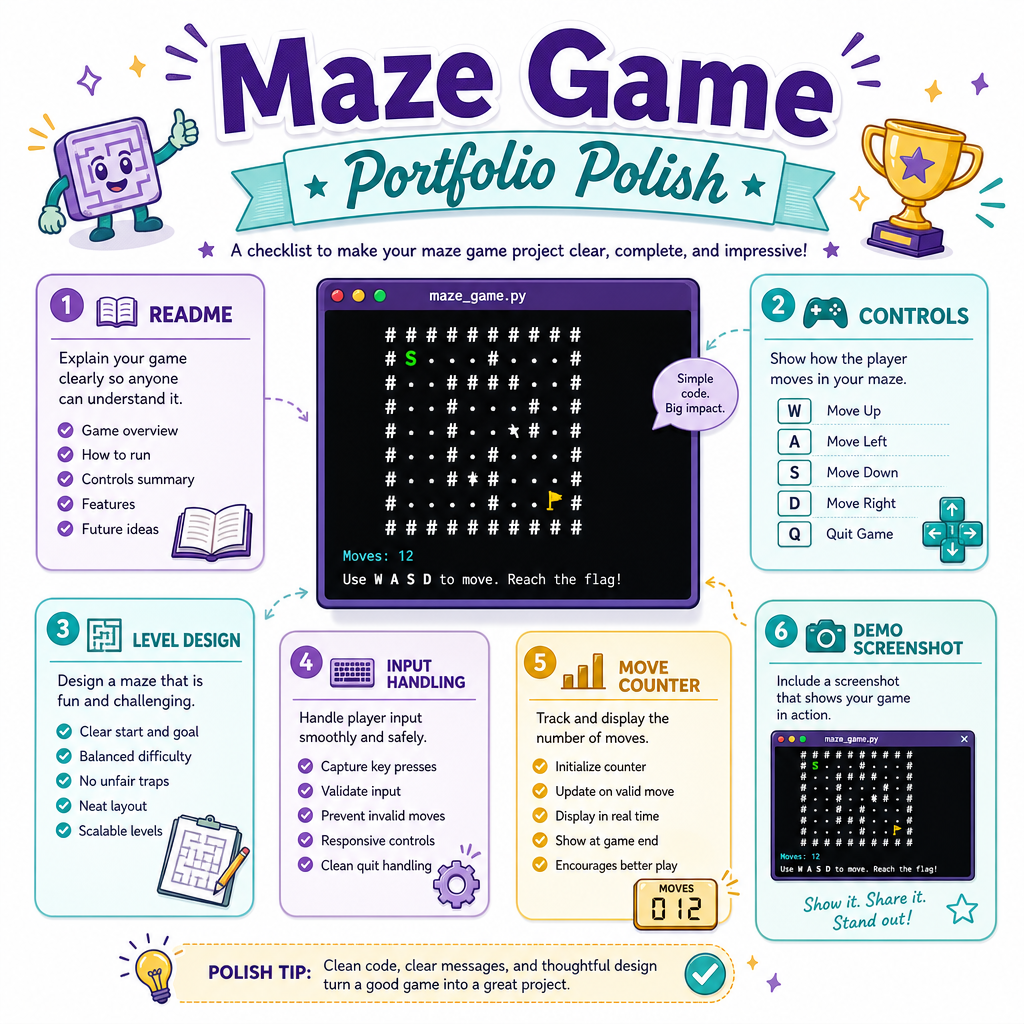
To turn this from an exercise into a portfolio entry, add polish around the core loop:
- README: explain controls, rules, and how to compile/run
- Clear files: separate rendering, movement, and game state if the project grows
- Level design: include two or three handcrafted mazes
- Input handling: reject unknown commands without crashing
- Win stats: count moves taken and wall hits
- Clean demo: include a screenshot or terminal recording
You can reuse the project habits from Banking System: keep state intentional, keep workflows readable, and ship something another developer can run quickly.
Win Condition Choice
You want the game to end when the player reaches the exit tile.
Where is the best place to check whether the player is on E?