Metacharacters and Character Classes
Read at your own pace. Code execution, quizzes, progress tracking, and the AI tutor are available in the interactive view with JavaScript enabled.
From Matches To Alphabets
Why this lesson matters
In Introduction to Regular Expressions, you learned how Python’s regex engine compares a pattern against text and returns match objects.
Now we’ll make those patterns expressive.
Instead of searching only for exact text like cat, you’ll learn how to say:
- “match any digit”
- “match one of these letters”
- “match anything except a comma”
- “match a literal period, not the regex wildcard”
These are the building blocks behind practical text work: cleaning datasets, extracting labels, validating fields, and preparing raw text for machine learning pipelines.
Scope note: this lesson focuses on single-character matching tools. Repetition, alternatives, anchors, and grouping come next.

The Dot Wildcard
. means “any one character”
The dot is one of the most common regex metacharacters. It does not mean a literal period by default.
Pattern:
c.t
can match:
cat
cot
c7t
c t
because the middle position is flexible.
To match a real period, escape it as \.. In Python, raw strings like r"\." make regex patterns easier to read.
```python
import re

texts = ["cat", "cot", "c.t", "cut", "ct"]

print("Pattern c.t:")
for text in texts:
    print(text, "=>", bool(re.fullmatch(r"c.t", text)))

print("\nPattern c\\.t:")
for text in texts:
    print(text, "=>", bool(re.fullmatch(r"c\.t", text)))
```
Literal Period Pattern
Which regex pattern matches the string model.v2 with a literal period between model and v2?
Character Class Basics
Character classes: choose from a set
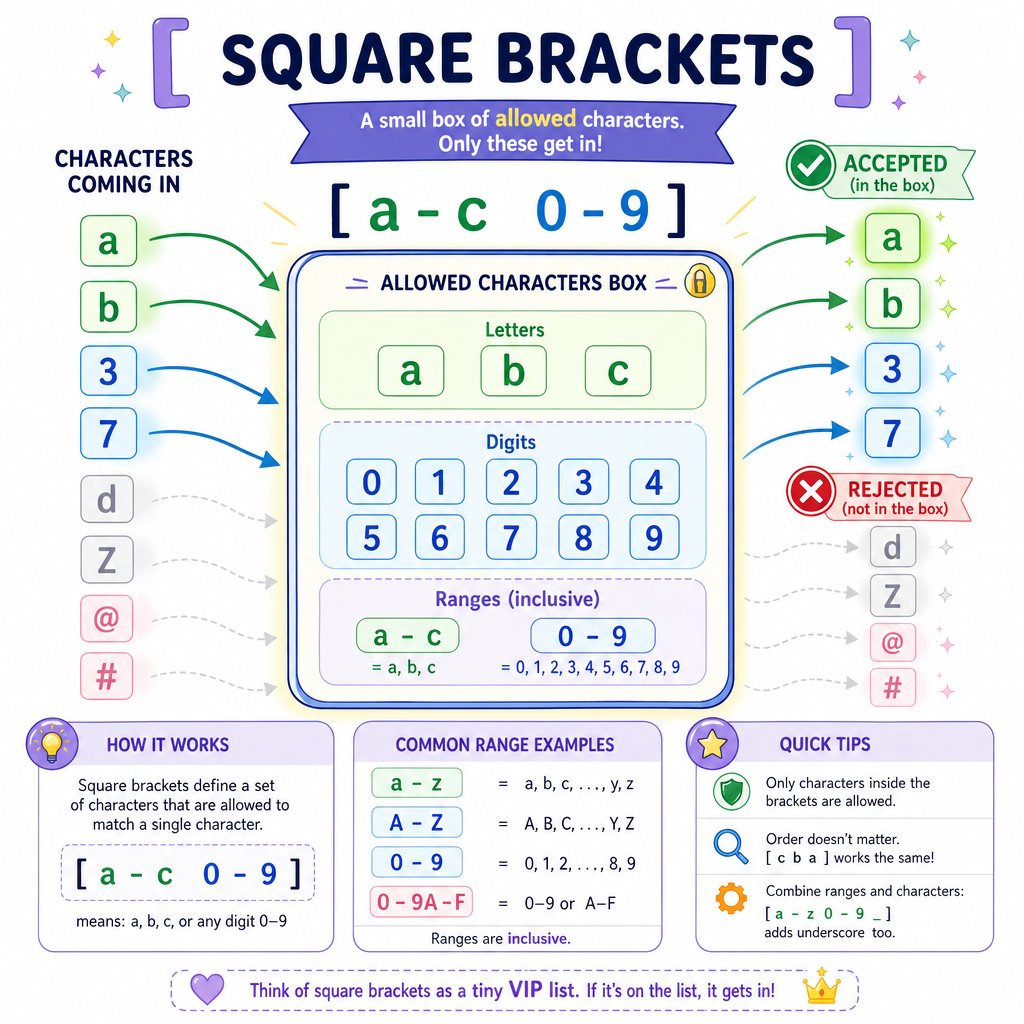
A character class uses square brackets to match one character from a set.
Examples:
[abc]    one character: a, b, or c
[aeiou]  one lowercase vowel
[0-9]    one digit
[A-Z]    one uppercase ASCII letter
[a-zA-Z] one ASCII letter
Think of a character class as a small allowed alphabet for a single position.
For example, if you’re scanning ML experiment names, [AB] can match either model family A or B in a one-character label.
```python
import re

text = "run_A score=9 run_B score=7 run_C score=x"

families = re.findall(r"run_[ABC]", text)
digits = re.findall(r"[0-9]", text)
vowels = re.findall(r"[aeiou]", text)

print("families:", families)
print("digits:", digits)
print("vowels:", vowels)
```
Range Check
True or false: the character class [A-Z] matches the lowercase character k.
Shorthand Classes
Built-in character classes
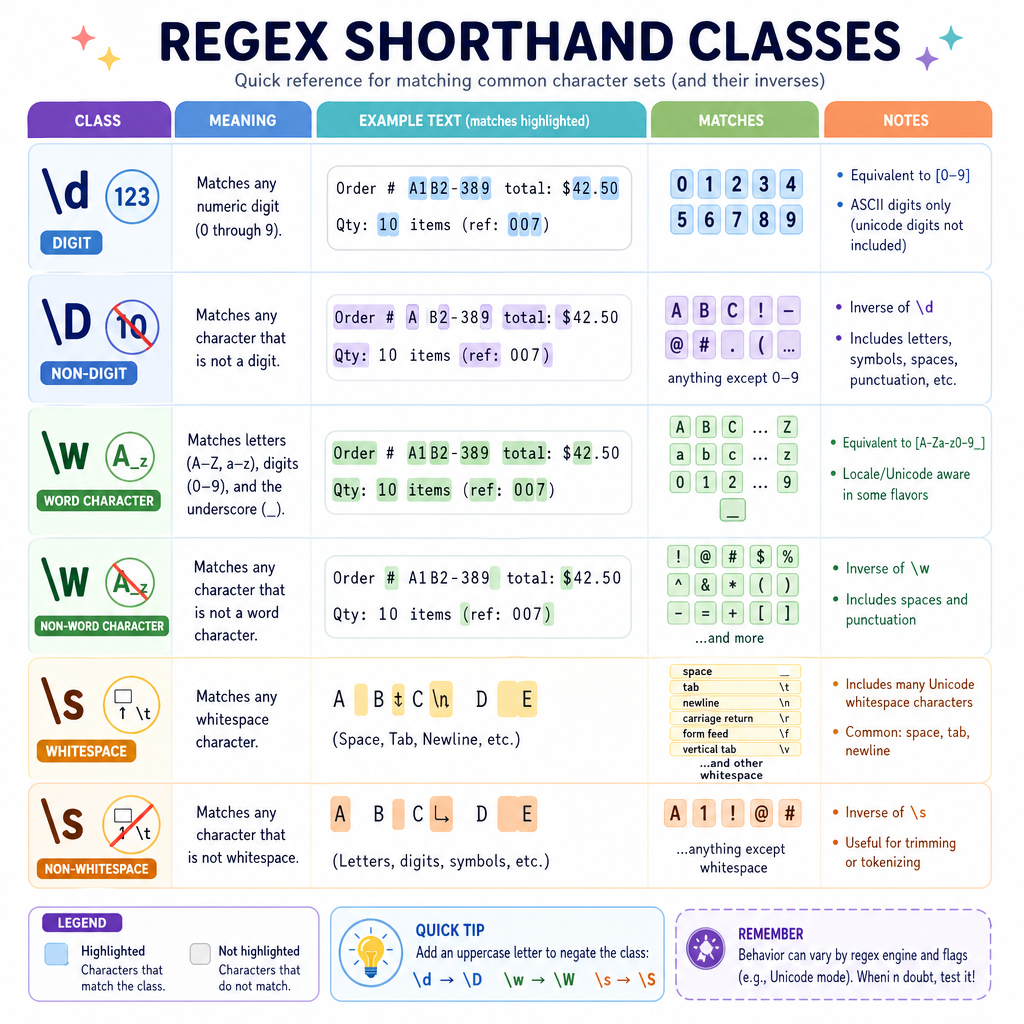
Regex gives you shortcuts for common character categories:
Shorthand Meaning\d
digit
\D
not a digit
\w
word character: letters, digits, underscore
\W
not a word character
\s
whitespace: spaces, tabs, newlines
\S
not whitespace
These still match one character at a time.
For data cleaning, \d, \w, and \s are especially useful when your input has mixed labels, scores, punctuation, and spacing.
Single Hex Digit
Fill in the regex character class that matches exactly one hexadecimal digit, allowing lowercase and uppercase letters.
Use this exact style: [ranges...]
Fill in the blank: _____________
Negated Classes
[^...] means “not in this set”
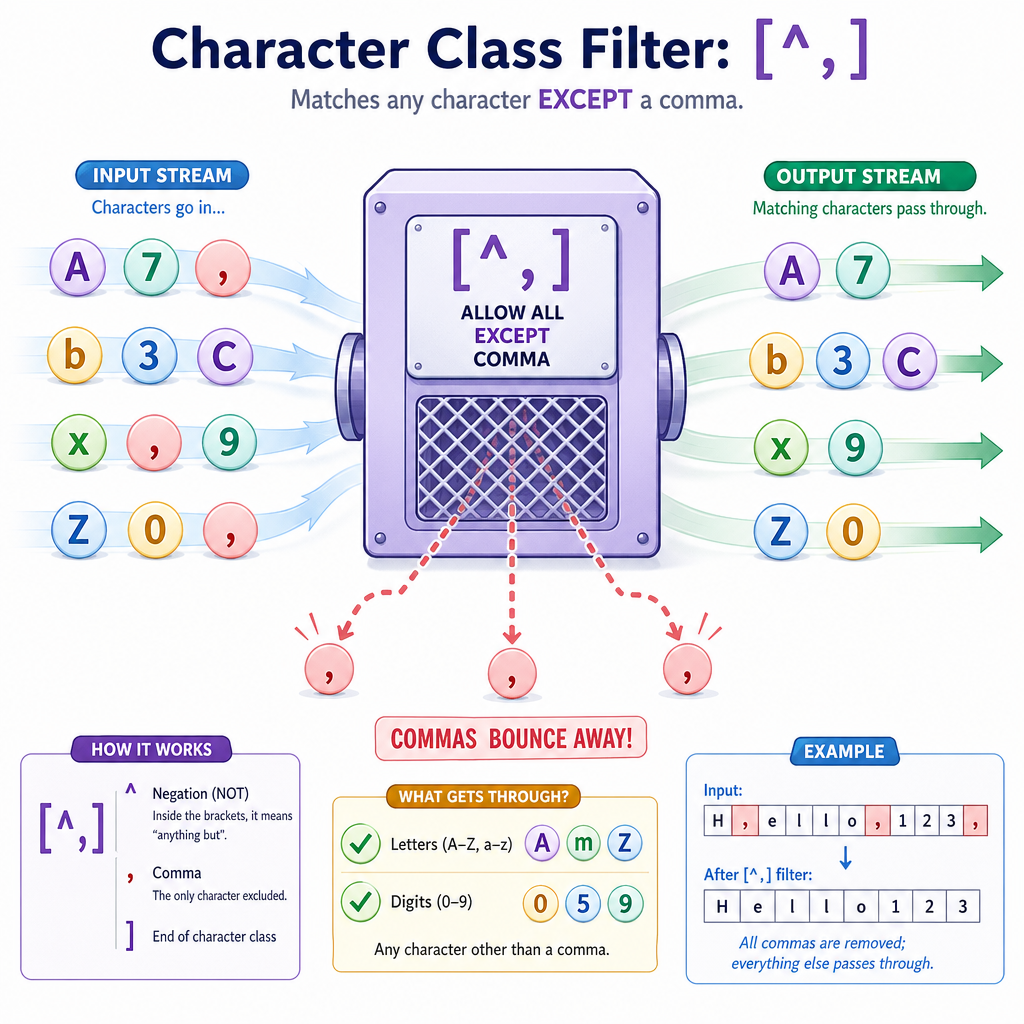
Inside square brackets, a leading caret creates a negated character class.
Examples:
[^0-9]   one character that is not a digit
[^,]     one character that is not a comma
[^\s]    one character that is not whitespace
This is useful when you want to consume or inspect characters up to a delimiter, such as commas in CSV-like text.
Important distinction:
-
[^0-9]means “not a digit” because^is first inside a class. - Other meanings of
^appear later when we study anchors.
Escaping In Classes
Some metacharacters change inside []
Character classes have their own mini-rules.
Inside a class:
-
-creates ranges like[a-z] -
^negates the class only when it appears first, like[^0-9] -
]closes the class - many other symbols are literal automatically
To match a literal hyphen, place it at the beginning or end, or escape it:
[-AZ]     matches -, A, or Z
[A-Z]     matches uppercase A through Z
[A\-Z]    matches A, -, or Z
When in doubt, prefer clarity over cleverness. Regex is often read more times than it is written.
```python
import re

text = "A-Z AZ A Z -"

print("Range [A-Z]:", re.findall(r"[A-Z]", text))
print("Literal choices [A\\-Z]:", re.findall(r"[A\-Z]", text))
print("Hyphen first [-AZ]:", re.findall(r"[-AZ]", text))
```
Feature Extraction Glimpse
Applying classes to messy text
Suppose you have logs from ML experiments. Before building features, you may want quick counts:
- How many digits appear?
- How many uppercase letters appear?
- How much whitespace is present?
- Which punctuation characters appear?
Character classes are perfect for this kind of lightweight text inspection.
```python
import re

log = "exp_A lr=0.01 acc=94%\nexp_B lr=0.10 acc=96%!"

features = {
    "digits": len(re.findall(r"\d", log)),
    "uppercase": len(re.findall(r"[A-Z]", log)),
    "whitespace": len(re.findall(r"\s", log)),
    "punctuation": re.findall(r"[^\w\s]", log),
}

for name, value in features.items():
    print(f"{name}: {value}")
```
Class Selection
You want to match one character that is not a digit and not whitespace. Which pattern is the best fit?