Modern C++
Read at your own pace. Code execution, quizzes, progress tracking, and the AI tutor are available in the interactive view with JavaScript enabled.
Why Modern C++
From classic C++ to expressive C++
Now that you've used STL containers, iterators, and algorithms, you're ready for the style of C++ most teams expect today.
“Modern C++” usually means C++11 and later: C++11, C++14, C++17, and C++20. These versions did not replace the language you learned — they made it safer, clearer, and more productive.
Think of this lesson as a syntax and mindset upgrade:
- Write less boilerplate
- Prefer clear ownership over manual memory habits
- Use the STL more fluently
- Catch mistakes earlier with stronger types
- Make performance-friendly code easier to read
This matters whether you're building AI infrastructure, financial systems, game engines, or high-performance backend services.

Less Type Noise
auto and range-based loops
In earlier lessons, you learned that C++ types matter. Modern C++ does not remove types — it lets the compiler infer obvious ones.
Use auto when the type is clear from the right side or when the exact type is long and distracting.
This is especially useful with STL containers, where iterator types can be verbose.
Key habit:
- Use
autoto reduce noise - Do not use it to hide important meaning
- Prefer
const auto&when reading large objects from a container without copying
```cpp
#include <iostream>
#include <vector>
#include <string>

int main() {
    std::vector<std::string> symbols = {"AAPL", "MSFT", "NVDA"};

    for (const auto& symbol : symbols) {
        std::cout << "Tracking: " << symbol << '\n';
    }

    auto count = symbols.size();
    std::cout << "Total symbols: " << count << '\n';

    return 0;
}
```
Auto Check
You see this line in modern C++:
auto count = prices.size();
What is the best interpretation?
Lambdas With STL
Small functions inline
You already learned functions and STL algorithms. Lambdas connect those ideas elegantly.
A lambda is an unnamed function object you can define right where you need it.
General shape:
[capture](parameters) { body }
Common uses:
- Custom sorting rules
- Filtering values
- Tiny transformations
- Passing behavior into STL algorithms
For a web developer, lambdas may feel similar to callbacks or arrow functions — but with C++'s static typing and performance model.
```cpp
#include <algorithm>
#include <iostream>
#include <vector>

int main() {
    std::vector<double> prices = {95.5, 120.0, 88.25, 150.75};

    auto expensiveCount = std::count_if(
        prices.begin(),
        prices.end(),
        [](double price) {
            return price > 100.0;
        }
    );

    std::cout << "Prices over 100: " << expensiveCount << '\n';

    std::cout << "Discounted prices: ";
    std::for_each(prices.begin(), prices.end(), [](double price) {
        std::cout << price * 0.9 << " ";
    });
    std::cout << '\n';

    return 0;
}
```
Keyword Recall
Fill in the blank:
The keyword that asks the compiler to deduce a variable's type from its initializer is ___.
Fill in the blank: _____________
Ownership Is Explicit
Smart pointers reduce manual memory risk
Classic C++ often involved direct new and delete. Modern C++ strongly prefers RAII and smart pointers.
The most important one to recognize first is std::unique_ptr:
- It owns one object
- It deletes that object automatically
- It cannot be copied
- It can be moved when ownership should transfer
This gives C++ a clear ownership story without needing a garbage collector.
```cpp
#include <iostream>
#include <memory>
#include <string>
#include <vector>

struct Trade {
    std::string symbol;
    int shares;

    Trade(std::string s, int n) : symbol(s), shares(n) {}

    void print() const {
        std::cout << symbol << ": " << shares << " shares\n";
    }
};

int main() {
    auto trade = std::make_unique<Trade>("AAPL", 10);
    trade->print();

    std::vector<std::unique_ptr<Trade>> portfolio;
    portfolio.push_back(std::move(trade));

    std::cout << "Portfolio size: " << portfolio.size() << '\n';
    portfolio[0]->print();

    return 0;
}
```
Move Meaning
std::move(x) immediately moves all data out of x by itself.
Safer Language Tools
Modern C++ makes intent visible
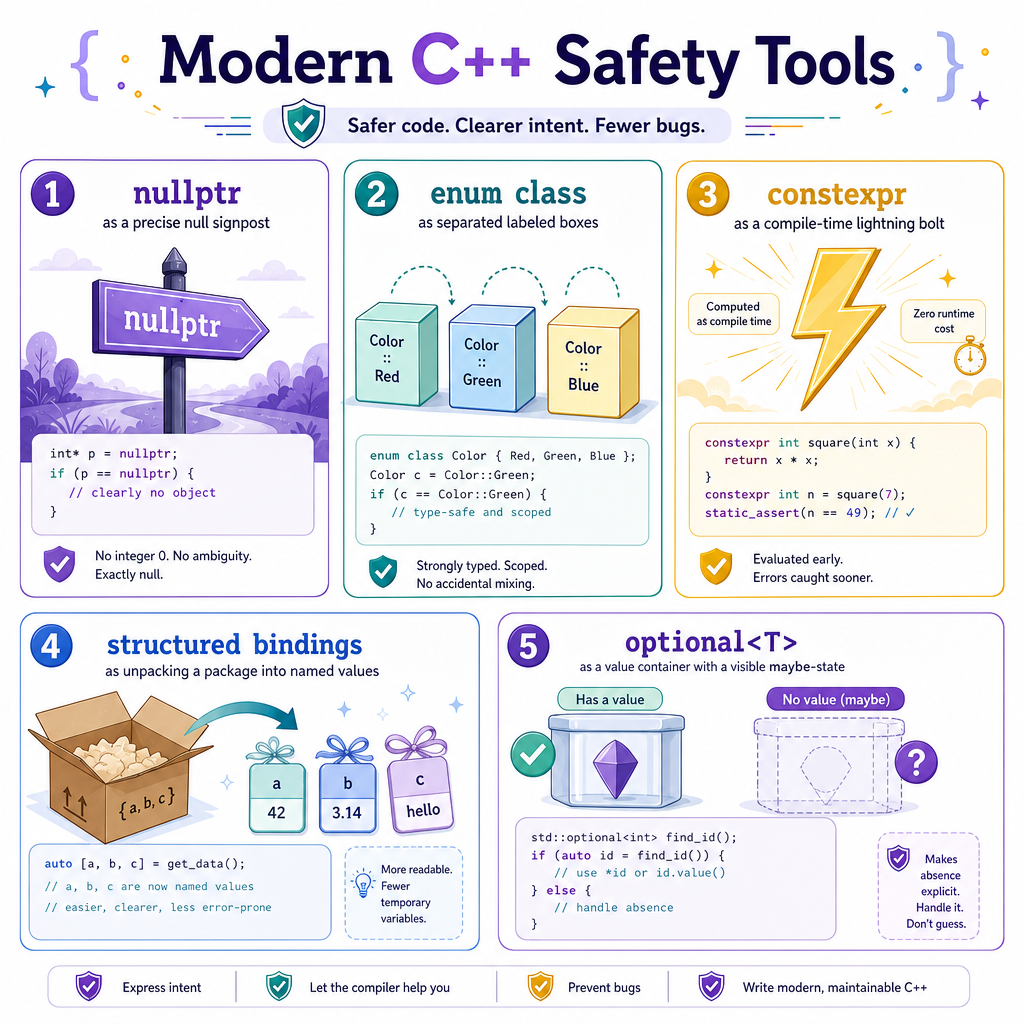
Several newer features help you write code that says what it means.
nullptr
Use nullptr instead of NULL or 0 for pointer absence. It is type-safe and unambiguous.
enum class
Scoped enums avoid accidental mixing of unrelated constants.
constexpr
Marks expressions or functions that can be evaluated at compile time when possible.
Structured bindings
C++17 lets you unpack pair-like or tuple-like values clearly:
auto [name, score] = playerRecord;
std::optional
Represents “maybe there is a value” without inventing sentinel values like -1 or an empty string.
These tools are small individually, but together they make codebases easier to reason about.
Version Landmarks
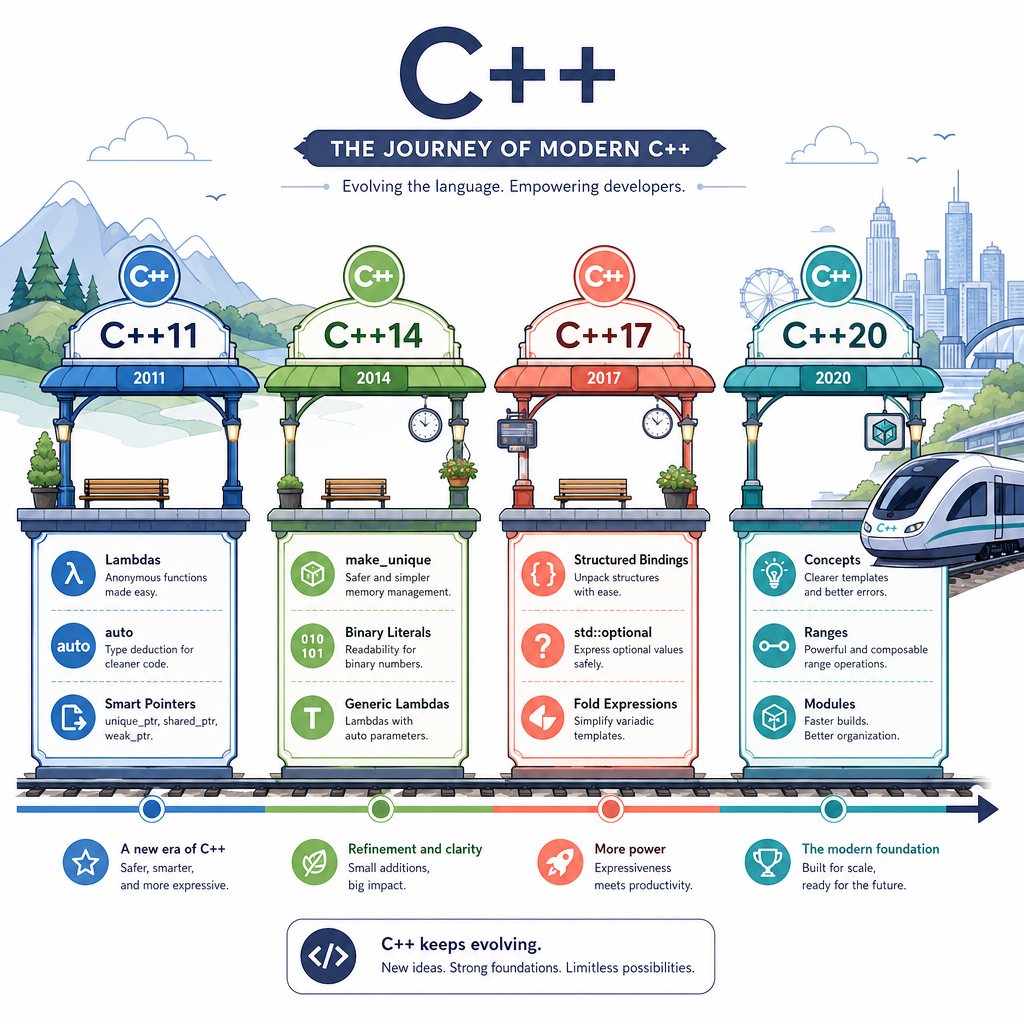
What changed across versions?
Modern C++ is usually discussed by standard version. You do not need to memorize every feature, but you should recognize the big themes.
C++11: the major reset
auto- range-based
for - lambdas
- move semantics
- smart pointers
nullptr
C++14: refinement
std::make_unique- more flexible lambdas
- cleaner
constexprsupport
C++17: clarity and library growth
- structured bindings
std::optionalstd::variant- filesystem library
- improved compile-time conditionals
C++20: bigger language tools
- concepts
- ranges
- coroutines
- modules
In practice, teams often choose a project standard such as C++17 or C++20 and compile with a flag like -std=c++17 or -std=c++20.
Modern Mindset
Which choice best reflects a modern C++ habit?