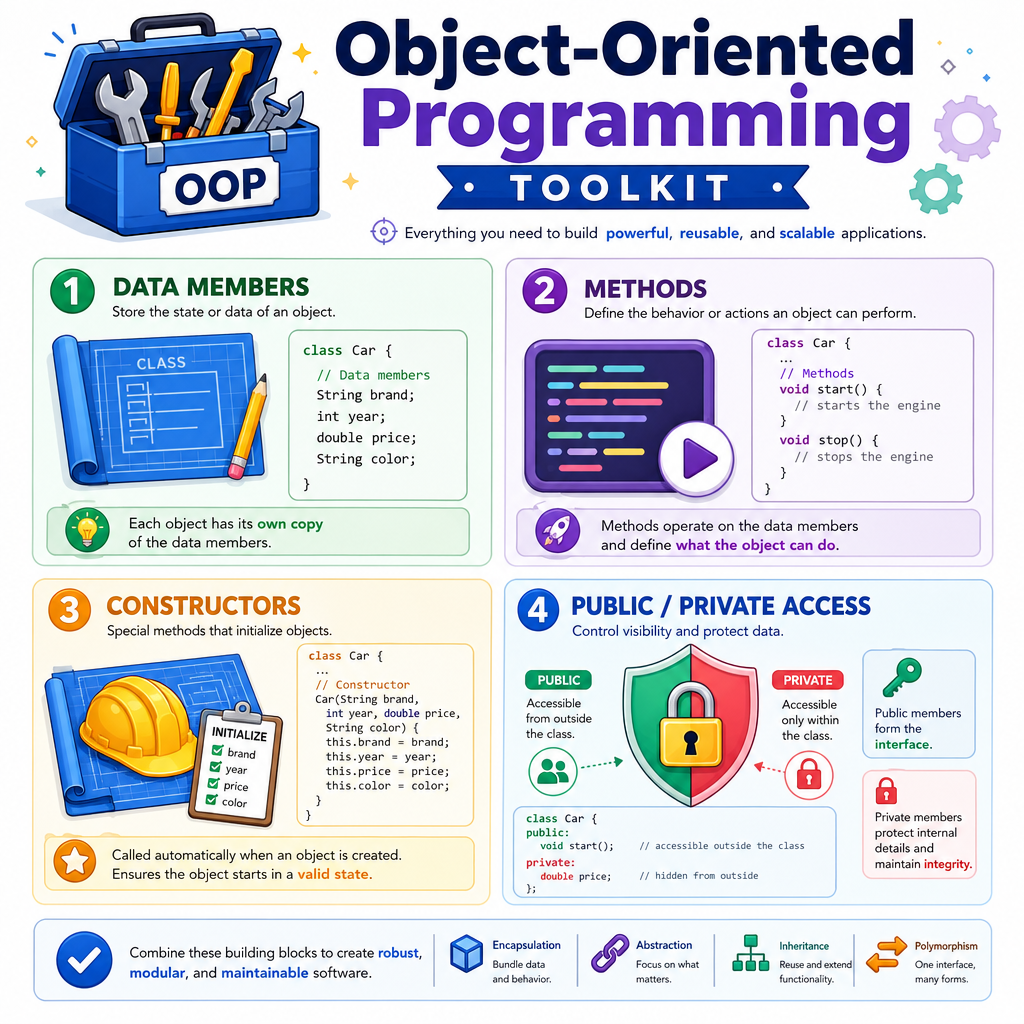
Object-Oriented Programming
Read at your own pace. Code execution, quizzes, progress tracking, and the AI tutor are available in the interactive view with JavaScript enabled.
Where OOP Fits
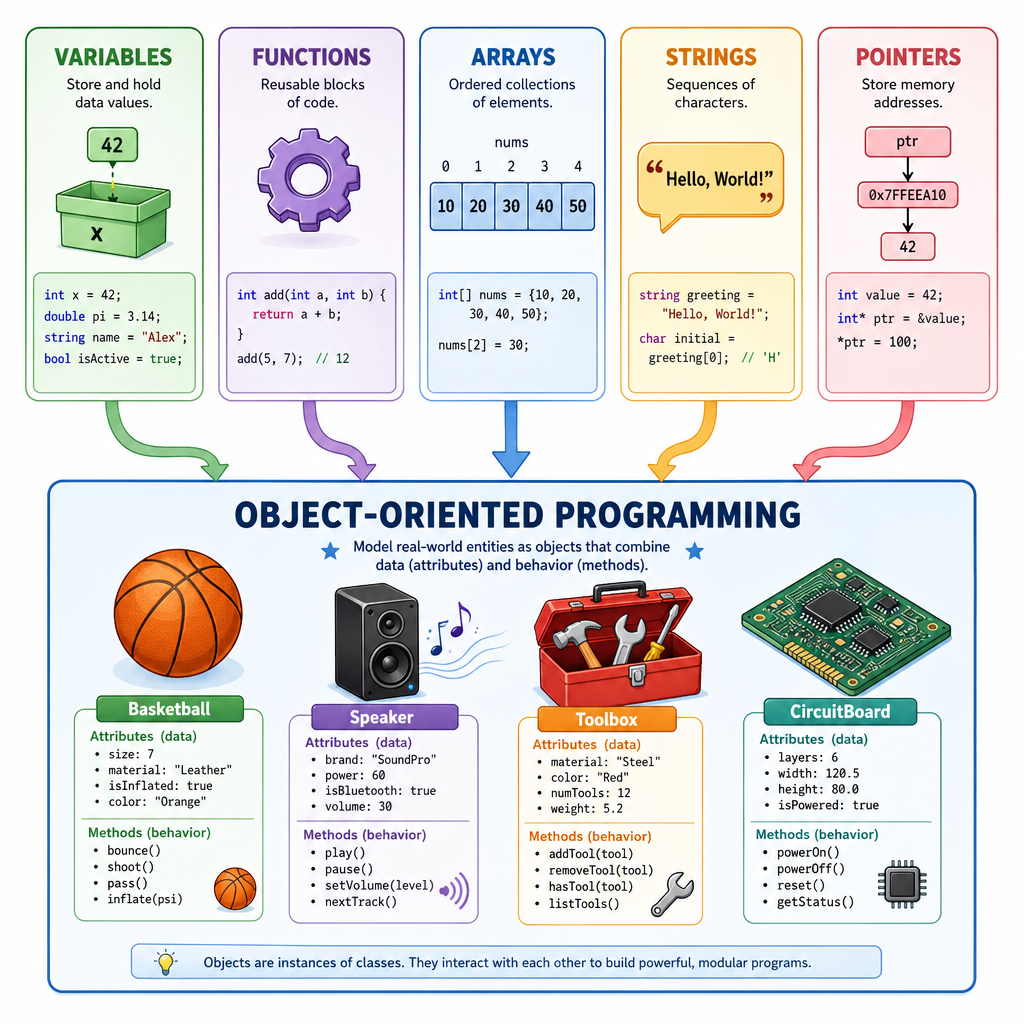
From pieces to models
You have already learned the core building blocks:
- Variables and Data Types: store individual values
- Control Flow: choose and repeat actions
- Functions: package reusable behavior
- Arrays and Strings: group related values
- Pointers and References: understand where values live in memory
Now we are ready for Object-Oriented Programming, often shortened to OOP.
OOP helps you model real-world things in code. Instead of keeping a basketball player's name, score, and stamina as separate variables floating around, you can bundle the data and the actions that belong together.
Think: a speaker has a volume and can turn up. A drill has a battery level and can run. A basketball player has points and can shoot.
That bundle is the heart of OOP.
Classes And Objects
The two main words
In C++, OOP starts with two important ideas:
Class
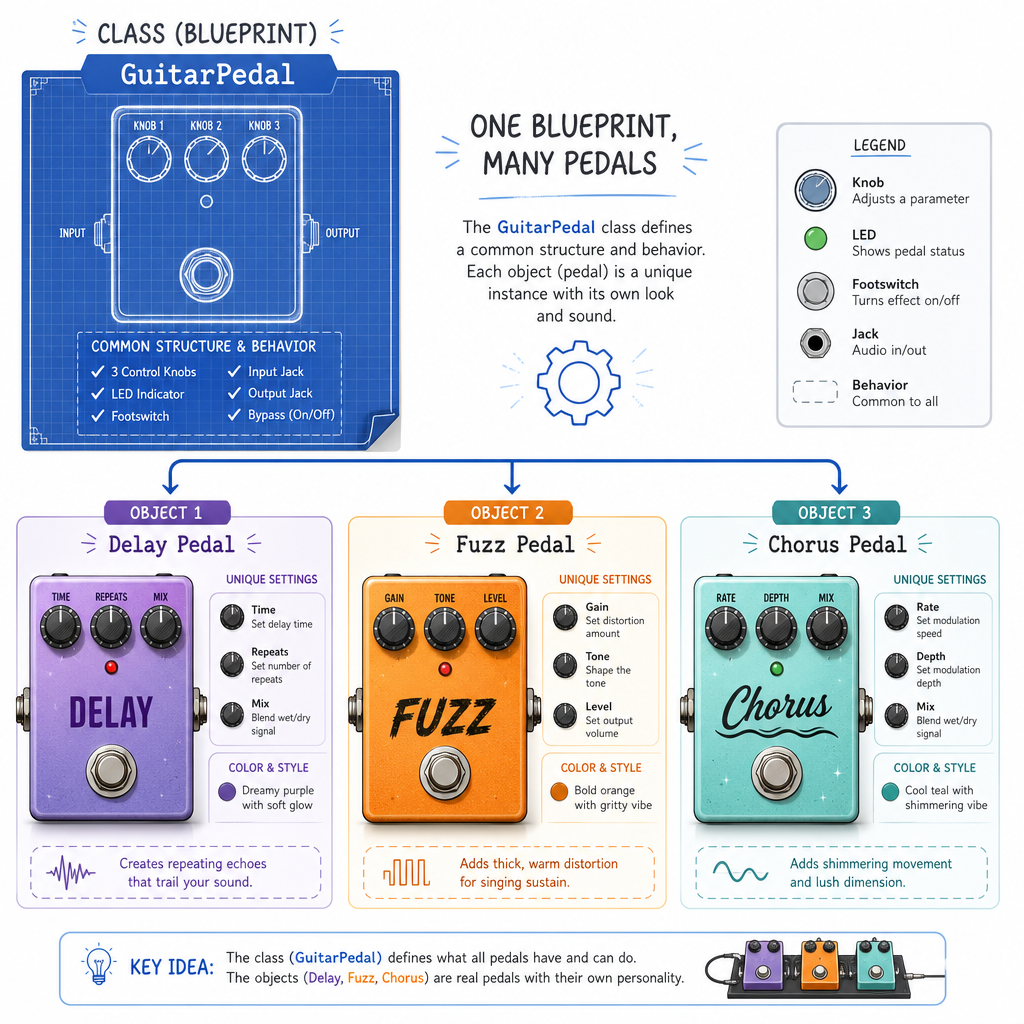
A class is a blueprint. It describes what kind of data something has and what actions it can perform.
Object
An object is a real thing created from that blueprint.
A home renovation analogy:
Blueprint:  Cabinet design
Object:     The actual cabinet installed in your kitchen
A music analogy:
Class:      GuitarPedal
Objects:    delayPedal, fuzzPedal, chorusPedal
The class says, “Every guitar pedal has settings and can be turned on.” Each object has its own actual settings.
Your First Class
Bundling data and behavior
Here is a small class named Speaker.
It has:
- a data member:
volume - a member function, also called a method:
turnUp()
The object kitchenSpeaker is created from the Speaker class.
```cpp
#include <iostream>
using namespace std;

class Speaker {
public:
    int volume = 5;

    void turnUp() {
        volume = volume + 1;
    }
};

int main() {
    Speaker kitchenSpeaker;

    cout << "Starting volume: " << kitchenSpeaker.volume << endl;

    kitchenSpeaker.turnUp();
    kitchenSpeaker.turnUp();

    cout << "After turning up: " << kitchenSpeaker.volume << endl;

    return 0;
}
```
Blueprint Or Instance
In C++, what is the best description of an object?
Constructors Set Up
Starting each object correctly
A constructor is a special function that runs when an object is created.
It is useful when every object needs a starting value.
In the next example, each Player starts with a name and a point total. Notice that maya and leo are both Player objects, but they store different data.
```cpp
#include <iostream>
#include <string>
using namespace std;

class Player {
public:
    string name;
    int points;

    Player(string startingName, int startingPoints) {
        name = startingName;
        points = startingPoints;
    }

    void scoreBasket() {
        points = points + 2;
    }

    void printStats() {
        cout << name << " has " << points << " points." << endl;
    }
};

int main() {
    Player maya("Maya", 8);
    Player leo("Leo", 4);

    maya.scoreBasket();
    leo.scoreBasket();
    leo.scoreBasket();

    maya.printStats();
    leo.printStats();

    return 0;
}
```Encapsulation Protects Data
Do not let every part of the program touch everything
OOP is not only about grouping data and functions. It is also about protecting the inside of an object.
This idea is called encapsulation.
A common habit is:
- keep data members
private - expose safe actions through
publicmethods
Think about a home thermostat. You usually press buttons like “increase temperature” or “decrease temperature.” You do not directly rewire the sensor.
In C++, private means code outside the class cannot directly access that member.
```cpp
#include <iostream>
using namespace std;

class Thermostat {
private:
    int temperature;

public:
    Thermostat(int startingTemperature) {
        temperature = startingTemperature;
    }

    void warmUp() {
        if (temperature < 80) {
            temperature = temperature + 1;
        }
    }

    void coolDown() {
        if (temperature > 55) {
            temperature = temperature - 1;
        }
    }

    void printTemperature() {
        cout << "Temperature: " << temperature << " F" << endl;
    }
};

int main() {
    Thermostat hallway(72);

    hallway.printTemperature();
    hallway.warmUp();
    hallway.warmUp();
    hallway.coolDown();
    hallway.printTemperature();

    return 0;
}
```
Protect The Inside
Fill in the blank.
In C++, the access label commonly used to prevent outside code from directly changing a class's internal data is _____.
Objects Working Together
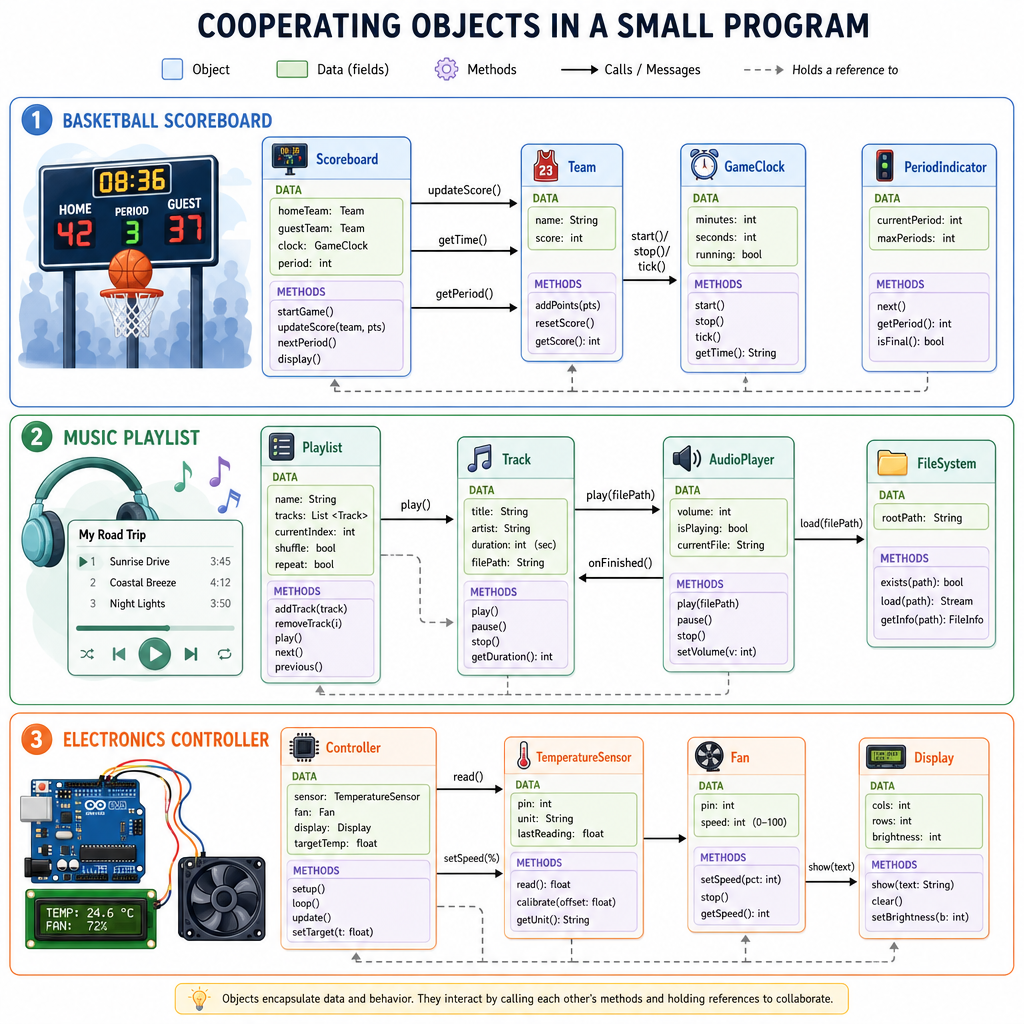
Programs become collections of cooperating objects
Once you understand classes and objects, larger programs become easier to imagine.
A basketball scoreboard program might have:
Player objects      -> name, points, scoreBasket()
Team objects        -> team name, players
Scoreboard object   -> home team, away team, printScore()
A music app might have:
Song objects        -> title, artist, duration
Playlist object     -> list of songs, addSong(), playNext()
An electronics project might have:
Sensor object       -> current reading
LED object          -> brightness, turnOn(), turnOff()
Controller object   -> decides what happens next
This is the bigger OOP mindset: instead of asking “What variables do I need?”, you also ask, “What things exist in my problem, and what can each thing do?”
Class Vocabulary
Which pair is matched correctly?
OOP Wrap Up
What you can now do
You have added a major C++ idea to your toolkit.
You can now recognize and write simple classes that include:
- data members to store object state
- methods to define object behavior
- constructors to initialize new objects
- public and private sections to control access
Most importantly, you have a new way to design programs. A program can be more than a list of steps; it can be a set of meaningful objects working together.
Coming next: we will look at how C++ programs can respond when something goes wrong, without crashing immediately.