Project Execution
Read at your own pace. Code execution, quizzes, progress tracking, and the AI tutor are available in the interactive view with JavaScript enabled.
Ship The Model
From practice to project
Now that you've completed Fundamental Understanding, Skill Development, and Application Mastery, you're ready for the next step: executing a small predictive analytics project from start to finish.
In this lesson, you'll turn the workflow you practiced into a project-shaped deliverable:
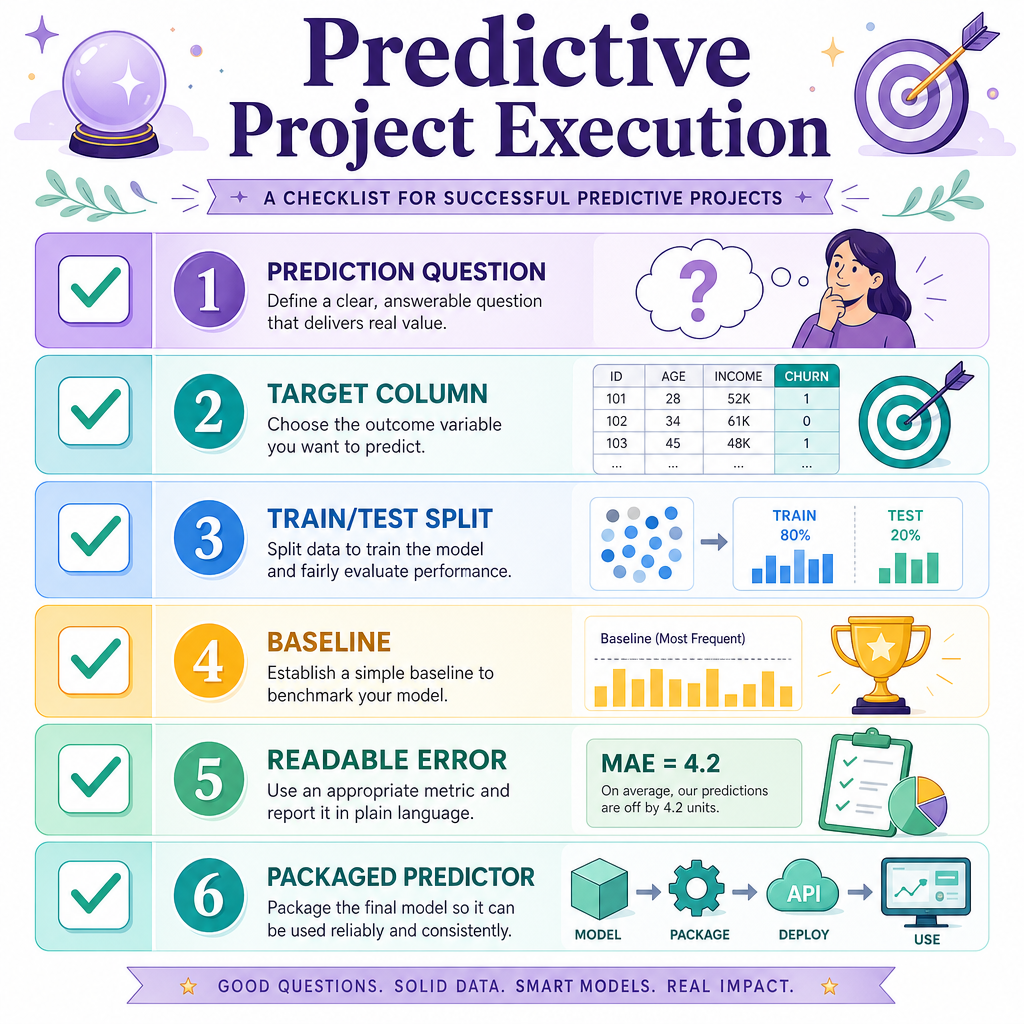
- define the prediction question
- prepare a simple dataset
- train a baseline and model
- evaluate results honestly
- package a tiny prediction function
The goal is not to build the world's best model. The goal is to build a clear, testable model that someone could actually use and inspect.

Project Blueprint
A predictive project has a shape
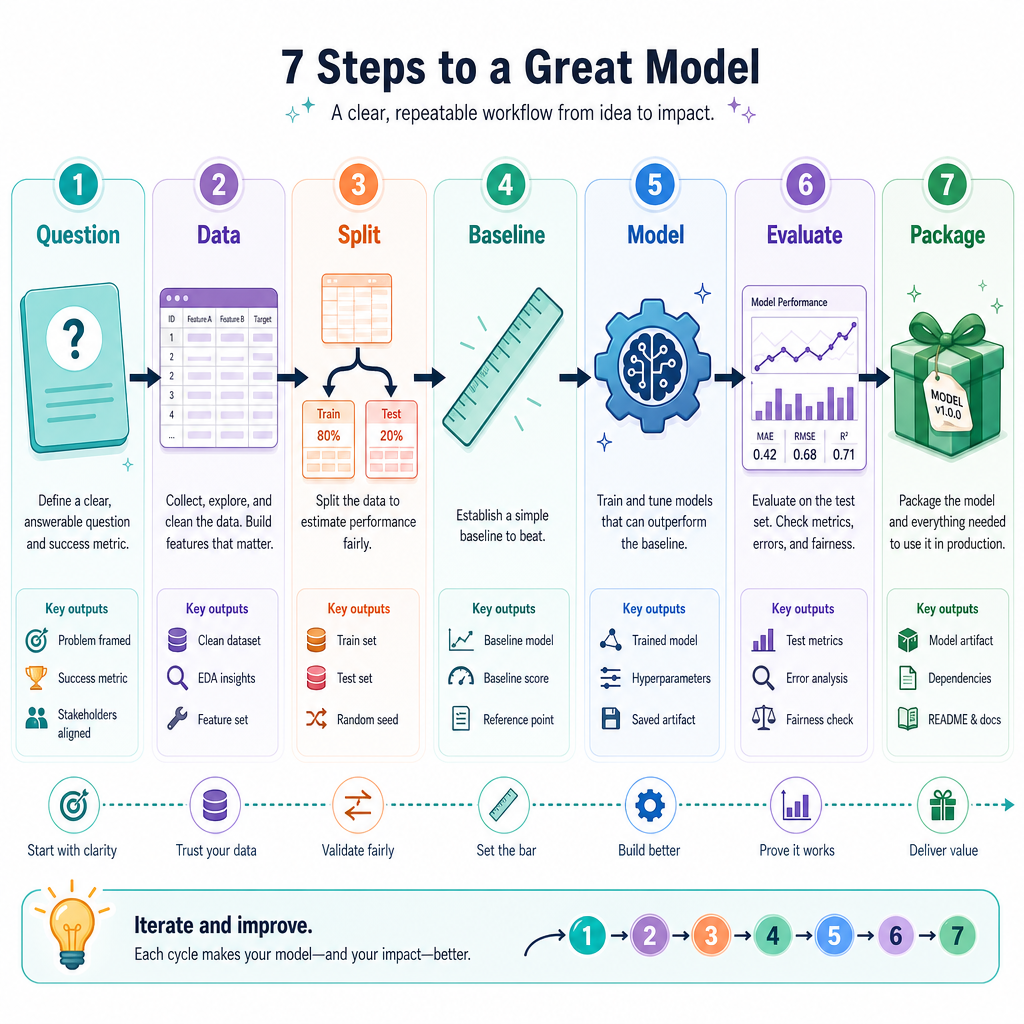
A machine learning project is easier when you treat it like a small engineering task, not a mystery.
Use this blueprint:
Question → Data → Split → Baseline → Model → Evaluate → Package
For this lesson, imagine a beginner-friendly project:
Predict a home's monthly rent from simple features like size, bedrooms, and age.
This is a good project because the target is numeric, the features are understandable, and the output can be checked in real-world units: dollars per month.
Pick The Target
You are building a model for this project question:
Predict monthly rent for an apartment listing.
Which column should be the target value your model learns to predict?
Create Project Data
Start with a tiny dataset
Real projects often begin with messy files, but the project structure is the same even with a small practice dataset.
Below, we create synthetic apartment data. That means the data is made up, but it behaves like a real dataset: larger apartments usually cost more, extra bedrooms add value, and older buildings may rent for slightly less.
This lets you focus on project execution instead of file downloads.
```python
import random

random.seed(7)

rows = []
for _ in range(8):
    square_feet = random.randint(450, 1200)
    bedrooms = random.choice([1, 2, 3])
    building_age = random.randint(0, 40)

    rent = 650 + 1.4 * square_feet + 220 * bedrooms - 6 * building_age
    rent += random.randint(-80, 80)  # small noise

    rows.append({
        'square_feet': square_feet,
        'bedrooms': bedrooms,
        'building_age': building_age,
        'monthly_rent': round(rent)
    })

print('First project rows:')
for row in rows[:5]:
    print(row)

print('\nTarget column: monthly_rent')
```
Train And Compare
Build something measurable
In Application Mastery, you saw why baselines matter. Now we use that idea inside a project.
A useful first project model should answer:
- Is the model better than a simple baseline?
- How large are the errors in real units?
- Can we explain the result clearly?
Here, the baseline always predicts the average rent from the training data. The model uses square_feet, bedrooms, and building_age.
```python
import random
from sklearn.linear_model import LinearRegression
from sklearn.metrics import mean_absolute_error
from sklearn.model_selection import train_test_split

random.seed(7)

X = []
y = []
for _ in range(80):
    square_feet = random.randint(450, 1200)
    bedrooms = random.choice([1, 2, 3])
    building_age = random.randint(0, 40)

    rent = 650 + 1.4 * square_feet + 220 * bedrooms - 6 * building_age
    rent += random.randint(-80, 80)

    X.append([square_feet, bedrooms, building_age])
    y.append(round(rent))

X_train, X_test, y_train, y_test = train_test_split(
    X, y, test_size=0.25, random_state=42
)

baseline_prediction = sum(y_train) / len(y_train)
baseline_preds = [baseline_prediction] * len(y_test)
baseline_mae = mean_absolute_error(y_test, baseline_preds)

model = LinearRegression()
model.fit(X_train, y_train)
model_preds = model.predict(X_test)
model_mae = mean_absolute_error(y_test, model_preds)

print(f'Baseline MAE: ${baseline_mae:.2f}')
print(f'Model MAE:    ${model_mae:.2f}')
print('\nFirst 3 predictions vs actual:')
for pred, actual in list(zip(model_preds, y_test))[:3]:
    print(f'predicted=${pred:.0f}, actual=${actual}')
```
Protect The Test
True or false?
After each small modeling change, it is a good habit to repeatedly check the test set and keep changing the model until the test score looks best.
Read Project Results
Evaluation becomes communication
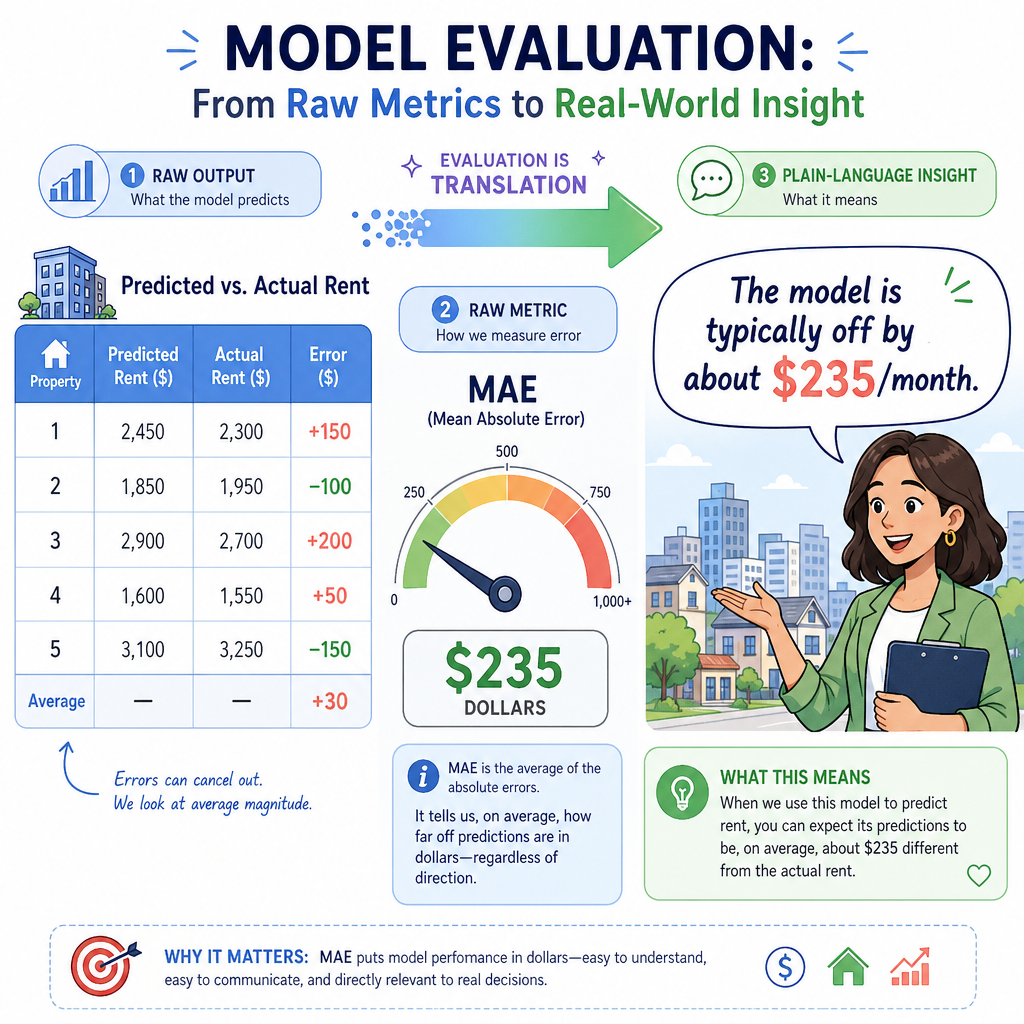
A project is not finished when Python prints a score. It is finished when you can explain what the score means.
For this rent model, a statement like this is useful:
On unseen examples, the model is typically off by about
$Xper month, and it beats the average-rent baseline.
That sentence connects three things:
- unseen examples: you evaluated on held-out data
-
off by about
$X: the error is in understandable units - beats the baseline: the model learned a useful pattern
Avoid overselling. A small model can be useful without being perfect.
Name The Metric
Fill in the blank:
The common regression metric that reports the average absolute prediction error in the target's original units is called ____.
Use the abbreviation.
Package A Predictor
Turn the model into a tiny tool
A project deliverable should be easy to reuse. One simple way is to wrap prediction in a function.
This does not make the model production-ready yet, but it does make the project feel complete: someone can provide apartment details and receive a prediction.
Notice the function expects the same feature order used during training:
square_feet, bedrooms, building_age
```python
import random
from sklearn.linear_model import LinearRegression

random.seed(7)

X = []
y = []
for _ in range(80):
    square_feet = random.randint(450, 1200)
    bedrooms = random.choice([1, 2, 3])
    building_age = random.randint(0, 40)

    rent = 650 + 1.4 * square_feet + 220 * bedrooms - 6 * building_age
    rent += random.randint(-80, 80)

    X.append([square_feet, bedrooms, building_age])
    y.append(round(rent))

model = LinearRegression()
model.fit(X, y)

def predict_monthly_rent(square_feet, bedrooms, building_age):
    features = [[square_feet, bedrooms, building_age]]
    prediction = model.predict(features)[0]
    return round(prediction)

example_rent = predict_monthly_rent(
    square_feet=900,
    bedrooms=2,
    building_age=12
)

print('Predicted monthly rent for a 900 sqft, 2 bedroom, 12-year-old apartment:')
print(f'${example_rent}')
```
Execution Checklist
Your project execution checklist
You have now walked through the core shape of a beginner predictive analytics project.
Before calling a project complete, ask:
- Did I define a clear prediction question?
- Did I identify the target column?
- Did I keep training and testing data separate?
- Did I compare against a baseline?
- Did I report error in understandable units?
- Did I package the model so it can make a new prediction?
This checklist is your bridge from learning concepts to building portfolio-style projects. In the next lesson, we'll zoom out and prepare you for more advanced learning paths without losing this practical foundation.