Quantifiers and Alternation
Read at your own pace. Code execution, quizzes, progress tracking, and the AI tutor are available in the interactive view with JavaScript enabled.
From Alphabets To Amounts
Why this lesson matters
In Introduction to Regular Expressions, you learned how Python’s regex engine scans text and returns match objects. In Metacharacters and Character Classes, you expanded from literal text into flexible alphabets like \d, \w, and [A-Z].
Now we add two major controls:
- Quantifiers: how many times something should appear
- Alternation: which of several alternatives may appear
These make regex useful for real data cleaning: tokenizing logs, normalizing labels, detecting noisy IDs, and extracting patterns from machine learning datasets where text is rarely perfectly consistent.

Core Quantifiers
Repeating the previous pattern piece
A quantifier modifies the regex token immediately before it.
Common quantifiers:
Quantifier Meaning*
0 or more
+
1 or more
?
0 or 1
{n}
exactly n
{m,n}
from m to n
{m,}
at least m
Think of the previous token as a unit: \d+ means “one or more digits,” while [A-Z]? means “zero or one uppercase letter.”
```python
import re

text = "epoch 1 loss 0.94, epoch 12 loss 0.31, epoch 120 loss 0.08"

print("single digits:", re.findall(r"\d", text))
print("digit runs:", re.findall(r"\d+", text))
print("optional decimal parts:", re.findall(r"\d+\.\d+|\d+", text))
```
Greedy By Default
Quantifiers try to take as much as they can
Python regex quantifiers are greedy by default. That means *, +, and {m,n} will expand as far as possible while still allowing the whole pattern to match.
You can make many quantifiers lazy by adding ? after them:
-
.*= as much as possible -
.*?= as little as possible
This matters when extracting text between delimiters, such as tags, brackets, or quoted fields in model metadata.
```python
import re

text = "<metric>accuracy</metric><metric>loss</metric>"

print("greedy:", re.findall(r"<metric>.*</metric>", text))
print("lazy:", re.findall(r"<metric>.*?</metric>", text))
```
Quantifier Check
Which pattern best matches a sequence containing one or more digits?
Ranges And Precision
Use bounded repetition when the shape is known
Open-ended quantifiers like + are flexible, but sometimes you know the exact width or a safe range.
Examples:
-
\d{4}: exactly four digits -
[A-F0-9]{8}: eight uppercase hex characters -
\w{3,12}: between three and twelve word characters
This is especially useful when validating IDs, experiment names, or version-like tokens before feeding them into downstream ML workflows.
```python
import re

runs = [
    "run_ab12 score=0.91",
    "run_A9F03C2B score=0.88",
    "run_123456789 score=0.77"
]

pattern = r"run_[A-F0-9]{8}"

for line in runs:
    print(line, "=>", re.findall(pattern, line))
```
Alternation Means Or
Choosing among alternatives
Alternation uses the pipe character: |.
It means “match the pattern on the left or the pattern on the right.”
Examples:
-
cat|dogmatchescatordog -
accuracy|precision|recallmatches one of those metric names -
error|warning|infomatches one of several log levels
A useful mental model: the regex engine reaches a fork in the road and tries one branch, then another if needed.
Optional Letter
Complete the regex that matches both color and colour using one optional character:
colo__r
Fill in only the missing regex characters.
Fill in the blank: _____________
Alternation Truth
True or false: error|warning can match either the text error or the text warning.
Combining The Tools
Quantifiers and alternation become powerful together
Once you combine repetition with alternatives, compact patterns can cover many realistic variants.
Suppose your training logs are inconsistent:
errorerrorswarningwarnings- numeric codes like
404or500
You can express those choices without writing a separate parser for each case.
```python
import re

logs = [
    "2 warnings, 0 errors",
    "warning: low memory",
    "error code 500",
    "all clear",
    "status 404 warning"
]

pattern = r"errors?|warnings?|\d{3}"

for line in logs:
    print(line, "=>", re.findall(pattern, line))
```
Design With Restraint
Practical regex habits
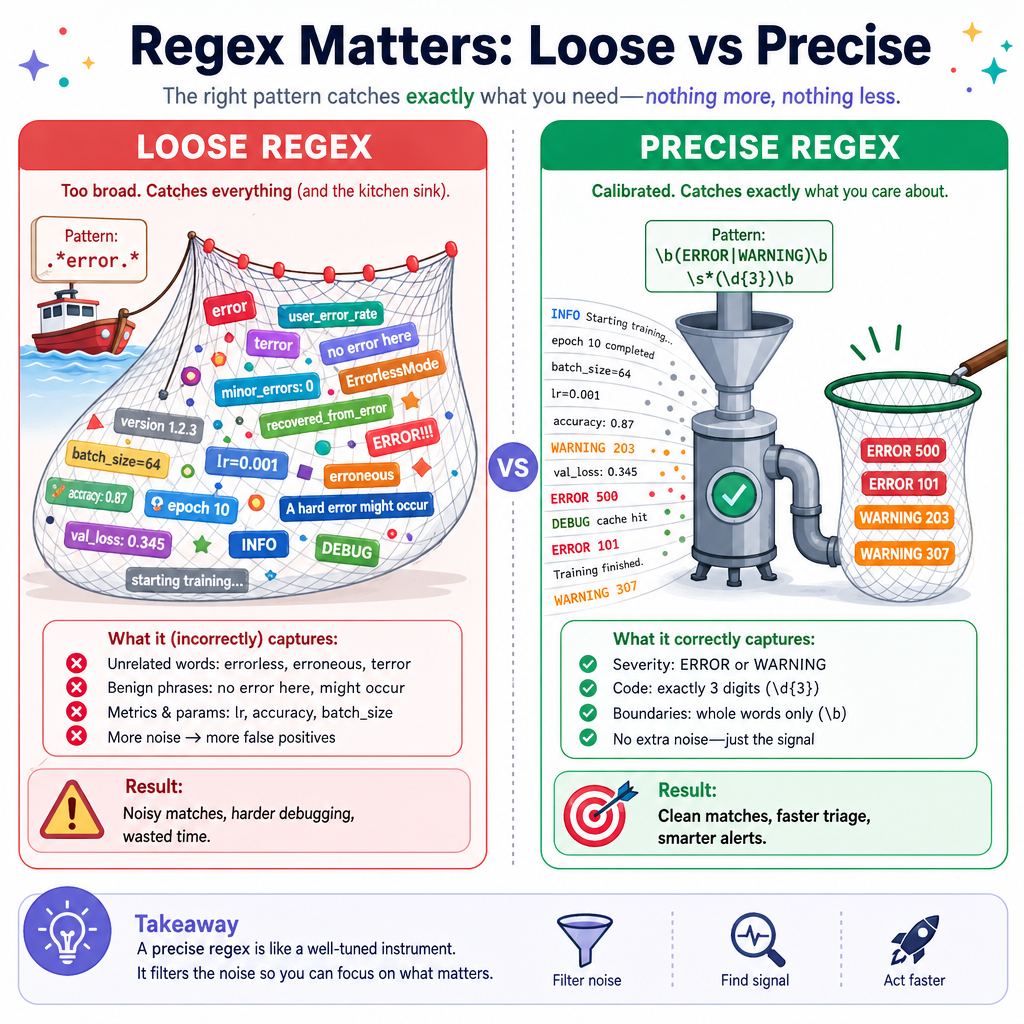
Quantifiers and alternation make patterns expressive, but they can also make patterns too permissive.
Good habits:
- Prefer
{m,n}when you know the valid length range. - Use
+when at least one character must exist. - Use
*carefully because it allows zero matches. - Put the most specific alternatives before broad ones when they might overlap.
- Test against both examples that should match and examples that should not.
Next, we’ll tighten where matches are allowed to occur with Anchors and Boundaries.