Recursion
Read at your own pace. Code execution, quizzes, progress tracking, and the AI tutor are available in the interactive view with JavaScript enabled.
Why Recursion Now
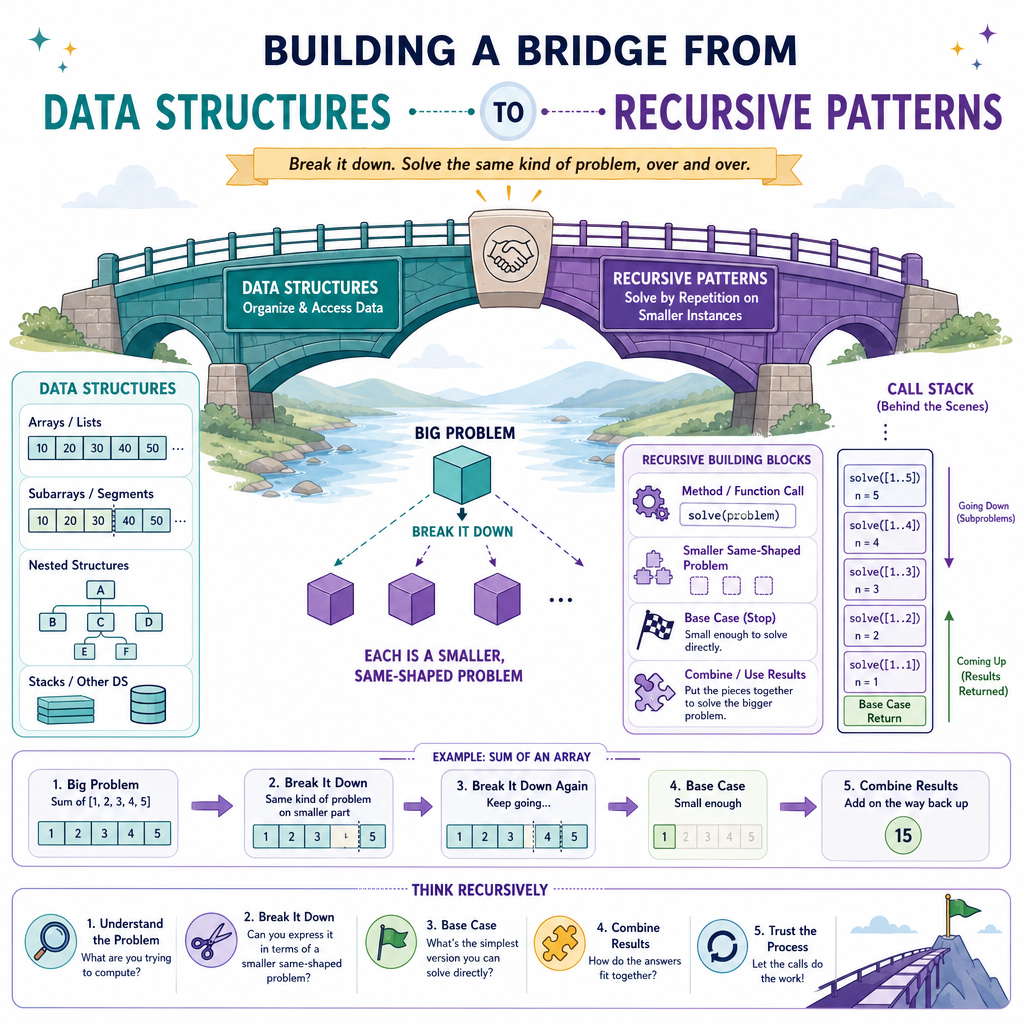
From structure to self-similarity
In Introduction to Data Structures, we focused on how data gets shape: access patterns, interfaces, implementations, and cost.
Now we add a powerful control pattern: recursion.
Recursion matters because many problems are naturally made of smaller versions of themselves:
- Process an array by handling one element, then the rest
- Search a range by checking the middle, then one side
- Explore nested structures by solving each child similarly
- Define a result in terms of smaller results
As a Java developer, you already know methods, parameters, return values, and the call stack. Recursion is the disciplined use of those same tools to express repetition through method calls instead of loops.
Goal for this lesson: recognize when recursion fits, write it safely, and reason about its cost.
The Core Idea
Recursion is controlled self-reference
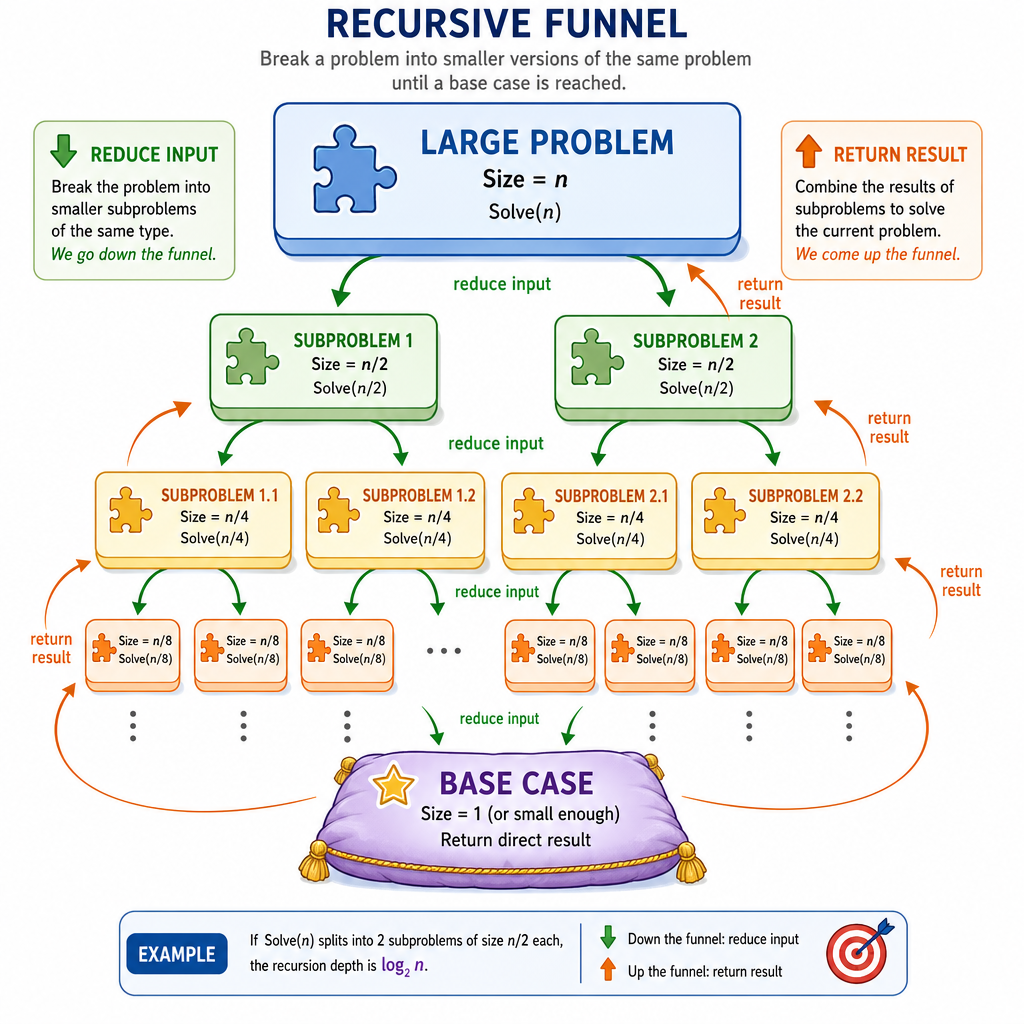
A recursive method solves a problem by calling itself on a smaller or simpler input.
Every correct recursive solution has two essential parts:
Base case
The condition where the answer is known immediately.Recursive case
The step that reduces the problem and calls the same method again.
A simple mental model:
solve(problem)
  if problem is simple:
      return known answer
  else:
      reduce problem
      return combine(current work, solve(smaller problem))
The key is not “calling yourself.” The key is making progress toward a stopping point.
Stack Frames Matter
Java stores each call separately
When a recursive method calls itself, Java creates a new stack frame for that call.
Each frame has its own:
- parameter values
- local variables
- return address
- pending work after the recursive call returns
This is why recursion can feel like time travel: calls go down until the base case, then results come back up.
Run this example mentally before reading the output.
```java
public class RecursionTrace {
    static int factorial(int n) {
        System.out.println("enter factorial(" + n + ")");

        if (n == 0) {
            System.out.println("base case factorial(0) = 1");
            return 1;
        }

        int smaller = factorial(n - 1);
        int result = n * smaller;

        System.out.println("return factorial(" + n + ") = " + result);
        return result;
    }

    public static void main(String[] args) {
        int answer = factorial(4);
        System.out.println("final answer = " + answer);
    }
}
```
Termination Check
A recursive method is most likely to terminate correctly when:
Design Recipe
Ask four questions before coding
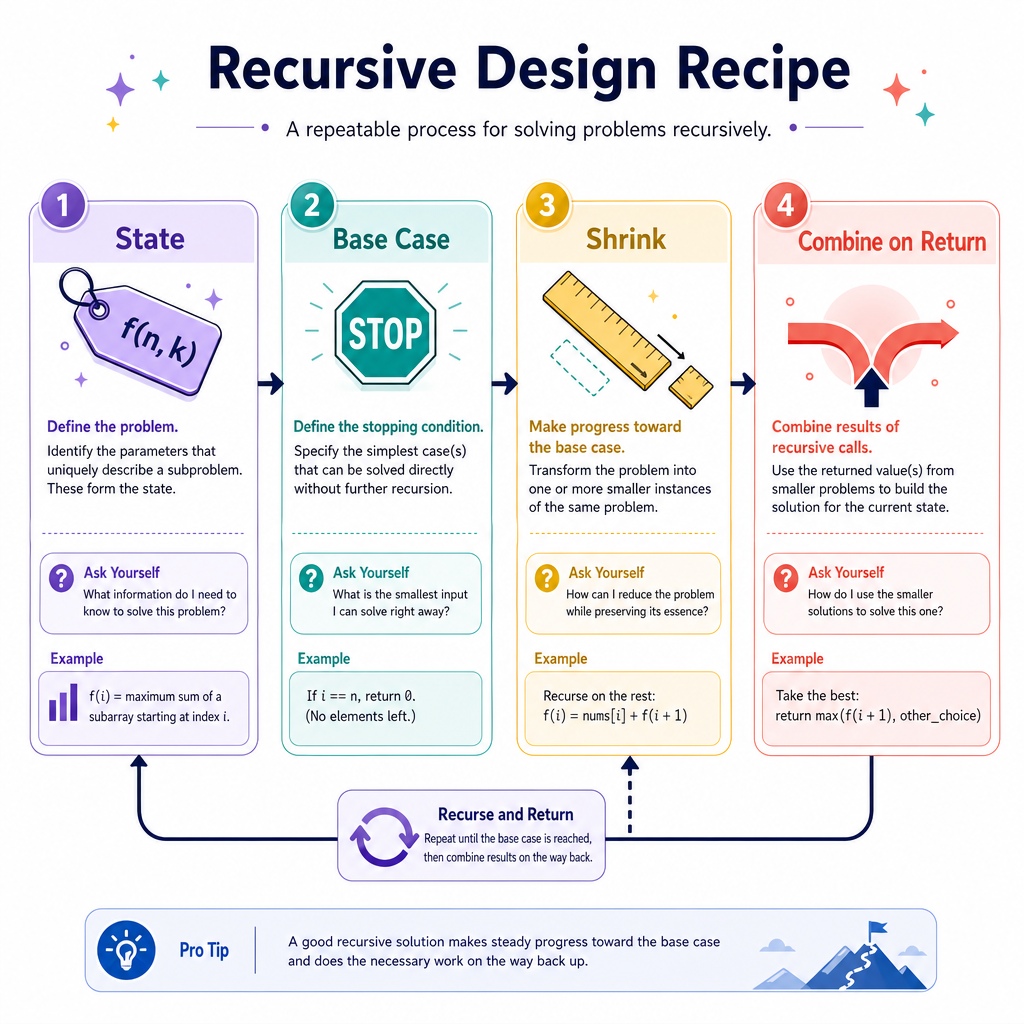
When you see a recursive-looking problem, slow down and define the shape.
1. What is the input state?
Example: index, left/right bounds, remaining length, or current value.
2. What is the base case?
When is the answer known without more calls?
3. How does the input shrink?
Examples:
n -> n - 1index -> index + 1[left, right] -> [left, mid - 1]
4. What happens on return?
Do you:
- return the recursive result directly?
- add/combine something with it?
- perform work before and after the call?
For arrays, recursion often means replacing a loop variable with a method parameter such as
index.
Array Sum Recursively
Turning a loop into recursive state
Suppose we want the sum of an array.
Loop thinking:
sum = current element + everything after it
Recursive thinking:
sumFrom(index) = nums[index] + sumFrom(index + 1)
The base case is when index reaches the end of the array. At that point, there are no elements left, so the sum is 0.
This example is not claiming recursion is better than a loop for array summing. It is a clean way to practice recursive structure.
```java
public class RecursiveArraySum {
    static int sumFrom(int[] nums, int index) {
        if (index == nums.length) {
            return 0;
        }

        return nums[index] + sumFrom(nums, index + 1);
    }

    public static void main(String[] args) {
        int[] nums = {4, 7, 1, 9};
        System.out.println(sumFrom(nums, 0)); // 21
    }
}
```
Frame Independence
True or false: In Java recursion, each recursive call has its own copy of local variables and parameter values.
Cost Of Recursion
Time and space both matter
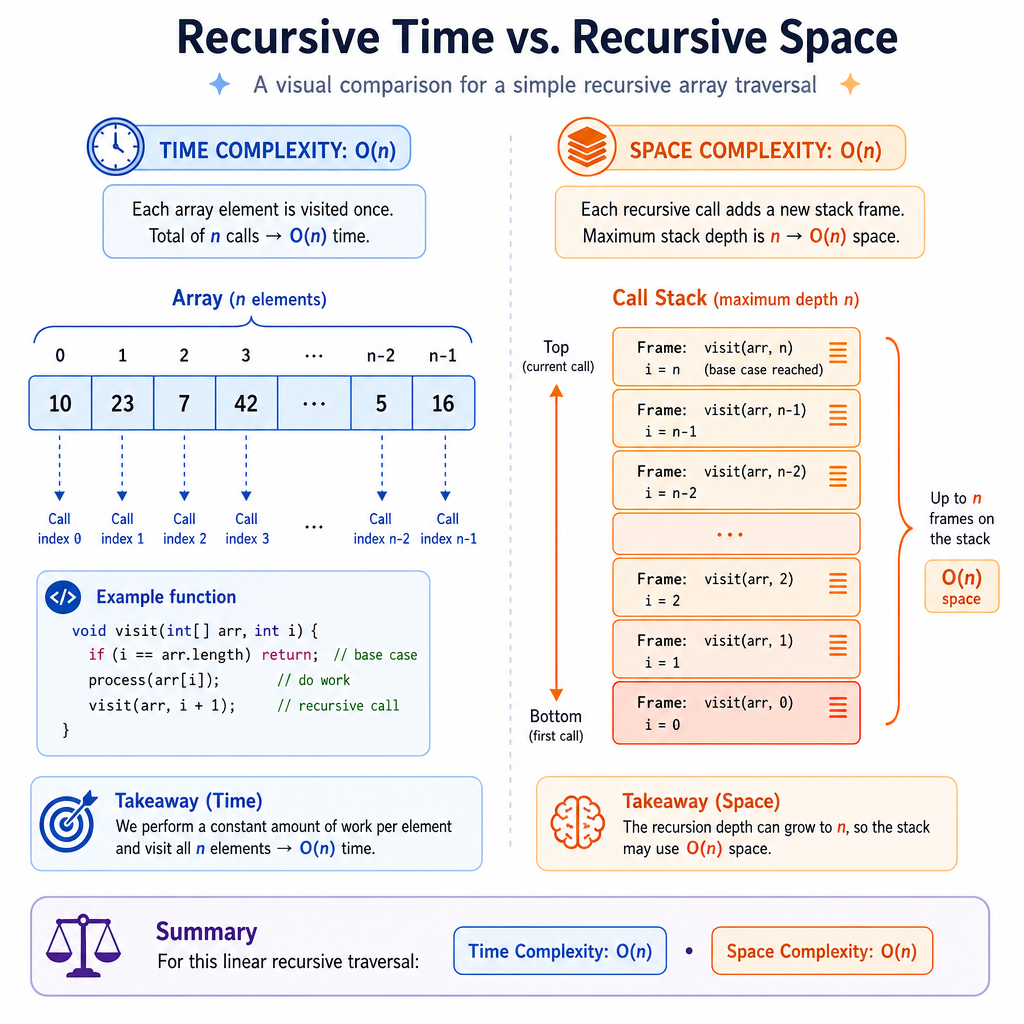
Recursion does not remove cost. It moves repetition into the call stack.
When analyzing recursive code, ask:
How many calls happen?
That usually drives time complexity.
How deep can the call stack get?
That drives auxiliary space complexity.
For the recursive array sum:
sumFrom(0)
  calls sumFrom(1)
    calls sumFrom(2)
      calls sumFrom(3)
        calls sumFrom(4)
For an array of length n:
- Time:
O(n)because there is one call per index - Space:
O(n)because the stack can grow ton + 1frames
In Java, very deep recursion can cause StackOverflowError. Unlike some languages, Java does not guarantee tail-call optimization.
Name The Stopper
Fill in the blank:
The condition that stops recursive calls and returns a known answer is called the _____.
Recursive Search Example
Recursion can shrink by more than one
Not every recursive call reduces the input by 1.
Sometimes the recursive state is a range. For example, binary search checks the middle of a sorted array, then recursively searches only the half that could still contain the target.
Notice the recursive design:
- State:
leftandright - Base case: invalid range means not found
- Shrink: keep only one half
- Return: pass the found index back upward
This range-shrinking idea will connect naturally to later lessons, but for now focus on the recursive mechanics.
```java
public class RecursiveBinarySearch {
    static int search(int[] nums, int target, int left, int right) {
        if (left > right) {
            return -1;
        }

        int mid = left + (right - left) / 2;

        if (nums[mid] == target) {
            return mid;
        } else if (target < nums[mid]) {
            return search(nums, target, left, mid - 1);
        } else {
            return search(nums, target, mid + 1, right);
        }
    }

    public static void main(String[] args) {
        int[] nums = {2, 5, 8, 12, 16, 23, 38};
        System.out.println(search(nums, 16, 0, nums.length - 1)); // 4
        System.out.println(search(nums, 7, 0, nums.length - 1));  // -1
    }
}
```