Setting Up Your C++ Development Environment
Read at your own pace. Code execution, quizzes, progress tracking, and the AI tutor are available in the interactive view with JavaScript enabled.
Why Setup Matters
From idea to executable
In Introduction to Algorithmic Trading, you saw the building blocks of an algo trading application: market data, decision logic, risk checks, execution, and monitoring.
Now we prepare the workshop where those pieces will be built.
For trading software, a development environment is not just “where code runs.” It affects:
- Speed: compiler optimizations can change runtime dramatically
- Correctness: warnings, sanitizers, and tests catch mistakes early
- Repeatability: the same code should build the same way tomorrow
- Debuggability: when milliseconds matter, you need evidence, not guesses
By the end of this lesson, you’ll have a practical C++ setup mindset for building the rest of the course project.
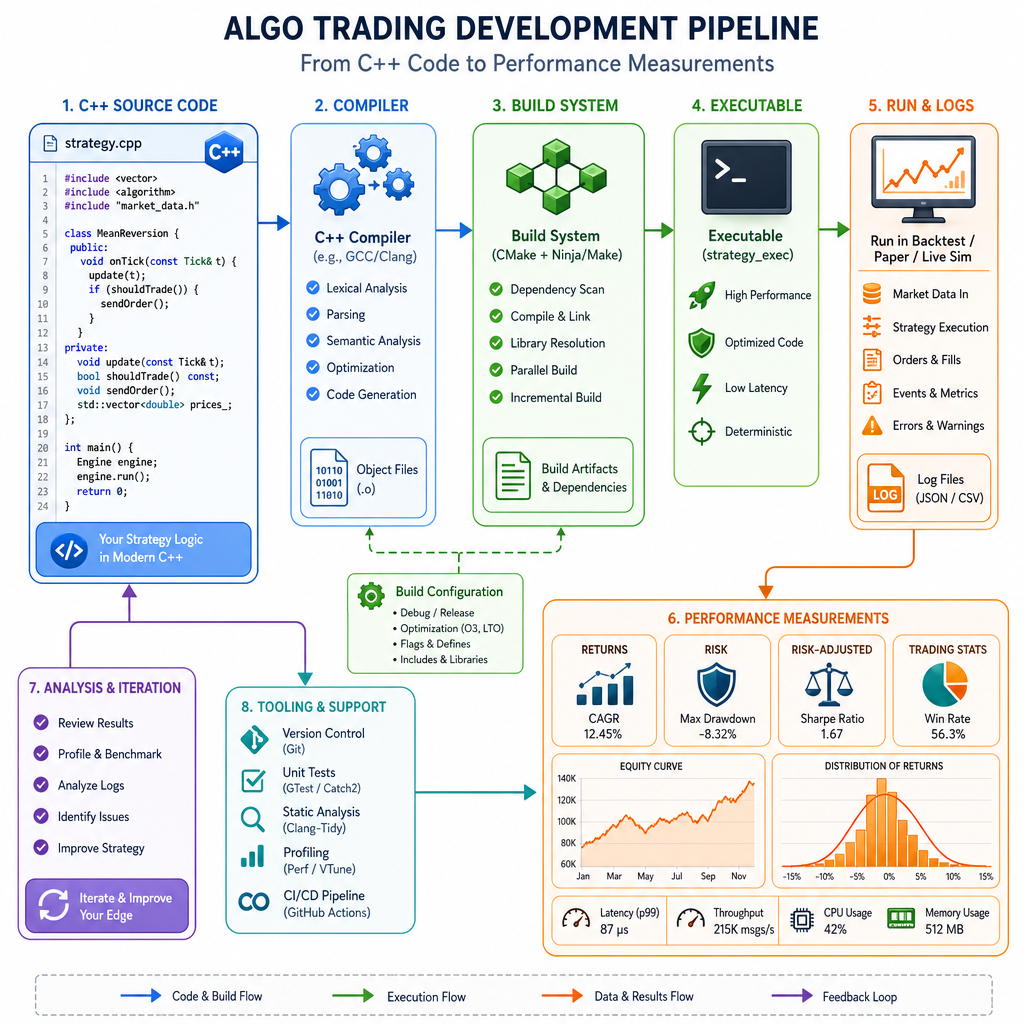
Toolchain Mental Model
Your environment has layers
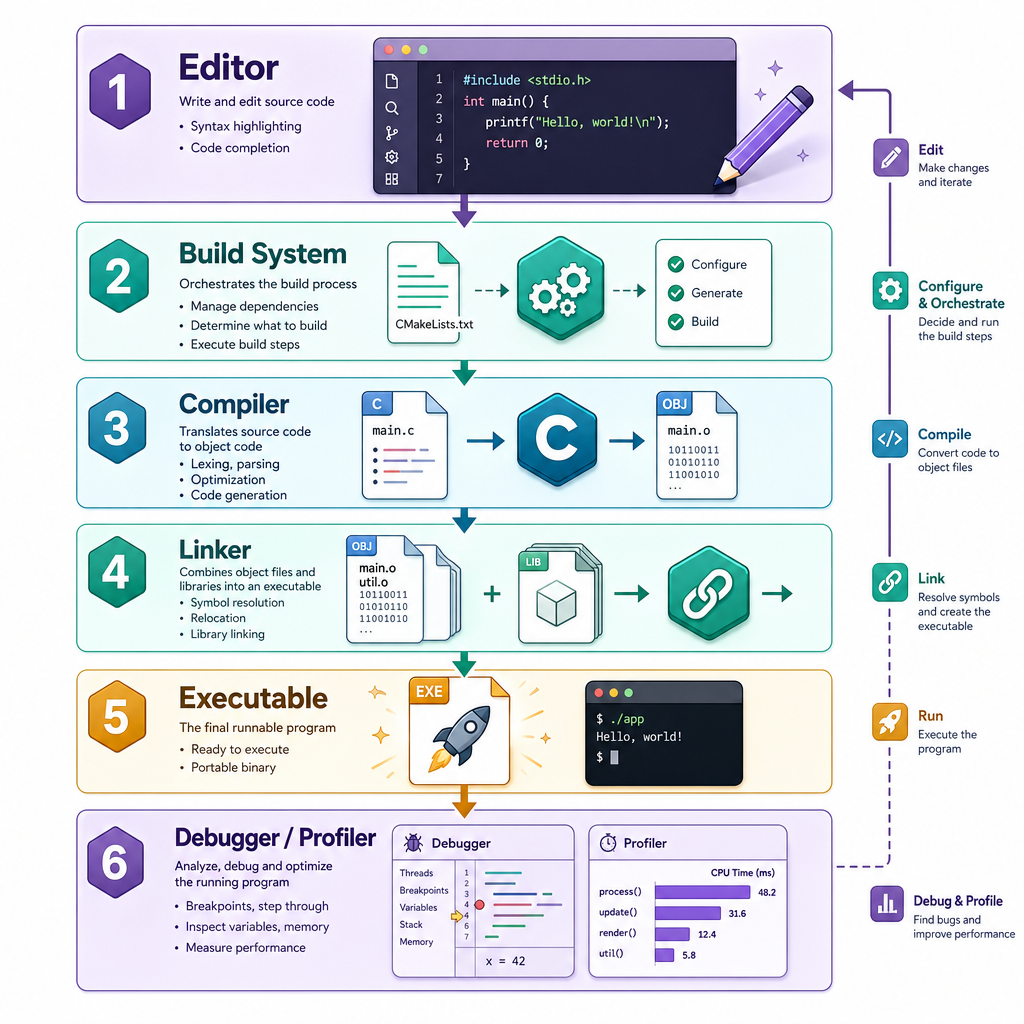
Think of your C++ development environment as a stack:
Editor / IDE
    ↓
Build system
    ↓
Compiler + linker
    ↓
Executable
    ↓
Debugger / profiler / logs
For this course, you do not need a complicated setup. You need a reliable one.
Recommended choices
Use one of these compiler families:
-
Linux:
g++orclang++ - macOS: Apple Clang via Xcode Command Line Tools
- Windows: MSVC, or MinGW/Clang if you prefer terminal workflows
Use an editor that supports C++ well:
- Visual Studio Code
- Visual Studio
- CLion
- Vim/Neovim with language server support
The key is not the brand of tool. The key is that you can compile, run, debug, and measure consistently.
Choose The Compiler
You are setting up a C++ environment for a latency-sensitive trading application. Which choice matters most?
First Sanity Check
Verify C++ is actually working
Before building anything trading-related, confirm that your compiler can build a modern C++ program.
Compile with a command like:
- Linux/macOS:
g++ -std=c++17 main.cpp -o app && ./app - Clang:
clang++ -std=c++17 main.cpp -o app && ./app - Windows MSVC Developer Prompt:
cl /std:c++17 main.cpp && main.exe
This tiny program prints the C++ standard level and confirms basic time measurement support. Timing tools will become useful later when we care about milliseconds.
```cpp
#include <chrono>
#include <iostream>

int main() {
    auto start = std::chrono::high_resolution_clock::now();

    std::cout << "C++ environment check\n";
    std::cout << "__cplusplus = " << __cplusplus << "\n";

    auto end = std::chrono::high_resolution_clock::now();
    auto elapsed_ns = std::chrono::duration_cast<std::chrono::nanoseconds>(end - start).count();

    std::cout << "Timer works. Program measured " << elapsed_ns << " ns.\n";
    return 0;
}
```
Standard Flag
Fill in the missing compiler flag to request C++17:
g++ _____ main.cpp -o app
Debug Versus Release
Same code, different build intent
Trading systems need both debuggability and speed, but usually not in the same build.
Debug build
Use when you are developing and investigating problems.
Typical flags:
-
-gfor debug symbols -
-O0for minimal optimization -
-Wall -Wextra -Wpedanticfor strong warnings
Release build
Use when measuring performance.
Typical flags:
-
-O2or-O3for optimization -
-DNDEBUGto disable debug-only assertions
Do not benchmark a debug build and assume it represents production performance.
```cpp
#include <chrono>
#include <iostream>

int main() {
#ifdef NDEBUG
    std::cout << "Build mode: release-like (NDEBUG set)\n";
#else
    std::cout << "Build mode: debug-like (NDEBUG not set)\n";
#endif

    volatile long long sink = 0;
    auto start = std::chrono::high_resolution_clock::now();

    for (long long i = 0; i < 20'000'000; ++i) {
        sink += i % 7;
    }

    auto end = std::chrono::high_resolution_clock::now();
    auto ms = std::chrono::duration_cast<std::chrono::milliseconds>(end - start).count();

    std::cout << "Work result: " << sink << "\n";
    std::cout << "Elapsed: " << ms << " ms\n";
    return 0;
}
```
Benchmark Build Trap
True or false: If a C++ program is slow in a debug build, that always proves the final optimized trading application will also be slow.
Project Shape
Keep the project organized early
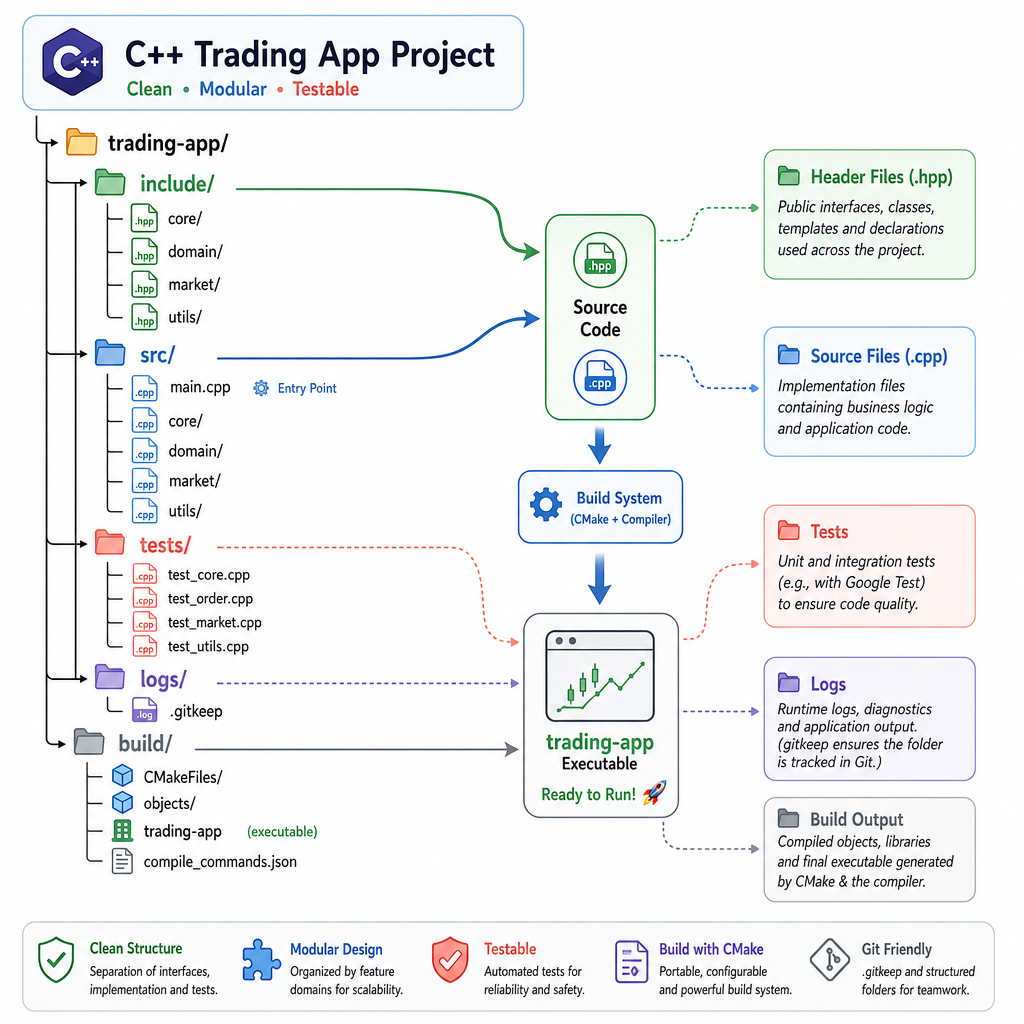
A clean structure prevents your trading application from becoming one giant main.cpp.
A simple starting layout:
trading-app/
  CMakeLists.txt
  include/
    app_config.hpp
  src/
    main.cpp
    app_config.cpp
  tests/
  logs/
  build/
Why this matters
-
include/holds public headers -
src/holds implementation files -
tests/will later hold verification code -
logs/keeps runtime evidence separate from source -
build/keeps generated files out of your codebase
You do not need an advanced architecture yet. You need a structure that can grow when we move into data structures, market data, and strategy code.
Reproducible Runs
Log what your program is doing
Fast systems still need observability. If your application makes a decision in milliseconds, you need a way to understand what happened afterward.
At this stage, keep logging simple:
- timestamp important events
- print configuration values at startup
- separate normal output from error output when useful
- avoid excessive logs in performance-critical paths
This example does not implement a trading strategy. It only shows a clean startup pattern for a future trading application.
```cpp
#include <chrono>
#include <iostream>
#include <string>

struct AppConfig {
    std::string environment = "development";
    int max_orders_per_minute = 30;
    bool paper_trading = true;
};

long long now_ms() {
    using namespace std::chrono;
    return duration_cast<milliseconds>(system_clock::now().time_since_epoch()).count();
}

void log_info(const std::string& message) {
    std::cout << "[INFO] " << now_ms() << " " << message << "\n";
}

int main() {
    AppConfig config;

    log_info("Starting C++ trading application shell");
    log_info("Environment: " + config.environment);
    log_info("Paper trading: " + std::string(config.paper_trading ? "true" : "false"));
    log_info("Max orders/minute: " + std::to_string(config.max_orders_per_minute));
    log_info("Startup checks complete");

    return 0;
}
```
Setup Checklist
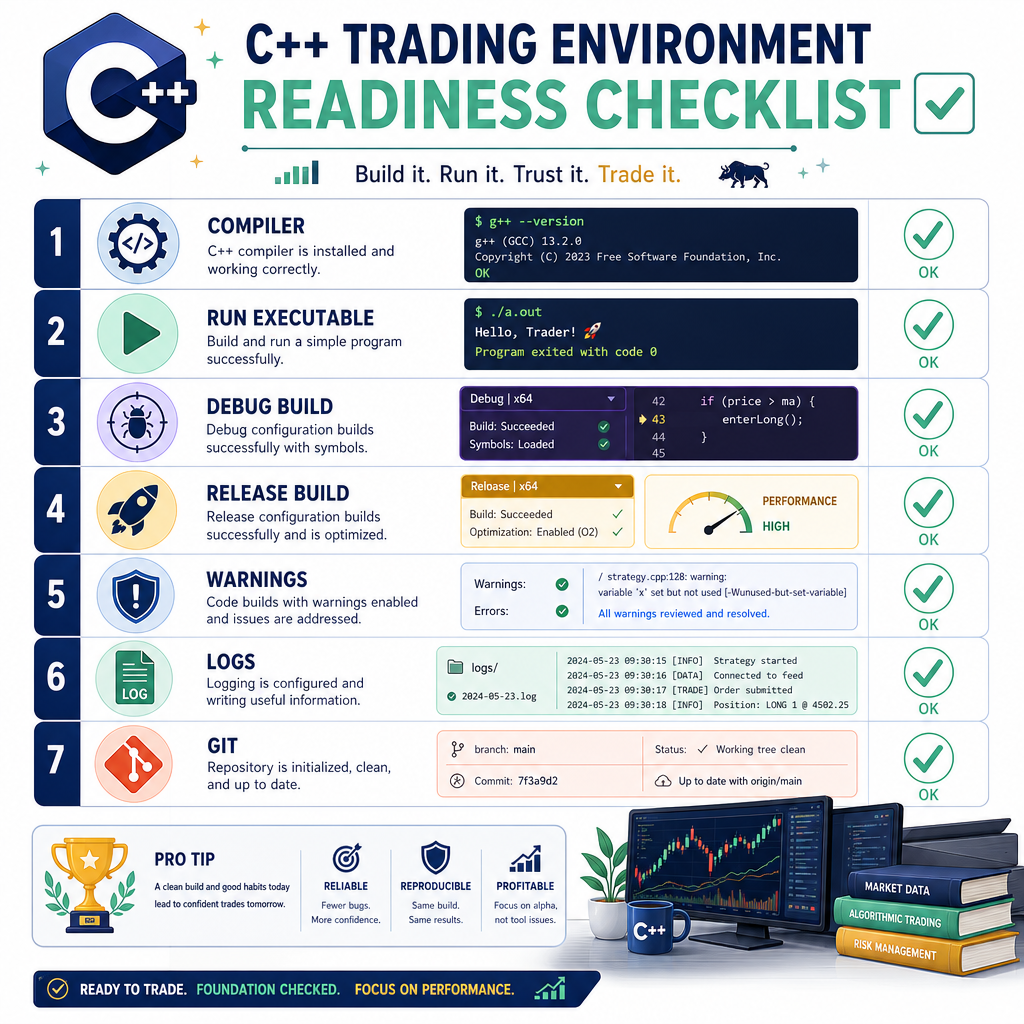
Your practical checklist
Before continuing, make sure you can:
- compile a C++17 program
- run the executable from your terminal or IDE
- switch between debug and release-style builds
- see compiler warnings
- keep generated files outside source folders
- print basic logs from your program
- use version control, ideally Git, for every meaningful change
A useful habit
When something breaks, record:
- compiler name and version
- build command or build profile
- operating system
- exact error message
- smallest code example that reproduces it
This habit saves hours in C++ projects.
Ready To Build
What you achieved
You now have the foundation for writing C++ code in a way that supports the goals of this course: speed, reliability, and maintainability.
You did not just install tools. You learned how to think about the environment as part of the trading system.
Coming next
In Data Structures and Algorithms for Trading, we’ll start using this environment to represent and process trading-related information efficiently.