Sorting and Searching
Read at your own pace. Code execution, quizzes, progress tracking, and the AI tutor are available in the interactive view with JavaScript enabled.
Why Sort Search
From scanning to structure
In Arrays and Strings, you practiced moving through ordered slots with indexes and two pointers.
In Time and Space Complexity Analysis, you learned to ask: How does this scale?
Now we combine both:
- Sorting rearranges data so patterns become visible.
- Searching uses that structure to find answers faster.
For interview prep, especially at finance-focused firms, this matters because data often arrives as prices, timestamps, trades, balances, or rankings. A good candidate does not just loop — they ask whether ordering can make the problem easier.

Structure Creates Shortcuts
The key idea
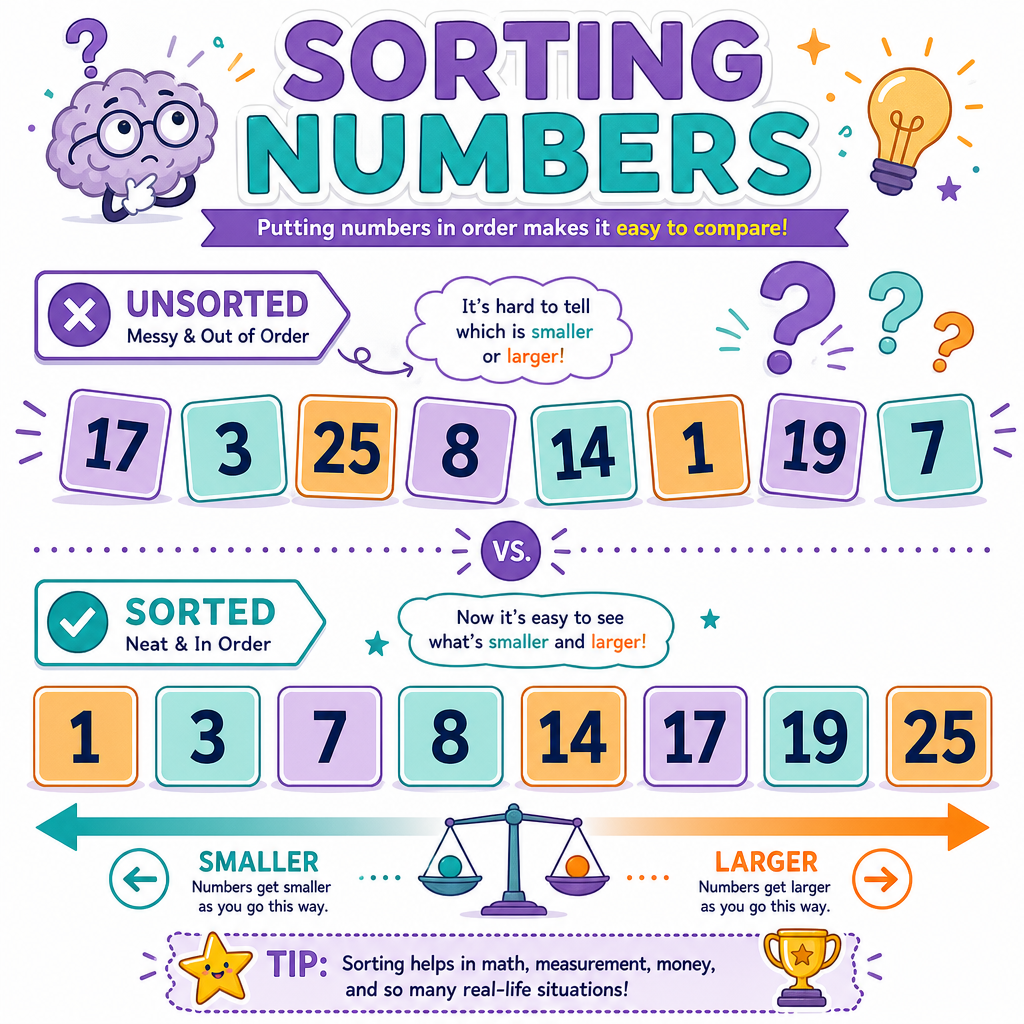
If data is unsorted, you usually have no reliable shortcut.
Example:
[42, 7, 19, 3, 88]
Is 19 present? You may need to check each item.
But sorted data gives you information at every position:
[3, 7, 19, 42, 88]
Now if you look at 19, everything left is smaller and everything right is larger.
That single fact powers many interview solutions.
Interview mental model
Ask:
- Do I need the original order?
- Would sorting reveal useful structure?
- Will I search once, or many times?
- Is the cost of sorting worth the speedup later?
Python Sorting Tools
sorted() versus .sort()
Python gives you two common sorting tools:
-
sorted(items)returns a new sorted list. -
items.sort()sorts the list in place.
This connects to the earlier Time and Space Complexity Analysis lesson: making a copy can use extra space, while mutating in place changes the original data.
You can also sort with a key, which is common in interviews when data is stored as pairs or records.
```python
prices = [101, 98, 105, 99]

sorted_prices = sorted(prices)
print("original:", prices)
print("sorted copy:", sorted_prices)

trades = [("AAPL", 150), ("MSFT", 320), ("TSLA", 220)]
trades.sort(key=lambda trade: trade[1])
print("trades by price:", trades)
```
Search Choice
You have a list of 1,000,000 account balances. The list is not sorted.
You need to check whether a single balance appears in the list.
Which first approach is most directly valid?
Binary Search
Search by cutting in half
Binary search works when the data is sorted.
Instead of checking every item, it checks the middle:
[3, 7, 19, 42, 88]
        ^
      middle
If the target is larger than the middle, ignore the left half. If the target is smaller, ignore the right half.
Each step removes about half the remaining possibilities.
This is the practical meaning of O(log n) from the complexity lesson.
```python
def binary_search(nums, target):
    left = 0
    right = len(nums) - 1

    while left <= right:
        mid = (left + right) // 2

        if nums[mid] == target:
            return mid
        elif nums[mid] < target:
            left = mid + 1
        else:
            right = mid - 1

    return -1

nums = [3, 7, 19, 42, 88]
print(binary_search(nums, 42))
print(binary_search(nums, 10))
```
Sorted Requirement
True or false?
Binary search is reliable on any Python list as long as the list contains numbers.
Sort Once Search Often
When sorting pays off
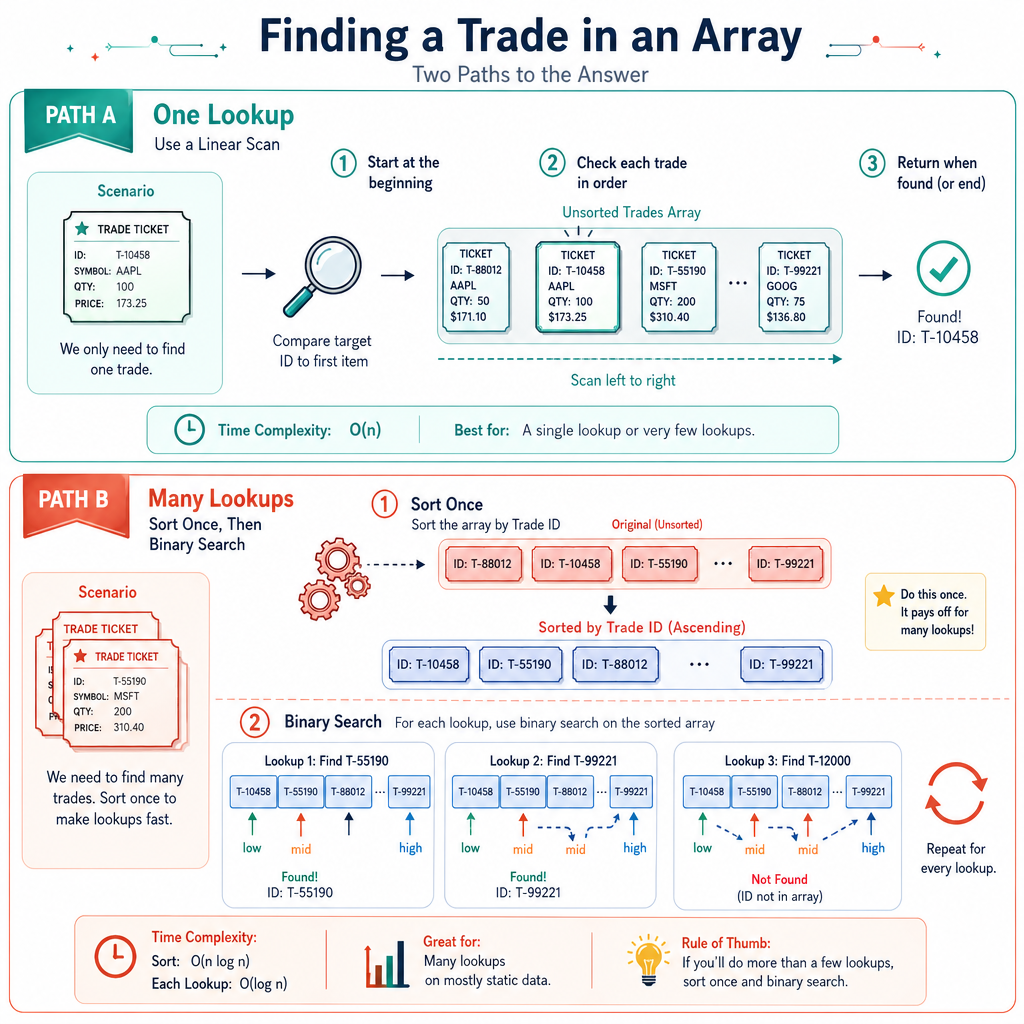
Sorting has an upfront cost. But it can be worth it if you use the sorted structure many times.
Imagine a trading platform has a daily list of executed trade sizes.
Scenario A:
- One lookup
- Unsorted list
- Linear scan may be enough
Scenario B:
- Thousands of lookups
- Same data reused
- Sort once, then binary search repeatedly
This is interview thinking: compare the total plan, not just one operation.
A useful phrase
"If I only search once, sorting may be unnecessary. If I search many times, sorting can be a good preprocessing step."
Logarithmic Blank
Fill in the blank.
Binary search on a sorted list runs in O(____) time.
Sorted Two Pointers
Sorting can unlock two pointers
You already met two pointers in Arrays and Strings. Sorting makes that technique more powerful.
Problem: given prices, is there a pair that adds to a target?
After sorting:
- Start one pointer at the low end.
- Start one pointer at the high end.
- If the sum is too small, move the left pointer right.
- If the sum is too large, move the right pointer left.
This works because sorted order tells us how sums change.
```python
def has_pair_with_sum(nums, target):
    nums = sorted(nums)
    left = 0
    right = len(nums) - 1

    while left < right:
        total = nums[left] + nums[right]

        if total == target:
            return True
        elif total < target:
            left += 1
        else:
            right -= 1

    return False

prices = [105, 97, 110, 88, 92]
print(has_pair_with_sum(prices, 202))  # 92 + 110
print(has_pair_with_sum(prices, 300))
```
Interview Checklist
How to talk through these problems
When you see a sorting or searching problem, use this checklist:
- What is the data shape? A list of numbers, strings, pairs, or records?
- Is order important? If original order matters, be careful before sorting.
- Can sorted order simplify decisions? Binary search and two pointers often depend on it.
- How many searches? One lookup may not justify sorting; many lookups might.
- What are the costs? State time and space clearly.
Strong interview sentence
"I can sort to create structure, then use that structure to avoid scanning everything repeatedly. The tradeoff is the sorting cost and possible loss of original order."
Next, you will learn Stacks and Queues, where the structure is not sorted order, but controlled access: last-in-first-out and first-in-first-out.