Telling the Story with Data
Read at your own pace. Code execution, quizzes, progress tracking, and the AI tutor are available in the interactive view with JavaScript enabled.
From Bubbles To Stories
Why this lesson matters
In Introduction to Statistics - Using Bubbles, you learned that a pile of bubble sizes can become data, and that statistics can tell us things like:
- the typical bubble
- how spread out the bubbles are
- the most common size
Now we are ready for the next step: telling the story with data.
A data story is not a fairy tale. It is a clear explanation of what the numbers are saying, like:
“Most bubbles were small, but a few were very big, so our bubble wand sometimes makes surprise giant bubbles.”
Data science, AI, and machine learning all need this skill because computers can calculate numbers, but humans still need to ask: What does this mean?

Story Recipe
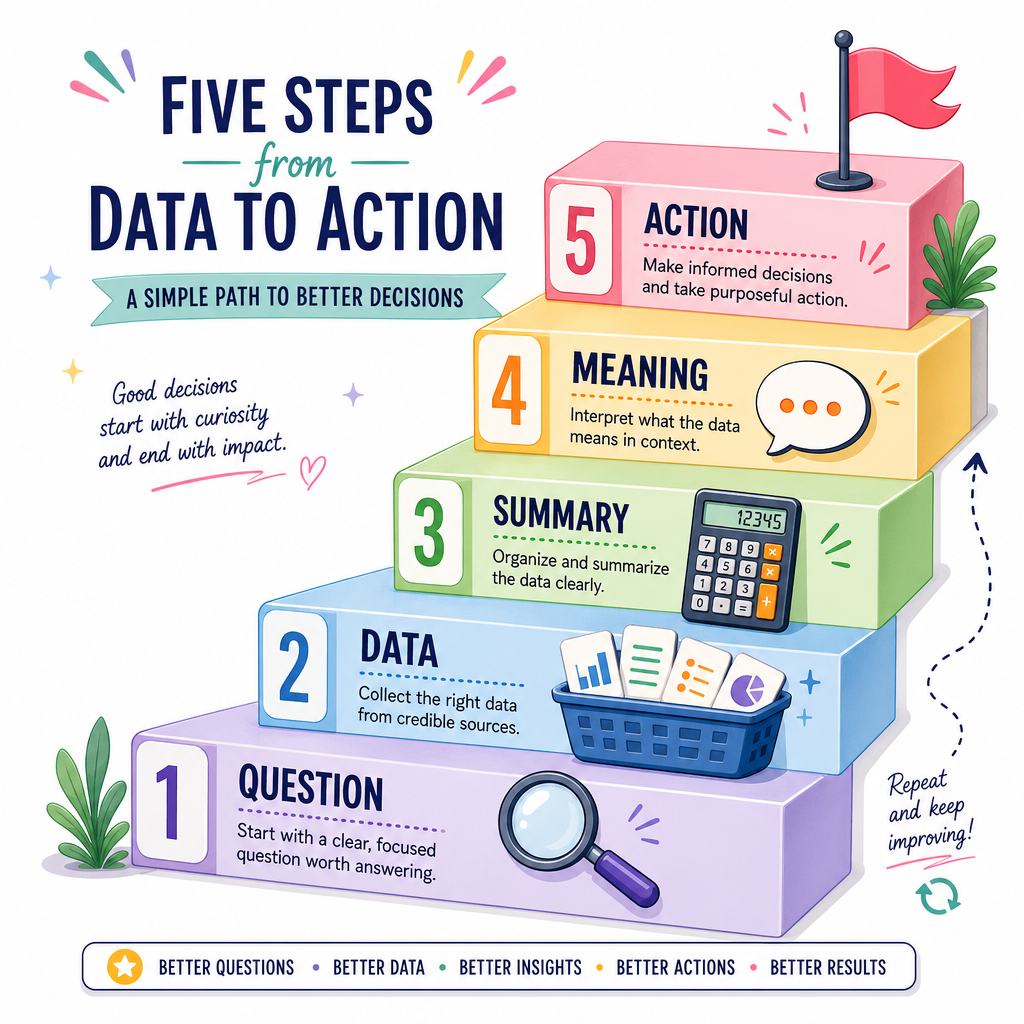
A data story has pieces
Think of a data story like a tiny recipe:
- Question — What are we trying to learn?
- Data — What did we collect or observe?
- Summary — What small helpful numbers describe it?
- Meaning — What do those numbers tell us?
- Action — What might we do next?
Example:
- Question: Which snack did children choose most?
- Data: apple, cookie, apple, banana, apple
- Summary: apple appeared 3 times
- Meaning: apple was the favorite in this tiny group
- Action: bring more apples next time
The important idea: numbers become useful when they answer a question.
Python Story Starter
Let Python help tell the first draft
Python can count, add, divide, and summarize quickly. But notice something important:
- Python gives us facts.
- We write the meaning.
Here is a small bubble-size dataset. We will ask: What kind of bubbles did our wand usually make?
```python
bubble_sizes = [2, 3, 3, 4, 8]

count = len(bubble_sizes)
total = sum(bubble_sizes)
typical = total / count
small_bubbles = 0
big_bubbles = 0

for size in bubble_sizes:
    if size <= 4:
        small_bubbles += 1
    else:
        big_bubbles += 1

print("Question: What kind of bubbles did our wand usually make?")
print("Data:", bubble_sizes)
print("Number of bubbles:", count)
print("Typical size:", typical)
print("Small bubbles:", small_bubbles)
print("Big bubbles:", big_bubbles)

print("Story: The wand usually made small bubbles, but one bubble was much bigger.")
```
Find The Question
A class collected these snack choices:
apple, banana, apple, cookie, apple
Which question best matches a useful data story for this data?
Facts Versus Meaning
A fact is not the whole story
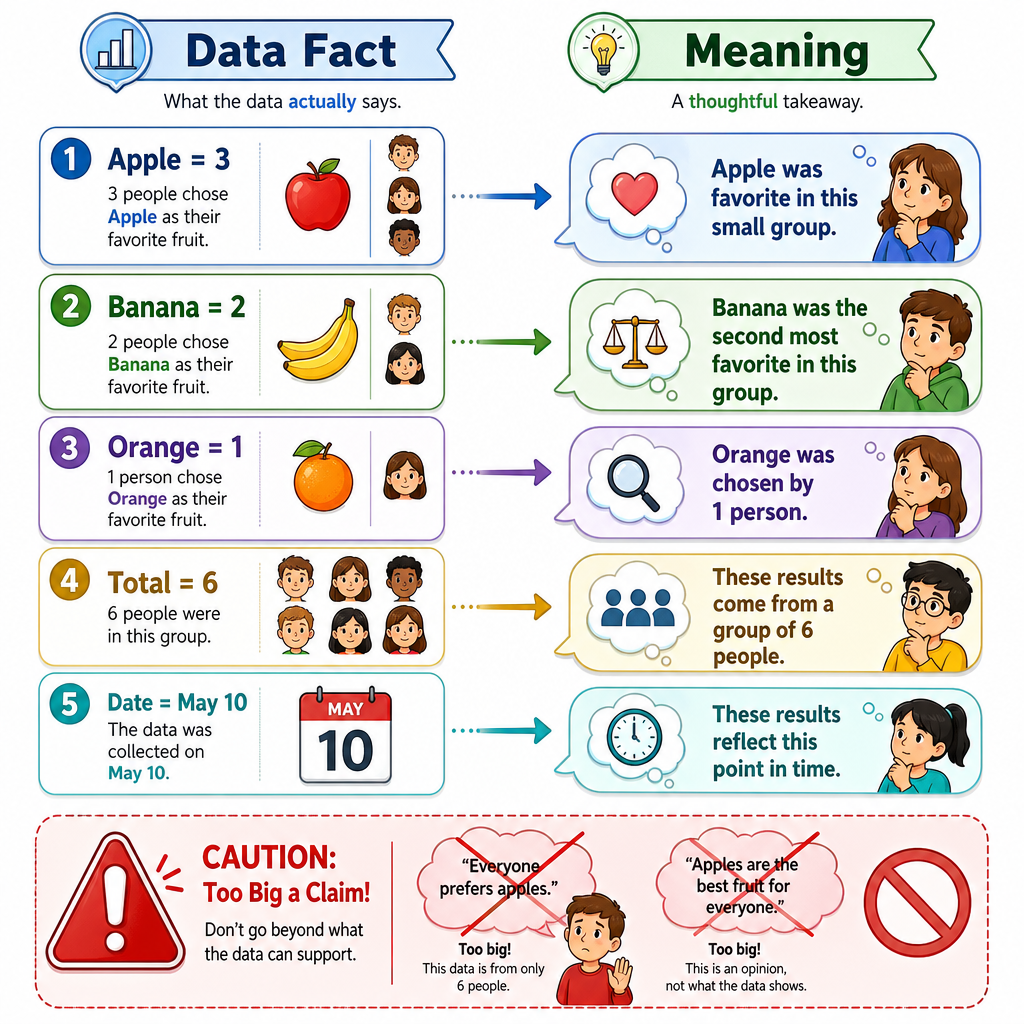
A fact is something the data directly says.
A meaning is what we understand from the fact.
Example:
Data fact Possible meaning Apple was chosen 3 times Apple was the favorite snack in this small group One bubble size was 8 One bubble was much larger than the others Most toy cars were red Red was common in our toy boxBut be careful: meaning should stay close to the data.
If 5 children chose snacks, we should not say:
“All children in the whole world love apples.”
That story is too big for the data.
Complete The Recipe
A data story usually begins with a clear _____.
Type one lowercase word.
Before And After
Data stories can compare
Sometimes a story is about change.
For example, imagine a plant before and after watering. We can compare its heights:
- Before watering days: 3, 3, 4
- After watering days: 5, 6, 6
We are not proving every plant will grow this way. We are simply telling the story of this plant data.
```python
before = [3, 3, 4]
after = [5, 6, 6]

def average(numbers):
    return sum(numbers) / len(numbers)

before_typical = average(before)
after_typical = average(after)
change = after_typical - before_typical

print("Question: Did the plant look taller after watering days?")
print("Before heights:", before)
print("After heights:", after)
print("Typical before height:", before_typical)
print("Typical after height:", after_typical)
print("Change:", change)
print("Story: In this small record, the plant was taller after the watering days.")
```
Too Big Claim
True or false?
If 5 children in one room chose apples most often, it is always safe to say: “Every child everywhere likes apples best.”
A Tiny Report
Turn summaries into a report
A data report is a neat way to tell the story:
- Start with the question.
- Show the data or say where it came from.
- Give one or two useful summaries.
- Say the meaning carefully.
This is a baby version of what data scientists do in real projects. Later, AI systems may use much bigger data, but the storytelling habit stays the same.
```python
snacks = ["apple", "banana", "apple", "cookie", "apple", "banana"]

counts = {}
for snack in snacks:
    if snack not in counts:
        counts[snack] = 0
    counts[snack] += 1

favorite = max(counts, key=counts.get)

print("DATA STORY REPORT")
print("Question: Which snack was chosen most often?")
print("Data:", snacks)
print("Counts:", counts)
print("Most chosen snack:", favorite)
print("Story: In this small group,", favorite, "was chosen most often.")
```
Story Checklist
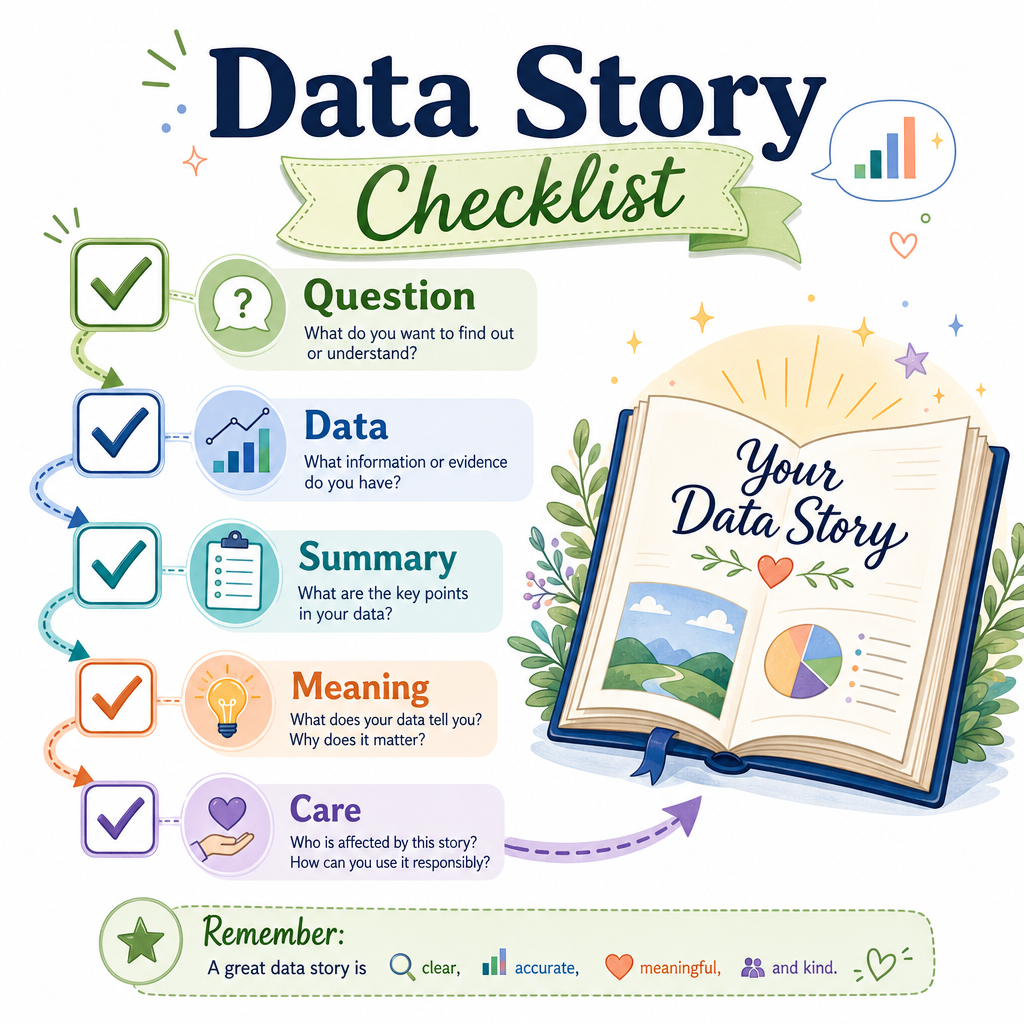
Your data story checklist
Before you share a data story, ask:
- Question: Did I say what I wanted to learn?
- Data: Did I use data that matches the question?
- Summary: Did I use helpful numbers, like counts or a typical value?
- Meaning: Did I explain what the numbers suggest?
- Care: Did I avoid making a claim that is too big?
A simple shape to remember:
Question → Data → Summary → Meaning → Careful Story
Next, we will meet probability, which helps us talk about what might happen, not just what already happened.