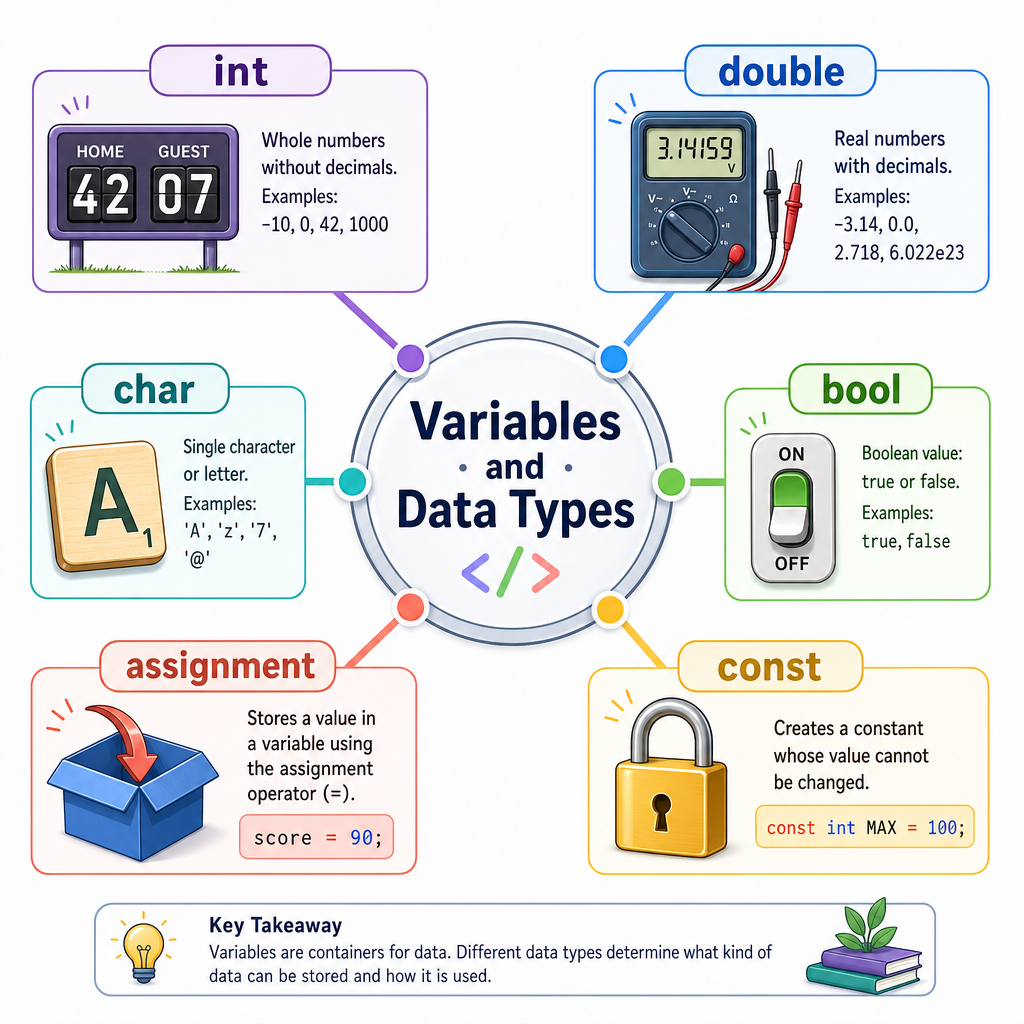
Variables and Data Types
Read at your own pace. Code execution, quizzes, progress tracking, and the AI tutor are available in the interactive view with JavaScript enabled.
Your Program Remembers
Why this matters
In Introduction to Programming, you learned that a program is a set of ordered instructions. In Setting up the Development Environment, you wrote, compiled, and ran C++ code.
Now we need programs that can remember information while they run.
That is what variables do.
A variable is like a labeled container in your program:
- a basketball score
- the voltage in an electronics project
- the cost of paint for a home renovation
- the tempo of a song
A data type tells C++ what kind of value the container is allowed to hold.

Variables In Action
Declaring a variable
In C++, you create a variable by writing:
type name = value;
For example:
-
int points = 21;stores a whole number -
double voltage = 3.7;stores a decimal number -
bool isPlaying = true;stores true or false
C++ wants to know the type early so it can reserve the right kind of space and catch mistakes before your program runs.
```cpp
#include <iostream>

int main() {
    int points = 21;
    double voltage = 3.7;
    bool gameStarted = true;

    std::cout << "Points: " << points << std::endl;
    std::cout << "Voltage: " << voltage << std::endl;
    std::cout << "Game started: " << gameStarted << std::endl;

    return 0;
}
```
Pick The Declaration
Which line correctly creates a C++ variable named paintCans that stores the whole number 4?
Common Built-In Types
Types are categories of values
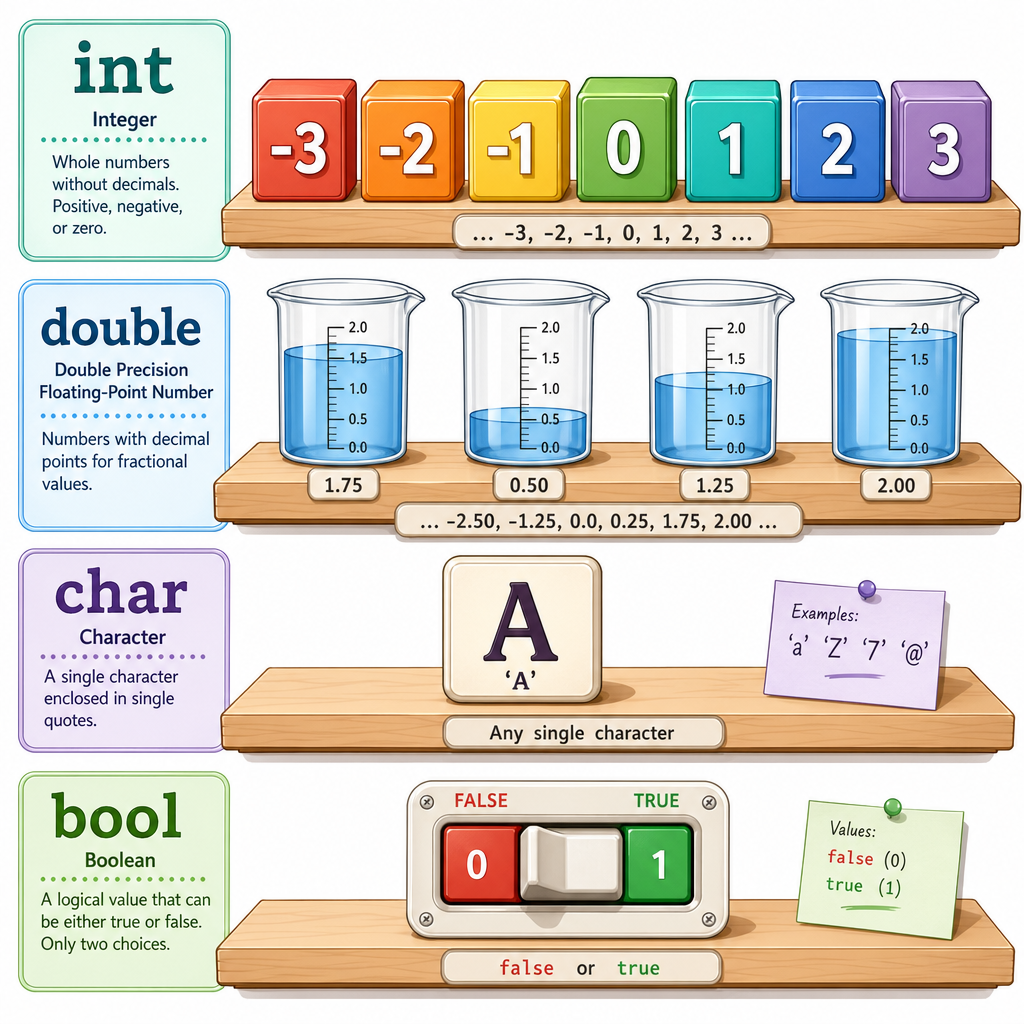
Here are several beginner-friendly C++ types:
Type Stores Exampleint
whole numbers
42, -7
double
decimal numbers
3.14, 98.6
char
one character
'A', 'x'
bool
true or false
true, false
Notice that a char uses single quotes: 'A'.
Later, in Arrays and Strings, you will work more deeply with text. For now, focus on these basic building blocks.
Type Detective
You are storing the battery level of a device as 87.5 percent. Which type is the best fit?
Changing Values
Variables can vary
The word variable means the value can change while the program runs.
Think of a basketball score: it starts at 0, then changes as points are added.
You can assign a new value using =. In C++, = means store the value on the right into the variable on the left.
This is not the same as mathematical equality. It is an instruction.
```cpp
#include <iostream>

int main() {
    int homeScore = 0;

    std::cout << "Starting score: " << homeScore << std::endl;

    homeScore = 2;
    std::cout << "After a basket: " << homeScore << std::endl;

    homeScore = homeScore + 3;
    std::cout << "After a three-pointer: " << homeScore << std::endl;

    return 0;
}
```
Assignment Direction
True or false: In C++, the line score = score + 1; means take the current value of score, add 1, and store the result back into score.
Naming Variables
Good names make programs readable
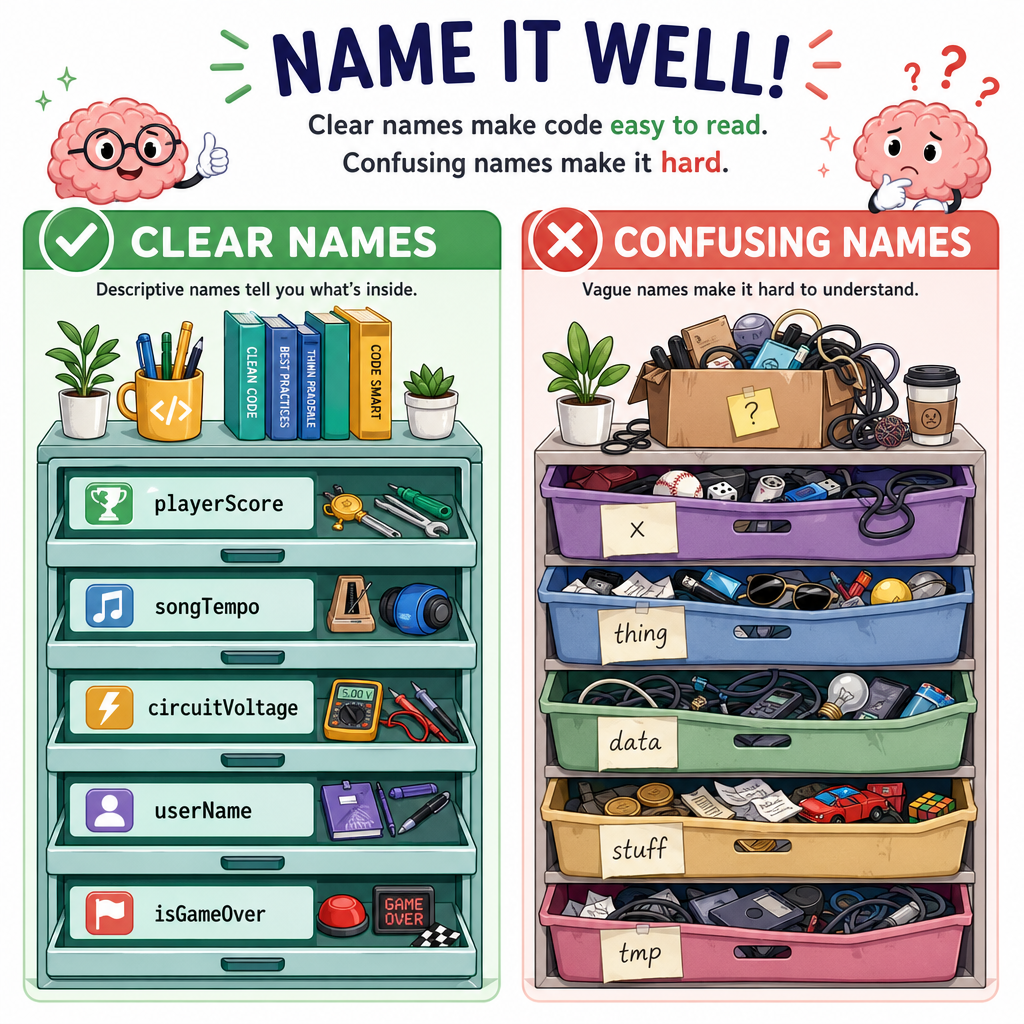
C++ variable names should clearly describe what they store.
Good examples:
paintGallonssongTempoplayerScorecircuitVoltage
Avoid names like:
-
xwhen the meaning is not obvious thingnumber1
Basic naming rules:
- names can contain letters, digits, and underscores
- names cannot start with a digit
- names cannot contain spaces
- names are case-sensitive:
scoreandScoreare different
Complete The Variable
Fill in the blank to create a variable named songTempo that stores the whole number 120.
_____ songTempo = 120;
Constants And Safety
Some values should not change
Sometimes you want a named value, but you do not want it to vary.
For example, if you are estimating renovation costs, the number of square feet in a room might be fixed for that calculation.
C++ lets you use const to say: this variable must not be changed after it is created.
This helps prevent accidental mistakes.
```cpp
#include <iostream>

int main() {
    const double roomWidth = 12.5;
    const double roomLength = 10.0;
    double area = roomWidth * roomLength;

    std::cout << "Room width: " << roomWidth << std::endl;
    std::cout << "Room length: " << roomLength << std::endl;
    std::cout << "Area: " << area << " square feet" << std::endl;

    return 0;
}
```
Lesson Wrap-Up
What you can do now
You now know how to create named pieces of memory in C++.
Key ideas:
- a variable stores a value
- a data type tells C++ what kind of value is stored
- common types include
int,double,char, andbool -
=assigns a value - variable names should explain their purpose
-
constprotects values that should not change
Next, in Input and Output, you will learn how programs can communicate more directly with users instead of only printing fixed messages.