Working with Files in C++
Read at your own pace. Code execution, quizzes, progress tracking, and the AI tutor are available in the interactive view with JavaScript enabled.
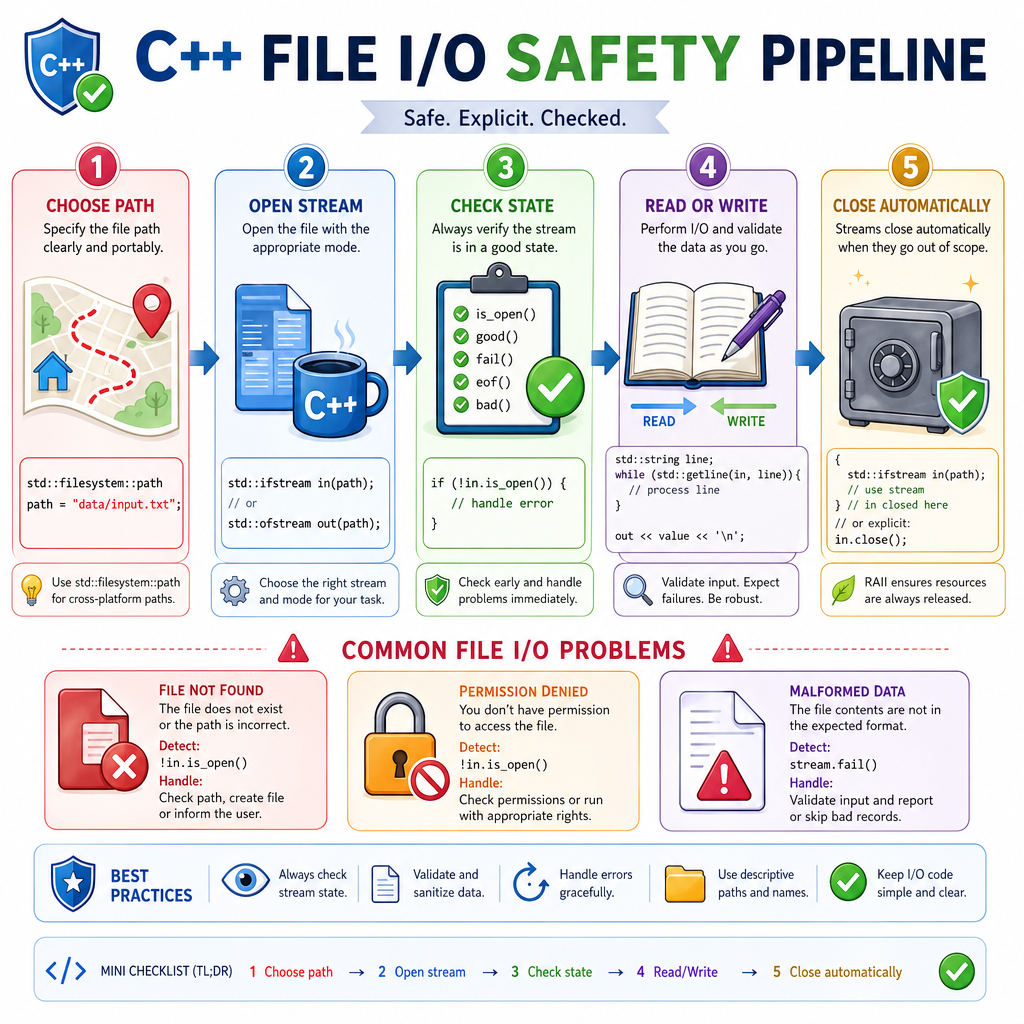
Why Files Matter
From temporary variables to persistent data
In Introduction to C++, you wrote programs that stored values in variables while the program was running. In Object-Oriented Programming in C++, you organized data and behavior into classes.
Files add the next missing piece: persistence.
A program can now:
- save a home renovation checklist after it exits
- read a playlist from disk
- log electronics sensor readings
- load configuration, test data, or user-created content
As a web developer, think of files as a lower-level cousin of local storage, uploaded assets, logs, and JSON config files. C++ gives you direct, explicit tools for working with them.
Stream Mental Model
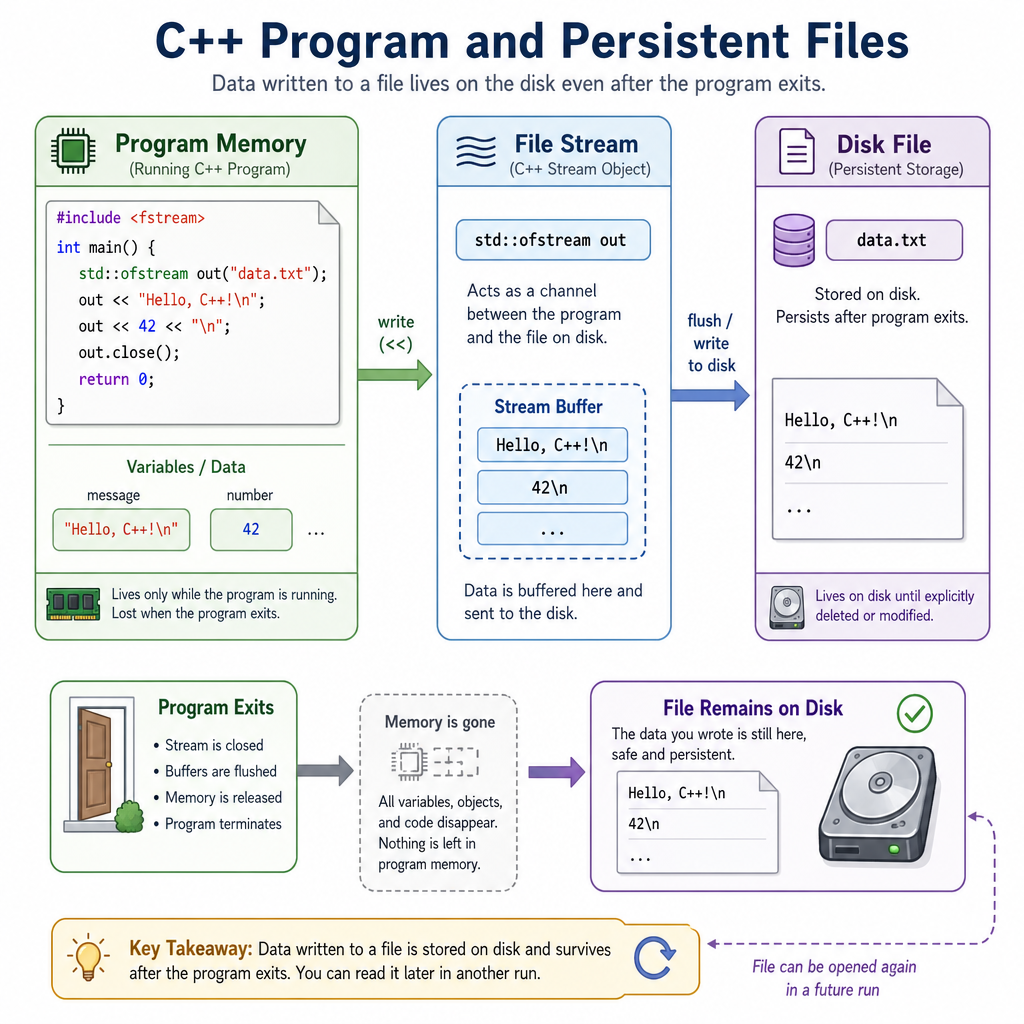
Files are streams
C++ treats file I/O similarly to console I/O.
You already know this style:
-
std::cout << valuesends data out -
std::cin >> valuepulls data in
File streams use the same idea, but the destination or source is a file instead of the terminal.
Type Direction Usestd::ofstream
output
write to files
std::ifstream
input
read from files
std::fstream
both
read and write
Mental model:
C++ values  ->  stream  ->  file bytes
file bytes  ->  stream  ->  C++ values
That stream layer is useful because it can format numbers, strings, lines, and whitespace for you.
Write A File
Writing with std::ofstream
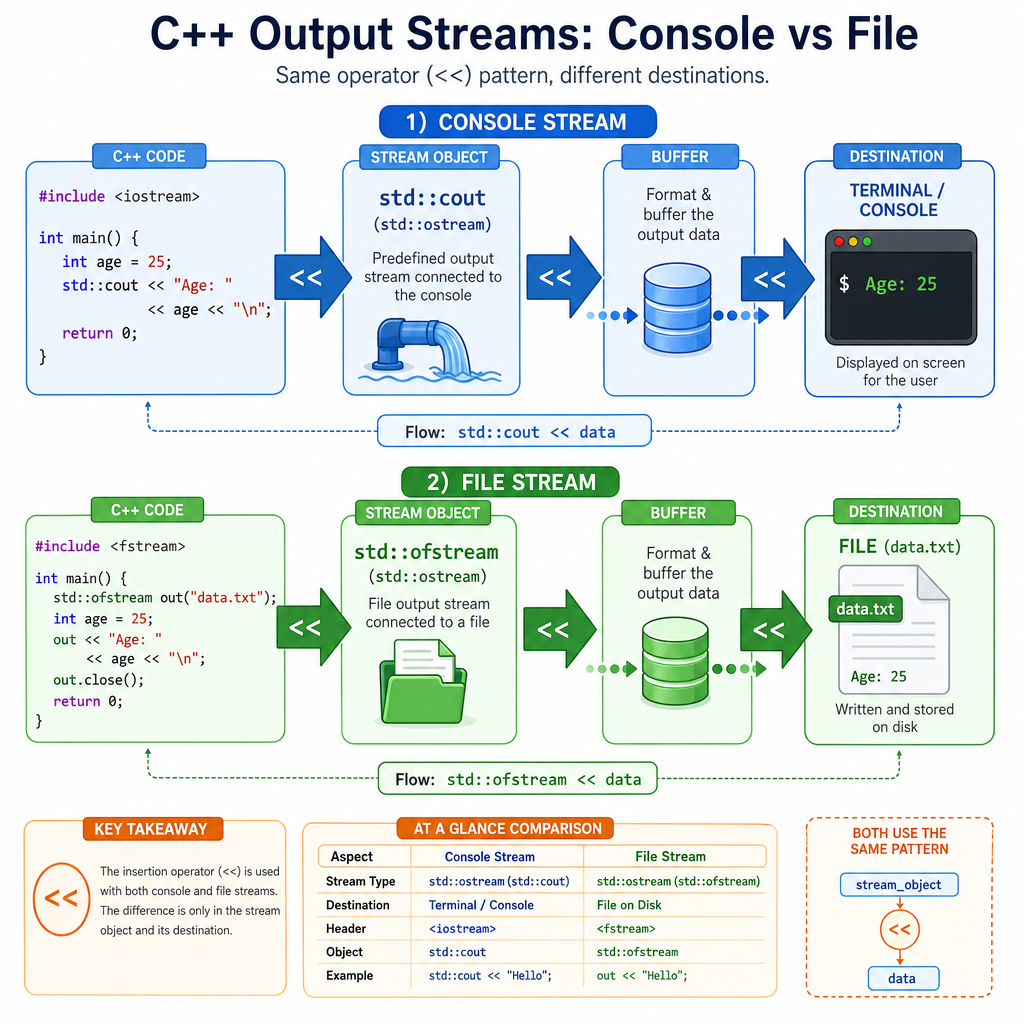
To write a file:
- Include
<fstream> - Create an
std::ofstream - Send data into it with
<< - Check that opening succeeded
By default, opening an ofstream this way creates the file if needed and overwrites it if it already exists.
The stream closes automatically when it goes out of scope, but calling close() explicitly is also valid when you want to finish early.
```cpp
#include <fstream>
#include <iostream>
#include <string>

int main() {
    std::ofstream file("renovation_tasks.txt");

    if (!file) {
        std::cout << "Could not open file for writing.\n";
        return 1;
    }

    file << "paint hallway\n";
    file << "install outlet covers\n";
    file << "measure cabinet doors\n";

    file.close();

    std::cout << "Saved renovation_tasks.txt\n";
    std::cout << "Wrote 3 tasks.\n";

    return 0;
}
```
Pick A Stream
You need to read an existing text file named playlist.txt line by line.
Which stream type is the best fit?
Read Line By Line
Reading with std::ifstream
For text files, std::getline is often the safest first tool because it reads a full line, including spaces.
That matters for real-world data:
- song titles can contain spaces
- renovation tasks are phrases
- basketball notes might be full sentences
The example below creates a file first so it is runnable anywhere, then opens it for reading.
```cpp
#include <fstream>
#include <iostream>
#include <string>

int main() {
    {
        std::ofstream out("playlist.txt");
        out << "Nujabes - Feather\n";
        out << "Daft Punk - Digital Love\n";
        out << "The Roots - You Got Me\n";
    }

    std::ifstream file("playlist.txt");

    if (!file) {
        std::cout << "Could not open playlist.txt\n";
        return 1;
    }

    std::string line;
    int trackNumber = 1;

    while (std::getline(file, line)) {
        std::cout << trackNumber << ". " << line << "\n";
        trackNumber++;
    }

    return 0;
}
```
Auto Close
True or false: when a local std::ifstream or std::ofstream object goes out of scope, C++ closes the file automatically.
Modes And Paths
Opening files intentionally
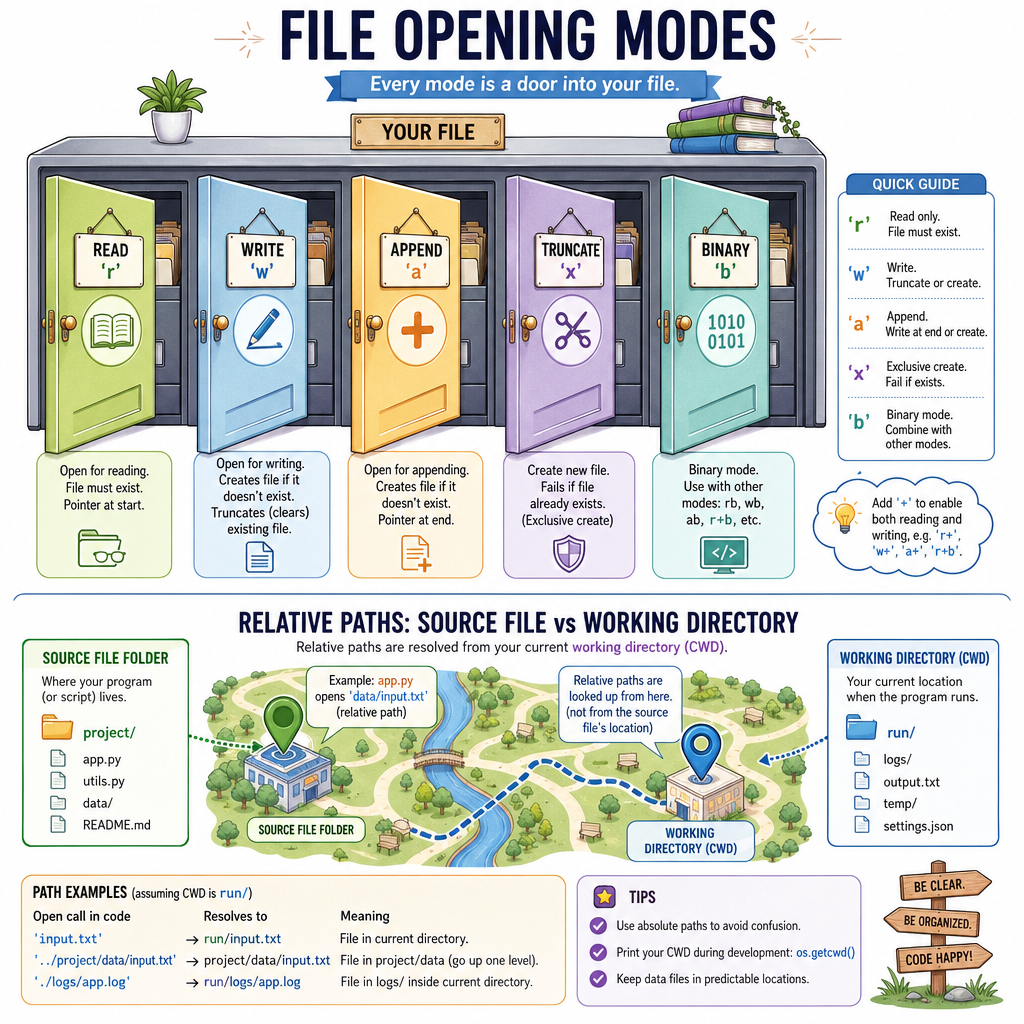
A file stream can be opened with a mode that controls what happens.
Common modes:
Mode Meaningstd::ios::in
read
std::ios::out
write
std::ios::app
append to the end
std::ios::trunc
discard existing contents
std::ios::binary
treat contents as raw bytes
You will often see combinations like:
std::ios::out | std::ios::app
That means: open for output, but append instead of replacing.
Also watch your path. A relative path like "data.txt" is resolved from the program's working directory, not necessarily the folder where your .cpp file lives.
Append And Summarize
Appending and processing records
A common file workflow is:
- add a new record
- read all records
- compute something useful
This is the file version of accumulating state. Instead of keeping everything only in memory, the records live in a text file.
Below, we append basketball shot counts and then summarize the total.
```cpp
#include <fstream>
#include <iostream>
#include <string>

int main() {
    {
        std::ofstream seed("shots.txt");
        seed << "free_throws 10\n";
        seed << "three_pointers 7\n";
    }

    {
        std::ofstream log("shots.txt", std::ios::app);
        if (!log) {
            std::cout << "Could not open shots.txt for appending.\n";
            return 1;
        }
        log << "midrange 5\n";
    }

    std::ifstream input("shots.txt");
    if (!input) {
        std::cout << "Could not open shots.txt for reading.\n";
        return 1;
    }

    std::string shotType;
    int count = 0;
    int total = 0;

    while (input >> shotType >> count) {
        std::cout << shotType << ": " << count << "\n";
        total += count;
    }

    std::cout << "Total shots logged: " << total << "\n";

    return 0;
}
```
Append Flag
Fill in the blank to open a file for appending:
std::ofstream log("sensor_readings.txt", ____);
File Failure Checks
Files can fail for normal reasons
File I/O touches the outside world, so failure is expected sometimes:
- the file does not exist
- the path is wrong
- the program lacks permission
- the disk is full
- the data format is not what you expected
For this lesson, the key habit is simple: check the stream before trusting it.
Useful checks:
Check Meaningif (!file)
opening or stream state failed
file.is_open()
file handle is open
while (input >> value)
keep reading while extraction succeeds
while (std::getline(input, line))
keep reading while line reads succeed
Next, you will go deeper into C++ memory management; later, error handling will give you a broader toolbox for responding to failures cleanly.