Arrays and Strings
Read at your own pace. Code execution, quizzes, progress tracking, and the AI tutor are available in the interactive view with JavaScript enabled.
Many Values Together
Why this matters
So far, you've learned how C++ programs remember one value with variables, talk with input/output, choose and repeat with control flow, and organize work with functions.
Now we're ready for a common real-world need: storing many related values under one name.
Think about:
- Basketball scores across 4 quarters
- Temperatures from an electronics sensor
- Room names in a renovation plan
- Song titles in a playlist
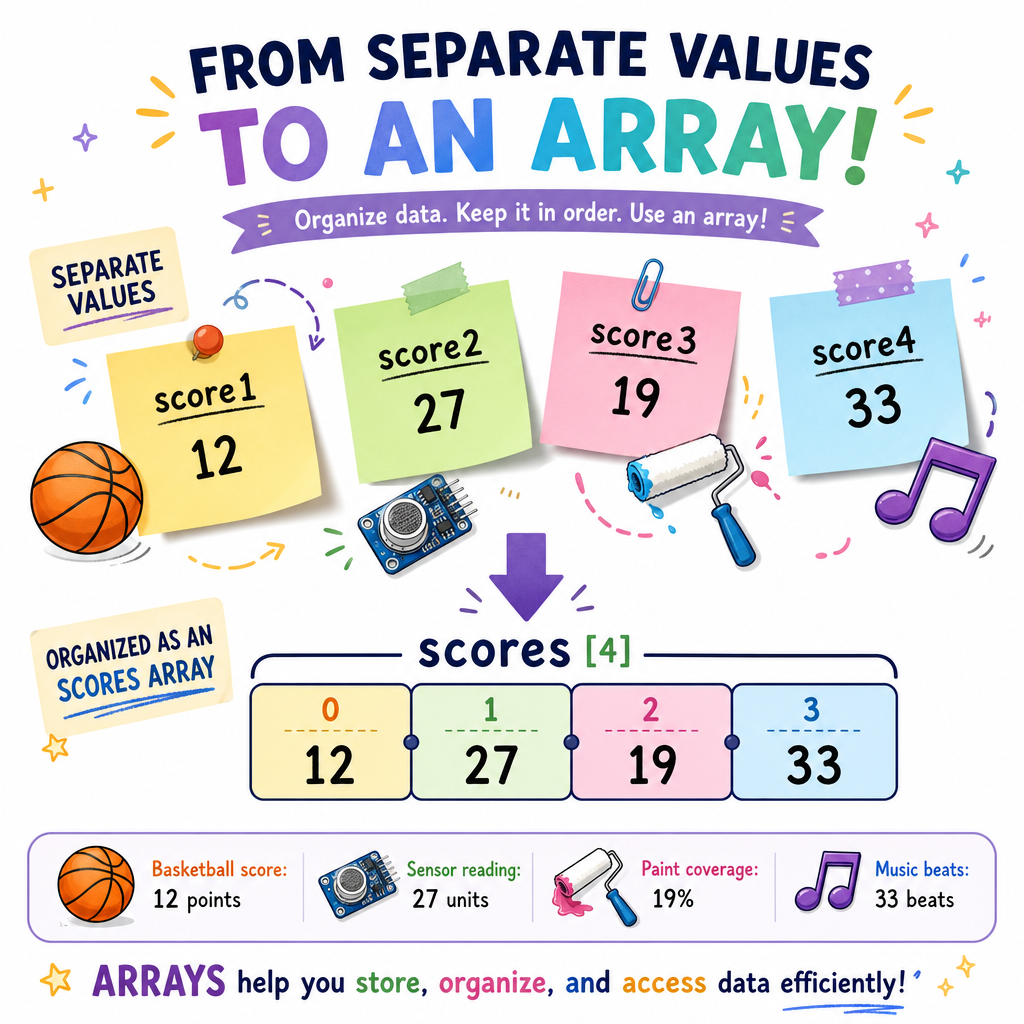
Instead of creating score1, score2, score3, and score4, C++ lets us use an array. For text like names, titles, and messages, we use strings.
Array Mental Model
An array is a row of boxes
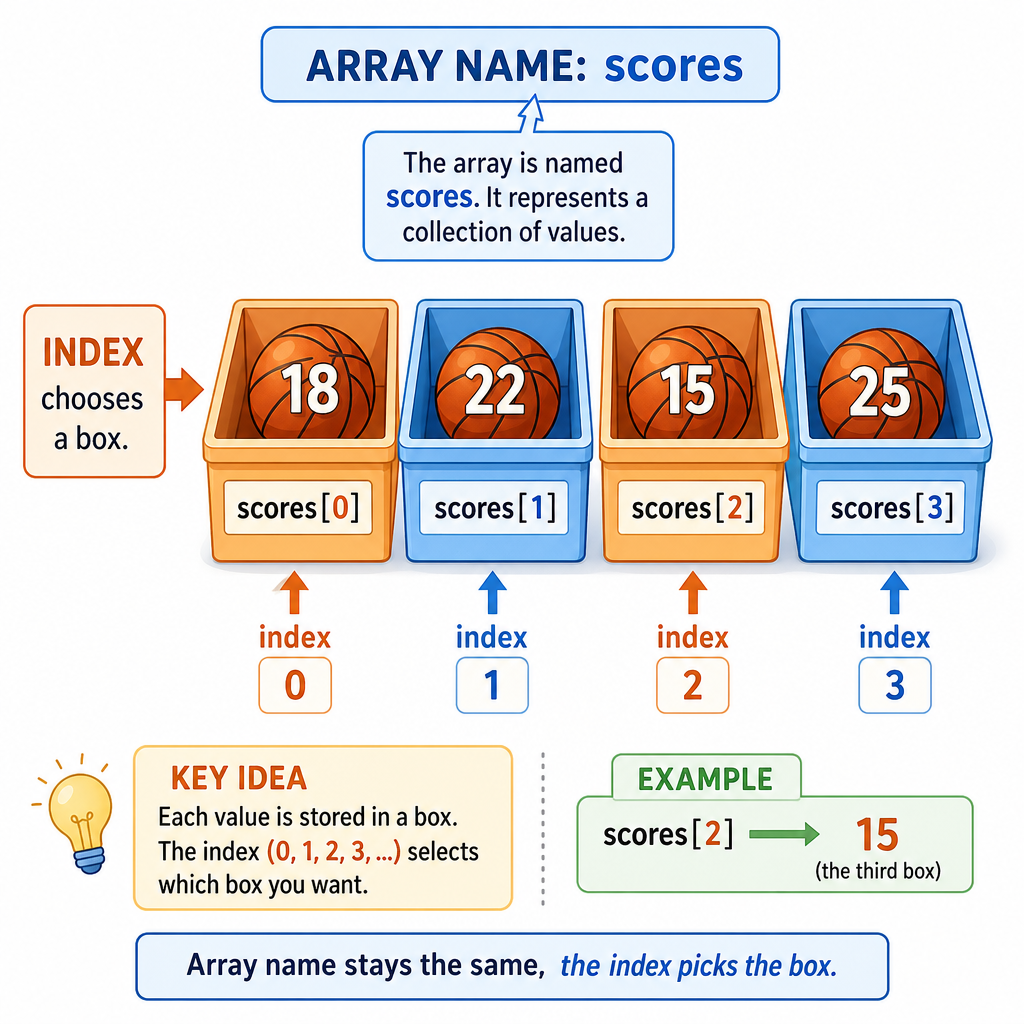
An array stores several values of the same type in a fixed order.
For example, this array could store four basketball quarter scores:
scores
 index:   0    1    2    3
 value: 18   22   15   25
Important idea: C++ arrays start counting at 0, not 1.
So:
-
scores[0]means the first value -
scores[1]means the second value -
scores[2]means the third value -
scores[3]means the fourth value
The number inside brackets is called the index.
Create An Array
Declaring and using an array
An array declaration says:
type name[size]
Here, int jerseyNumbers[5] means:
- Store
intvalues - Call the array
jerseyNumbers - Make room for 5 values
Then we use indexes to read individual values.
```cpp
#include <iostream>
using namespace std;

int main() {
    int jerseyNumbers[5] = {7, 12, 23, 34, 50};

    cout << "First player wears #" << jerseyNumbers[0] << endl;
    cout << "Third player wears #" << jerseyNumbers[2] << endl;
    cout << "Last player wears #" << jerseyNumbers[4] << endl;

    return 0;
}
```
Index Check
You have this array:
int scores[4] = {18, 22, 15, 25};
Which expression gets the value 22?
Loop Through Arrays
Arrays and loops fit together
In the Control Flow lesson, you learned for loops. Arrays are one of the best reasons to use them.
Instead of writing the same line four times, a loop can visit each array position in order.
The pattern is:
for each valid index:
    use array[index]
Here's a small program that totals four quarter scores and calculates the average.
```cpp
#include <iostream>
using namespace std;

int main() {
    int scores[4] = {18, 22, 15, 25};
    int total = 0;

    for (int i = 0; i < 4; i++) {
        total = total + scores[i];
    }

    double average = total / 4.0;

    cout << "Total points: " << total << endl;
    cout << "Average per quarter: " << average << endl;

    return 0;
}
```
Array Size Rule
True or false?
For an array with 4 values, the valid indexes are 1, 2, 3, and 4.
Strings Are Text
A string stores characters
A string is used for text: names, labels, messages, room names, song titles, and more.
In C++, use #include <string> and the string type.
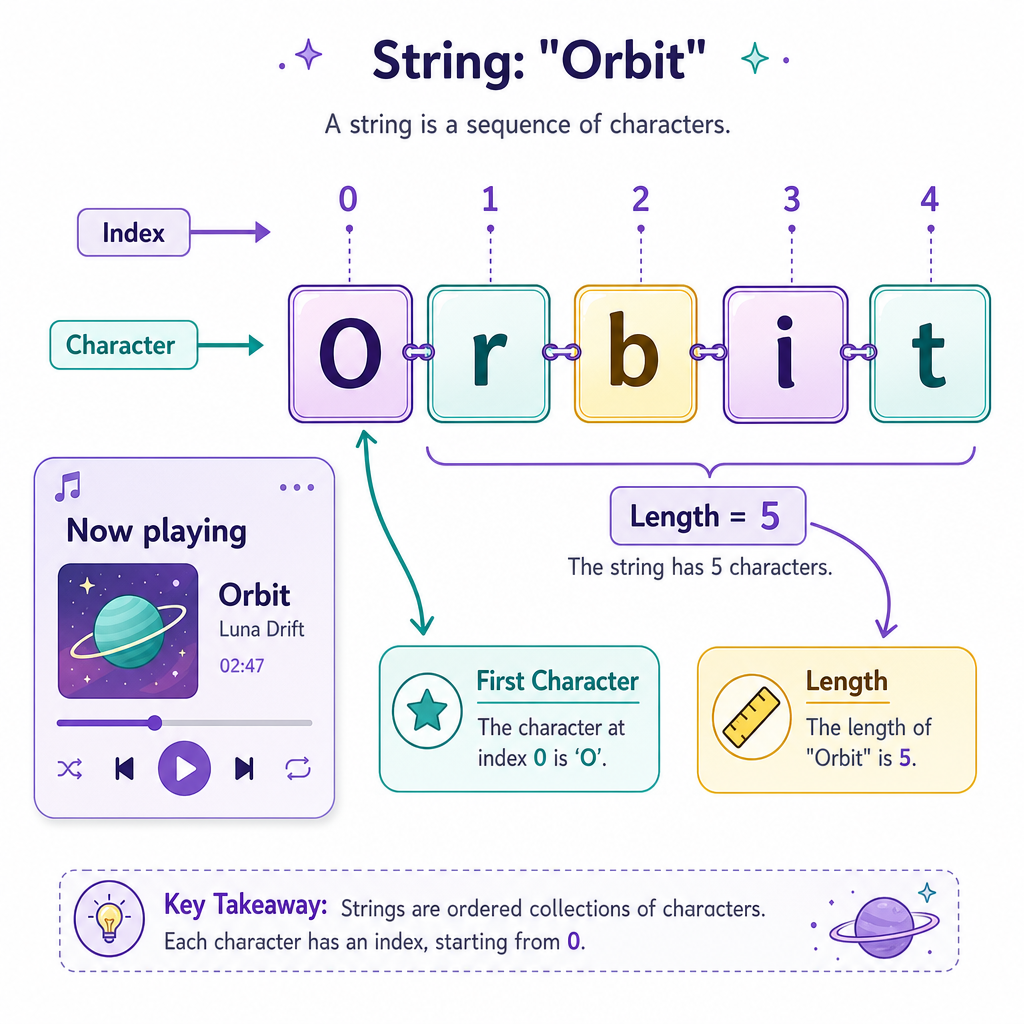
A useful mental model: a string is text made from characters in order.
song = "Orbit"
 index:  0 1 2 3 4
 char:   O r b i t
Just like arrays, string positions start at index 0.
```cpp
#include <iostream>
#include <string>
using namespace std;

int main() {
    string songTitle = "Orbit";
    string artist = "The Circuits";

    cout << "Now playing: " << songTitle << " by " << artist << endl;
    cout << "Title length: " << songTitle.length() << endl;
    cout << "First letter: " << songTitle[0] << endl;

    return 0;
}
```
Third Value
Fill in the expression that gets the third value from this array:
int scores[4] = {18, 22, 15, 25};
Answer with the exact C++ expression.
Fill in the blank: _____________
Common Array Mistakes
Be careful with boundaries
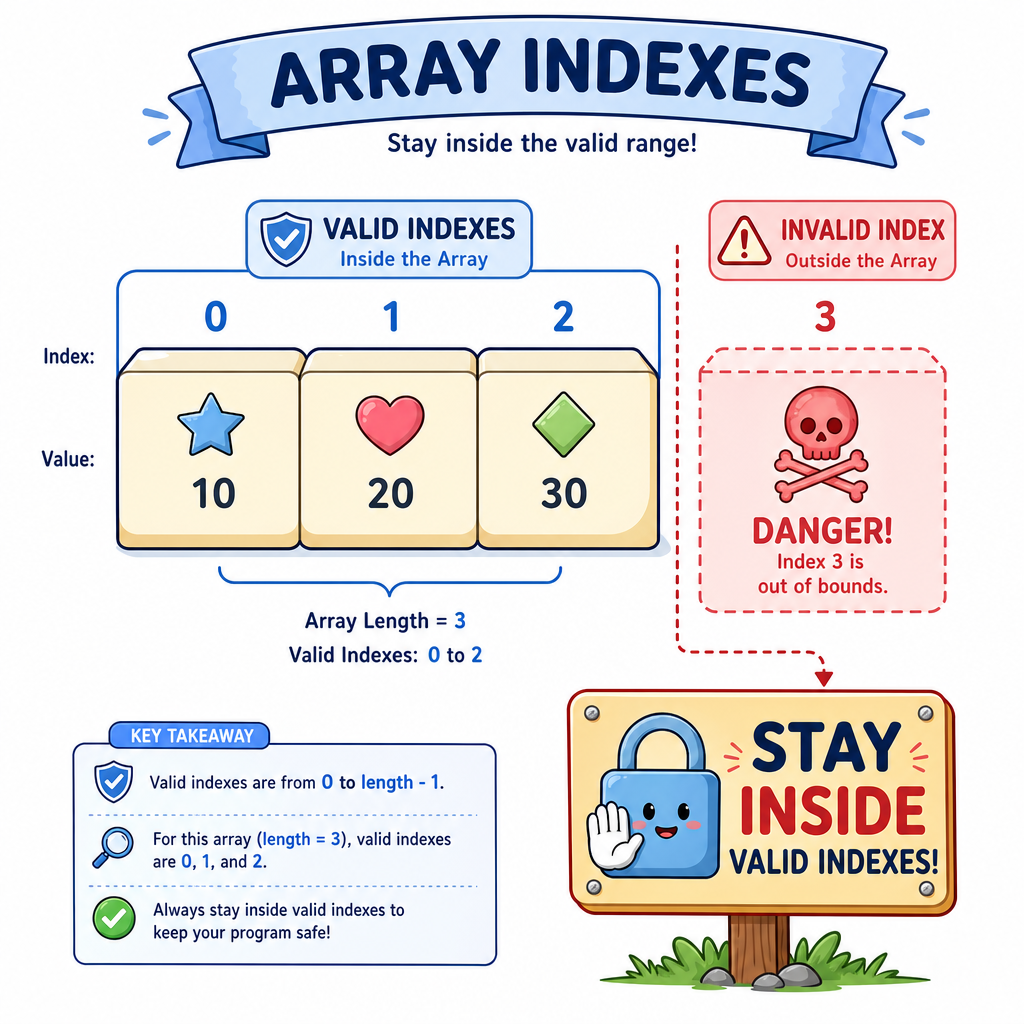
The biggest beginner mistake with arrays is using an index that does not exist.
For this array:
int measurements[3] = {5, 8, 13};
Valid indexes are:
measurements[0]measurements[1]measurements[2]
measurements[3] is not valid.
Why? Because an array of size 3 has indexes 0 through 2.
A helpful habit
When looping through an array of size N, use:
i < N
not:
i <= N
That one extra step can make your program read outside the array.
Renovation Checklist
Mini example: strings in an array
Arrays can store strings too, as long as each item has the same type: string.
Imagine you're planning a home renovation and want to print a short room checklist. This combines several things you've already learned:
- Variables from Variables and Data Types
- Output from Input and Output
- Loops from Control Flow
- Clean structure from the habits built in Functions
Next, in Pointers and References, you'll learn more about how C++ connects names, values, and memory. For now, focus on using arrays safely with indexes.
```cpp
#include <iostream>
#include <string>
using namespace std;

int main() {
    string rooms[4] = {"Kitchen", "Bathroom", "Garage", "Living room"};

    cout << "Renovation checklist:" << endl;

    for (int i = 0; i < 4; i++) {
        cout << i + 1 << ". Inspect the " << rooms[i] << endl;
    }

    return 0;
}
```