Building Blocks of Data Structures
Read at your own pace. Code execution, quizzes, progress tracking, and the AI tutor are available in the interactive view with JavaScript enabled.
Data Needs Homes
Welcome back, Data Builder!
In Discover Patterns with Sorting, you saw that putting data in a good order can make patterns easier to see.
Now we ask a new question:
Where should data live so Python can find it, change it, and use it easily?
A data structure is like a special container for data.
Just like toys can go in: - a line on the floor, - a box with labels, - a basket with no repeats,
data can go into structures that help computers work clearly.
This matters for data science, AI, and machine learning because computers learn from lots of organized data — not messy piles.
Three Friendly Containers
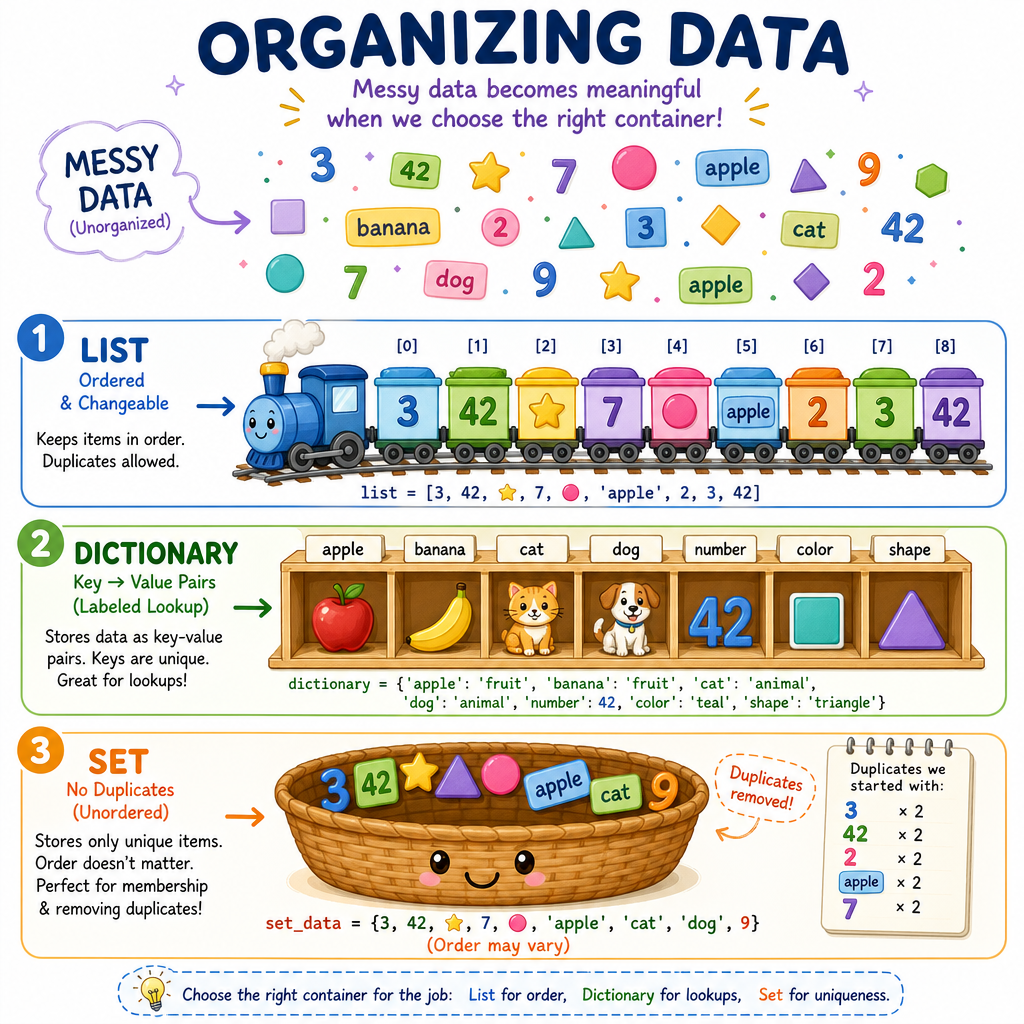
Data structures are containers
Think of data structures as different ways to keep your data tidy.
1. List
A list keeps things in order.
Example:
red, blue, green
The first color stays first unless we move it.
2. Dictionary
A dictionary keeps pairs:
label → value
Example:
color → red
It is like a name tag on a thing.
3. Set
A set keeps unique things only.
Example:
red, blue, red becomes red, blue
No repeats!
Today we learn what each one is good for.
Lists Keep Order
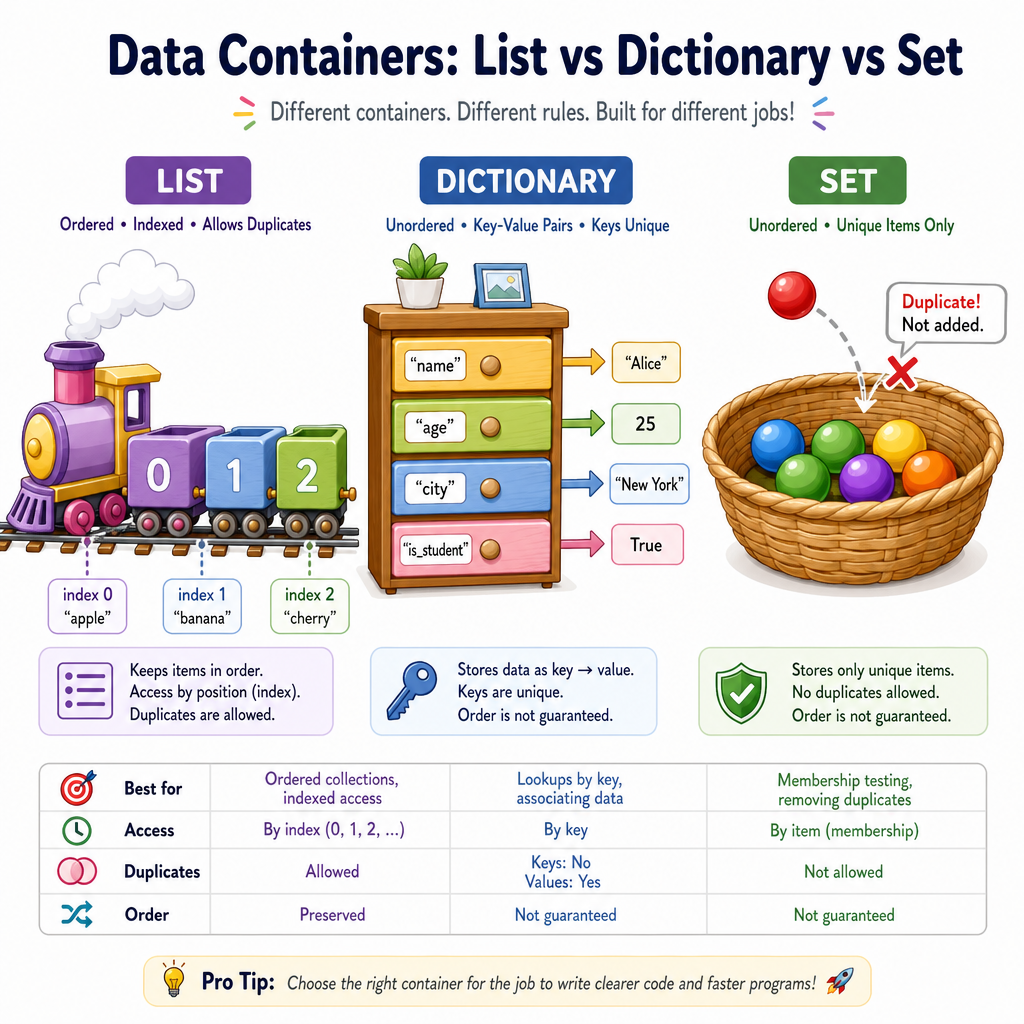
A list is a line of data
A Python list is useful when order matters.
You can imagine children standing in a line:
front → Ava, Ben, Cora → back
Python gives each spot a position number called an index.
Python starts counting positions at 0:
index:   0      1       2
item:  Ava    Ben     Cora
This is important because data scientists often store many values in lists: scores, colors, prices, measurements, and more.
```python
# A list keeps items in order
colors = ["red", "blue", "green"]

print("The whole list:", colors)
print("First item:", colors[0])
print("Second item:", colors[1])

# We can add one more item to the end
colors.append("yellow")
print("After adding yellow:", colors)
```
Choose A List
You are recording the order that three runners finished a race.
Which data structure is the best fit?
Dictionaries Use Labels
A dictionary is a labeled box
A Python dictionary stores data as pairs:
key → value
The key is the label. The value is what the label points to.
Imagine a card about one fruit:
color → red
shape → round
name  → apple
This connects nicely to Exploring Data Using Colors and Shapes, where you used clues called features. A dictionary is a great way to store those feature clues for one object.
```python
# A dictionary stores labels and values
fruit = {
    "name": "apple",
    "color": "red",
    "shape": "round"
}

print("Fruit card:", fruit)
print("Name:", fruit["name"])
print("Color:", fruit["color"])
print("Shape:", fruit["shape"])
```
Find The Label
In a dictionary, the label used to find a value is called a ____.
Sets Avoid Repeats
A set keeps only unique items
A set is useful when you want to know:
Which different things do I have?
If your data says:
red, blue, red, green, blue
a set keeps:
red, blue, green
It does not care about duplicates.
This is helpful when exploring data. For example, if you have many shapes, a set can quickly tell you which shape types appear at least once.
```python
# A set keeps unique items only
colors_seen = {"red", "blue", "red", "green", "blue"}

print("Unique colors:", colors_seen)
print("Did we see red?", "red" in colors_seen)
print("Did we see purple?", "purple" in colors_seen)
```
Set Or Not
True or false?
A set is a good choice when you want to remove repeated values and keep only unique values.
Tiny Dataset
Data structures can work together
Real data often needs more than one container.
A common pattern is:
list of dictionaries
That means:
- the list holds many things,
- each dictionary describes one thing,
- dictionary keys name the features.
This is like a tiny table:
name   color   size
apple  red     3
lime   green   2
plum   purple  2
In data science, rows often describe examples, and columns describe features.
```python
# A tiny dataset: a list of dictionaries
fruits = [
    {"name": "apple", "color": "red", "size": 3},
    {"name": "lime", "color": "green", "size": 2},
    {"name": "plum", "color": "purple", "size": 2}
]

print("First fruit:", fruits[0])
print("First fruit name:", fruits[0]["name"])

sizes = [fruit["size"] for fruit in fruits]
average_size = sum(sizes) / len(sizes)

print("Sizes:", sizes)
print("Average size:", average_size)
```
Pick Your Container
A simple choosing guide
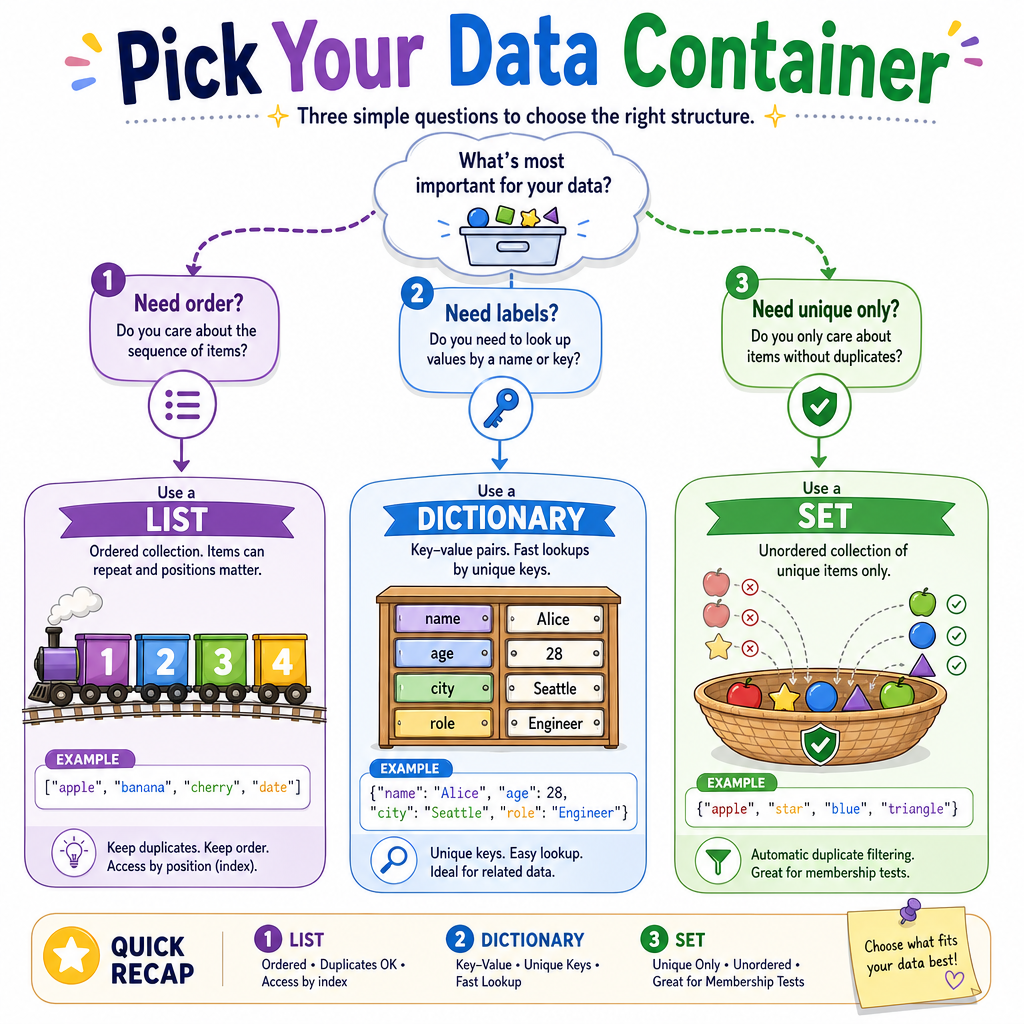
When you meet data, ask what job the container must do.
If you need... Use... Why? items in order list keeps first, second, third labels pointing to values dictionary storeskey → value pairs
no repeated items
set
keeps unique values
Big idea
Data structures are not just Python details. They are thinking tools.
They help you organize numbers, colors, shapes, features, and observations so a computer can work with them.
Next time, we will look at how computers follow step-by-step instructions using these organized pieces.