Continuous Integration and Deployment
Read at your own pace. Code execution, quizzes, progress tracking, and the AI tutor are available in the interactive view with JavaScript enabled.
Why CI/CD Now
From working code to shippable code
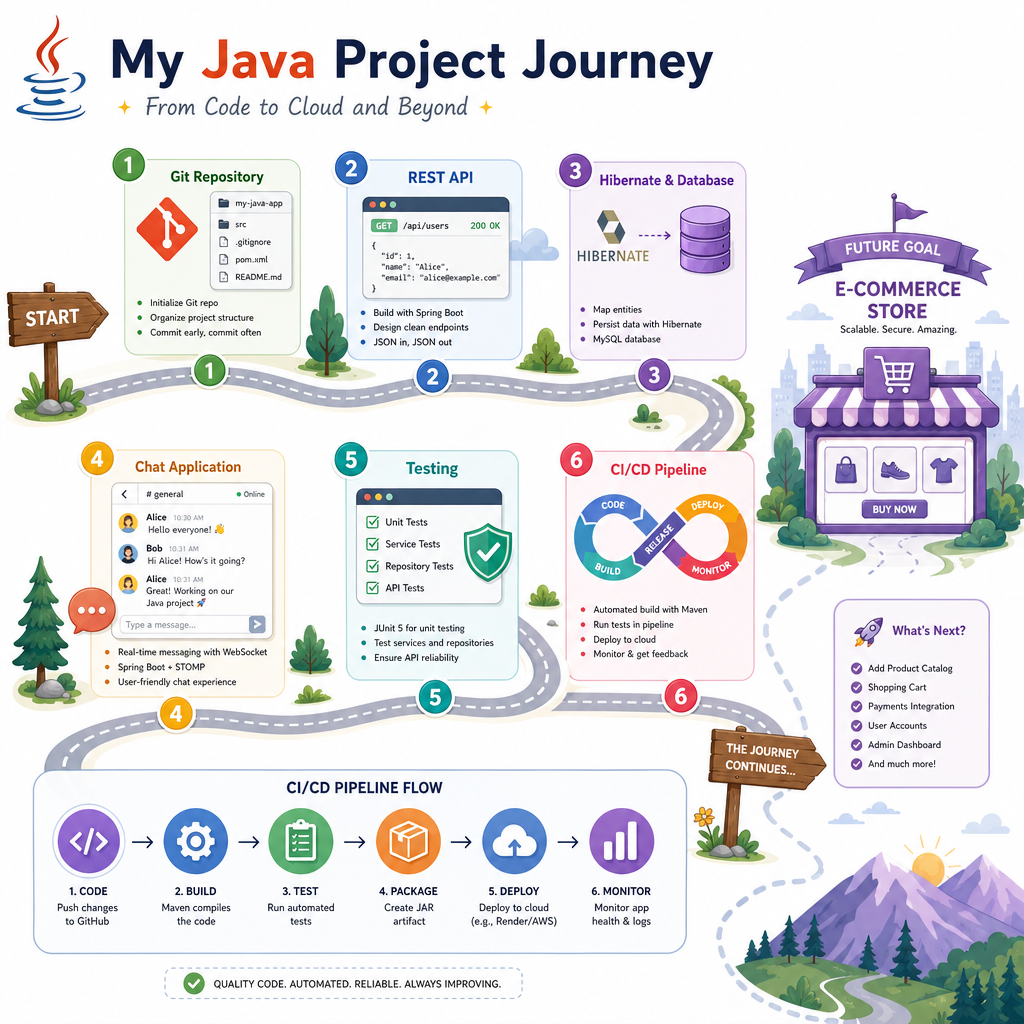
In Project Setup and Version Control, you created a clean repo baseline. In Building a RESTful Web Service, Database Integration with Hibernate, and the Real-time Chat Application, you shaped an actual Java project. In Testing and Debugging Java Projects, you made correctness executable.
Now we connect those pieces into a repeatable delivery loop:
- every commit is checked automatically
- tests run without depending on your laptop
- build artifacts are produced consistently
- deployment becomes a controlled process, not a risky manual ritual
CI/CD is where project discipline becomes team reliability. It is also the last infrastructure lesson before applying the full workflow to the upcoming e-commerce project.
Pipeline Mental Model
A pipeline is a trusted conveyor belt
A CI/CD pipeline answers one question repeatedly:
Can this exact version of the project be safely promoted?
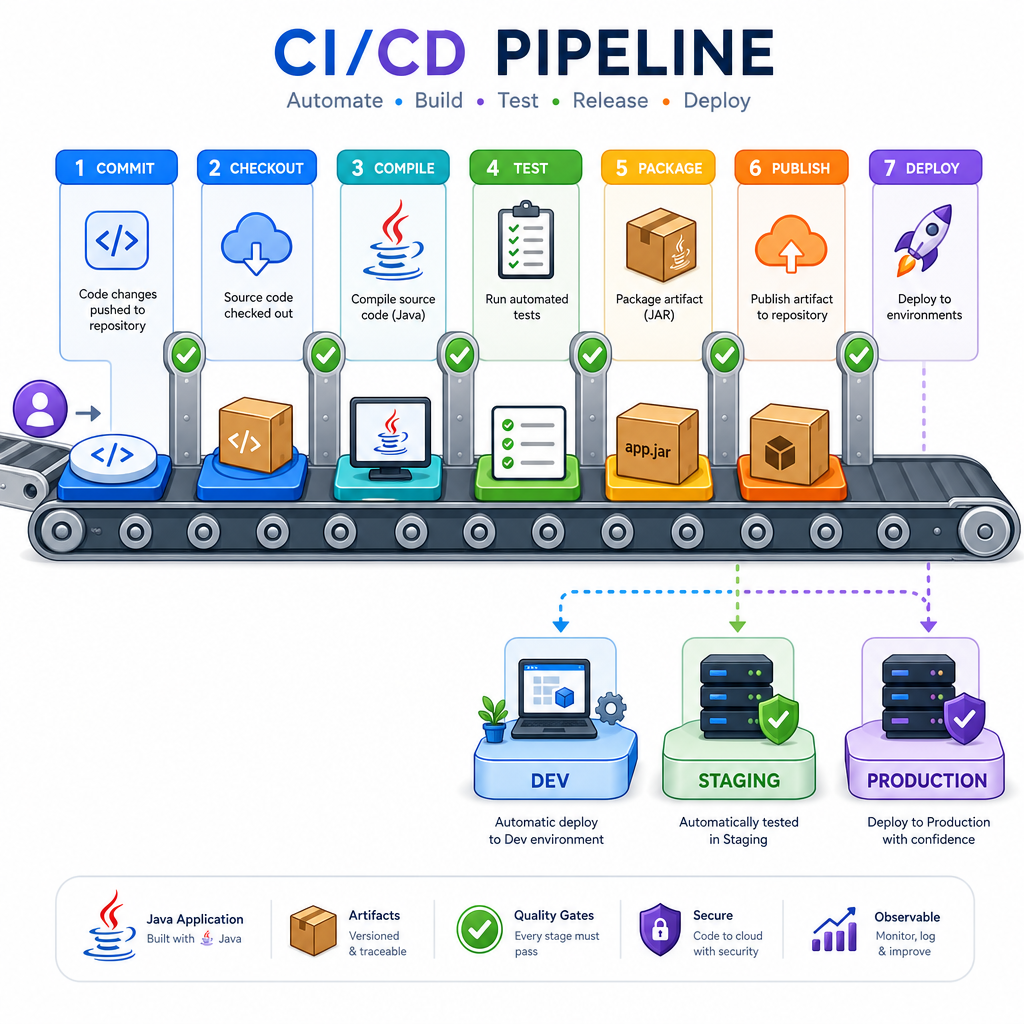
A practical Java pipeline usually has these stages:
commit
  ↓
checkout source
  ↓
compile
  ↓
run tests
  ↓
package artifact
  ↓
publish artifact
  ↓
deploy to environment
The key idea is promotion. You do not rebuild a different application for production. You build once, then promote the same artifact through environments with different configuration.
That keeps debugging honest: when staging passes and production fails, you investigate environment, configuration, data, or infrastructure—not whether a different binary was built.
Trigger Choice
A Java team wants to protect the main branch from broken changes. Which CI trigger is the best default?
Build Fingerprints
Reproducibility needs evidence
A CI server is valuable because it creates a neutral build record. At minimum, every build should make it easy to answer:
- Which Java version built this?
- Which source revision built this?
- What artifact was produced?
- How can we verify it did not change?
The small Java program below simulates a build fingerprint. In a real pipeline, the commit SHA comes from Git and the artifact hash comes from the packaged JAR or Docker image.
```java
import java.nio.charset.StandardCharsets;
import java.security.MessageDigest;
import java.time.Instant;

public class BuildFingerprintDemo {
    public static void main(String[] args) throws Exception {
        String commitSha = args.length > 0 ? args[0] : "local-dev-commit";
        String artifactName = "chat-service-1.0.0.jar";
        String simulatedArtifactContent = artifactName + ":" + commitSha + ":compiled-bytecode";

        MessageDigest digest = MessageDigest.getInstance("SHA-256");
        byte[] hash = digest.digest(simulatedArtifactContent.getBytes(StandardCharsets.UTF_8));

        System.out.println("Build time: " + Instant.now());
        System.out.println("Java version: " + System.getProperty("java.version"));
        System.out.println("Commit: " + commitSha);
        System.out.println("Artifact: " + artifactName);
        System.out.println("SHA-256: " + toHex(hash));
    }

    private static String toHex(byte[] bytes) {
        StringBuilder result = new StringBuilder();
        for (byte b : bytes) {
            result.append(String.format("%02x", b));
        }
        return result.toString();
    }
}
```
Quality Gates
CI turns tests into gates
In Testing and Debugging Java Projects, tests helped you reason locally. In CI, those same checks become a gate that protects the shared codebase.
A quality gate should be:
- automatic: no one manually decides whether to run it
- fast enough: developers get feedback while the context is fresh
- clear: failure output points toward the broken behavior
- blocking: broken builds should not be promoted
This standalone example models a tiny gate around message validation, similar to the chat project boundary.
```java
import java.util.ArrayList;
import java.util.List;

public class QualityGateDemo {
    public static void main(String[] args) {
        List<String> failures = new ArrayList<>();

        check("normal message is valid", ChatMessageValidator.isValid("hello team"), failures);
        check("blank message is invalid", !ChatMessageValidator.isValid("   "), failures);
        check("very long message is invalid", !ChatMessageValidator.isValid("x".repeat(281)), failures);

        if (failures.isEmpty()) {
            System.out.println("QUALITY GATE PASSED: all checks green");
        } else {
            System.out.println("QUALITY GATE FAILED");
            failures.forEach(failure -> System.out.println(" - " + failure));
            System.exit(1);
        }
    }

    private static void check(String name, boolean condition, List<String> failures) {
        System.out.println("Running check: " + name);
        if (!condition) {
            failures.add(name);
        }
    }

    static class ChatMessageValidator {
        static boolean isValid(String message) {
            return message != null && !message.trim().isEmpty() && message.length() <= 280;
        }
    }
}
```
Broken Deployments
True or false: A CI/CD pipeline should deploy the application even if the test stage fails, as long as a developer promises to fix the issue later.
Deployment Boundaries
Build once, configure per environment
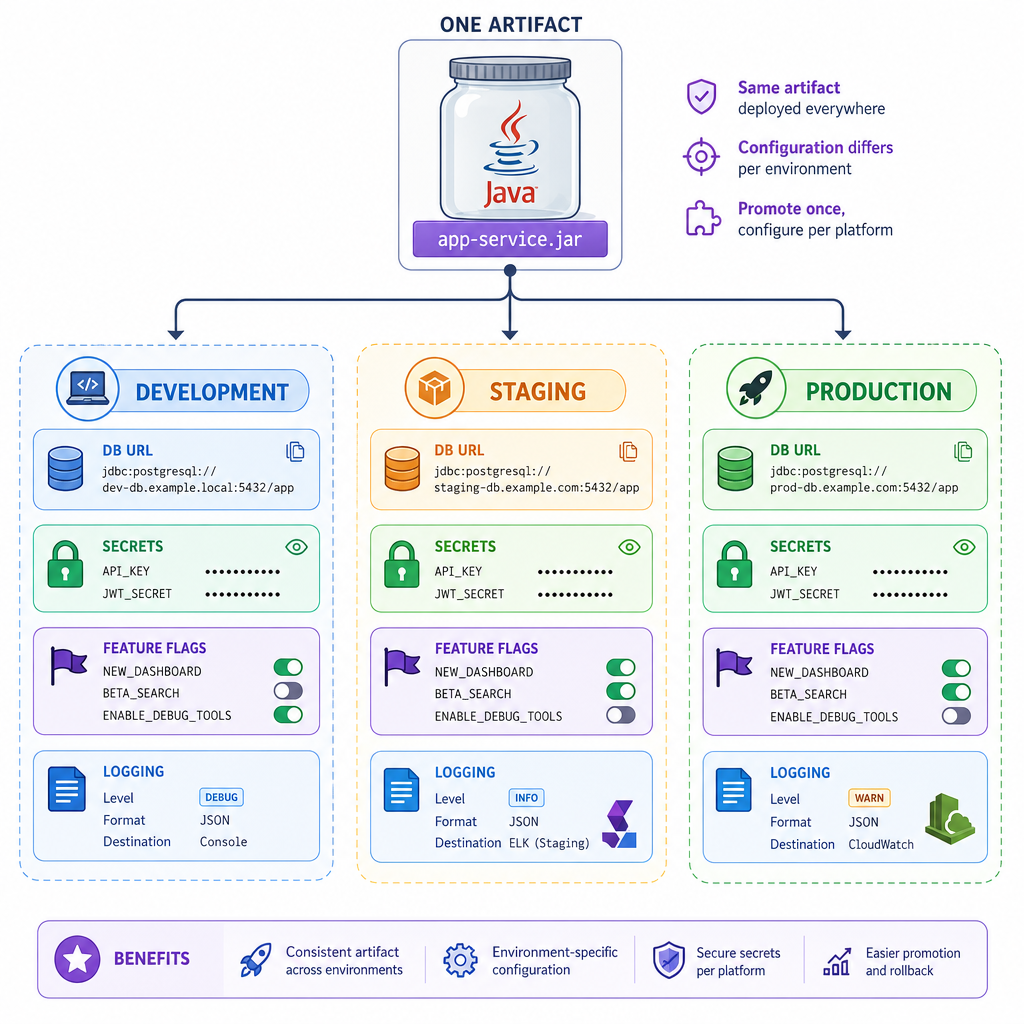
Deployment is not just copying files. It is moving a verified artifact into an environment with the correct runtime configuration.
Common environment-specific values include:
- database URL
- credentials or secret references
- feature flags
- logging level
- external service endpoints
The artifact should stay the same. Configuration changes around it.
same JAR + dev config      → development
same JAR + staging config  → staging
same JAR + prod config     → production
This separation reduces the classic production mystery: "It worked on my machine."
Artifact Term
In CI/CD, the packaged output that is built once and promoted through environments is called an ______.
Workflow Shape
What a real workflow contains
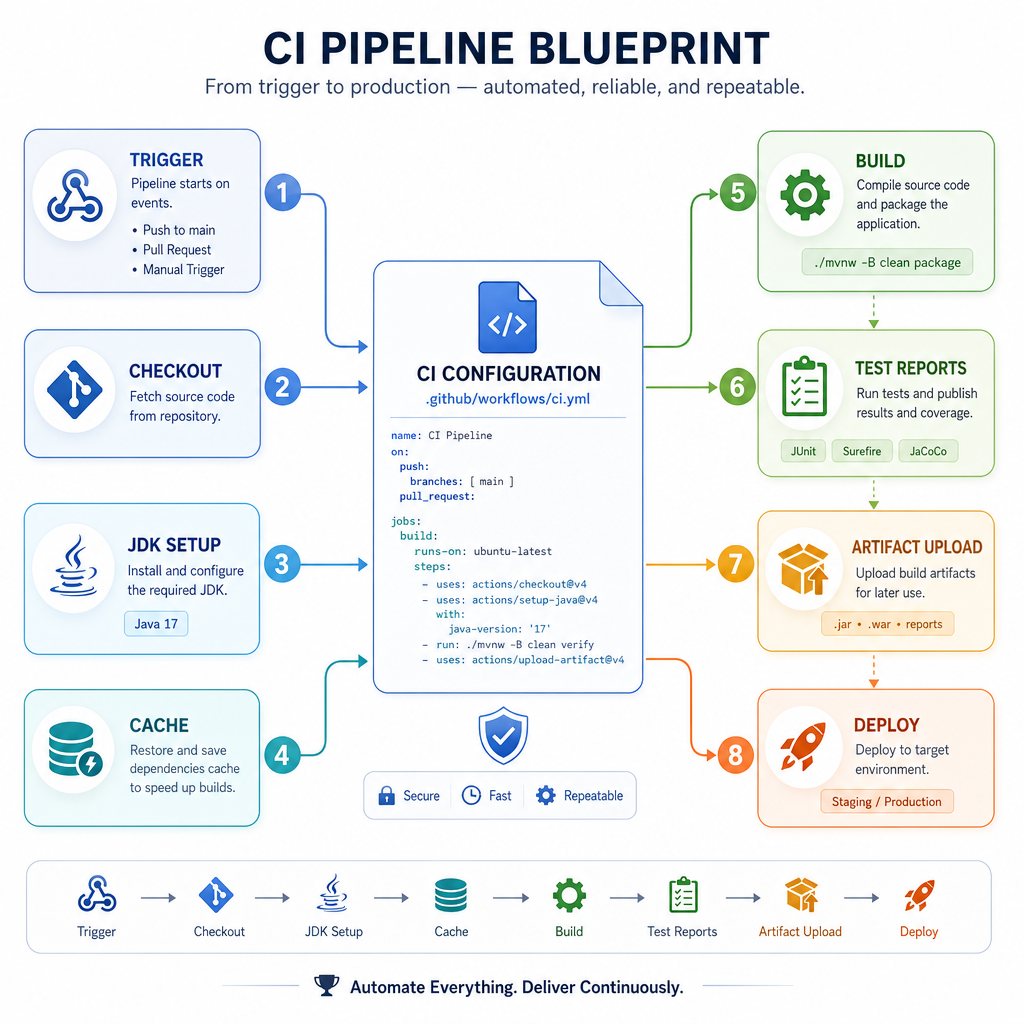
Whether you use GitHub Actions, GitLab CI, Jenkins, or another tool, the shape is similar.
A minimal Java workflow needs:
- Trigger: pull request, push to main, or release tag
- Checkout: fetch the repository source
- JDK setup: install the expected Java version
- Dependency cache: speed up Maven or Gradle downloads
-
Build command: usually
mvn test packageorgradle build - Artifact upload: store the generated JAR or report
- Deployment step: only for approved branches or tags
The important design choice: do not hide project knowledge inside a developer laptop. Encode it in the pipeline so the team can inspect, repeat, and improve it.
Release Checklist
Before calling it deployable
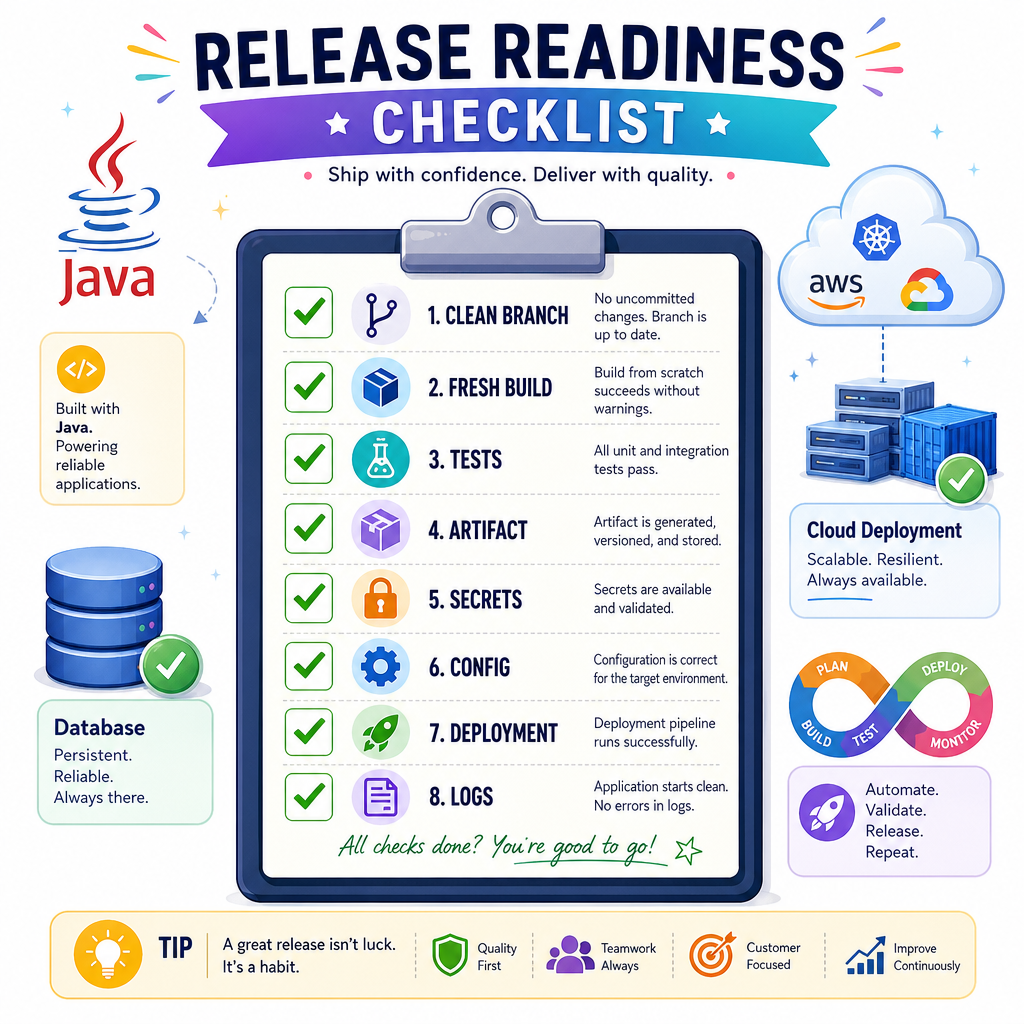
For the projects in this course, use this compact release checklist:
- Repo has a clean default branch
- Build runs from a fresh checkout
- Tests run automatically
- Failures block promotion
- Artifact is versioned or fingerprinted
- Secrets are not committed to Git
- Environment configuration is externalized
- Deployment target is explicit
- Logs can identify version and environment
CI/CD is not only tooling. It is the project’s operating system for change.
Next, you will apply the project structure, patterns, persistence, testing, and delivery mindset to a larger real-time build: an e-commerce platform.