CSS Animation
Read at your own pace. Code execution, quizzes, progress tracking, and the AI tutor are available in the interactive view with JavaScript enabled.
Motion With Purpose
Why CSS animation matters
Now that you've covered React Basics and Responsive Web Design, your UI can respond to state and fit different screens. CSS animation adds the next layer: change that users can understand.
Good motion is not decoration. It helps people answer:
- What just changed?
- Where did that thing come from?
- Is this interactive?
- Did my action work?
Think of it like an action movie cut: a clean transition keeps the audience oriented. A chaotic one makes the scene feel cheap.
In staff-level frontend work, animation is also an engineering topic: performance, accessibility, state coordination, and design systems all show up quickly.

States Over Time
The core mental model
CSS animation is about moving an element between visual states over time.
You already know from React Basics that state changes UI. Animation answers: what happens between the old UI and the new UI?
A simple way to model it:
start style  ── time + easing ──> end style
opacity: 0                         opacity: 1
scale: .95                         scale: 1
CSS gives you two main tools:
- Transitions: animate when a property changes
- Keyframes: define multiple moments in an animation timeline
If transitions are a smooth camera pan, keyframes are a choreographed fight scene.
```javascript
// A tiny JavaScript model of what CSS interpolation does conceptually.
// Run with: node animation-model.js

function interpolate(start, end, progress) {
  return start + (end - start) * progress;
}

const frames = [0, 0.25, 0.5, 0.75, 1];

for (const progress of frames) {
  const opacity = interpolate(0, 1, progress);
  const x = interpolate(-40, 0, progress);
  console.log(`progress=${progress}: opacity=${opacity.toFixed(2)}, translateX=${x.toFixed(0)}px`);
}
```
Transition Or Keyframes
You hover over a button and want it to smoothly change background color and lift slightly. Which CSS animation tool is usually the best fit?
Transitions Feel Native
Transitions: animate property changes
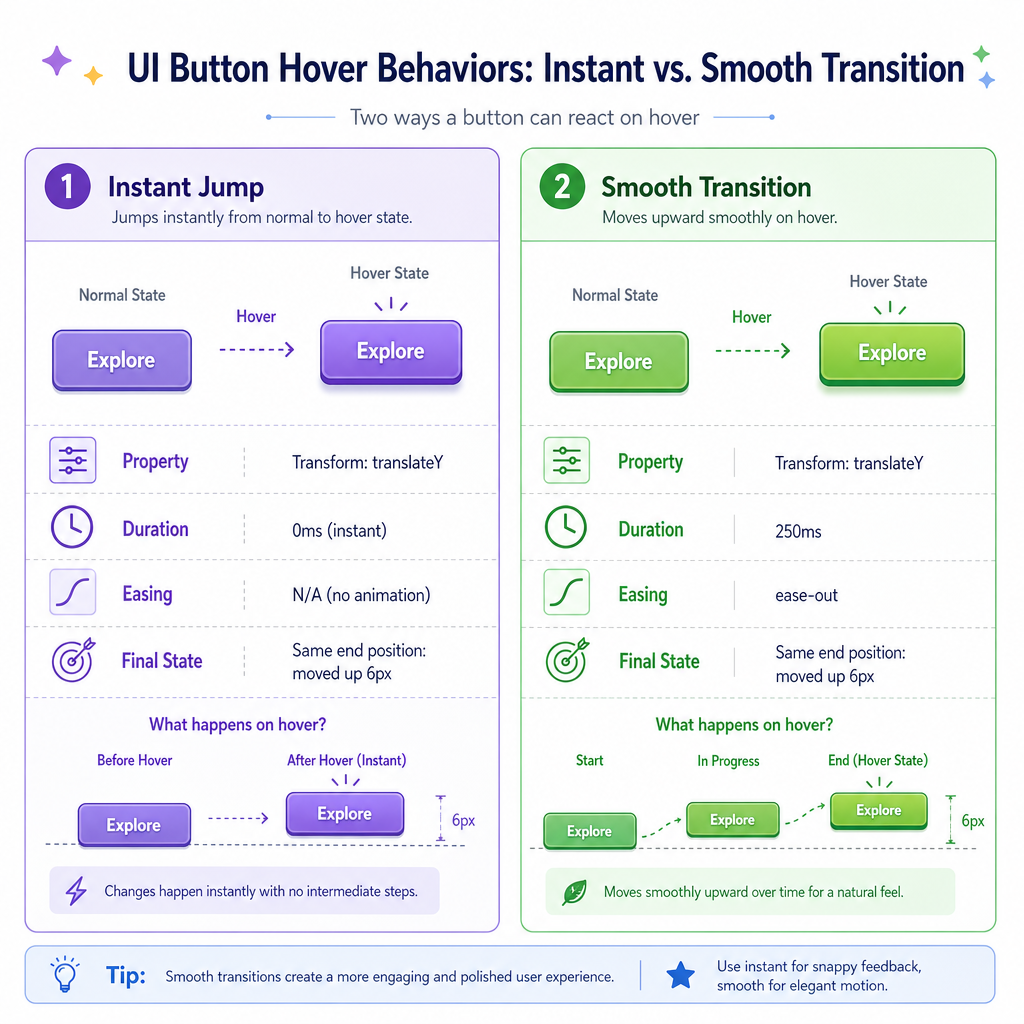
A transition tells the browser:
When this property changes, don't jump instantly. Animate it over this duration using this timing curve.
Common transition ingredients:
-
property: what changes, like
opacityortransform -
duration: how long it takes, like
180ms -
timing function: the feel, like
ease-out - delay: optional wait before starting
Example CSS shape:
transition: transform 180ms ease-out, opacity 180ms ease-out;
Then a later state changes the values:
.card:hover { transform: translateY(-4px); opacity: 0.96; }
Use transitions for small state changes: hover, focus, opening a menu, selecting a chip, showing validation.
Keyframes Choreograph
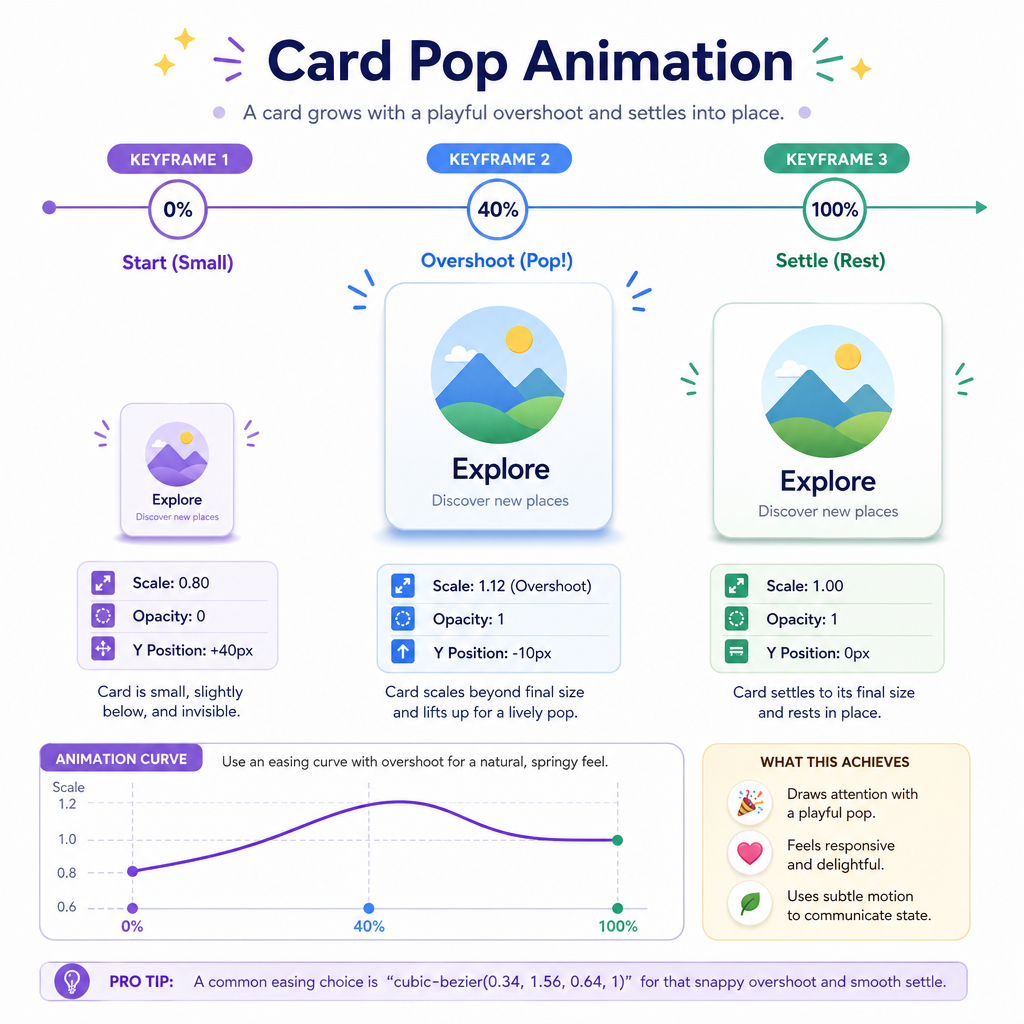
Keyframes: define a timeline
Use keyframes when the animation has its own story rather than just reacting to a single property change.
Good use cases:
- Loading indicators
- Skeleton shimmer effects
- Toast entrance plus exit choreography
- Game-like UI feedback, such as a puzzle tile bounce
- Attention cues, used sparingly
Mental model:
0%        40%         100%
small -> overshoot -> settled
A keyframe animation can include multiple beats: anticipation, movement, overshoot, settle. That makes it powerful — and easy to overdo.
Staff-level judgment: if the motion repeats forever or grabs attention, ask whether it helps the user or just shows off.
```javascript
// A conceptual keyframe sampler in JavaScript.
// CSS would do this visually; here we log the timeline.

const keyframes = [
  { percent: 0, scale: 0.96, label: 'start slightly small' },
  { percent: 40, scale: 1.04, label: 'overshoot for energy' },
  { percent: 100, scale: 1, label: 'settle into final size' }
];

for (const frame of keyframes) {
  console.log(`${frame.percent}%: scale(${frame.scale}) — ${frame.label}`);
}
```
Performance Properties
Animate cheap properties first
Not all animated properties cost the same.
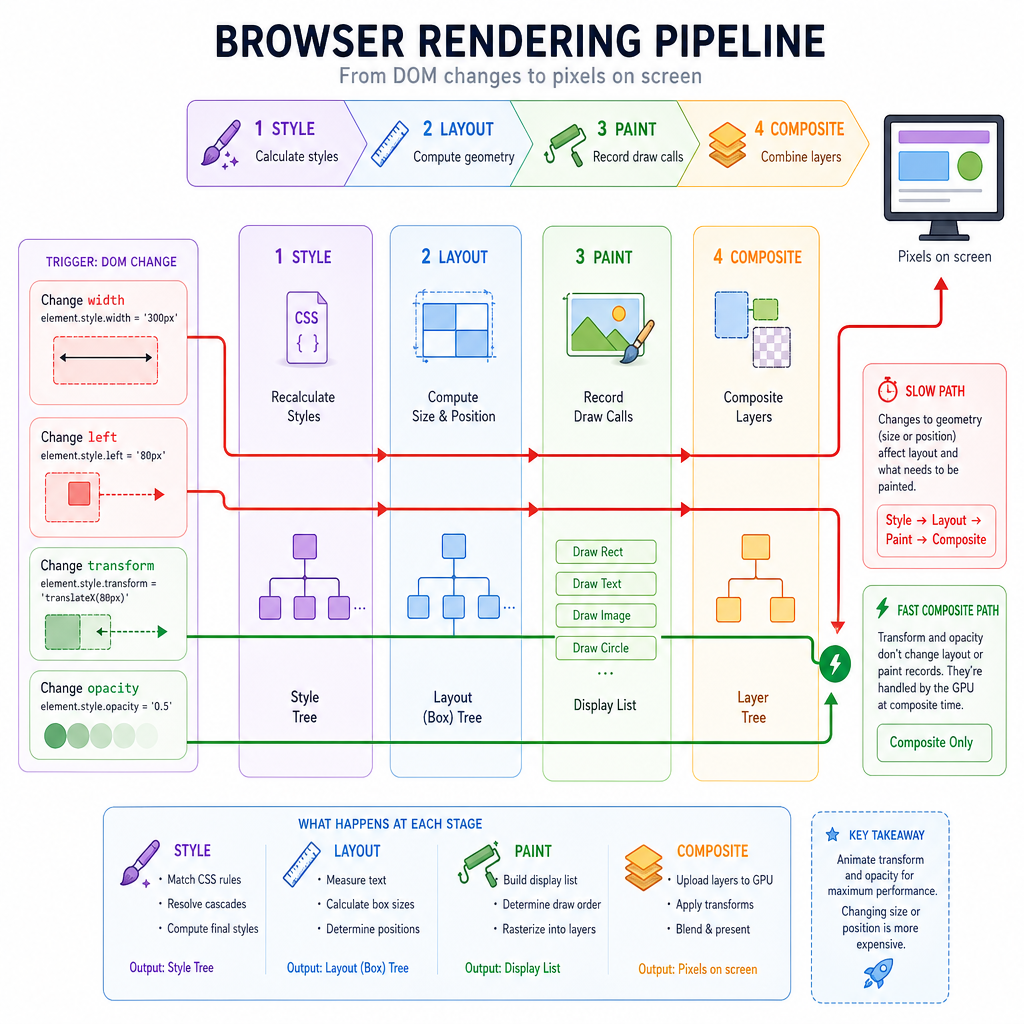
Browsers generally do rendering work in stages:
style -> layout -> paint -> composite
For smooth animation, prefer properties that can often be handled in the composite stage:
transformopacity
Be cautious with properties that often trigger layout or paint:
-
width,height -
top,left -
margin,padding -
box-shadowat large blur sizes
Instead of animating left: 0 -> 100px, usually animate transform: translateX(100px).
This is where your Responsive Web Design foundation matters: layout should be stable, while animation layers movement on top.
Choose The Property
For smooth movement, prefer animating _____ instead of layout properties like top, left, width, or height.
Easing Is Personality
Easing controls the feel
Duration says how long. Easing says how it moves.
Common choices:
-
linear: constant speed; useful for loaders, rarely natural for UI movement -
ease-out: starts faster, settles gently; great for entrances and hover feedback -
ease-in: starts slowly, exits quickly; useful when something leaves -
ease-in-out: soft on both ends; useful for larger transitions
For interviews and real systems, don't just say "make it smooth." Explain the intent:
This toast enters with
ease-outso it feels responsive immediately, then settles without snapping.
That level of vocabulary helps you collaborate with design without waiting for the Introduction to UX Design lesson to formalize the user-centered side.
```javascript
// Compare how easing functions change progress over time.
// These numbers represent animation progress, not pixels.

function linear(t) {
  return t;
}

function easeOutCubic(t) {
  return 1 - Math.pow(1 - t, 3);
}

const samples = [0, 0.2, 0.4, 0.6, 0.8, 1];

for (const t of samples) {
  console.log(
    `time=${t.toFixed(1)} linear=${linear(t).toFixed(2)} easeOut=${easeOutCubic(t).toFixed(2)}`
  );
}
```
Reduced Motion
True or false: If an animation is implemented only in CSS, accessibility concerns such as reduced motion preferences do not apply.
Motion Checklist
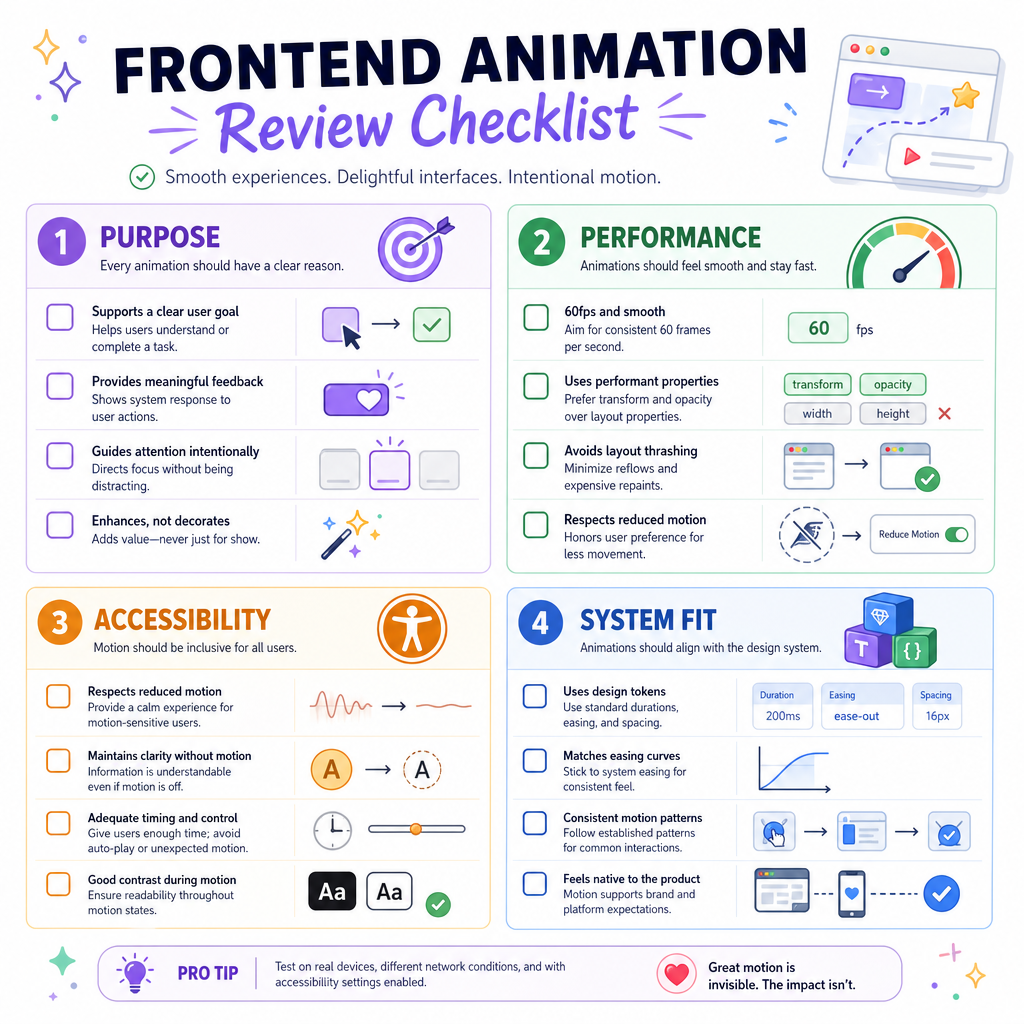
A practical animation checklist
Before shipping motion, run this quick staff-level review:
Purpose
- Does the animation explain a state change?
- Does it support the task, or distract from it?
Performance
- Are you mostly animating
transformandopacity? - Does it stay smooth on a mid-range device?
Accessibility
- Is there a reduced-motion path?
- Is important information also available without motion?
System fit
- Are durations and easings consistent with the rest of the product?
- Could this become a reusable pattern?
Animation is one of those frontend skills where craft and engineering meet. Next, Version Control with Git will shift from UI behavior to how you safely manage and review code changes over time.