Designing a Simple Key-Value Store
Read at your own pace. Code execution, quizzes, progress tracking, and the AI tutor are available in the interactive view with JavaScript enabled.
From Contract To Store
Why this lesson matters
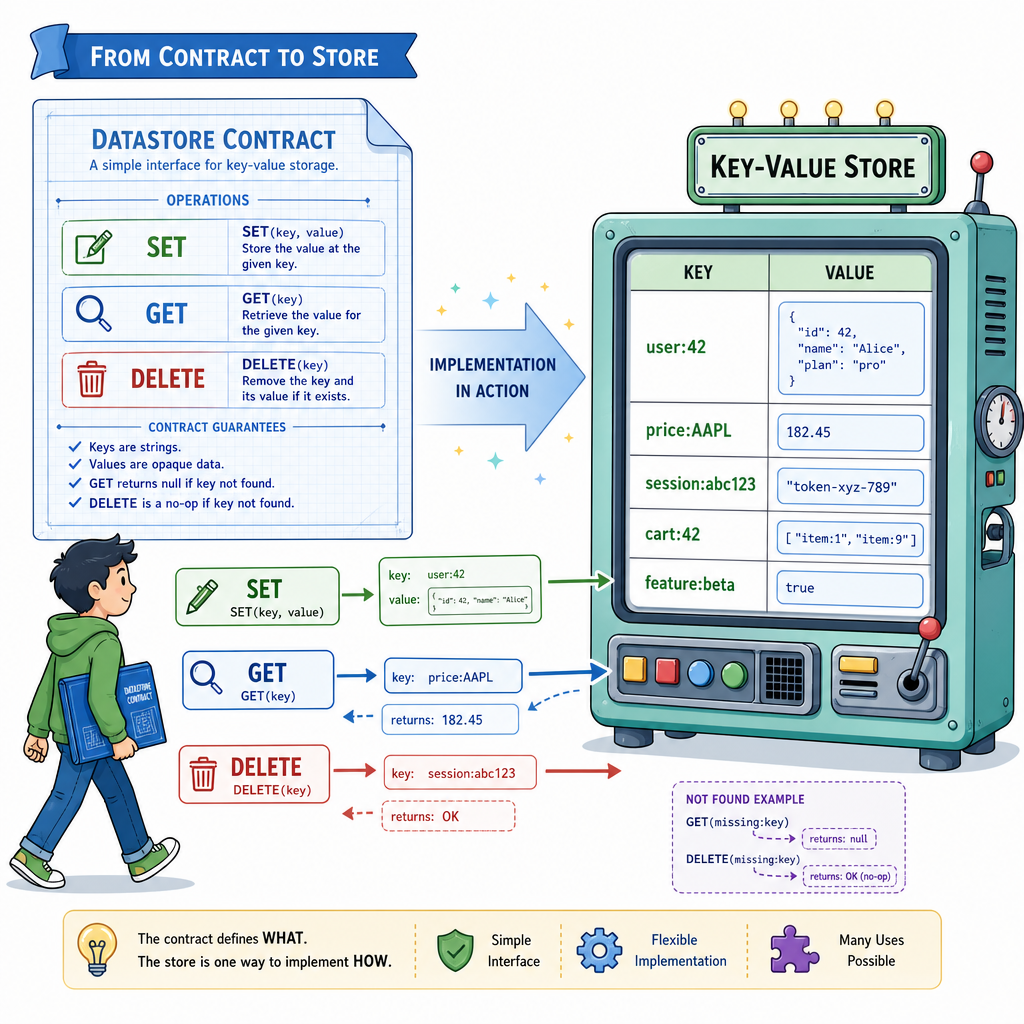
In Data Store Fundamentals, we framed a datastore as a contract: clients ask it to store, retrieve, update, and sometimes forget data while balancing speed, durability, and simplicity.
Now we’ll build the smallest useful datastore in that spirit: a key-value store.
Think of it like a tiny Redis-inspired system:
- A key is a unique name, like
user:42orprice:AAPL - A value is the data associated with that key
- Operations are intentionally small:
SET,GET,DELETE
This lesson stays focused on the in-memory core. Later, we’ll expand it with more production-like features.
Key Value Mental Model
The core idea
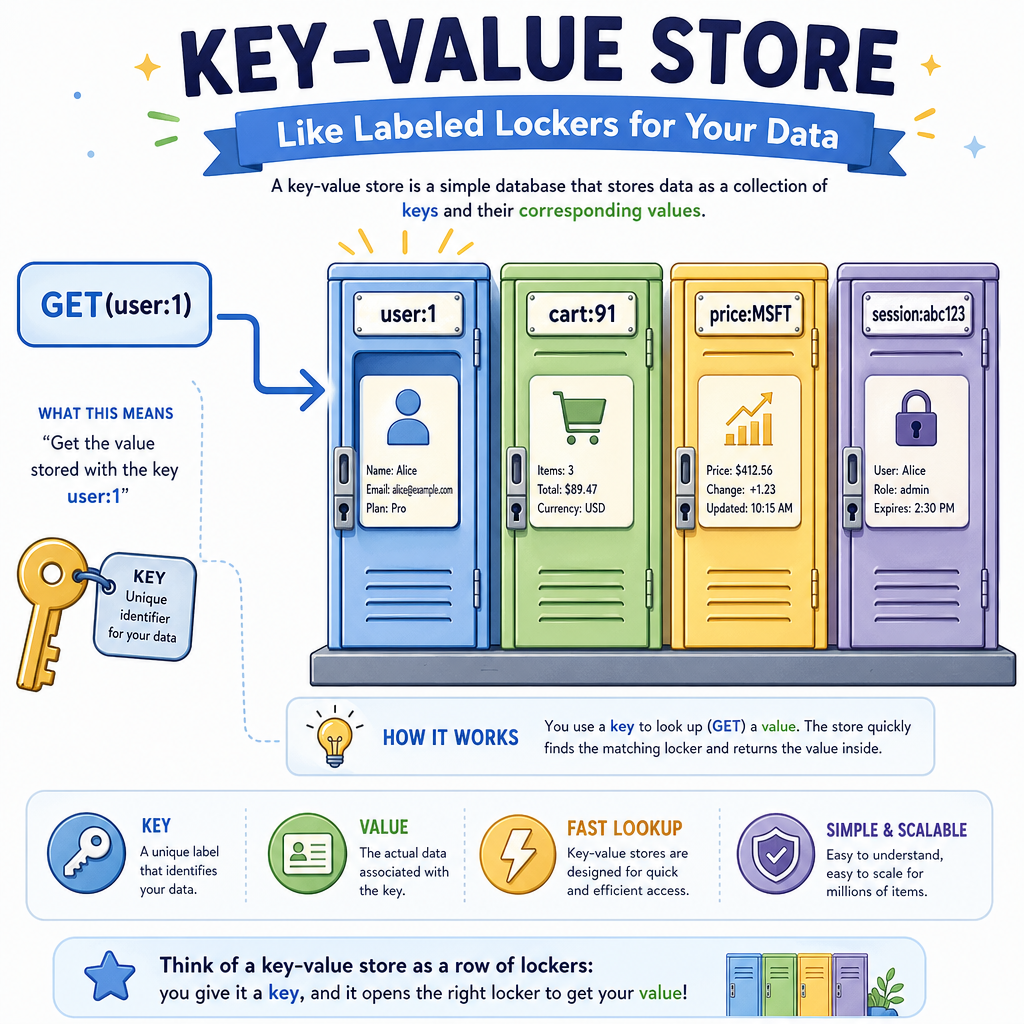
A key-value store is conceptually a map:
key              value
--------------   ----------------
"user:1"      -> "Ada"
"cart:91"     -> "item-7,item-8"
"price:MSFT"  -> "421.50"
The store does not need to understand the value deeply. It only needs to associate a key with bytes, strings, JSON, or another encoded representation.
That’s why key-value stores are so fast and flexible:
- They avoid complex query planning
- They usually access data directly by key
- They fit naturally into hash-table-like structures
For software systems, this makes them great for caches, sessions, feature flags, rate limits, and fast lookup tables.
Start With Dict
Python gives us the primitive
In Python, the closest primitive for an in-memory key-value store is dict.
A dict is backed by a hash-table-like implementation, which means average-case lookup, insert, and delete are very fast.
Let’s wrap it in a tiny class instead of using the raw dictionary directly. This gives us a place to define our datastore contract cleanly.
```python
class KeyValueStore:
    def __init__(self):
        self.data = {}

    def set(self, key, value):
        self.data[key] = value
        return "OK"

    def get(self, key):
        return self.data.get(key)

    def delete(self, key):
        if key in self.data:
            del self.data[key]
            return True
        return False


store = KeyValueStore()
print(store.set("user:1", "Ada"))
print(store.get("user:1"))
print(store.delete("user:1"))
print(store.get("user:1"))
```
Choose The Primitive
You are implementing the in-memory core of a simple key-value datastore in Python.
Which built-in data structure is the most natural starting point?
Add Command Semantics
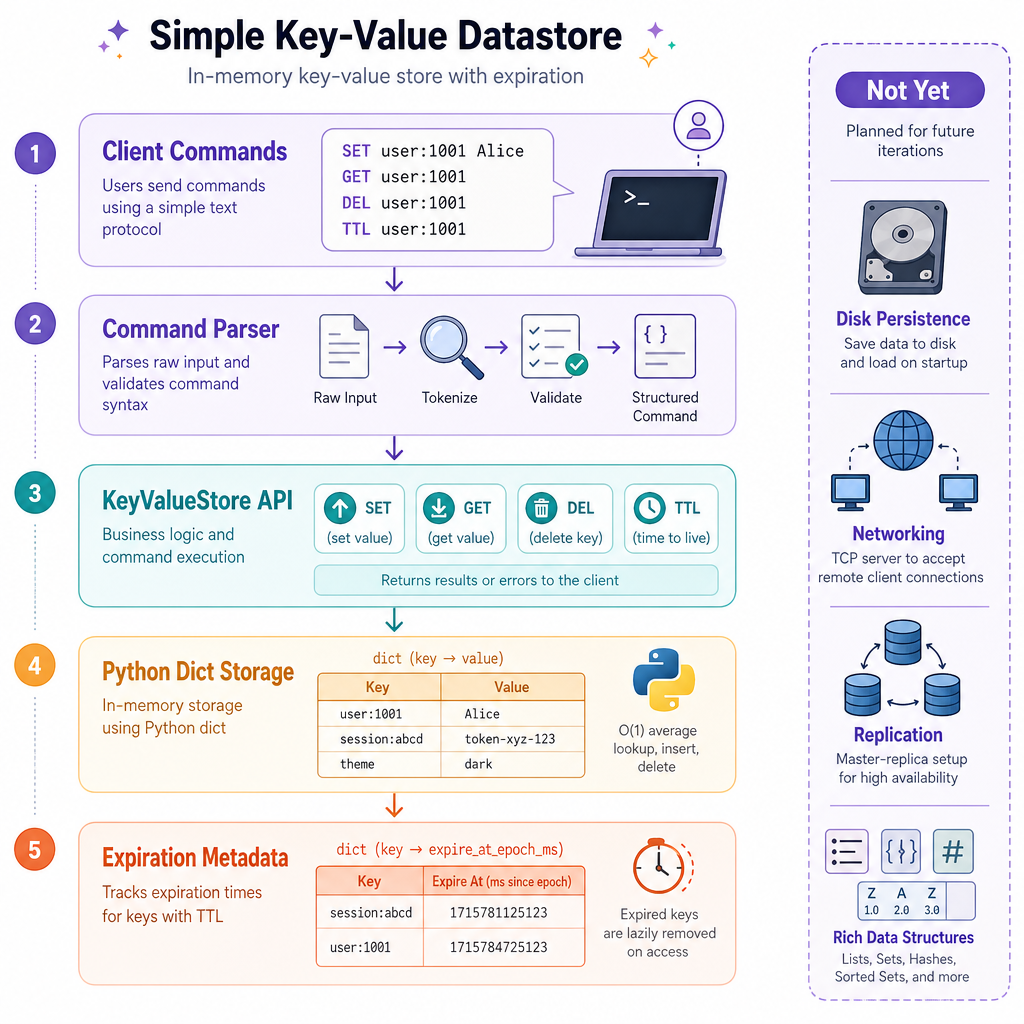
From methods to datastore commands
Real datastores usually expose commands rather than direct method calls.
Redis-style commands look like this:
SET user:1 Ada
GET user:1
DEL user:1
We can add a small command interpreter that converts strings into method calls.
This is not a network server yet. It is just the command layer: a thin boundary between the client’s request and the storage engine.
```python
class KeyValueStore:
    def __init__(self):
        self.data = {}

    def set(self, key, value):
        self.data[key] = value
        return "OK"

    def get(self, key):
        value = self.data.get(key)
        return value if value is not None else "(nil)"

    def delete(self, key):
        existed = key in self.data
        self.data.pop(key, None)
        return 1 if existed else 0

    def execute(self, command_line):
        parts = command_line.split(maxsplit=2)
        if not parts:
            return "ERR empty command"

        command = parts[0].upper()

        if command == "SET" and len(parts) == 3:
            return self.set(parts[1], parts[2])
        if command == "GET" and len(parts) == 2:
            return self.get(parts[1])
        if command == "DEL" and len(parts) == 2:
            return self.delete(parts[1])

        return "ERR unknown or invalid command"


store = KeyValueStore()
commands = [
    "SET user:1 Ada",
    "GET user:1",
    "DEL user:1",
    "GET user:1",
    "SET price:AAPL 182.31",
    "GET price:AAPL"
]

for command in commands:
    print(f"> {command}")
    print(store.execute(command))
```
Memory Is Enough
True or false:
If a key-value store uses only an in-memory Python dict, then its data will still be available after the program exits and restarts.
Support Expiring Keys
A useful Redis-like behavior
Many key-value stores support time-to-live, often abbreviated as TTL.
A TTL says: “store this key, but only for a limited time.”
This is useful for:
- Login sessions
- Temporary verification codes
- Rate-limit counters
- Cached market or pricing data
The simplest implementation keeps a second dictionary:
data[key]        -> value
expires_at[key]  -> Unix timestamp
On GET, we check whether the key has expired before returning it.
```python
import time

class KeyValueStore:
    def __init__(self):
        self.data = {}
        self.expires_at = {}

    def set(self, key, value, ttl_seconds=None):
        self.data[key] = value
        if ttl_seconds is None:
            self.expires_at.pop(key, None)
        else:
            self.expires_at[key] = time.time() + ttl_seconds
        return "OK"

    def _is_expired(self, key):
        deadline = self.expires_at.get(key)
        return deadline is not None and time.time() >= deadline

    def get(self, key):
        if self._is_expired(key):
            self.data.pop(key, None)
            self.expires_at.pop(key, None)
            return "(nil)"
        return self.data.get(key, "(nil)")


store = KeyValueStore()
store.set("session:abc", "user:1", ttl_seconds=1)
print("Immediately:", store.get("session:abc"))

time.sleep(1.2)
print("After expiry:", store.get("session:abc"))

store.set("feature:dark_mode", "enabled")
print("No TTL:", store.get("feature:dark_mode"))
```
Name The Command
Complete the Redis-style command that stores a value under a key:
____ user:7 Ava
Know The Boundaries
What we have built
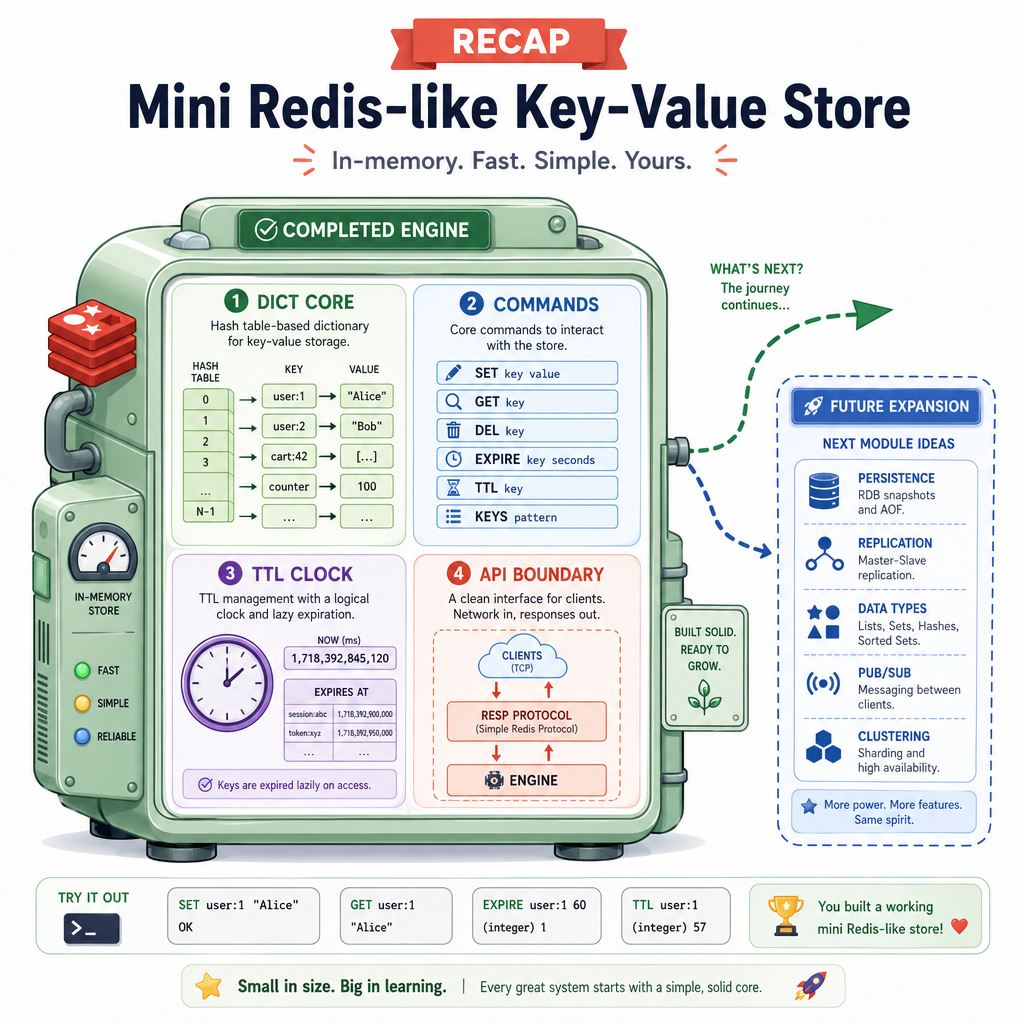
Our store now has the basic shape of a Redis-like key-value database:
- A hash-map-backed storage engine
- Basic commands:
SET,GET,DEL - Optional key expiration with TTL
- A command boundary that resembles a real datastore interface
What it does well
For direct key lookups, this design is excellent. If you know the exact key, access is fast and simple.
What it does not do yet
This version does not provide:
- Persistence to disk
- Networking
- Authentication
- Replication
- Rich data structures like lists, sets, or sorted sets
- Querying by fields inside values
That boundary is important. A key-value store is powerful because it keeps the contract narrow.
Lesson Recap
You built the core
In this lesson, we turned the datastore contract from Data Store Fundamentals into a working in-memory key-value store.
You should now be able to explain:
- Why a key-value store maps naturally to a hash table
- How
SET,GET, andDELform a small but useful API - Why a command layer helps separate client input from storage logic
- How TTL can be modeled with expiration timestamps
- Why an in-memory store is fast but not automatically durable
Next, we’ll continue expanding the key-value store toward more realistic datastore behavior without losing the clean core we just designed.