Developer Workflow and Project Settings
Read at your own pace. Code execution, quizzes, progress tracking, and the AI tutor are available in the interactive view with JavaScript enabled.
Why Workflow Matters
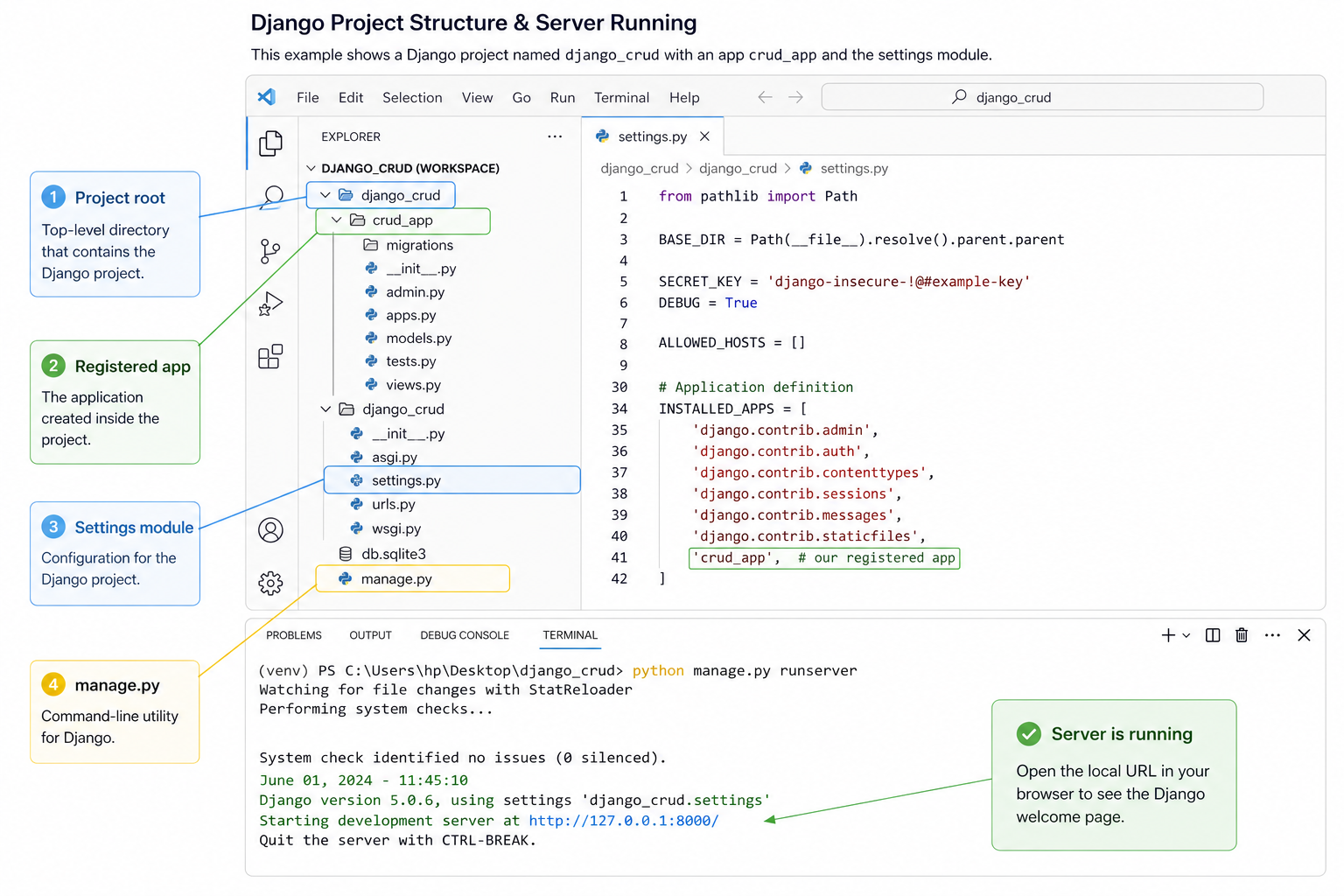
In Tango With Django: Setting Up the App, we installed Django, created the django_crud project, created the crud_app app, registered it, and confirmed the development server works.
Before we define database models in Django Models and Admin, we need one important habit: a clean developer workflow.
That means you should be able to answer:
- Which directory am I running commands from?
- Which settings file is Django using?
- Is my app registered correctly?
- What local files should never be committed?
- How do I quickly verify that the project is still healthy?
This lesson is about making the project predictable. Startup engineers move fast, but they do not want every small change to become a mystery bug.
CONTINUE WITH ALGODAILY PREMIUM
Keep going with the complete tutorial.
Unlock the remaining explanations and exercises, alongside the full learning library.
Explore Premium →