Input and Output
Read at your own pace. Code execution, quizzes, progress tracking, and the AI tutor are available in the interactive view with JavaScript enabled.
Your Program Talks
Why input and output matters
In Variables and Data Types, your program learned how to remember values like scores, prices, and measurements.
Now we’ll make those values visible and interactive:
- Output: your program shows information to the user
- Input: your program receives information from the user
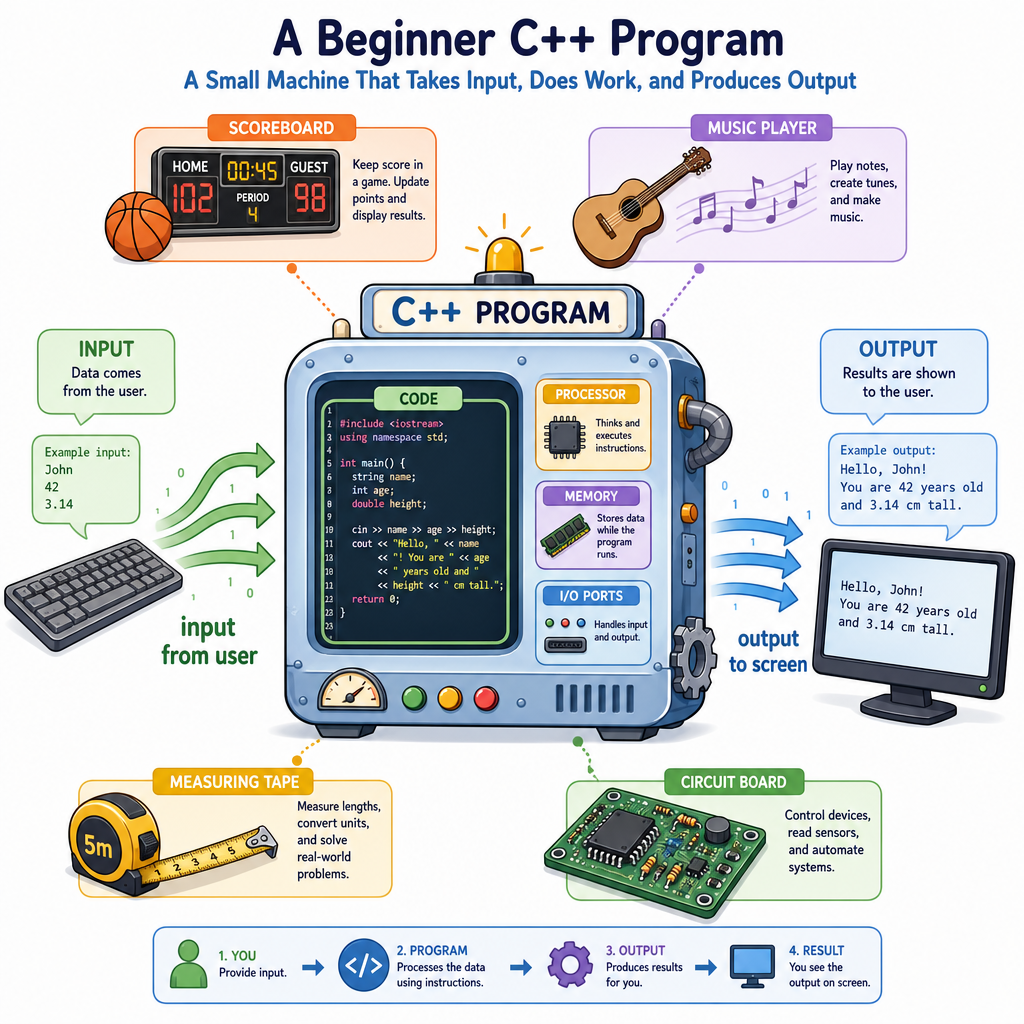
This is the difference between a silent calculator hidden in a box and a useful tool you can actually use — like a renovation cost estimator, a basketball stat tracker, or a simple music practice timer.
By the end of this lesson, you’ll know how to use C++’s two most common beginner I/O tools: cout and cin.
Printing With cout
Output: showing information
In C++, we commonly print text and variable values using cout.
Think of cout as the program’s voice. If you want the user to see something, send it to cout.
The symbol << is called the insertion operator. For now, read it as:
“send this into the output stream”
So this:
cout << "Hello";
means:
Send the text
Helloto the screen.
You can chain several pieces together with more << operators.
```cpp
#include <iostream>
using namespace std;

int main() {
    int points = 24;
    double speakerVoltage = 3.3;

    cout << "Basketball points: " << points << endl;
    cout << "Speaker voltage: " << speakerVoltage << " volts" << endl;

    return 0;
}
```
Choose The Operator
Which operator is commonly used with cout to send output to the screen?
Reading With cin
Input: receiving information
cin is the opposite side of the conversation. It lets the user type a value, and your program stores that value in a variable.
The symbol >> is called the extraction operator. For now, read it as:
“take input from the keyboard and put it into this variable”
A common pattern is:
- Print a prompt with
cout - Read the user’s answer with
cin - Use the stored value later
Prompts are important. Without them, the program may pause and wait for input, but the user won’t know what to type.
```cpp
#include <iostream>
using namespace std;

int main() {
    int paintCans;
    double pricePerCan;

    cout << "How many paint cans do you need? ";
    cin >> paintCans;

    cout << "Price per can? ";
    cin >> pricePerCan;

    double total = paintCans * pricePerCan;
    cout << "Estimated paint cost: $" << total << endl;

    return 0;
}
```
Fill The Input
Complete the C++ input statement:
cin __ age;
Fill in the blank: _____________
Streams As Flow
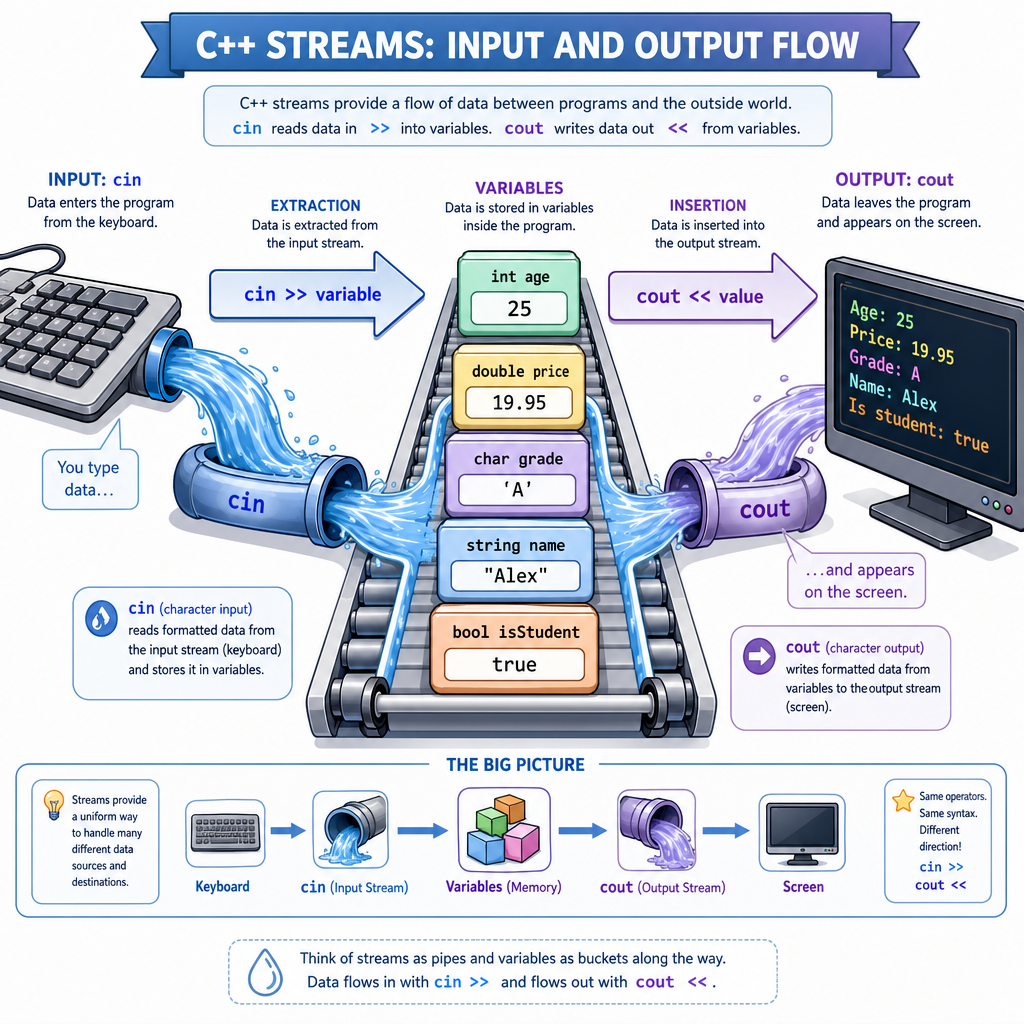
A useful mental model: streams
C++ input and output are based on streams.
A stream is like a flow of information:
keyboard input  --->  cin  --->  your variables
program values  --->  cout --->  screen output
This is why cout and cin feel directional:
-
cout << valuesends a value outward -
cin >> variablepulls a value inward
The arrows are not random symbols — they hint at the direction information is moving.
Whitespace And Words
What exactly does cin read?
For simple values like int and double, cin reads the next value and stops when it has enough.
For single words, cin also works well:
Input: Miles
Stored value: Miles
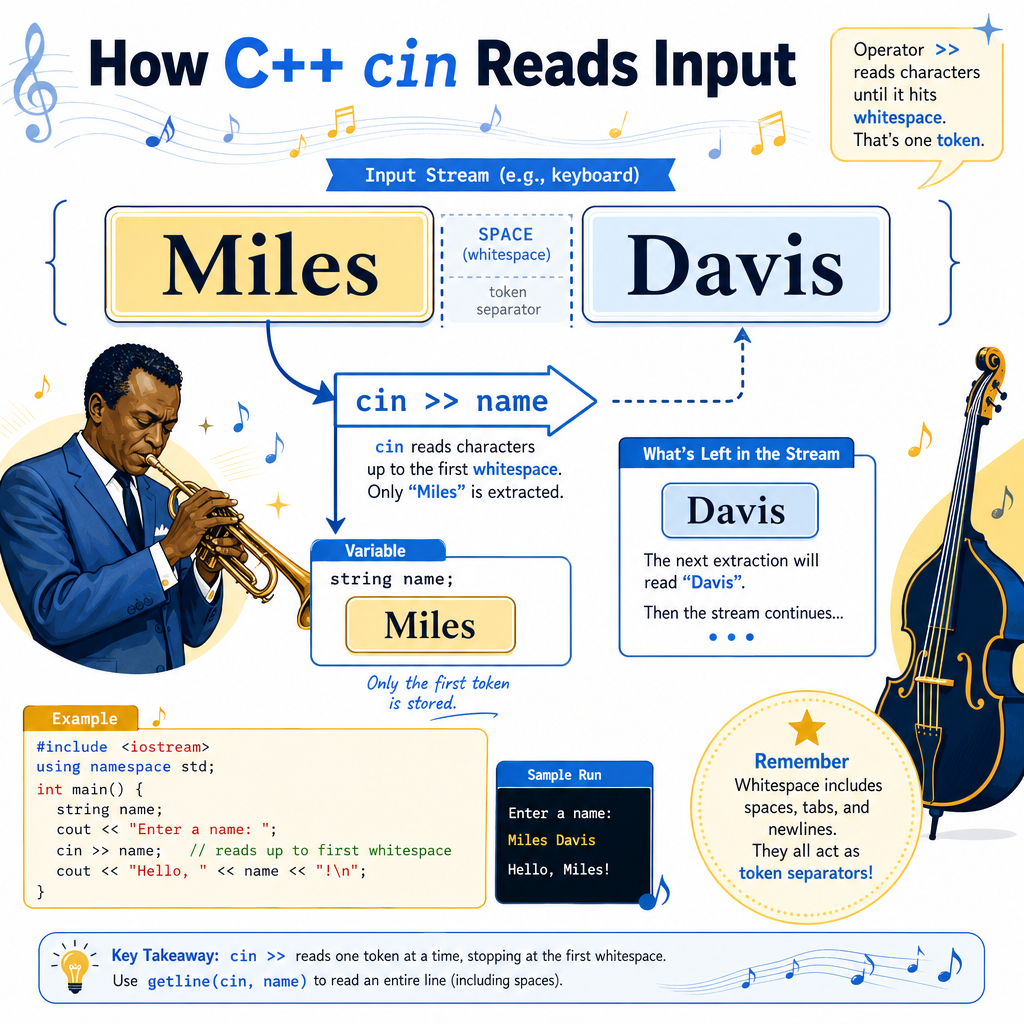
But cin >> word stops at whitespace, such as spaces or tabs.
So if the user types:
Miles Davis
and you read with cin >> name, only Miles is stored.
That’s not a bug — it’s how formatted input works. Later, when you work more deeply with text, you’ll learn tools for full lines of input. For now, use cin for numbers and simple single-word answers.
True Or False
cin >> city; will always read an entire city name, even if the user types multiple words like New York.
Cleaner Number Output
Formatting output
Sometimes raw number output is fine. Other times, you want it to look cleaner.
For example, money usually appears with exactly two digits after the decimal point:
$19.50
C++ provides formatting tools in the <iomanip> library.
Two useful ones are:
-
fixed: use fixed decimal notation -
setprecision(2): show 2 digits after the decimal point
This is especially useful for prices, measurements, and sensor readings.
```cpp
#include <iostream>
#include <iomanip>
using namespace std;

int main() {
    double woodCost = 47.5;
    double screwsCost = 6.238;
    double total = woodCost + screwsCost;

    cout << fixed << setprecision(2);
    cout << "Wood: $" << woodCost << endl;
    cout << "Screws: $" << screwsCost << endl;
    cout << "Project total: $" << total << endl;

    return 0;
}
```
Predict The Input
A program runs this statement:
cin >> playerName;
The user types:
Stephen Curry
What is stored in playerName?
Input Output Wrap
What you can do now
You’ve added a major skill to your C++ toolkit: communication.
You can now write programs that:
- Display messages and results with
cout - Store typed user values with
cin - Combine prompts, variables, and calculations
- Format numeric output for cleaner results
A strong beginner program often follows this shape:
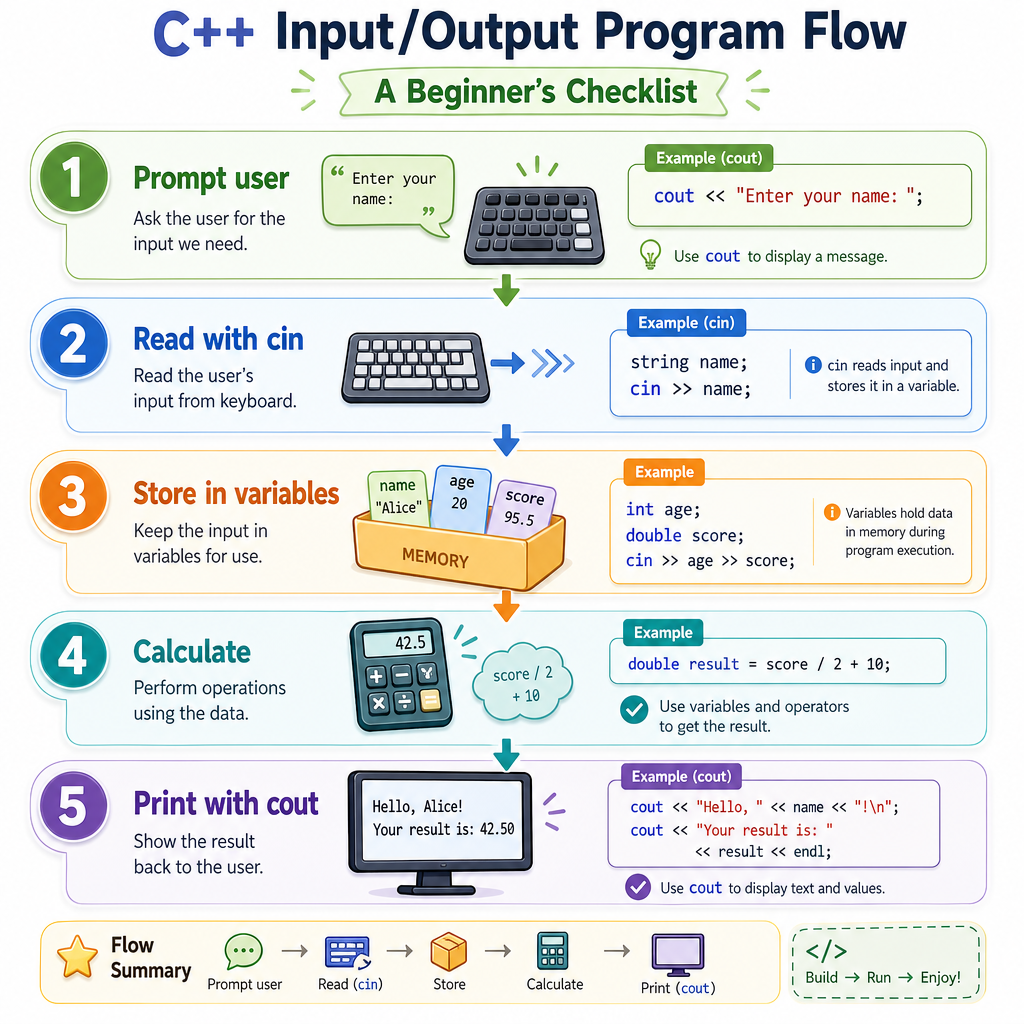
Ask the user for information
Store it in variables
Compute something useful
Print the result clearly
Mini practice idea: write a program that asks for a song length in minutes and seconds, then prints the total number of seconds.
Next, in Control Flow, you’ll learn how programs make decisions, such as responding differently when a score is high, a price is over budget, or a sensor reading crosses a limit.