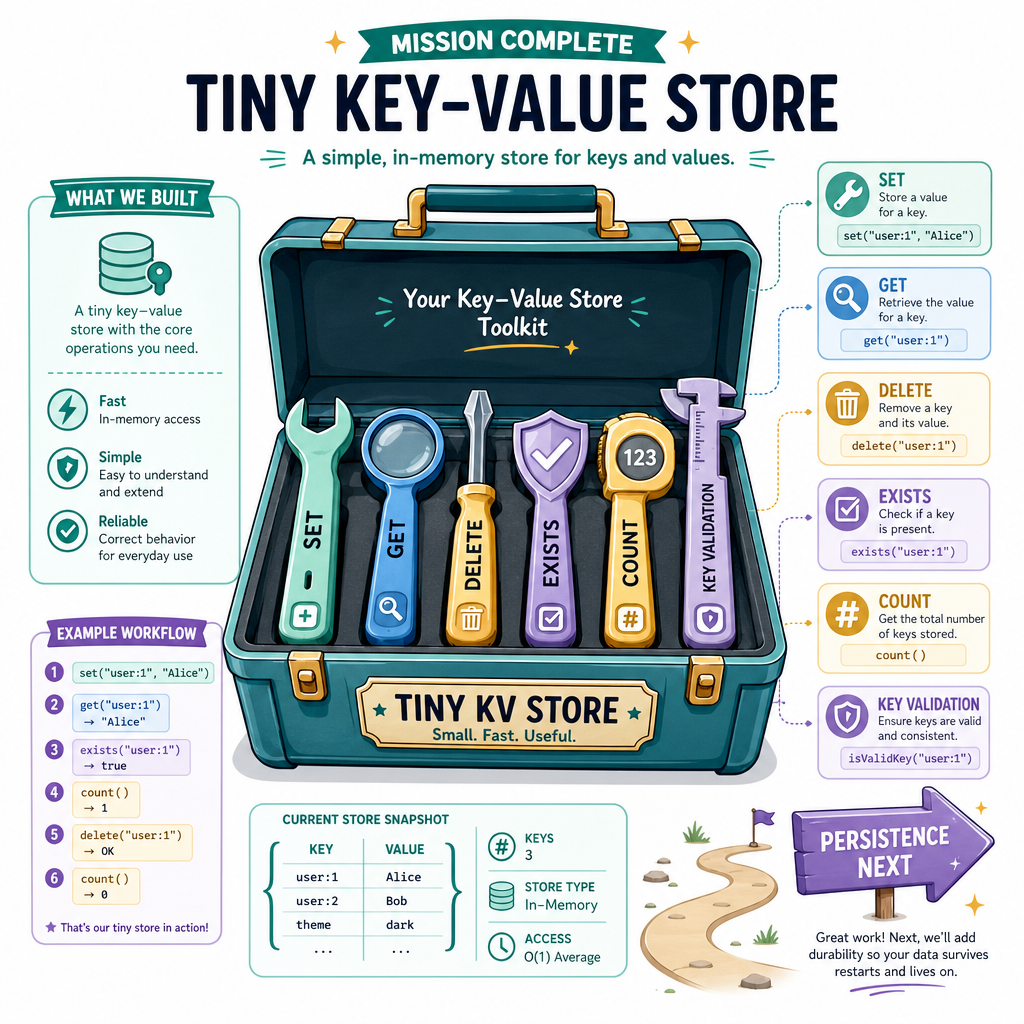
Lesson 2: Building a Basic Key-Value Store
Read at your own pace. Code execution, quizzes, progress tracking, and the AI tutor are available in the interactive view with JavaScript enabled.
From Concepts To Store
Why this lesson matters
In Lesson 1: Introduction to Datastores, we focused on why datastores exist, how access patterns shape design, and why “just use files” is usually not enough.
Now we’ll build the smallest useful datastore: an in-memory key-value store.
A key-value store is the foundation behind systems like Redis, Dynamo-style databases, caches, session stores, configuration stores, feature flag services, and high-speed lookup layers used in finance and AI systems.
By the end of this lesson, you’ll have a working Python implementation with:
-
set(key, value)to add or update data -
get(key)to retrieve data -
delete(key)to remove data - predictable behavior for missing keys
- a clean internal structure we can extend later
For now, everything lives in memory. In Lesson 3, we’ll make the store survive process restarts.

Core Mental Model
A datastore as a contract
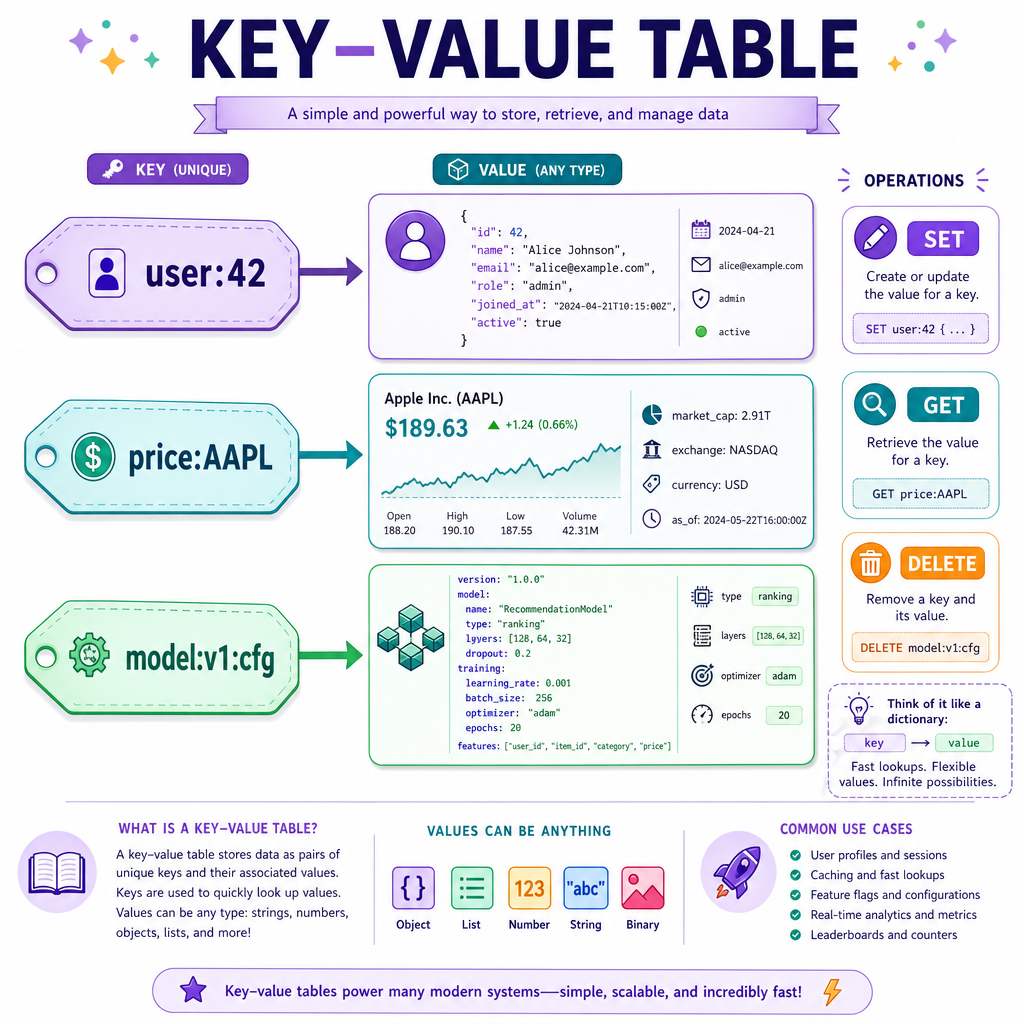
A key-value store is not interesting because it is complicated. It is interesting because it offers a contract:
“Give me a key, and I’ll manage the value associated with it.”
At the simplest level:
key                  value
--------------------------
"user:42"       ->   {"name": "Ada"}
"price:AAPL"    ->   183.12
"model:v1:cfg"  ->   {"temperature": 0.2}
The key is usually a stable identifier. The value can be almost anything your system chooses to support.
Operations
SET     key, value   -> store or overwrite
GET     key          -> retrieve value if present
DELETE  key          -> remove key if present
This is the basic shape behind many production systems. The real complexity comes later: persistence, indexing, search, replication, eviction, concurrency, and optimization.
First Implementation
Python gives us a strong starting point
Python’s built-in dict is already a hash table, so it gives us fast average-case lookup by key.
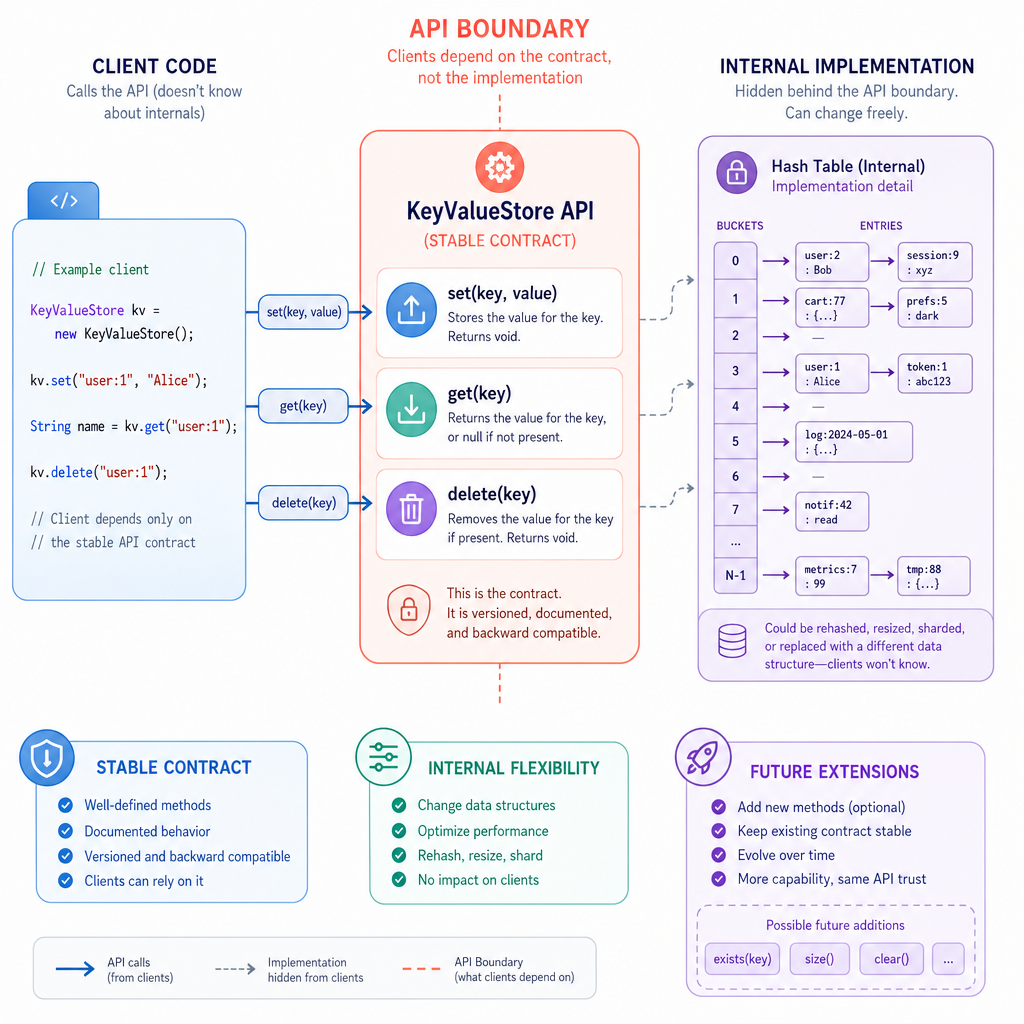
But we won’t expose the raw dictionary directly. Instead, we’ll wrap it in a class.
Why wrap it?
- We define a clear datastore API.
- We can change internals later without changing callers.
- We can add validation, metrics, persistence, indexing, or replication later.
- We start thinking like database implementers, not just dictionary users.
Here is the smallest useful version.
```python
class KeyValueStore:
    def __init__(self):
        self._data = {}

    def set(self, key, value):
        self._data[key] = value

    def get(self, key):
        return self._data.get(key)


store = KeyValueStore()
store.set("user:42", {"name": "Ada", "tier": "pro"})
store.set("price:AAPL", 183.12)

print(store.get("user:42"))
print(store.get("price:AAPL"))
print(store.get("missing:key"))
```
Designing The API
Small API, big consequences
Even a tiny datastore needs decisions.
1. Should set return anything?
For this lesson, set can simply store the value and return nothing. Later, a real system might return status codes, version numbers, or write metadata.
2. What should get return for missing keys?
Python’s dict.get(key) returns None by default. That is convenient, but it can be ambiguous if None is a valid stored value.
Example ambiguity:
store.set("user:42:middle_name", None)
store.get("user:42:middle_name")  # None
store.get("unknown:key")          # also None
For now, we’ll keep the API simple. But good datastore design always asks:
Can the caller distinguish “missing” from “present with an empty/null value”?
3. Should keys have a required type?
Python dictionaries allow many hashable key types. But datastore APIs usually prefer strings or bytes because they serialize cleanly and are easier to debug.
Operation Semantics Check
A caller executes:
set("score:alice", 10)
set("score:alice", 25)
get("score:alice")
In the simple key-value store from this lesson, what should the final get return?
Adding Delete
Removing data safely
A datastore also needs a way to remove associations.
The delete operation should answer an important question:
Did we actually remove something?
Returning True or False makes the operation easier to reason about:
-
True: the key existed and was removed -
False: the key was already missing
This is especially useful in larger systems where deletes may be retried, logged, or audited.
```python
class KeyValueStore:
    def __init__(self):
        self._data = {}

    def set(self, key, value):
        self._data[key] = value

    def get(self, key):
        return self._data.get(key)

    def delete(self, key):
        if key in self._data:
            del self._data[key]
            return True
        return False


store = KeyValueStore()
store.set("session:abc", {"user_id": 42})

print("before:", store.get("session:abc"))
print("deleted existing:", store.delete("session:abc"))
print("after:", store.get("session:abc"))
print("deleted again:", store.delete("session:abc"))
```
Key Type Question
True or false: because Python dictionaries allow many hashable key types, a datastore API should always accept every possible Python hashable object as a key.
Missing Value Blank
In our simple implementation, get(key) uses Python’s dictionary .get() method. By default, if the key is missing, it returns ____.
Storage Boundaries
What “storage” means today
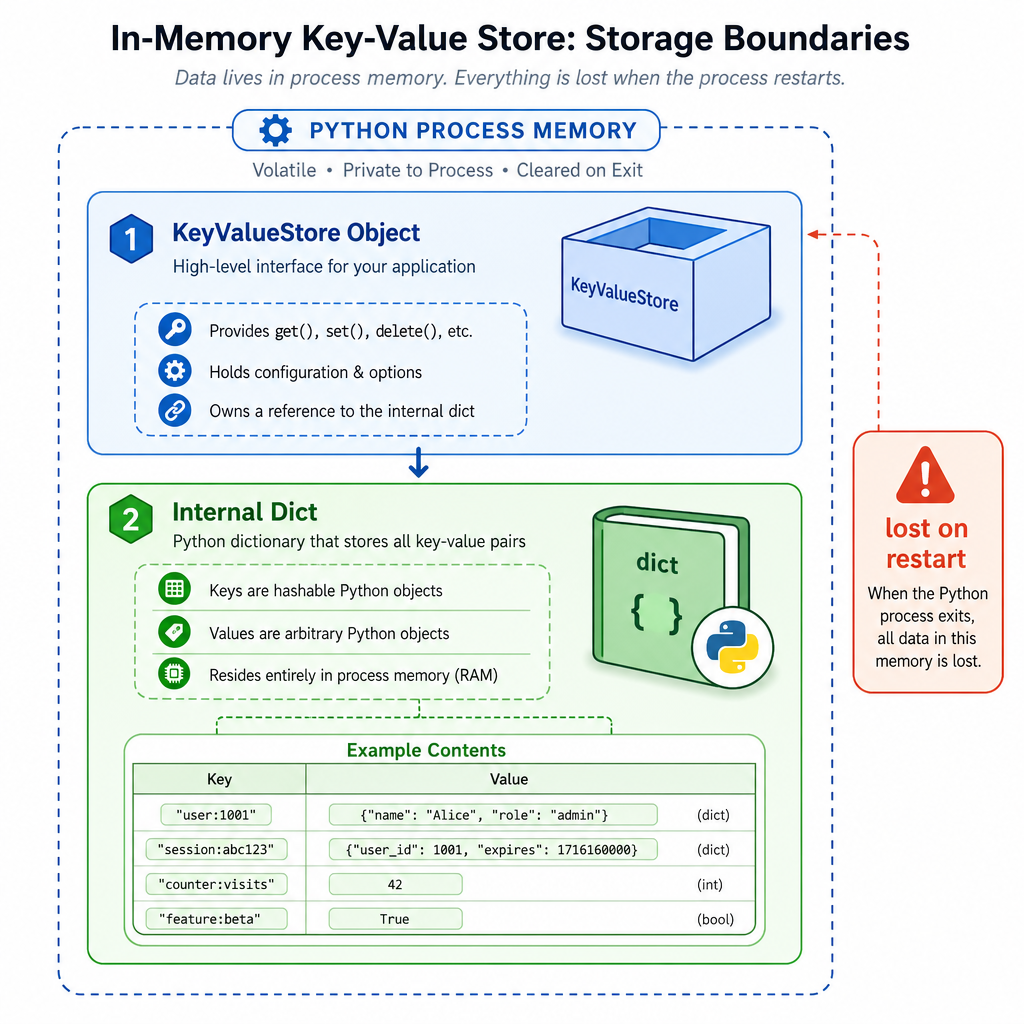
In this lesson, our storage mechanism is:
Python process memory
        ↓
KeyValueStore object
        ↓
internal dict
That gives us a real datastore behavior while the program is running.
What it does well
- Very fast lookups for exact keys
- Simple update and delete behavior
- Good enough for caches, simulations, tests, and prototypes
- Excellent foundation for learning datastore internals
What it does not do yet
- Survive process restarts
- Share data across machines
- Search by fields inside values
- Handle concurrent access safely at scale
Those limitations are not failures. They are the roadmap. In Lesson 3, we’ll tackle the first major gap: persistence.
Complete Tiny Store
A cleaner version
Let’s finish with a compact but more intentional implementation.
This version adds:
- key validation
-
exists(key)for presence checks -
count()for basic introspection -
items()to inspect current contents safely
Notice that we still keep _data private by convention. Callers interact through methods, not by reaching into internals.
```python
class KeyValueStore:
    def __init__(self):
        self._data = {}

    def _validate_key(self, key):
        if not isinstance(key, str):
            raise TypeError("keys must be strings")
        if key == "":
            raise ValueError("keys cannot be empty")

    def set(self, key, value):
        self._validate_key(key)
        self._data[key] = value

    def get(self, key):
        self._validate_key(key)
        return self._data.get(key)

    def exists(self, key):
        self._validate_key(key)
        return key in self._data

    def delete(self, key):
        self._validate_key(key)
        if key in self._data:
            del self._data[key]
            return True
        return False

    def count(self):
        return len(self._data)

    def items(self):
        return list(self._data.items())


store = KeyValueStore()
store.set("portfolio:alice", {"cash": 5000, "positions": ["AAPL", "NVDA"]})
store.set("feature:recommendations", True)

print("count:", store.count())
print("portfolio exists:", store.exists("portfolio:alice"))
print("portfolio:", store.get("portfolio:alice"))
print("all items:", store.items())
print("delete feature:", store.delete("feature:recommendations"))
print("count:", store.count())
```
Lesson Wrap Up
What you built
You now have the first real building block of our datastore course: a basic in-memory key-value store.
You practiced datastore design decisions that appear even in production systems:
- hiding internals behind a stable API
- choosing key rules
- defining overwrite behavior
- deciding what missing data means
- making deletes explicit
- separating current capabilities from future roadmap items
The important shift is this:
We are no longer just discussing datastores. We are implementing one.
Next, we’ll preserve this same API but change the durability story in Lesson 3: Adding Persistence to the Key-Value Store.