Modifiers and Lookahead/Lookbehind
Read at your own pace. Code execution, quizzes, progress tracking, and the AI tutor are available in the interactive view with JavaScript enabled.
Beyond Matching
Orientation
Now that you've finished Grouping and Capturing, you can already describe what to match and what pieces to extract.
This lesson adds two power tools:
- Modifiers / flags: change how the regex engine interprets the pattern, such as case sensitivity or line behavior.
- Lookahead and lookbehind: assert context around a match without including that context in the final match.
For intermediate Python work—especially text preprocessing for machine learning—these features let you write patterns that are more precise without over-capturing noisy context.
Modifiers As Lenses
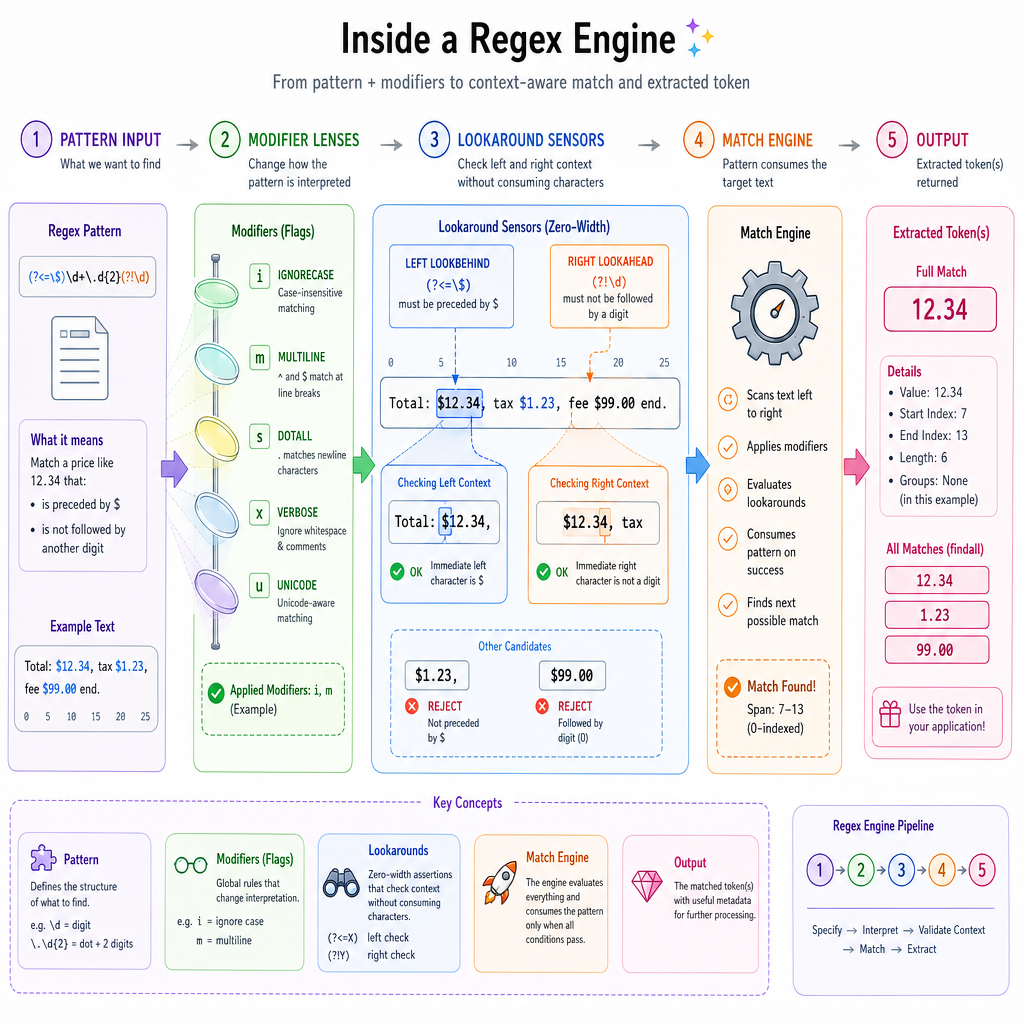
Flags change the matching environment
In Python's re module, modifiers are usually passed as flags.
Common flags:
-
re.IGNORECASEorre.I: match letters case-insensitively -
re.MULTILINEorre.M: make^and$work per line, not just for the whole string -
re.DOTALLorre.S: make.match newlines too -
re.VERBOSEorre.X: allow whitespace and comments inside a regex
Think of flags as lenses placed over the pattern. The pattern may look the same, but the engine interprets it differently.
```python
import re

text = "Error: disk full\nwarning: slow batch\nERROR: model failed"

print("Case-sensitive:", re.findall(r"error", text))
print("Ignore case:", re.findall(r"error", text, flags=re.IGNORECASE))

print("Line starts without MULTILINE:", re.findall(r"^ERROR", text))
print("Line starts with MULTILINE:", re.findall(r"^ERROR", text, flags=re.MULTILINE))
```
Line Flag Check
Which Python regex flag makes ^ and $ apply to the start and end of each line inside a multi-line string?
Inline Modifiers
Flags can live inside patterns
Python also supports inline modifiers.
Examples:
-
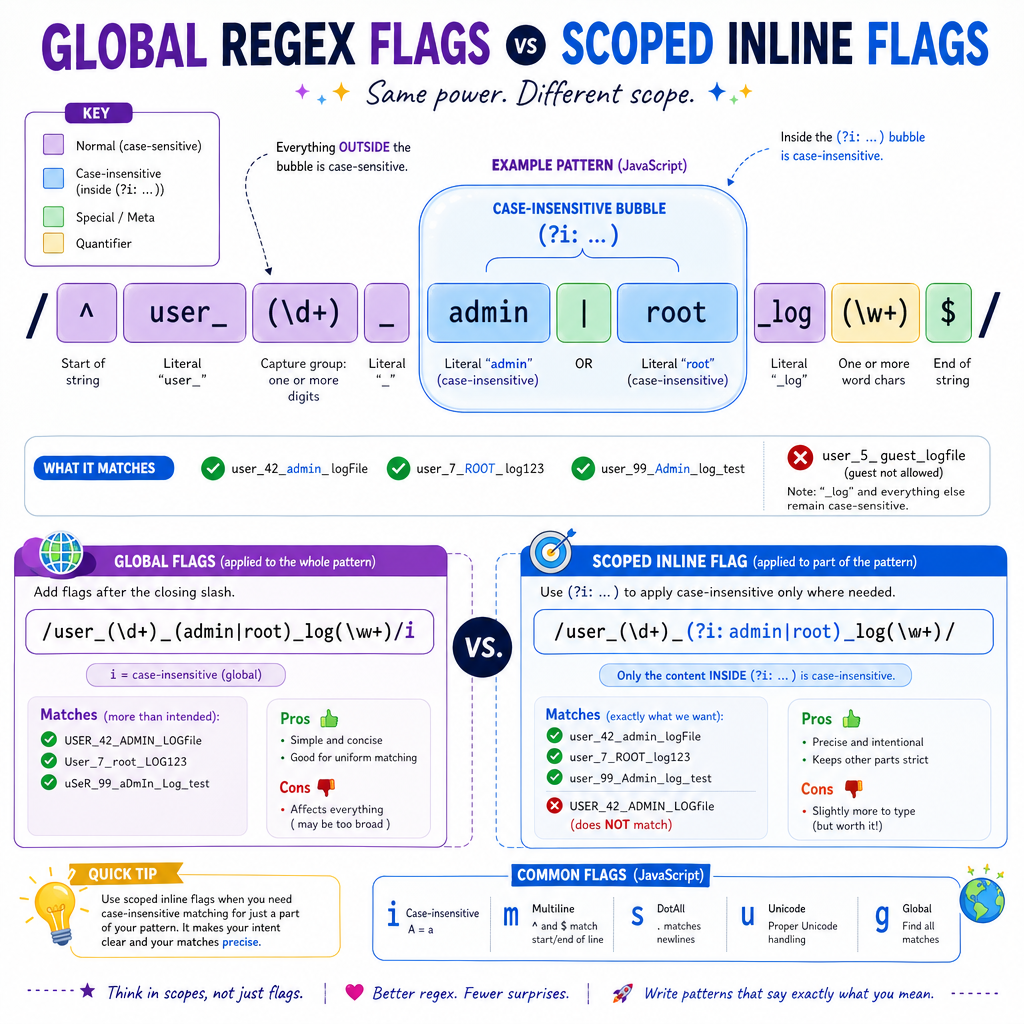
(?i)catmeans matchcatcase-insensitively from that point onward. -
(?m)^errorenables multi-line anchor behavior inside the pattern. -
(?i:cat)applies case-insensitivity only inside that group.
That last form is especially useful when only one part of a larger pattern needs different behavior.
For example, in a training dataset label parser, you might want label to be case-insensitive while keeping the value strict:
(?i:label)=([A-Z_]+)
This matches label=SPAM, LABEL=SPAM, or Label=SPAM, while still requiring the captured value to be uppercase.
Scoped Flag Blank
Fill in the regex that matches cat, CAT, or Cat using a scoped inline case-insensitive modifier around only the word cat.
Answer with the regex only.
Fill in the blank: _____________
Lookahead Assertions
Match something only if the right context exists
A lookahead checks what comes after the current position without consuming it.
Syntax:
- Positive lookahead:
X(?=Y)means matchXonly ifYfollows. - Negative lookahead:
X(?!Y)means matchXonly ifYdoes not follow.
This is useful when the context is a condition, not part of the value you want back.
In ML preprocessing, that might mean extracting a token only when it appears before a particular label, status, or annotation.
```python
import re

text = "loss=0.42 status=ok loss=0.91 status=fail loss=0.33 status=ok"

# Extract loss values only when the next status is fail.
fail_losses = re.findall(r"loss=(\d+\.\d+)(?= status=fail)", text)

# Extract loss values only when the next status is NOT fail.
non_fail_losses = re.findall(r"loss=(\d+\.\d+)(?! status=fail)", text)

print("Fail losses:", fail_losses)
print("Non-fail losses:", non_fail_losses)
```
Lookahead Consumption
True or false: A lookahead assertion checks upcoming text and consumes that text as part of the final match.
Lookbehind Assertions
Match something only if the left context exists
A lookbehind checks what comes before the current position without consuming it.
Syntax:
- Positive lookbehind:
(?<=Y)Xmeans matchXonly ifYis immediately before it. - Negative lookbehind:
(?<!Y)Xmeans matchXonly ifYis not immediately before it.
Important Python rule: standard re lookbehind patterns must be fixed width.
So this is allowed:
(?<=id:)\d+
But this is not allowed in Python's built-in re:
(?<=id:\s*)\d+
because \s* can match a variable number of characters.
```python
import re

text = "id:104 label:cat id:205 label:dog temp:999"

ids = re.findall(r"(?<=id:)\d+", text)
labels = re.findall(r"(?<=label:)\w+", text)
not_temp_numbers = re.findall(r"(?<!temp:)\b\d+\b", text)

print("IDs:", ids)
print("Labels:", labels)
print("Numbers not after temp:", not_temp_numbers)
```
Python Lookbehind Rule
Which lookbehind is valid in Python's built-in re module?
Readable Advanced Regex
Use power carefully
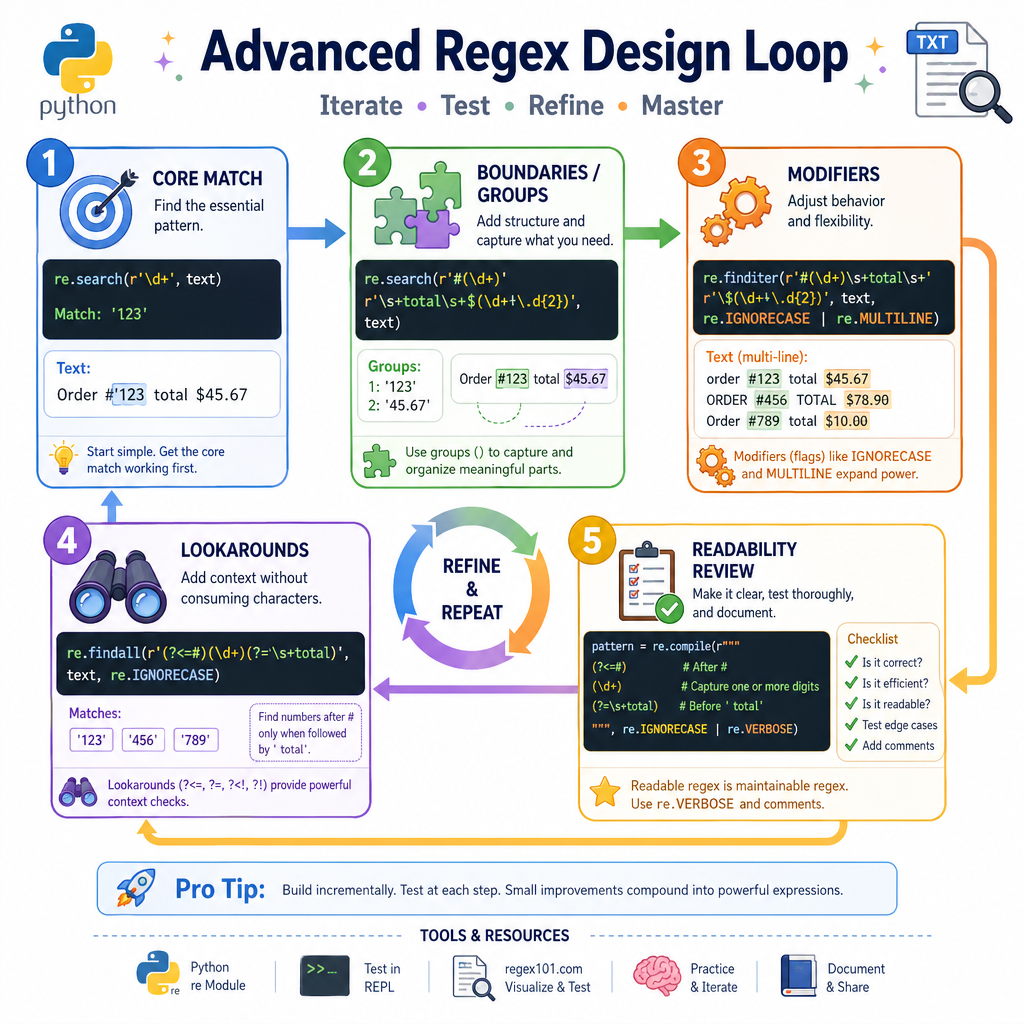
Modifiers and lookarounds let you express conditions without bloating your match.
A practical workflow:
- Start with the core thing you want to match.
- Add anchors, boundaries, or groups from earlier lessons if needed.
- Use flags when the whole matching environment changes.
- Use lookahead/lookbehind when nearby context should be checked but not returned.
- If the regex becomes hard to read, consider
re.VERBOSEand comments.
In the next lesson, Common Regex Patterns, you'll see how these tools combine into reusable patterns for real-world text tasks.