Pointers and References
Read at your own pace. Code execution, quizzes, progress tracking, and the AI tutor are available in the interactive view with JavaScript enabled.
Where We Are
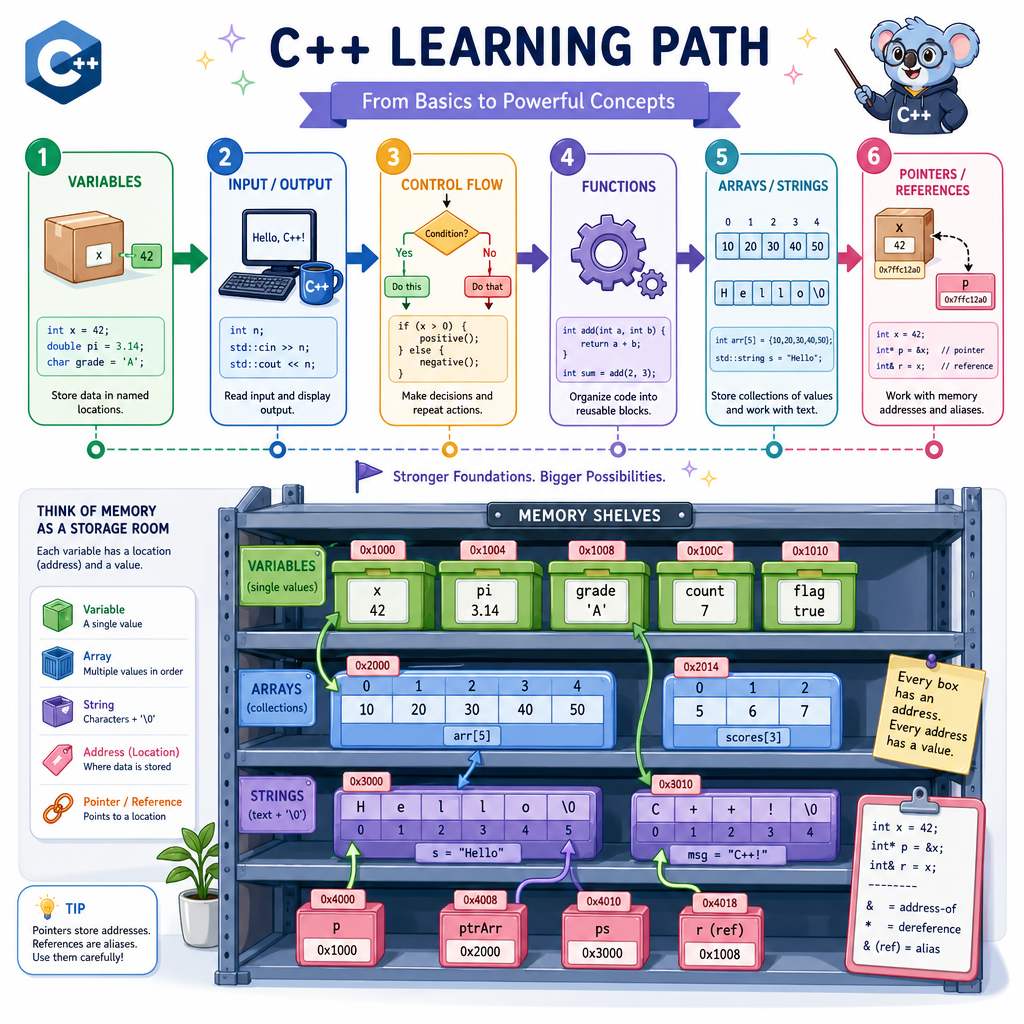
From values to locations
In Variables and Data Types, you learned that a variable stores a value. In Arrays and Strings, you saw that programs can keep many values together.
Now we add one powerful idea: every variable lives somewhere in memory.
Pointers and references let your program work with where data is, not just what data contains. This matters when you want to:
- update a value from inside a function
- avoid copying large pieces of data
- connect pieces of a program together
- understand how C++ handles arrays, strings, and later objects
Think of it like home renovation: knowing you have a box of screws is useful, but knowing which shelf it is on lets you find and use it efficiently.
Memory Has Addresses
A variable has two important pieces
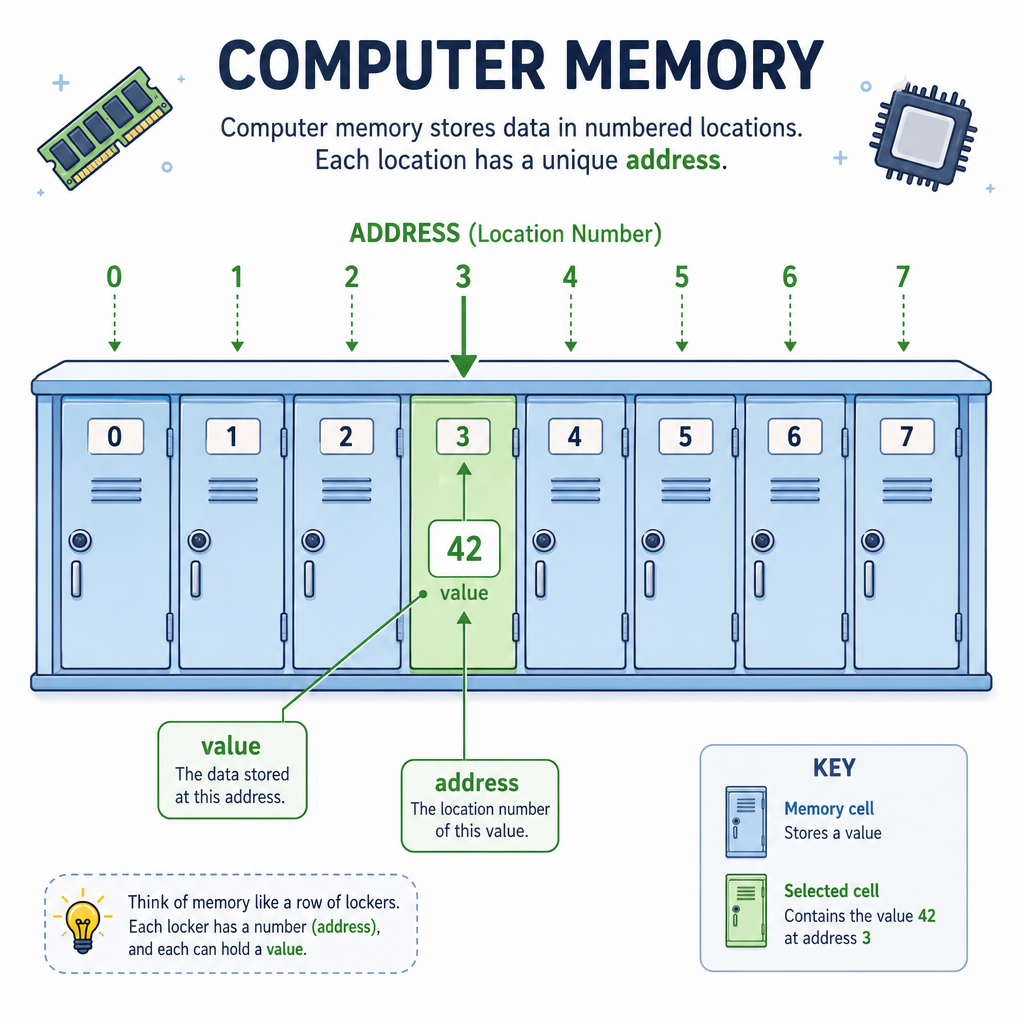
When you create a variable, C++ stores it in memory.
You can think of memory as a long row of numbered lockers:
Memory lockers
+---------+---------+---------+---------+
|  ...    |   42    |  ...    |  ...    |
+---------+---------+---------+---------+
            ^
            score lives here
The variable has:
- a value: what is stored, like
42 - an address: where it is stored
In C++, the & operator can ask for a variable's address.
Do not worry if the printed address looks strange. It is usually shown as a hexadecimal-looking memory location, and it can change each time the program runs.
Print An Address
Seeing value vs address
This program prints both the value inside a variable and the address where that variable lives.
The exact address on your computer will probably be different from the sample idea here. That is normal.
```cpp
#include <iostream>
using namespace std;

int main() {
    int score = 42;

    cout << "Value of score: " << score << endl;
    cout << "Address of score: " << &score << endl;

    return 0;
}
```
Address Check
In C++, what does &score mean when score is a normal variable?
Pointer Mental Model
A pointer stores an address
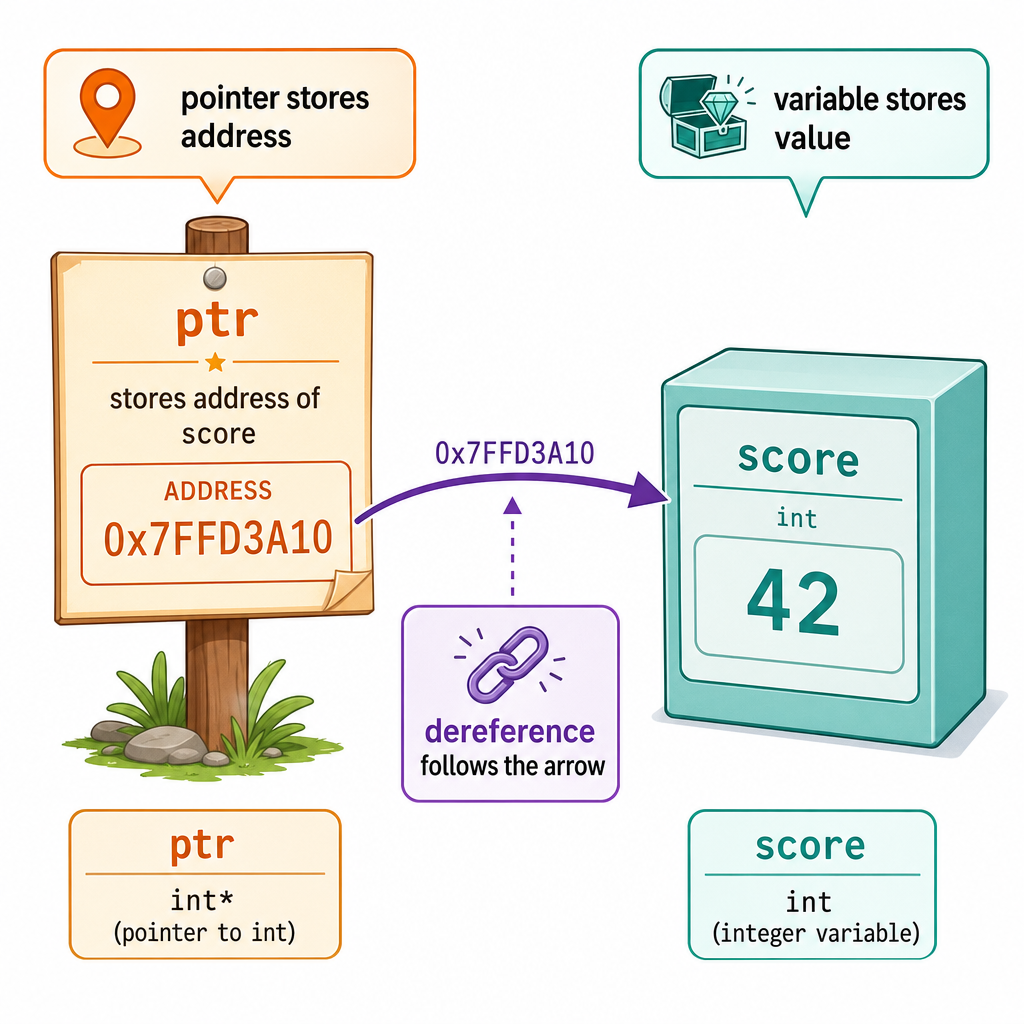
A pointer is a variable whose value is a memory address.
If a regular variable is like a basketball player's current score, a pointer is like a note saying, "the score is written on that scoreboard over there."
int score = 42;
int* scorePtr = &score;

scorePtr stores the address of score

scorePtr ───────► score
                 value: 42
The * symbol appears in two related places:
-
int* scorePtrmeans:scorePtris a pointer to anint -
*scorePtrmeans: go to the address insidescorePtrand use the value there
That second action is called dereferencing.
Use A Pointer
Reading and changing through a pointer
A pointer can let you reach the original variable.
In this example:
-
levelPtrstores the address ofvolumeLevel -
*levelPtraccesses the original value - changing
*levelPtrchangesvolumeLevel
This is like adjusting a music mixer through a connected control knob: the knob is not the sound itself, but it controls the actual setting.
```cpp
#include <iostream>
using namespace std;

int main() {
    int volumeLevel = 7;
    int* levelPtr = &volumeLevel;

    cout << "Original volume: " << volumeLevel << endl;
    cout << "Reading through pointer: " << *levelPtr << endl;

    *levelPtr = 10;

    cout << "Updated volume: " << volumeLevel << endl;

    return 0;
}
```
Pointer Truth
True or false?
If int* p = &x;, then changing *p can change the original variable x.
References Are Aliases
A reference is another name
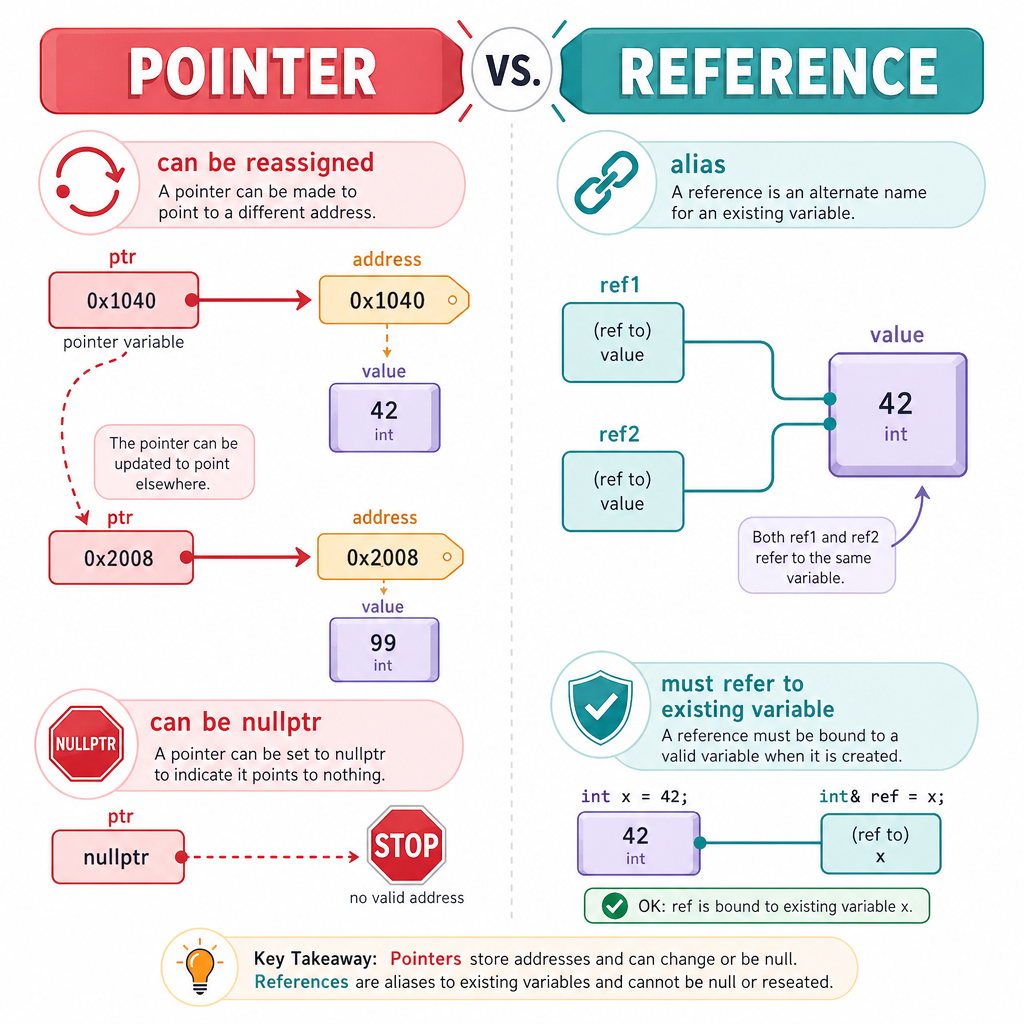
A reference is an alias for an existing variable.
If a pointer is like a written address, a reference is more like a nickname.
int points = 12;
int& score = points;

points and score are two names for the same value.
References are especially common with functions. In the Functions lesson, you passed values into functions. By default, many function parameters are copies. A reference parameter lets the function work with the caller's original variable.
Notice the & here means "reference" because it is part of the variable declaration: int& score.
```cpp
#include <iostream>
using namespace std;

void addFreeThrow(int& points) {
    points = points + 1;
}

int main() {
    int playerPoints = 12;

    cout << "Before free throw: " << playerPoints << endl;
    addFreeThrow(playerPoints);
    cout << "After free throw: " << playerPoints << endl;

    return 0;
}
```
Fill The Alias
Complete the line to create a reference named backupName that refers to the existing variable mainName.
string mainName = "Guitar";
string& backupName = ________;
Safe Pointer Habits
Power needs care
Pointers are powerful because they let you work directly with memory addresses. That also means you need careful habits.
Good beginner rules
- Only dereference a pointer when it points to a real variable.
- If a pointer points to nothing, use
nullptr. - Check for
nullptrbefore dereferencing when a pointer might be empty. - Prefer references when you simply need another name for an existing variable.
Pointer:   can point somewhere, can be changed, can be nullptr
Reference: must refer to something, acts like an alias
Big picture
Today you learned how C++ connects values to memory locations. Next, in Object-Oriented Programming, you will start grouping data and behavior into your own custom types.