Sorting Algorithms
Read at your own pace. Code execution, quizzes, progress tracking, and the AI tutor are available in the interactive view with JavaScript enabled.
Why Sort Now
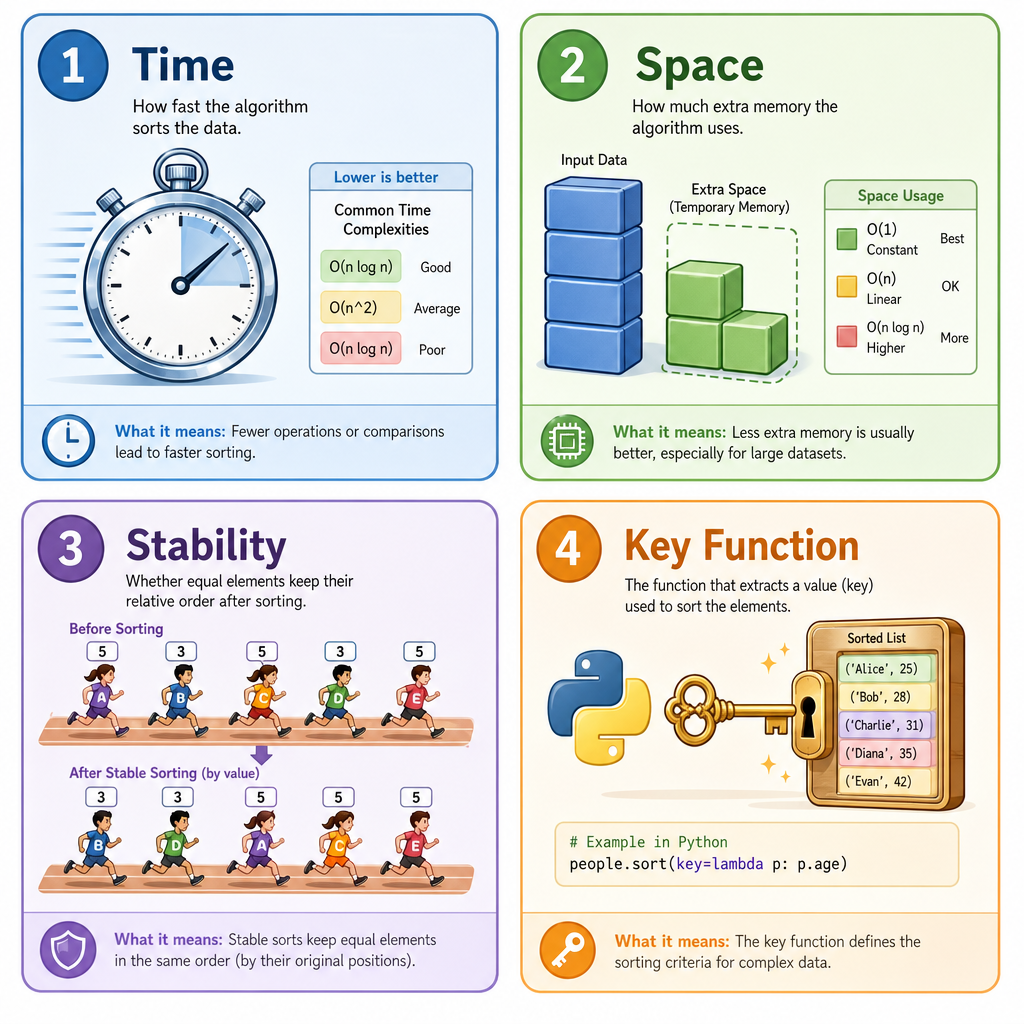
Sorting turns chaos into leverage
Now that you've completed Introduction to Data Structures and Mastering Recursion, you can recognize common containers and trace control flow. Sorting is the next power tool: it changes the shape of the data so later operations become easier.
Examples:
- Sort numbers, then find duplicates by checking neighbors.
- Sort intervals, then merge overlapping ranges.
- Sort strings, then group similar ones.
- Sort candidates, then choose smallest, largest, or closest values.
In interviews, many easy and medium problems become simpler once you ask: "Would sorting make the pattern obvious?"
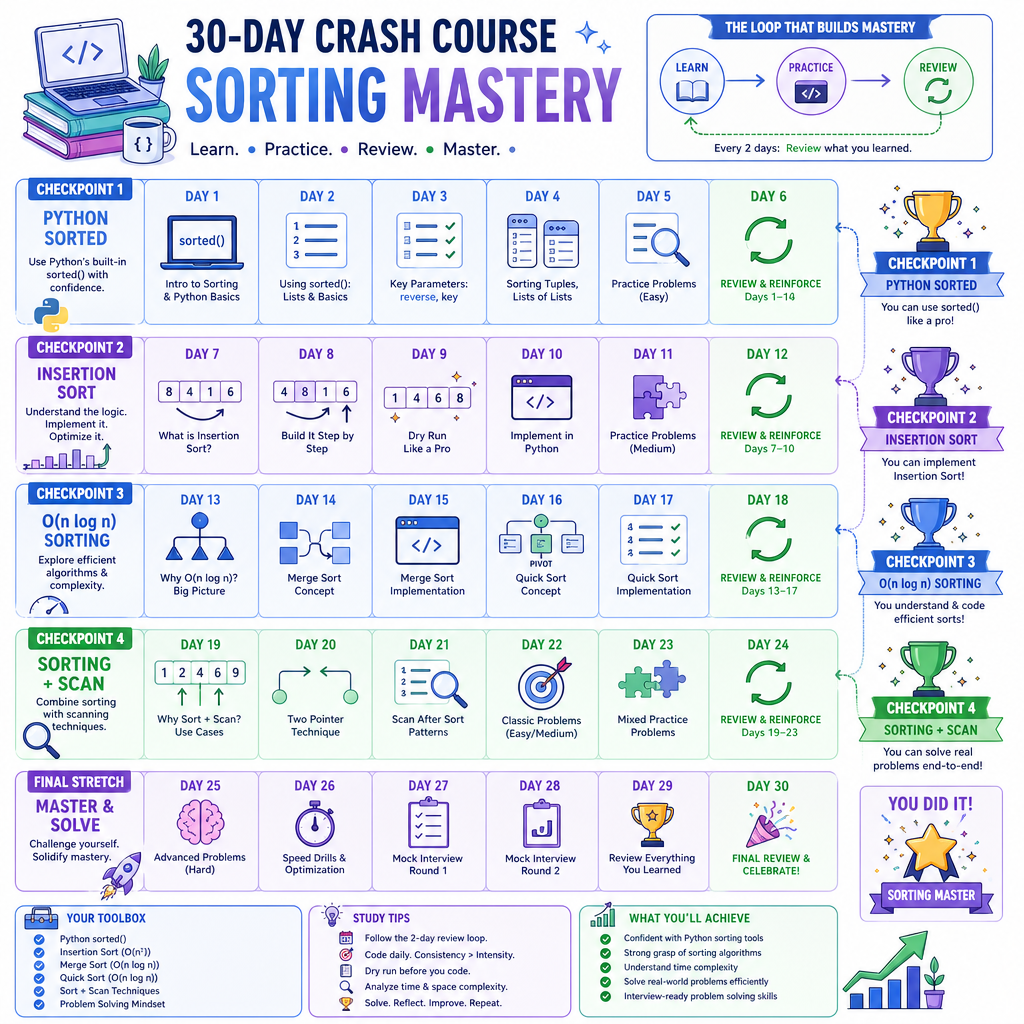
Today, we'll focus on practical sorting knowledge in Python, plus the core algorithms you should be able to recognize and reason about.
Sorting Vocabulary
The terms interviewers expect
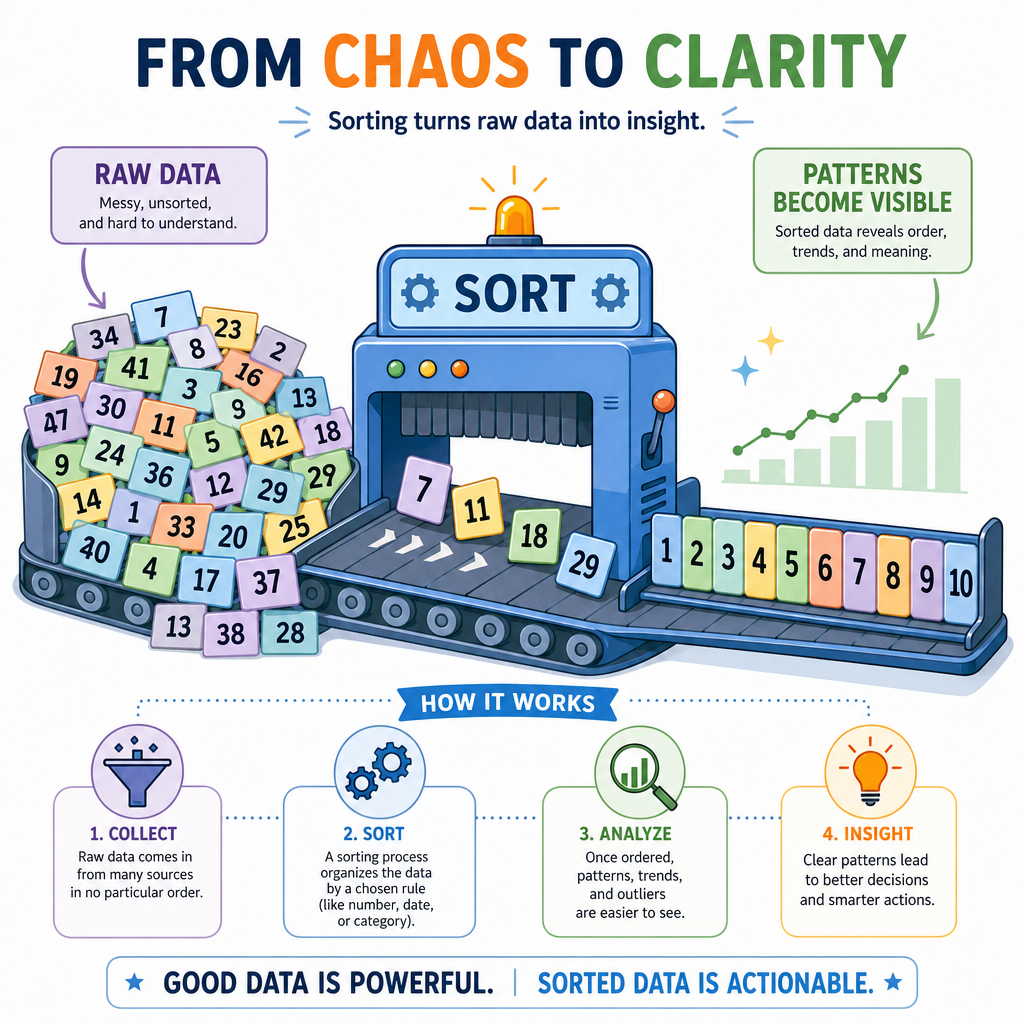
Before comparing algorithms, get comfortable with these words:
Time complexity
How many operations the sort needs as input grows.
Common sorting costs:
- $$O(n^2)$$: often okay for tiny inputs, bad for large inputs.
- $$O(n \log n)$$: the usual goal for comparison-based sorting.
- $$O(n)$$: possible only in special cases, usually using extra assumptions.
Space complexity
How much extra memory the algorithm uses.
- In-place: uses only a small amount of extra space.
- Not in-place: creates extra arrays/lists.
Stability
A stable sort preserves the relative order of equal items.
If two students both have score 90, a stable sort by score keeps whichever student appeared first ahead of the other.
Key function
In Python, we often sort by a transformed value using key=..., like sorting strings by length.
Python Sorting First
Use Python's built-in sort confidently
In real Python work, you usually start with:
-
sorted(items)when you want a new sorted list. -
items.sort()when you want to sort the list in place.
Python's built-in sorting is stable and highly optimized. Under the hood, it uses Timsort, which performs especially well on data that is already partially ordered.
You do not need to reimplement sorting in production code. But you do need to understand sorting behavior, complexity, and when sorting is the right move.
```python
numbers = [5, 1, 9, 1, 3]
print("original:", numbers)

new_numbers = sorted(numbers)
print("sorted copy:", new_numbers)
print("original unchanged:", numbers)

words = ["pear", "apple", "fig", "banana"]
print("by length:", sorted(words, key=len))

students = [("Mia", 90), ("Jay", 85), ("Ava", 90)]
print("by score:", sorted(students, key=lambda student: student[1]))
```
Quadratic Sorts
The simple family: usually $$O(n^2)$$
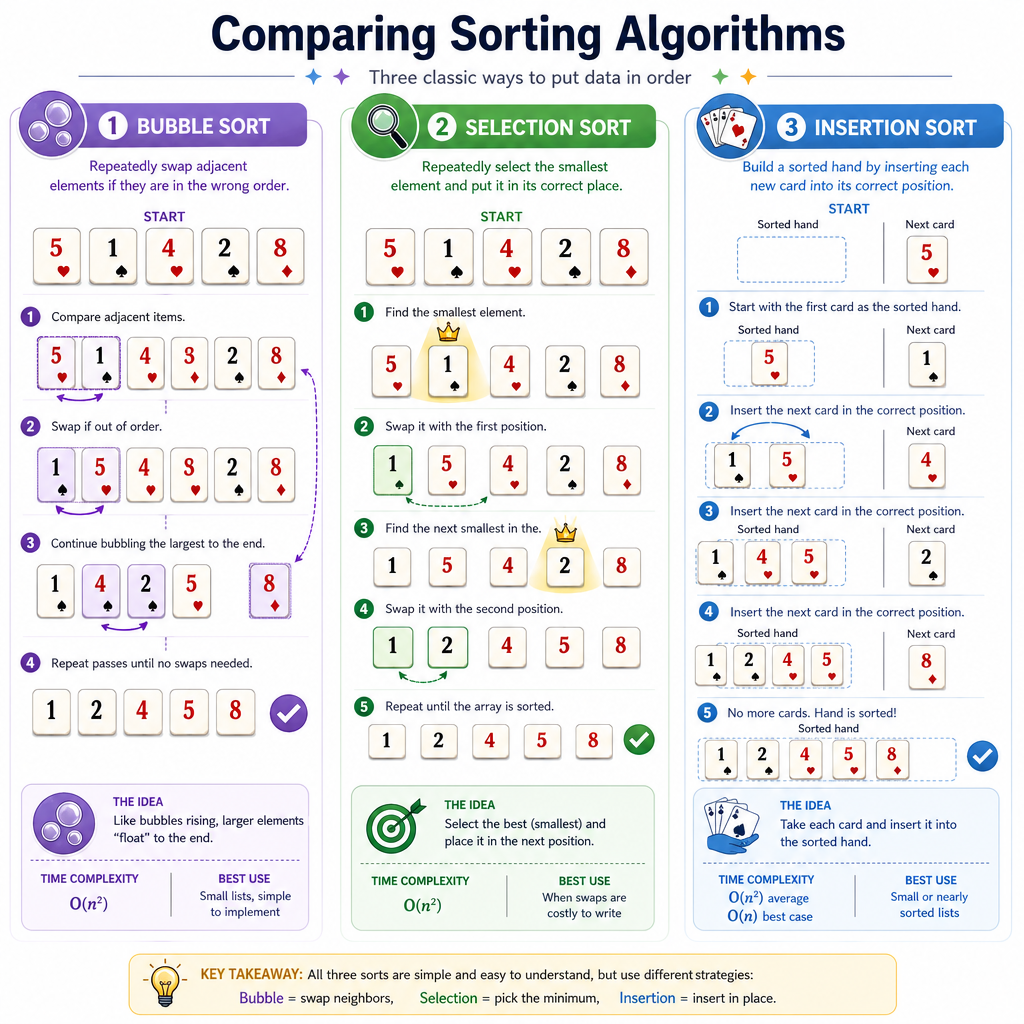
These are beginner-friendly algorithms that are easy to trace. They are not usually chosen for large inputs, but they build sorting intuition.
Algorithm Core idea Typical time Nice property Bubble sort Repeatedly swap adjacent out-of-order items $$O(n^2)$$ Very visual Selection sort Repeatedly select the smallest remaining item $$O(n^2)$$ Few swaps Insertion sort Insert each item into the sorted left side $$O(n^2)$$ Great on nearly sorted dataInsertion sort mental model
Think of sorting playing cards in your hand:
sorted left side | unsorted right side
[2, 5, 9]        | [3, 7]

Take 3, shift 9 and 5 right, insert 3:
[2, 3, 5, 9]     | [7]
For your 30-day crash course, insertion sort is the one simple sort most worth being able to code from memory.
Insertion Sort Claim
True or false?
Insertion sort can be a good choice when the list is already almost sorted.
Code Insertion Sort
Build the sorted left side
Insertion sort keeps the left portion of the list sorted. For each new value, it shifts larger values one position to the right until the correct spot opens.
This is a great algorithm to trace because the loop invariant is clear:
Before each outer-loop step, everything to the left is already sorted.
Watch the list change after each insertion.
```python
def insertion_sort(nums):
    nums = nums[:]  # copy so the original input is not changed

    for i in range(1, len(nums)):
        current = nums[i]
        j = i - 1

        while j >= 0 and nums[j] > current:
            nums[j + 1] = nums[j]
            j -= 1

        nums[j + 1] = current
        print(f"after inserting index {i}:", nums)

    return nums

values = [5, 2, 4, 6, 1, 3]
print("start:", values)
print("sorted:", insertion_sort(values))
```
Choose A Sort
You are given a list with 100,000 numbers. You only need them in ascending order, and there are no special constraints like a tiny value range.
Which time complexity is generally the better target for a comparison-based sorting algorithm?
Faster Sorting Family
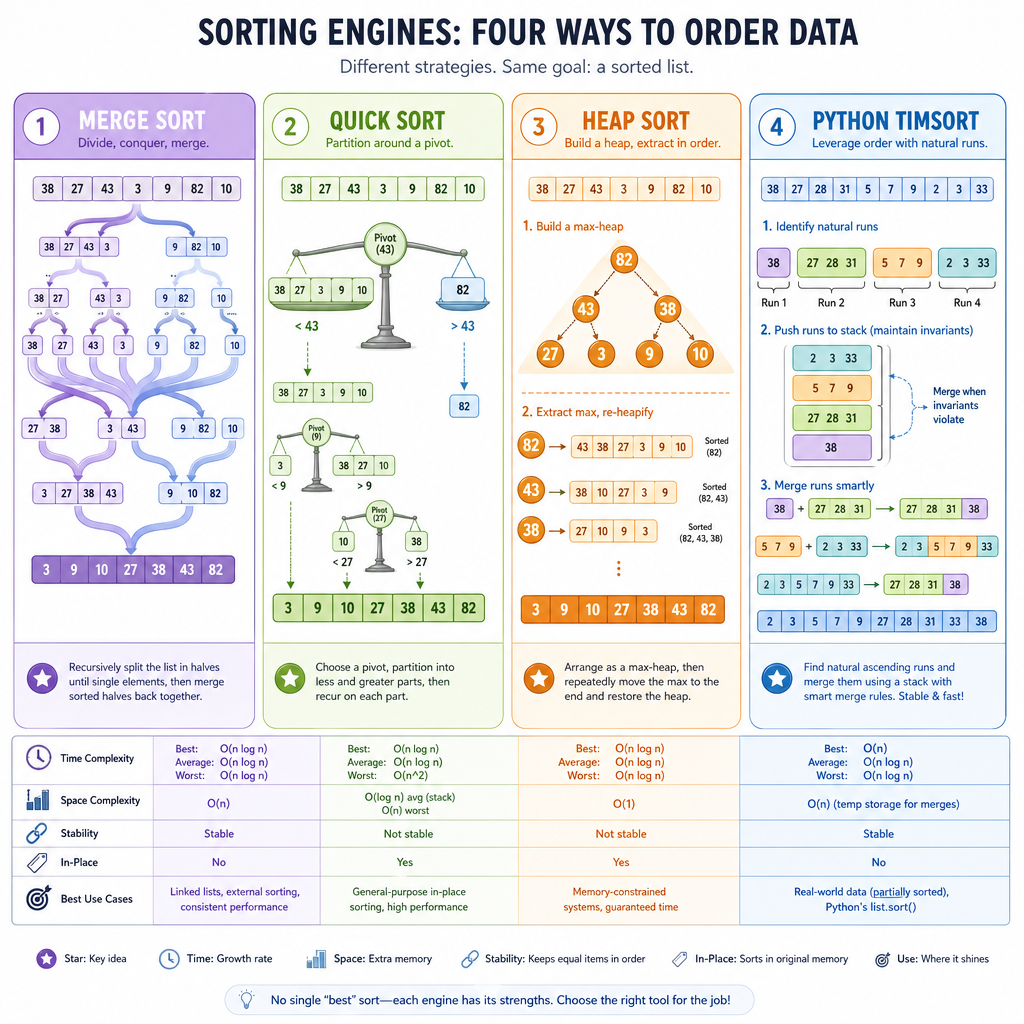
The scalable family: usually $$O(n \log n)$$
For medium and large inputs, you usually want a sorting algorithm around $$O(n \log n)$$.
Common examples:
- Merge sort: splits, sorts pieces, then merges them. Uses extra memory, stable in typical implementations.
- Quick sort: chooses a pivot and partitions values around it. Often fast in practice, but bad pivot choices can hurt.
- Heap sort: uses a heap structure to repeatedly remove the next item. In-place, but not stable in the usual form.
-
Python Timsort: hybrid production sort used by
sorted()and.sort().
You already learned recursion, so the idea of recursively sorting smaller pieces should feel familiar. We'll go deeper on the broader strategy behind that in Divide and Conquer Strategies later.
Complexity Blank
Fill in the blank.
A simple sorting algorithm with two nested loops that may compare many pairs of elements typically has time complexity _____.
Sorting Patterns
Sorting as a problem-solving move
In coding challenges, sorting is rarely the final goal. It is usually a setup step that makes another pattern easier.
Common moves:
- Sort numbers, then scan once.
- Sort intervals by start time, then merge or detect overlap.
- Sort strings by length before comparing candidates.
- Sort objects with
key=to expose the field that matters.
Here is a classic example: merging overlapping intervals after sorting by start time.
```python
def merge_intervals(intervals):
    intervals = sorted(intervals, key=lambda pair: pair[0])
    merged = []

    for start, end in intervals:
        if not merged or start > merged[-1][1]:
            merged.append([start, end])
        else:
            merged[-1][1] = max(merged[-1][1], end)

    return merged

meetings = [[5, 7], [1, 3], [2, 4], [8, 10], [9, 12]]
print("original:", meetings)
print("merged:", merge_intervals(meetings))
```
Review Loop
Your two-day revisit plan
Because this course is a 30-day crash course, repetition matters more than seeing ten new algorithms once.
Add these to your review loop:
Today
- Use
sorted()and.sort()on numbers, strings, and tuples. - Code insertion sort once without looking.
- Explain stable sorting in one sentence.
In 2 days
- Re-code insertion sort from memory.
- Solve one problem where sorting enables a single pass.
- Say out loud why $$O(n \log n)$$ beats $$O(n^2)$$ for large inputs.
Interview habit
Before reaching for a complex data structure, ask:
If I sort the input first, does the rest become a simple scan?
Next, we'll study Understanding Hash Tables, another major tool for turning slow scans into fast lookups.