Branching and Conflict Drills
Read at your own pace. Code execution, quizzes, progress tracking, and the AI tutor are available in the interactive view with JavaScript enabled.
Why Conflict Drills
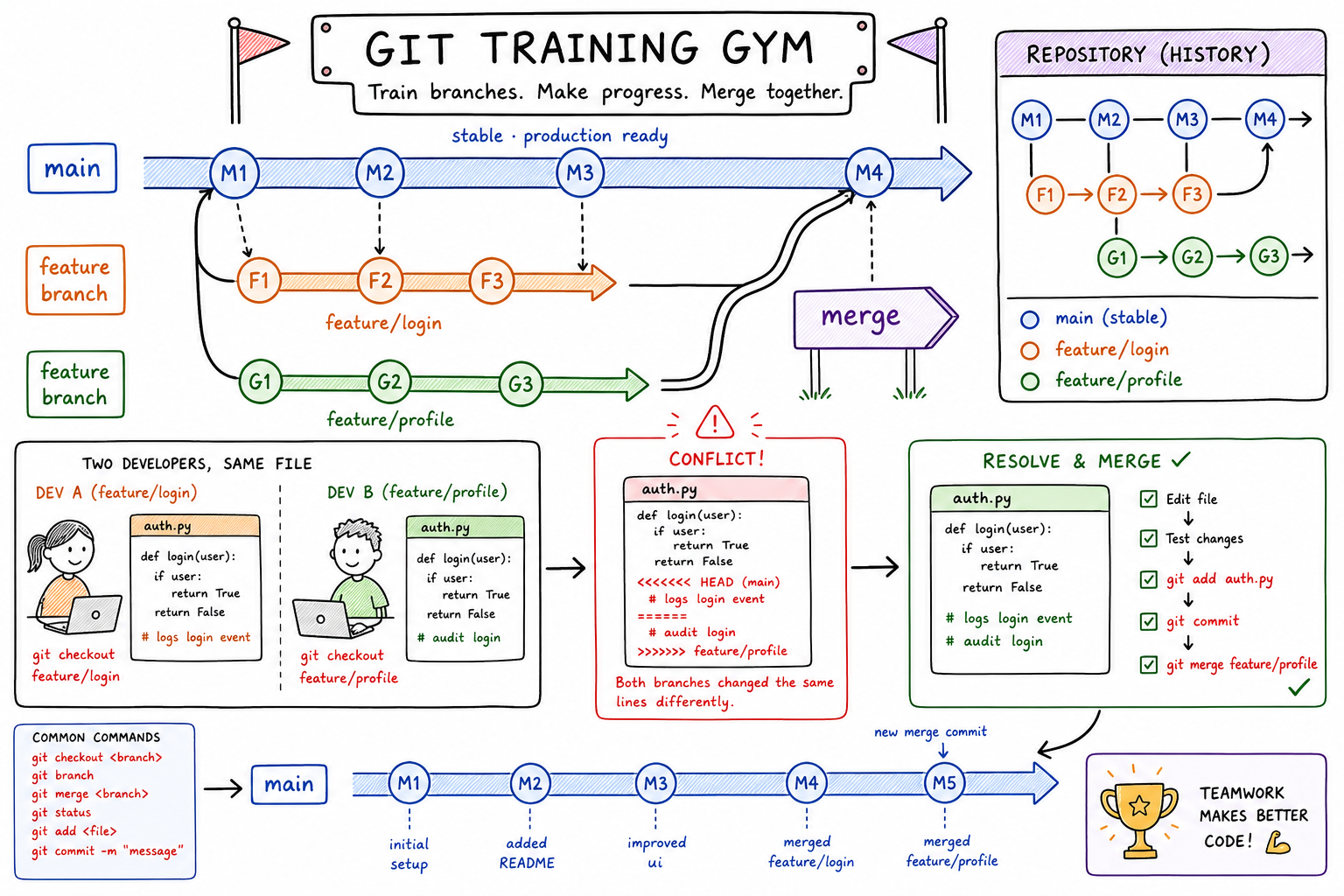
Branches Under Pressure
Now that you’ve covered What is Github? A Git Tutorial and the Git Commands Cheat Sheet, you know the basic commands: branch, checkout, merge, pull, push, diff, and log.
This lesson is the practice round.
In real teams, branching is not just “make a copy and code.” It is how multiple developers safely work in parallel without turning main into a mystery box.
Conflict drills matter because they teach you to stay calm when Git says:
CONFLICT (content): Merge conflict in file.txt
Automatic merge failed; fix conflicts and then commit the result.
By the end, you should be able to:
- Create a short-lived feature branch.
- Predict when conflicts happen.
- Read conflict markers.
- Resolve, stage, and complete a merge.
- Abort safely when you need to start over.
Next lesson, we’ll move from local branch safety into team review behavior.
CONTINUE WITH ALGODAILY PREMIUM
Keep going with the complete tutorial.
Unlock the remaining explanations and exercises, alongside the full learning library.
Explore Premium →