Introduction to C# Programming
Read at your own pace. Code execution, quizzes, progress tracking, and the AI tutor are available in the interactive view with JavaScript enabled.
Starting Line
Welcome to C
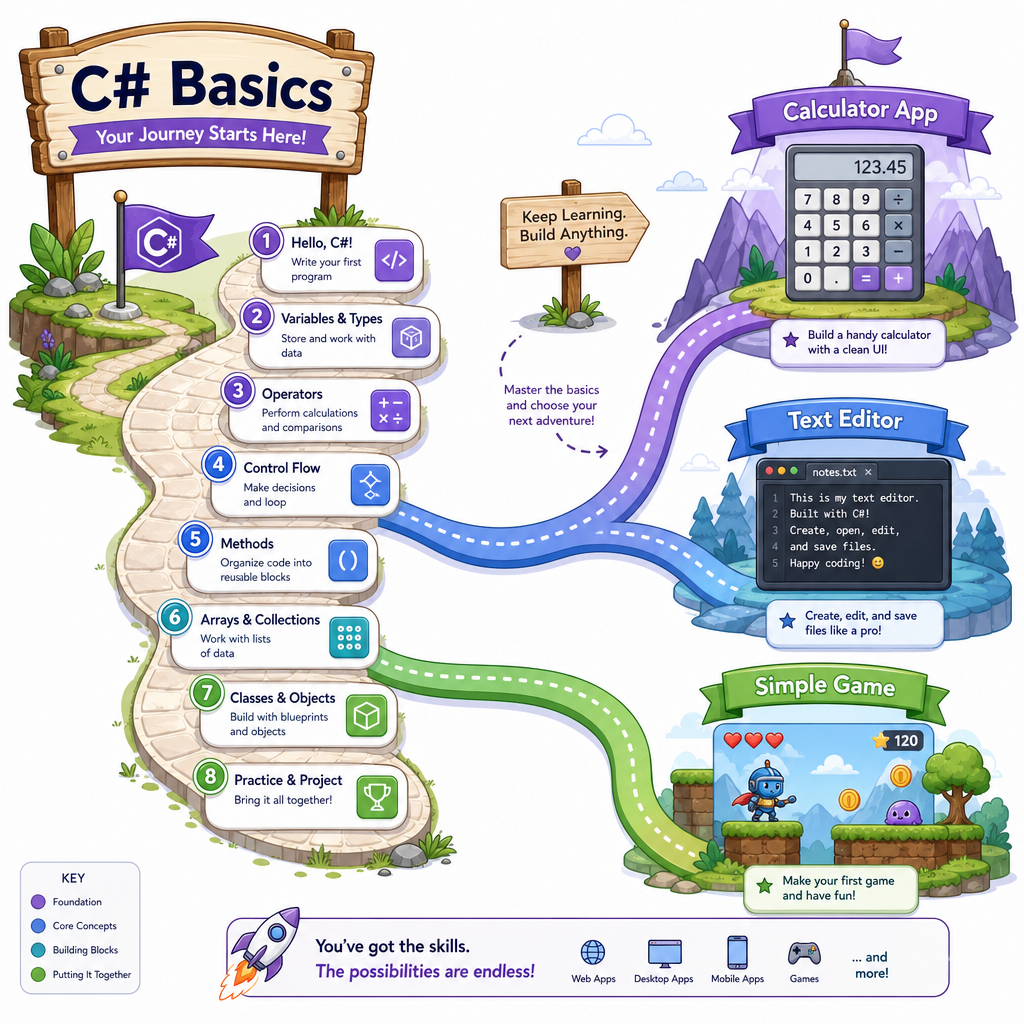
This is the starting line for the whole course. Before we build Windows desktop apps like a calculator, text editor, and simple game, we need a clear mental model for:
- What C# is
- Where C# code runs
- How a small C# program is shaped
- How C# compares to the Python basics you may have seen
Think of this lesson like learning the layout of a gym before your first workout. We are not lifting every heavy concept yet—we are learning where the equipment is and how to move safely.
By the end, you will be able to read and run tiny C# programs with confidence.
What Is C#?
C# is a programming language
C#—pronounced C sharp—is a language used to tell a computer what to do.
You can use C# to build many kinds of software:
- Windows desktop apps
- Web apps
- Mobile apps
- Games
- Cloud services
- Automation tools
In this course, our focus is practical: Windows desktop applications.
C# and .NET
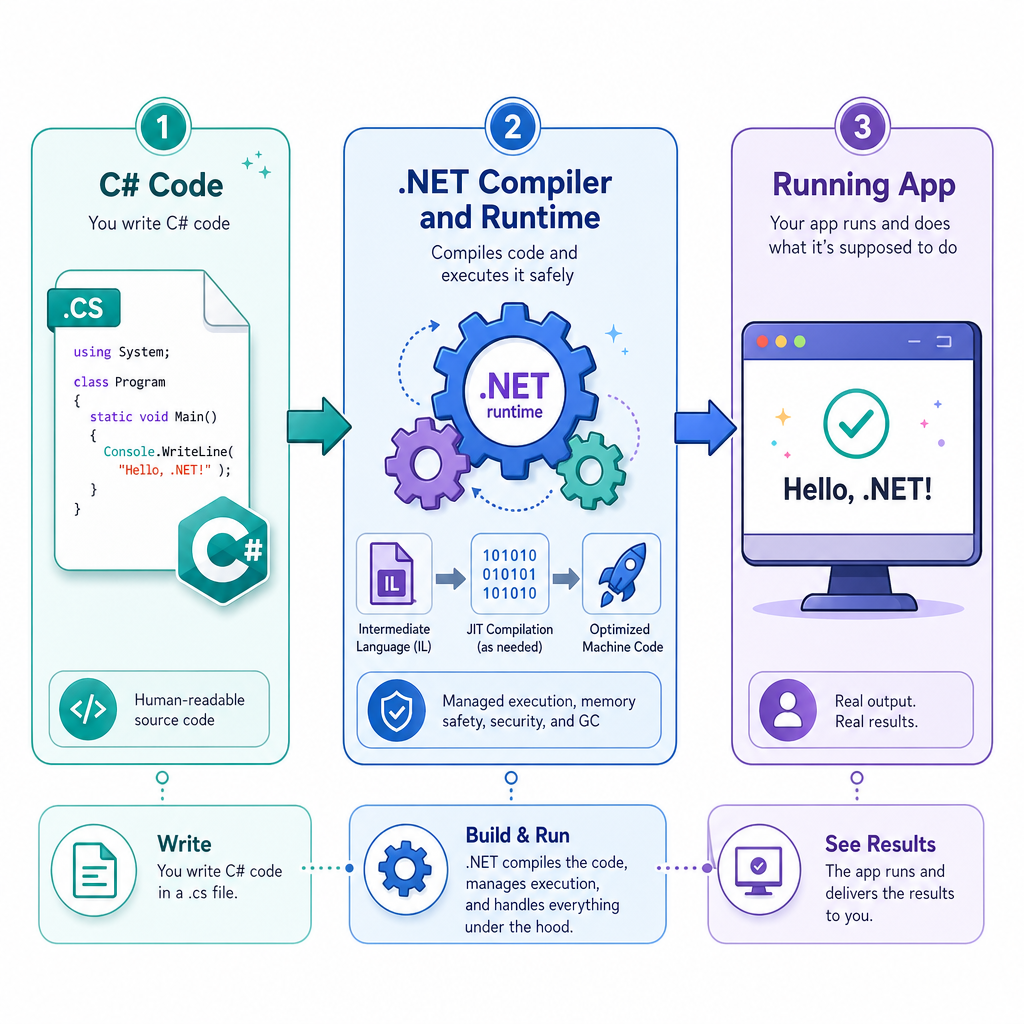
C# usually runs on a platform called .NET.
A simple way to picture it:
Your C# code -> .NET tools/runtime -> Running program
C# is the language. .NET is the ecosystem that helps compile, run, and support your program.
First Program
A tiny C# program
Here is a complete C# program that prints a message.
In Python, you may have used print("Hello").
In C#, we often use:
Console.WriteLine("Hello");
A few things to notice:
- C# uses curly braces
{ }to group code. - Many C# statements end with a semicolon
;. -
Mainis the starting point of this program. -
Console.WriteLineprints a line of text to the console.
Do not worry if every word does not feel natural yet. Your first goal is to recognize the shape.
```csharp
using System;

class Program
{
    static void Main()
    {
        Console.WriteLine("Hello, C#!");
        Console.WriteLine("This is my first program.");
    }
}
```
C# Runs Where?
Which description best matches the relationship between C# and .NET?
Values And Types
Variables store values
A variable is a named place to store a value.
If you have seen Python, this may look familiar conceptually:
score = 10
C# is more explicit. You usually say what type of value a variable stores.
Common beginner types:
-
int— whole numbers -
double— decimal numbers -
string— text -
bool— true/false values
This is one of the biggest early differences from Python: C# wants you to be clear about the kind of data you are working with.
```csharp
using System;

class Program
{
    static void Main()
    {
        string favoriteGenre = "rap";
        int workoutMinutes = 30;
        bool finishedWorkout = true;

        Console.WriteLine("Favorite genre: " + favoriteGenre);
        Console.WriteLine("Workout minutes: " + workoutMinutes);
        Console.WriteLine("Workout finished? " + finishedWorkout);
    }
}
```
Type Check
True or false: In C#, declaring a variable as int means it is meant to store whole numbers.
Program Flow
Programs run step by step
A simple program usually runs from top to bottom inside Main.
You can also make decisions with if statements.
This is similar to Python's if, but the punctuation is different:
- C# puts the condition in parentheses:
if (condition) - C# groups the body with braces:
{ ... }
The idea is the same: if something is true, run this code.
Example: imagine a reality TV contestant needs enough votes to stay in the game.
```csharp
using System;

class Program
{
    static void Main()
    {
        int votes = 42;

        Console.WriteLine("Checking contestant status...");

        if (votes >= 40)
        {
            Console.WriteLine("The contestant stays for another episode!");
        }
        else
        {
            Console.WriteLine("The contestant is eliminated.");
        }
    }
}
```
Print The Line
Fill in the missing C# command to print a line of text:
____("Welcome to C#!");
Desktop App Mindset
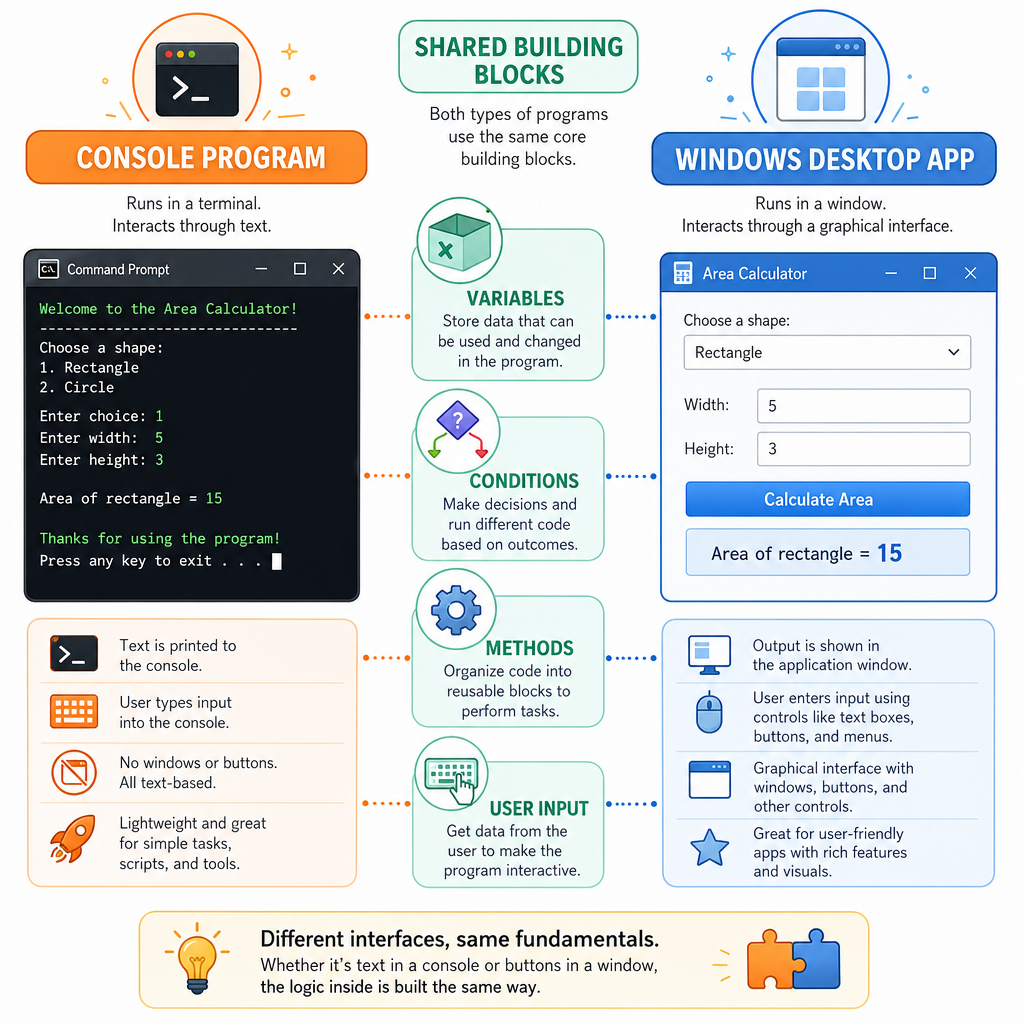
From console programs to Windows apps
Today we are using console programs because they are the simplest way to see C# run.
But the same core ideas will carry into desktop apps:
- Variables store app data.
- Conditions help decide what happens next.
- Methods organize actions.
- User input changes program behavior.
Later, when we build a calculator, a button click might trigger code that adds numbers. The app window will be new, but the underlying thinking will still be C# logic.
A Windows app is not magic—it is code responding to events.
C# Shape
The basic shape to remember
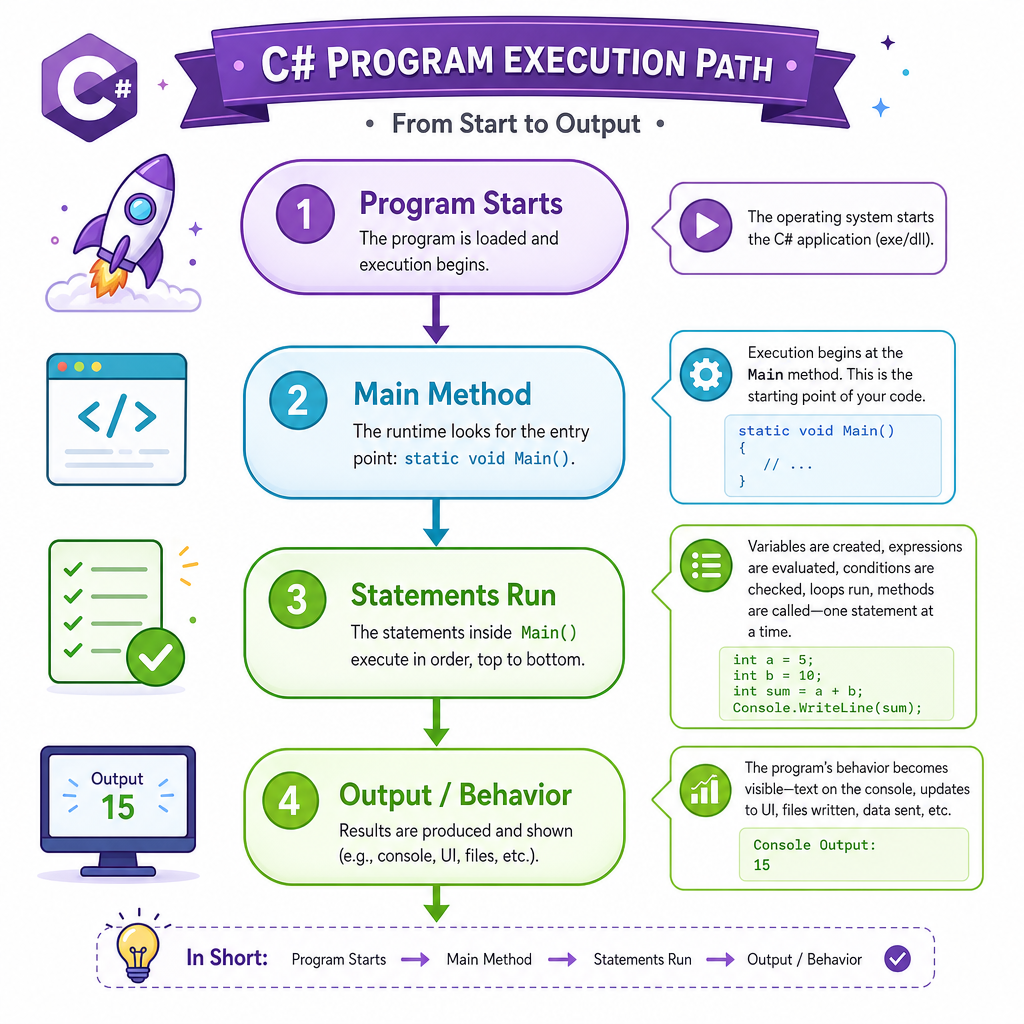
For now, keep this mental model:
Program starts
    ↓
Main runs
    ↓
Statements execute in order
    ↓
Output appears or behavior happens
When you feel lost, ask:
- Where does the program start?
- What values are being stored?
- What line runs next?
- What output should I expect?
These questions will help you debug small programs and understand larger apps later.
You Are Ready
Lesson recap
You now have the foundation for the rest of the course:
- C# is the language we write.
- .NET helps compile and run C# programs.
- A C# program has structure: classes, braces, methods, and statements.
-
Console.WriteLineprints output. - Variables store typed values like
int,string, andbool. - Programs run step by step and can make decisions with
if.
Next, we will start applying these basics in a more practical direction by building a calculator.