Introduction to Data Structures
Read at your own pace. Code execution, quizzes, progress tracking, and the AI tutor are available in the interactive view with JavaScript enabled.
Course Orientation
Welcome to data structures
This is the first lesson in Graphs, Recursion, Hashmaps, Trees, so we’ll start with the big idea: a data structure is a deliberate way to organize information so a program can use it efficiently.
If programming is problem solving, data structures are the way we arrange the clues.
Think about:
- A basketball coach tracking players, scores, and substitutions
- A detective organizing suspects, timelines, and relationships
- A navigation app storing roads and destinations
The same information can be stored in different ways. The right structure can make a solution clear and fast; the wrong one can make even a simple task frustrating.

What Gets Structured
Data is not enough
A program usually needs to do more than simply store data. It needs to answer questions:
- Where is this item?
- What comes next?
- Who is connected to whom?
- What is the fastest way to retrieve something?
- How do we avoid checking everything one by one?
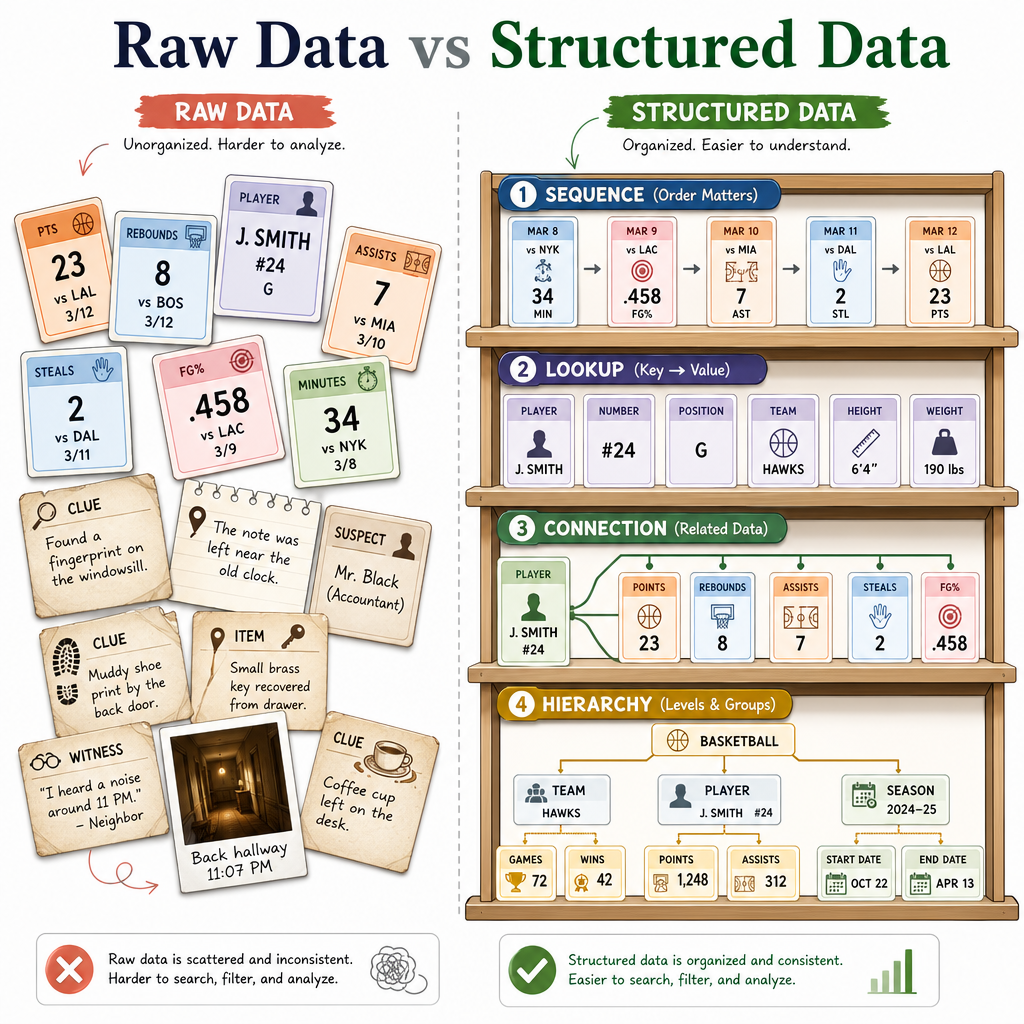
A data structure pairs data with an organization strategy.
For example, imagine tracking basketball player points:
- If you only care about the order scores were recorded, a simple sequence works well.
- If you need to instantly find a player’s score by name, another structure may be better.
- If you need to represent teammates, matchups, or passing relationships, a connected structure may fit better.
This lesson is about building the mental model for making those choices.
Why Structure Matters
A program stores the same set of player names in two different ways. One version makes it easy to print names in order. Another version makes it easy to quickly check whether a specific name exists.
What does this best illustrate?
Operations Matter
Think in operations
When choosing a data structure, ask: What will I do most often?
Common operations include:
- Add: insert new data
- Remove: delete data
- Access: get data from a known position or key
- Search: find data when you do not know where it is
- Traverse: visit every item
Here is a tiny Python example using a list, one of the most beginner-friendly linear structures.
```python
players = ["Ava", "Ben", "Cam"]

print("Original roster:", players)

players.append("Dee")          # add
print("After adding Dee:", players)

print("First player:", players[0])  # access by position

players.remove("Ben")         # remove
print("After removing Ben:", players)

print("Is Cam on the roster?", "Cam" in players)  # search

print("Visit every player:")
for player in players:         # traverse
    print("-", player)
```
Linear vs Nonlinear
Two big families
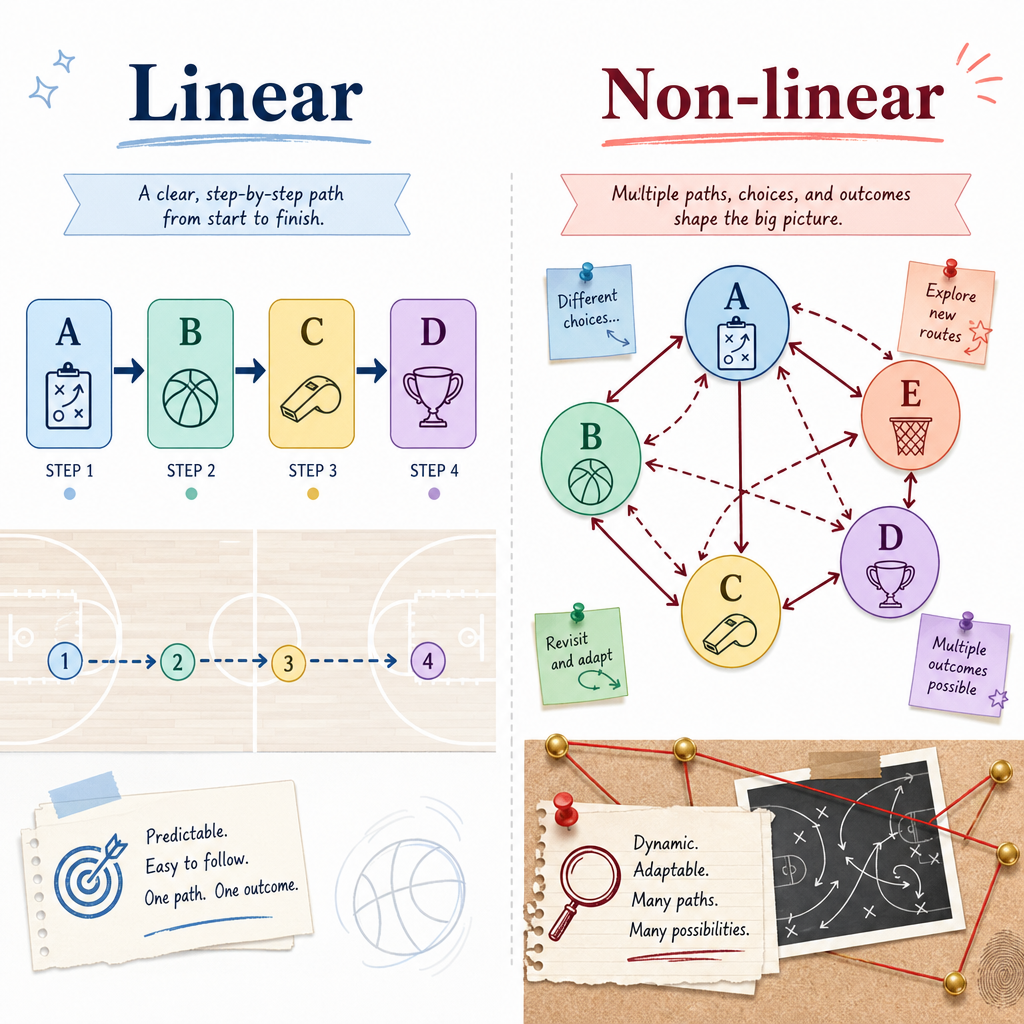
At a high level, many data structures can be grouped as linear or non-linear.
Linear structures
Data is arranged in a sequence. Each item has a clear before/after relationship.
Example mental model:
A -> B -> C -> D
Lists, arrays, stacks, and queues are common linear structures.
Non-linear structures
Data can branch, connect, or form relationships that are not just "next item after previous item."
Example mental model:
      A
    / | \
   B  C  D
      |
      E
Graphs and trees are common non-linear structures. We’ll study them more carefully later in this course.
Spot the Shape
True or false: A structure where every item is only connected to the next item in a single sequence is best described as linear.
Structure Changes Code
Same task, different organization
Suppose we have basketball scores and want to find one player’s points.
If we store each player as a pair inside a list, we may need to scan through the list until we find the right name.
If we store the data by name, the code becomes more direct.
For now, focus on the idea: how we organize data changes how we write the solution. We’ll study efficient retrieval in depth in the hashmap lesson.
```python
scores_as_list = [
    ["Ava", 18],
    ["Ben", 11],
    ["Cam", 24]
]

wanted = "Cam"

for name, points in scores_as_list:
    if name == wanted:
        print(wanted, "scored", points, "points")

scores_by_name = {
    "Ava": 18,
    "Ben": 11,
    "Cam": 24
}

print(wanted, "scored", scores_by_name[wanted], "points")
```
Name the Family
Graphs and trees are usually described as ______ data structures because their items can branch or connect in ways that are not just one straight sequence.
Type the missing term exactly.
A Simple Stack
A useful linear pattern
A stack is a linear structure with a simple rule: the last item added is the first item removed.
You can imagine a stack of case files on a detective’s desk. The newest file is on top, so it is the first one you pick up.
This pattern is often called LIFO: Last In, First Out.
Python lists can model this behavior with append() and pop().
```python
case_stack = []

case_stack.append("Interview witness")
case_stack.append("Check security footage")
case_stack.append("Analyze phone records")

print("Current stack:", case_stack)

next_task = case_stack.pop()
print("Next task:", next_task)
print("Remaining stack:", case_stack)
```
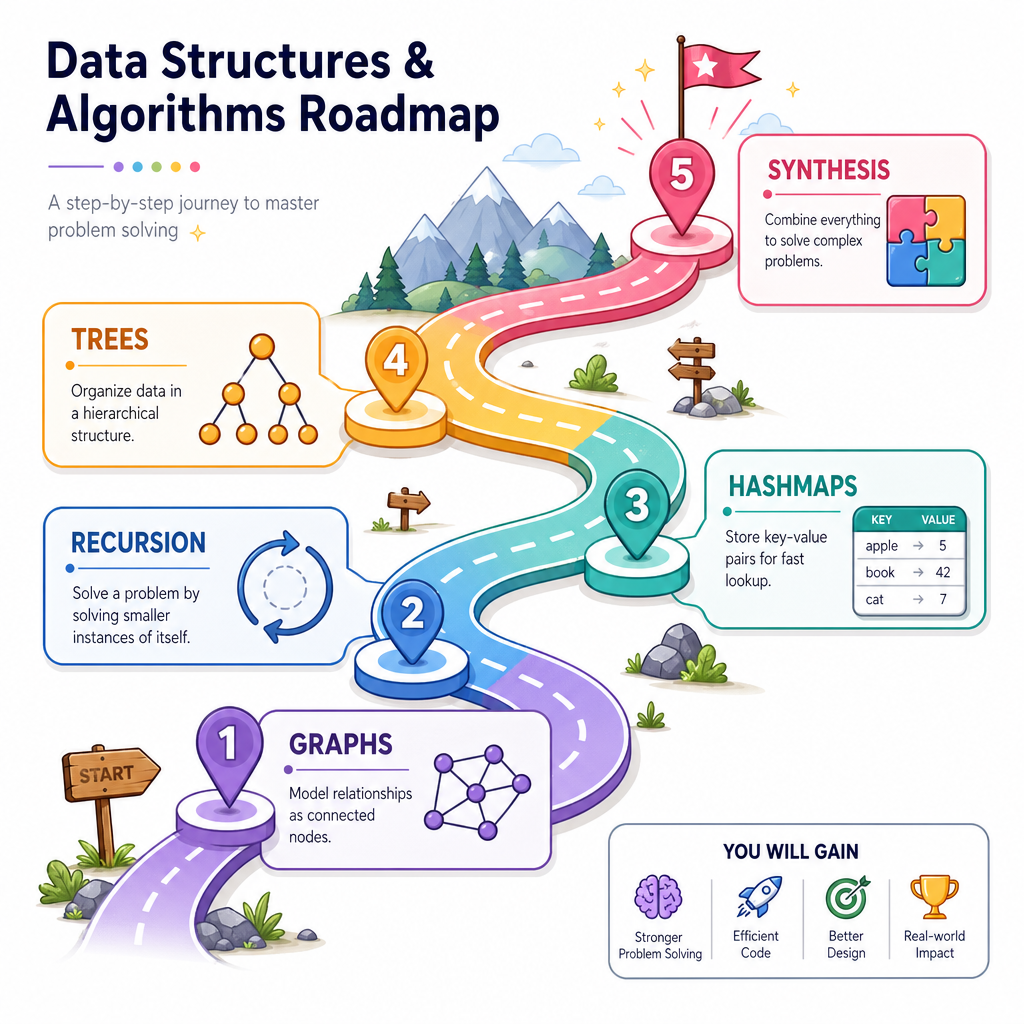
Your Roadmap
What comes next
You now have the core lens for this course:
Data structures are choices about organization, and those choices affect how efficiently we solve problems.
In the next lessons, we’ll explore several important structures and techniques:
- Graphs for connections and relationships
- Recursion for solving problems through smaller versions of themselves
- Hashmaps for efficient retrieval
- Trees for hierarchy and ordered structure
- Synthesis for combining ideas into realistic solutions
As we move forward, keep asking: What is the data, what operations matter, and what structure fits the problem?