Lesson 1: Introduction to API in C++
Read at your own pace. Code execution, quizzes, progress tracking, and the AI tutor are available in the interactive view with JavaScript enabled.
Welcome To APIs
Why this lesson matters
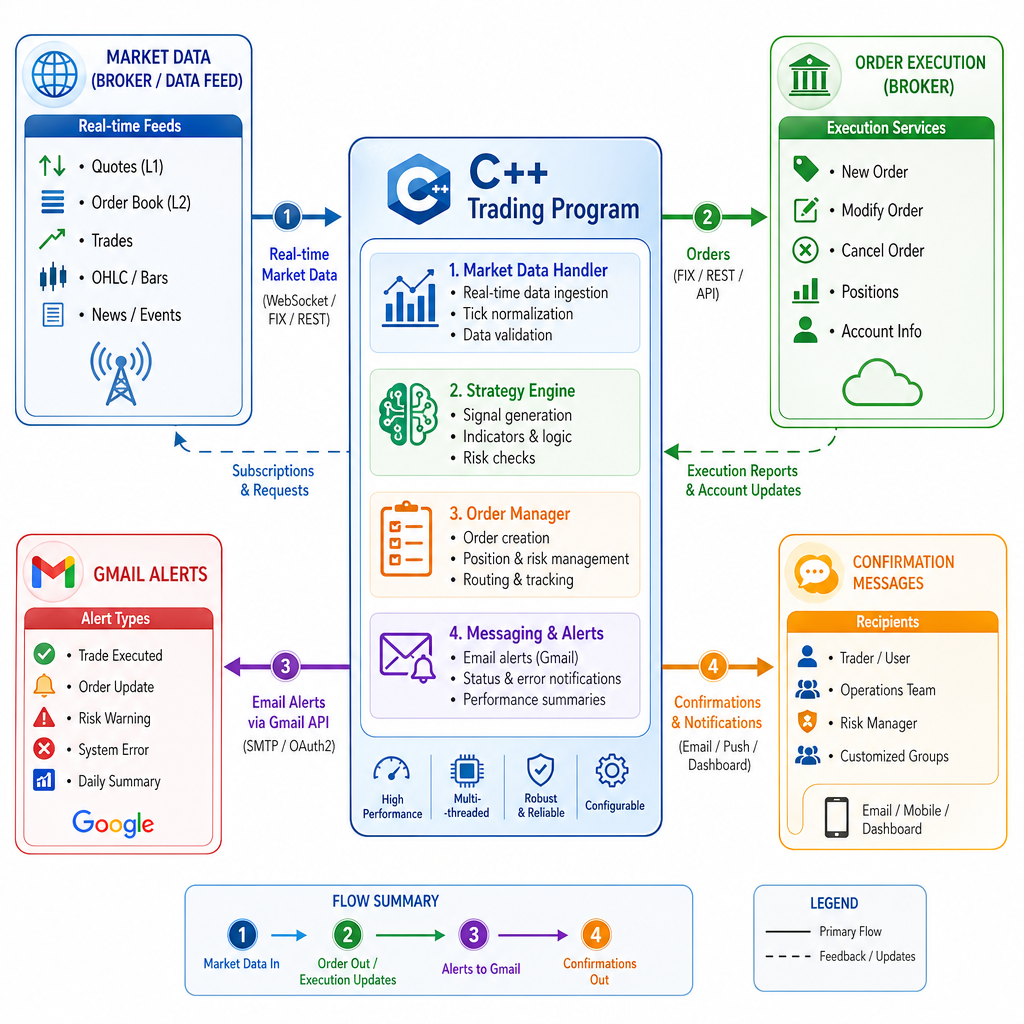
In algorithmic trading, your C++ program rarely works alone.
It may need to:
- Read an email alert from Gmail
- Request account or market data from a broker
- Send an order instruction
- Receive confirmations or errors
An API is the agreed way one software system talks to another.
This first lesson sets the mental model: what an API is, what your C++ code sends, what it receives, and where mistakes usually happen. Later, we’ll apply this model to Gmail, signal parsing, REST, and FIX.
API Means Agreement
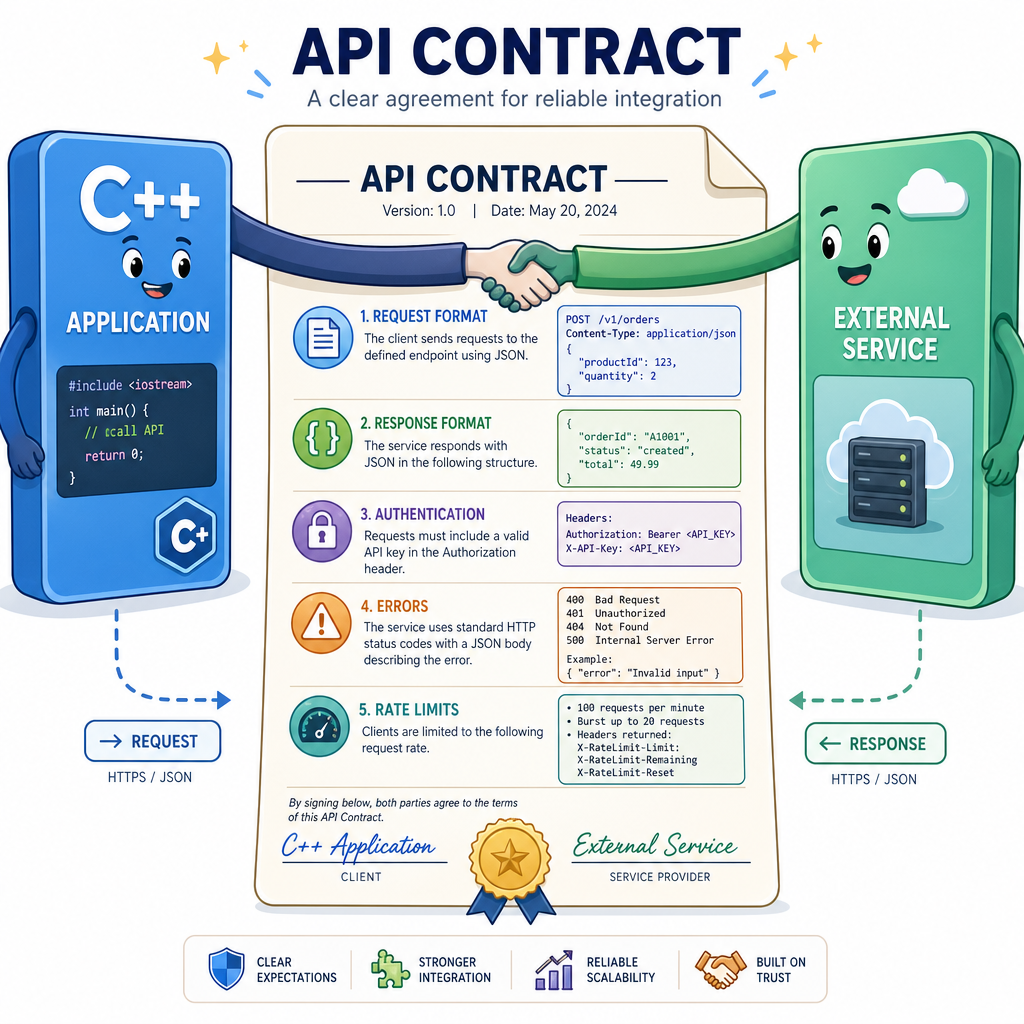
An API is a contract
API stands for Application Programming Interface.
Think of it as a contract between two pieces of software:
- What can I ask for?
- What format should I use?
- What will I get back?
- What errors can happen?
- How do I prove I am allowed to call it?
For a trading-related C++ app, the API contract matters because a small misunderstanding can mean:
- Reading the wrong message
- Missing a buy/sell signal
- Sending an invalid order
- Retrying too fast and getting blocked
Good API code is not just “make the request.” It is also respect the contract.
C++ Contract Mindset
APIs feel like interfaces
If you have used C++ classes, you already know part of the idea.
Your strategy code should not need to know every internal detail of a broker, Gmail, or message service. It should depend on a clear interface: “give me a quote,” “send this order,” or “fetch this message.”
Here is a tiny local example. No network yet — just the API mindset.
```cpp
#include <iostream>
#include <memory>
#include <string>

class MarketDataApi {
public:
    virtual std::string getQuote(const std::string& symbol) = 0;
    virtual ~MarketDataApi() = default;
};

class PaperMarketDataApi : public MarketDataApi {
public:
    std::string getQuote(const std::string& symbol) override {
        return symbol + " bid=190.10 ask=190.15";
    }
};

int main() {
    std::unique_ptr<MarketDataApi> api = std::make_unique<PaperMarketDataApi>();

    std::cout << "Strategy asks API for quote...\n";
    std::cout << api->getQuote("AAPL") << "\n";

    return 0;
}
```
Find The Boundary
Your C++ trading program calls a broker service to request the latest price for MSFT.
Which part is the API boundary?
Request Response Loop
Most API calls have a loop
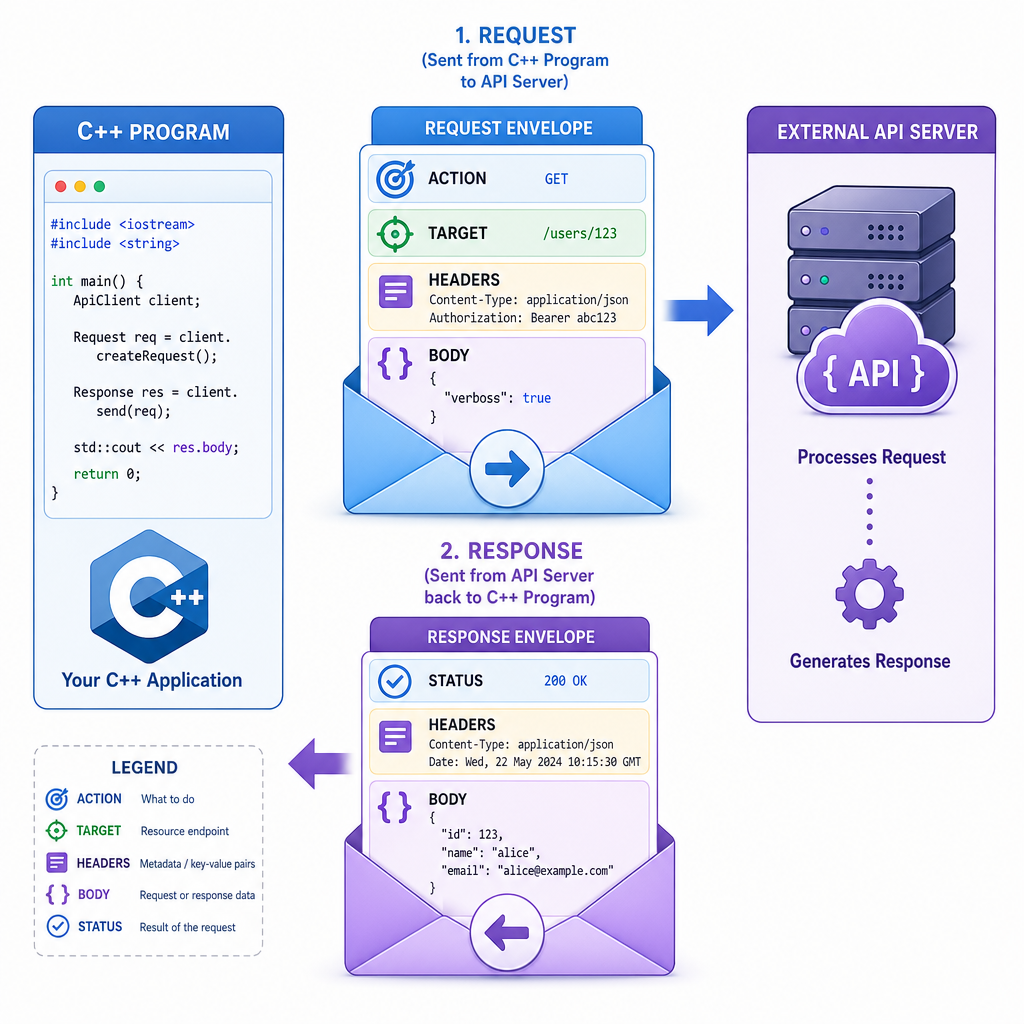
A common API interaction looks like this:
C++ program  --->  request  --->  external service
C++ program  <--- response  <---  external service
A request often includes:
- Action: what you want to do
- Target: which resource or service you are calling
- Headers/metadata: authentication, content type, version
- Body/data: optional details, such as an order instruction
A response often includes:
- Status: success, unauthorized, not found, too many requests, etc.
- Headers/metadata: extra information about the response
- Body/data: the useful result, often text or JSON
HTTP-based APIs use this request/response style. FIX also has structured messages, but with a different trading-focused format. We’ll keep this lesson at the concept level.
Tiny HTTP Shape
A request is just structured text
Many web APIs communicate over HTTP. Under the hood, the request has a predictable shape.
This example does not connect to the internet. It simply prints a simplified HTTP-like request and a fake response so you can see the structure.
```cpp
#include <iostream>
#include <string>

struct HttpRequest {
    std::string method;
    std::string path;
    std::string host;
    std::string token;

    std::string toText() const {
        return method + " " + path + " HTTP/1.1\n" +
               "Host: " + host + "\n" +
               "Authorization: Bearer " + token + "\n" +
               "Accept: application/json\n";
    }
};

int main() {
    HttpRequest request{
        "GET",
        "/v1/messages/latest",
        "api.example.com",
        "<hidden-token>"
    };

    std::cout << "--- Request ---\n";
    std::cout << request.toText() << "\n";

    std::cout << "--- Fake Response ---\n";
    std::cout << "HTTP/1.1 200 OK\n";
    std::cout << "Content-Type: application/json\n\n";
    std::cout << "{\"message\":\"BUY AAPL\"}\n";

    return 0;
}
```
APIs Need Permission
True or false?
If an API is available on the internet, your C++ program can always call it successfully without credentials, tokens, or permission.
Trading API Pipeline
Where APIs fit in an algo workflow
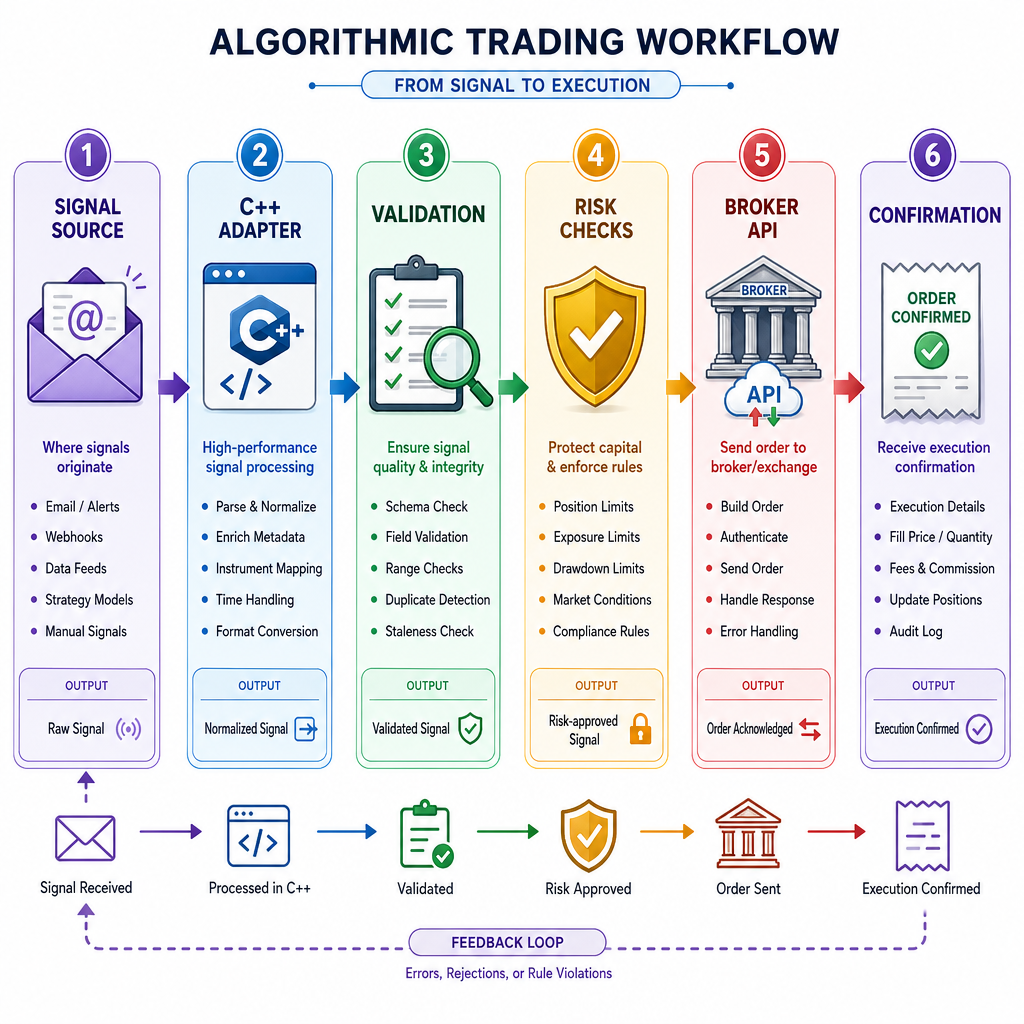
A simple automated trading workflow might look like:
Signal source -> C++ adapter -> validation -> risk checks -> broker API -> confirmation
The API is not the whole trading system. It is the communication layer.
Your C++ code still needs to decide:
- Is the message trustworthy?
- Is the symbol valid?
- Is the account allowed to trade?
- What should happen if the API returns an error?
This course will build toward that workflow step by step, but this lesson’s job is to make the boundaries clear.
Name The Idea
Fill in the blank:
An API is best thought of as a ________ between two software systems.
Plan For Errors
Errors are normal, not exceptional
When working with APIs, your program must expect non-success responses.
A serious trading program should not treat every failure the same way. For example:
-
200: success -
401: authentication problem -
429: too many requests -
500: service-side problem
Here is a small C++ example that chooses a different next action based on the response status.
```cpp
#include <iostream>
#include <string>
#include <vector>

struct ApiResponse {
    int status;
    std::string body;
};

std::string nextAction(const ApiResponse& response) {
    if (response.status == 200) {
        return "Process the response body";
    }
    if (response.status == 401) {
        return "Stop and refresh/check credentials";
    }
    if (response.status == 429) {
        return "Wait before retrying";
    }
    if (response.status >= 500) {
        return "Log service error and retry later";
    }
    return "Log unexpected status and do not trade";
}

int main() {
    std::vector<ApiResponse> responses = {
        {200, "{price:190.15}"},
        {401, "Unauthorized"},
        {429, "Too Many Requests"},
        {503, "Service Unavailable"}
    };

    for (const auto& response : responses) {
        std::cout << "Status " << response.status
                  << " -> " << nextAction(response) << "\n";
    }

    return 0;
}
```
Safest API Behavior
Your C++ program calls an external API and receives an error instead of the expected data.
What is the safest general behavior?