Lesson 1: Introduction to Datastores
Read at your own pace. Code execution, quizzes, progress tracking, and the AI tutor are available in the interactive view with JavaScript enabled.
Why Datastores Matter
Welcome to the course
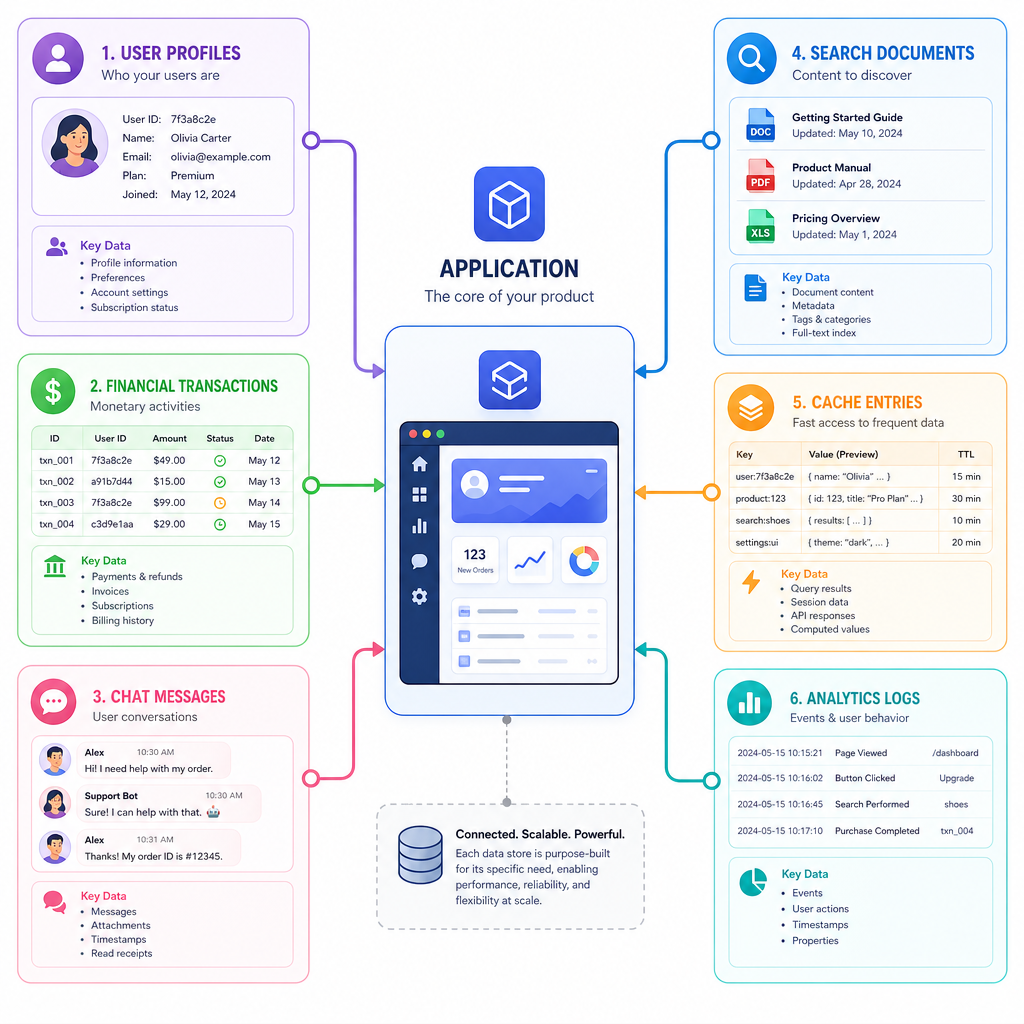
Every useful application has to remember something: users, balances, sessions, documents, messages, logs, embeddings, prices, permissions, or search results.
A datastore is the system responsible for keeping that information useful over time.
In this lesson, we will build the mental model for the rest of the course:
- What datastores are
- Why they exist beyond plain variables
- The major datastore families
- The tradeoffs they make
- How to think about choosing one
Later, we will build small versions of these ideas in Python, starting with a basic key-value store in Lesson 2.
Data Needs Memory
From variables to datastores
A Python variable is memory for a running program. But most applications need stronger guarantees:
- Data should still exist after the process exits.
- Multiple users or services may need access at once.
- Reads and writes should be organized and predictable.
- The system should handle growth, failures, and performance constraints.
At the smallest scale, a datastore can feel like a dictionary: store a value under a name, then retrieve it later.
That simple idea is powerful enough to start our journey.
```python
# A tiny in-memory "datastore" using a Python dictionary.
# This is not durable: the data disappears when the program exits.

store = {}

store["user:42"] = {"name": "Ada", "plan": "pro"}
store["price:AAPL"] = 187.63

print("User 42:", store["user:42"])
print("AAPL price:", store.get("price:AAPL"))

# Updating stored data
store["user:42"]["plan"] = "enterprise"
print("Updated user:", store["user:42"])
```
Not Just Files
Why not just write files?
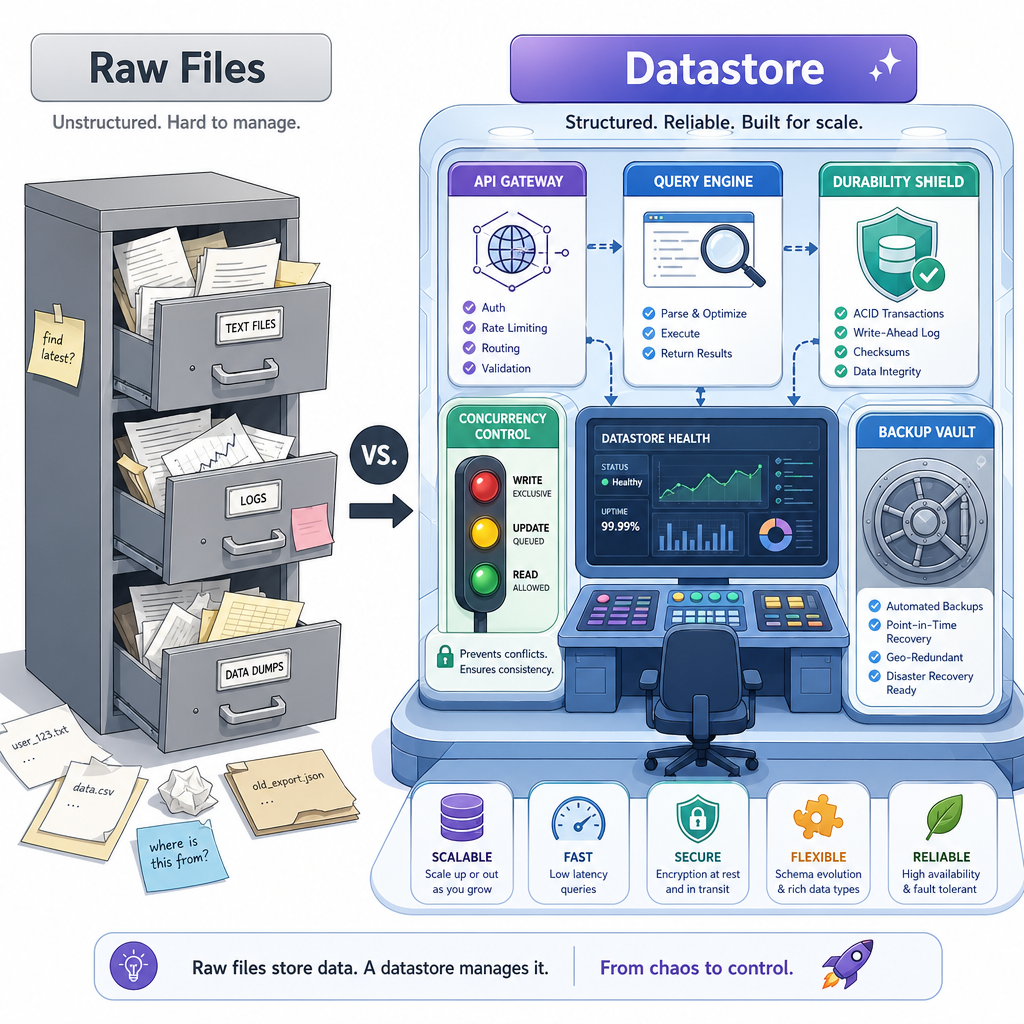
Files are important. Many real datastores eventually write bytes to disk. But a datastore is more than a file format.
A datastore usually provides a contract around data:
- API: how programs read and write
- Organization: how data is modeled internally
- Durability: whether data survives crashes
- Concurrency: what happens when many clients act at once
- Query ability: how efficiently data can be found
- Operational behavior: backups, replication, scaling, monitoring
Think of a file as raw storage. A datastore is storage plus rules, tools, and guarantees.
Core Definition Check
Which statement best describes a datastore?
Datastore Families
Different shapes for different jobs
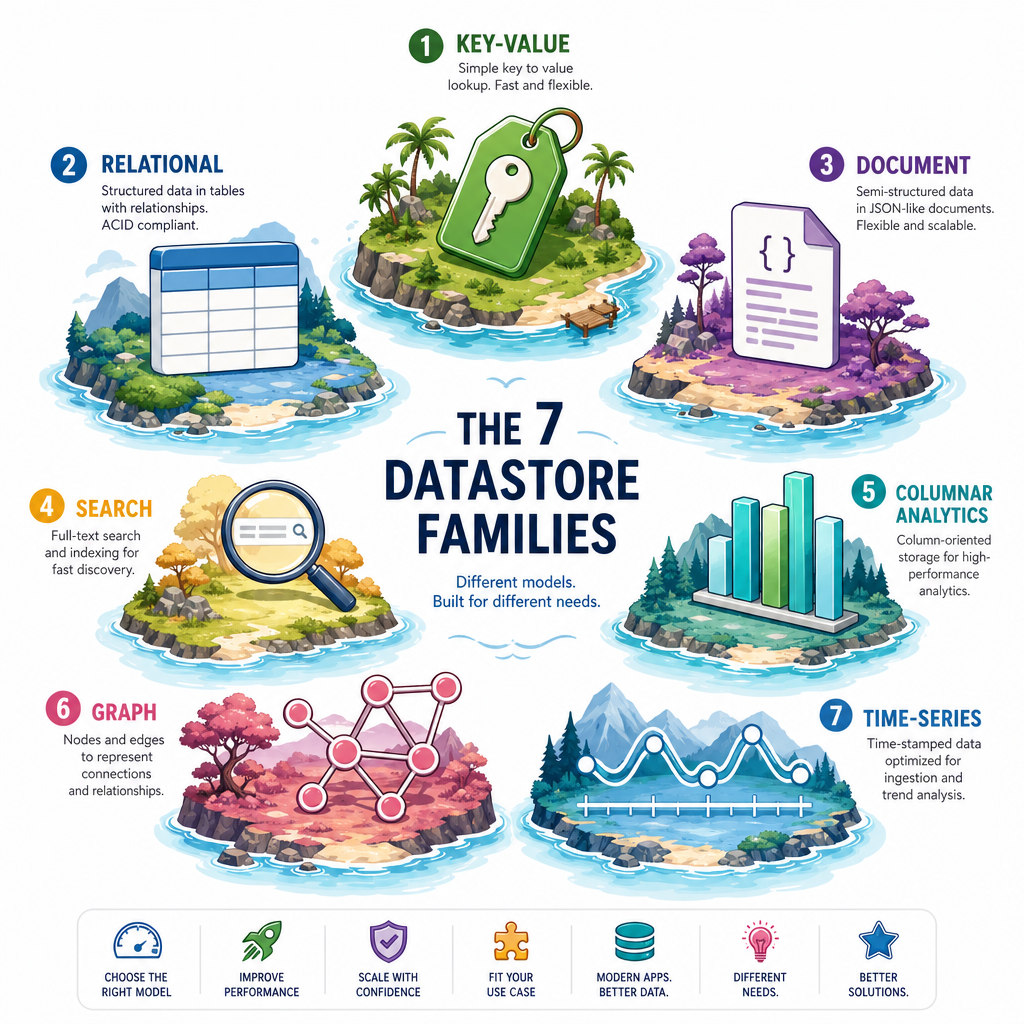
Datastores are designed around the questions they answer well.
Common families include:
Family Typical model Good for Key-valuekey -> value
sessions, caches, simple lookups
Relational
tables and rows
transactions, structured business data
Document
JSON-like documents
flexible application records
Search
indexed text/documents
keyword and relevance queries
Columnar / analytics
columns and batches
reports, aggregations, large scans
Graph
nodes and edges
relationships, networks, recommendations
Time-series
timestamped events
metrics, prices, logs, sensor data
No family is universally best. Each optimizes for certain access patterns.
Design Myth
True or false: The most important datastore design choice is whether it is called SQL or NoSQL.
Access Patterns First
Start with the question
A datastore exists to answer questions about data.
Before choosing or building one, ask:
- Do we fetch one item by ID?
- Do we update balances safely?
- Do we search text by relevance?
- Do we scan millions of events for analytics?
- Do we need the newest value, historical values, or both?
For example, a finance app may need fast account lookups, safe ledger writes, time-ordered market ticks, and searchable news. Those are different workloads, so they may deserve different datastore designs.
```python
# A tiny workload classifier.
# Real systems are more nuanced, but this captures the key idea:
# choose datastore shape based on the questions you ask.

workloads = [
    {
        "question": "Fetch a user session by token",
        "pattern": "single key lookup",
        "fit": "key-value store"
    },
    {
        "question": "Transfer money between two accounts",
        "pattern": "structured update with correctness rules",
        "fit": "relational database"
    },
    {
        "question": "Find articles mentioning inflation and earnings",
        "pattern": "text search",
        "fit": "search engine"
    },
    {
        "question": "Plot stock prices over the last trading day",
        "pattern": "time-ordered events",
        "fit": "time-series store"
    }
]

for item in workloads:
    print(f"Q: {item['question']}")
    print(f"Pattern: {item['pattern']}")
    print(f"Likely fit: {item['fit']}\n")
```
Vocabulary Fill
Fill in the blank:
A system responsible for storing, organizing, and providing access to application data is called a ____.
Use Case Match
You are building a real-time leaderboard where each player's score must be retrieved quickly by player ID. Which datastore family is the most natural starting point?
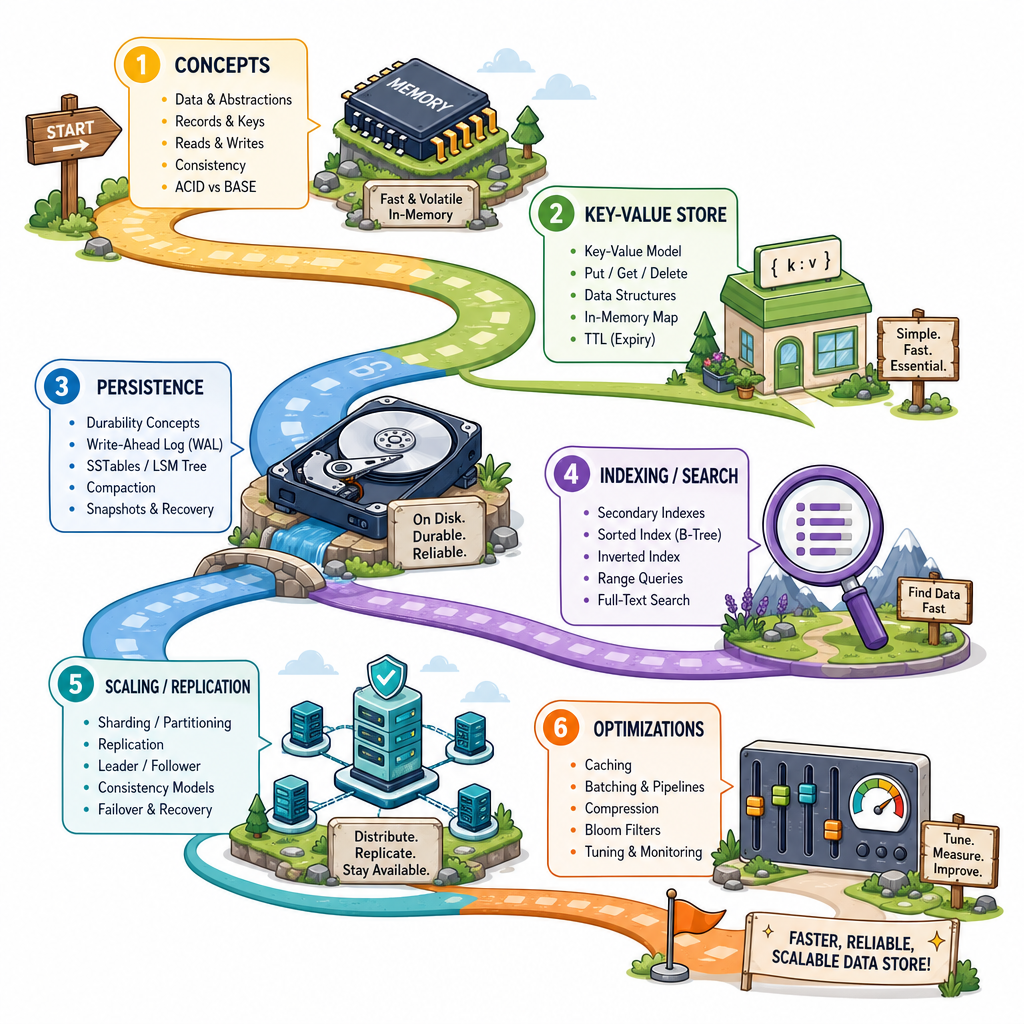
Course Roadmap
The path from idea to datastore
This lesson gave us the map: datastores are systems that organize data around access patterns and guarantees.
Next, we will start small and concrete:
- Build a basic in-memory key-value store
- Add persistence so data survives restarts
- Add indexing and searching concepts
- Explore scaling and replication
- Finish with advanced features and optimizations
The goal is not to replace PostgreSQL, Redis, MongoDB, or Elasticsearch. The goal is to understand their core ideas well enough that they stop feeling magical.